> ## Documentation Index
> Fetch the complete documentation index at: https://docs.zoice.com/llms.txt
> Use this file to discover all available pages before exploring further.
# Generate AI Images with Imagen 4
> Step-by-step guide to generating high-quality photorealistic images using Google's Imagen 4 model on Zoice. Includes prompt structures and expert settings.
## Overview
Imagen 4 excels at creating photorealistic, detailed images from text prompts. This guide shows you how to leverage Imagen 4's advanced capabilities for professional-quality results.
## Quick Start
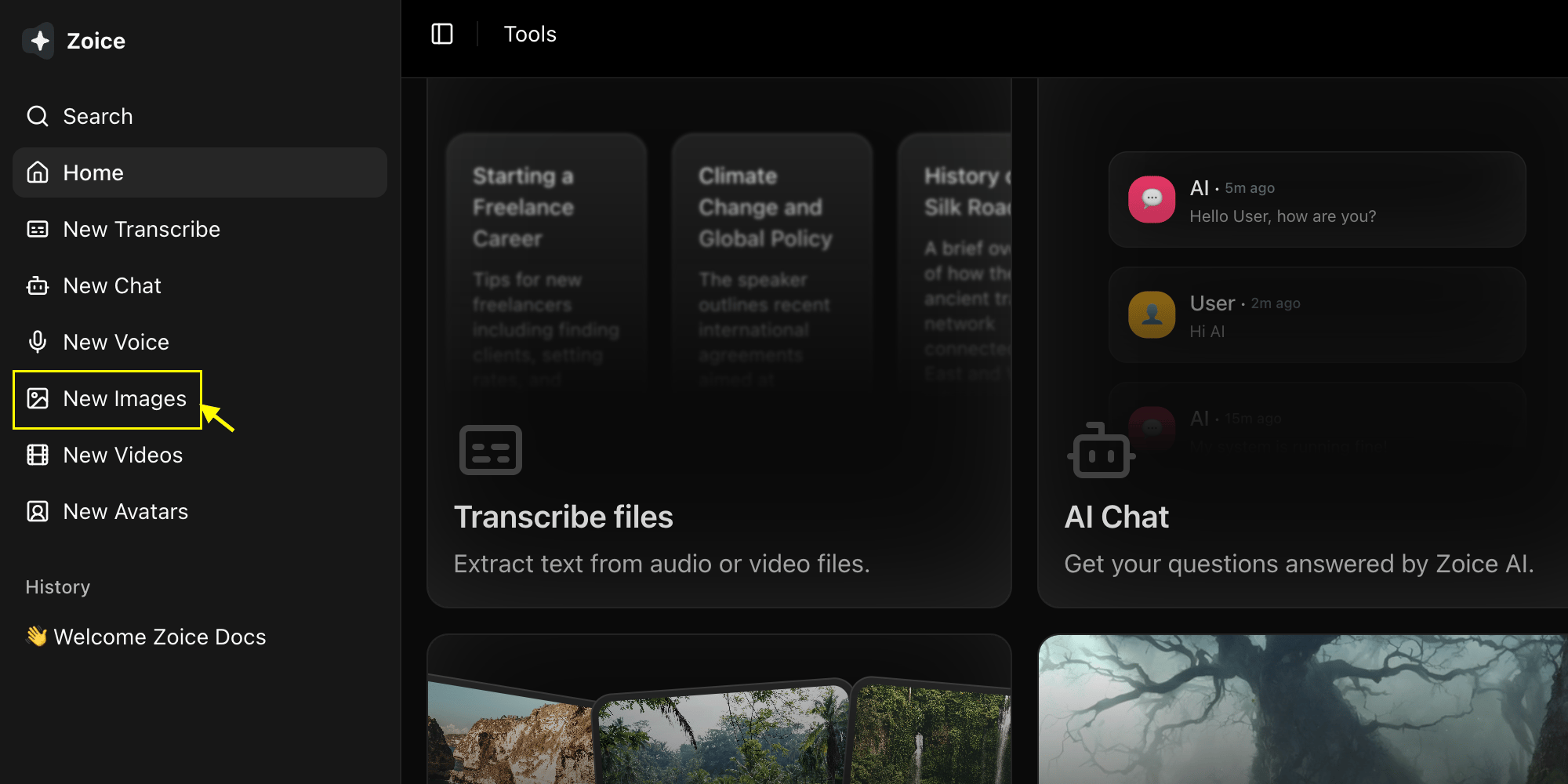
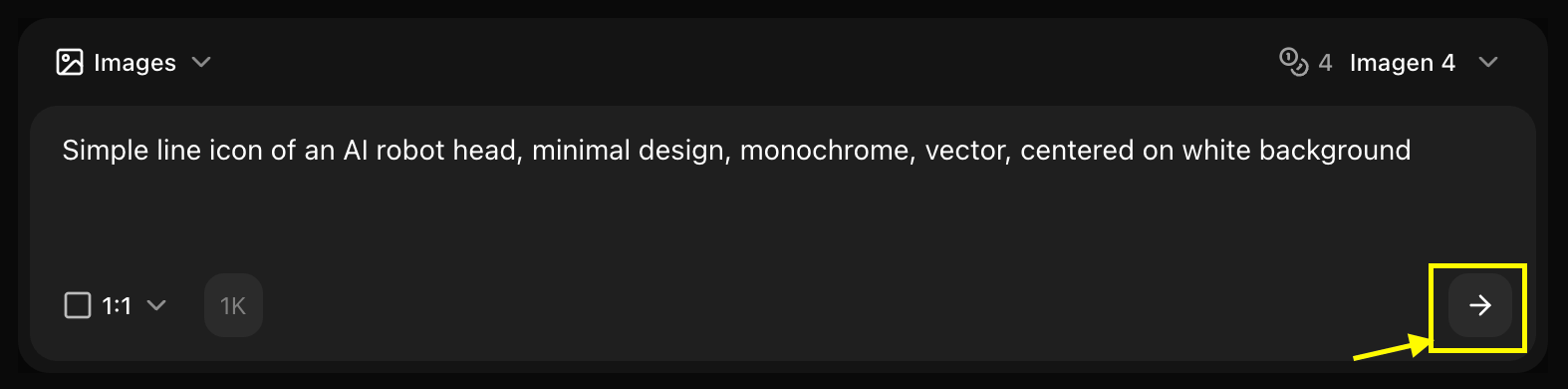
Go to the Image Generator tool in your Zoice dashboard by clicking on New Image.
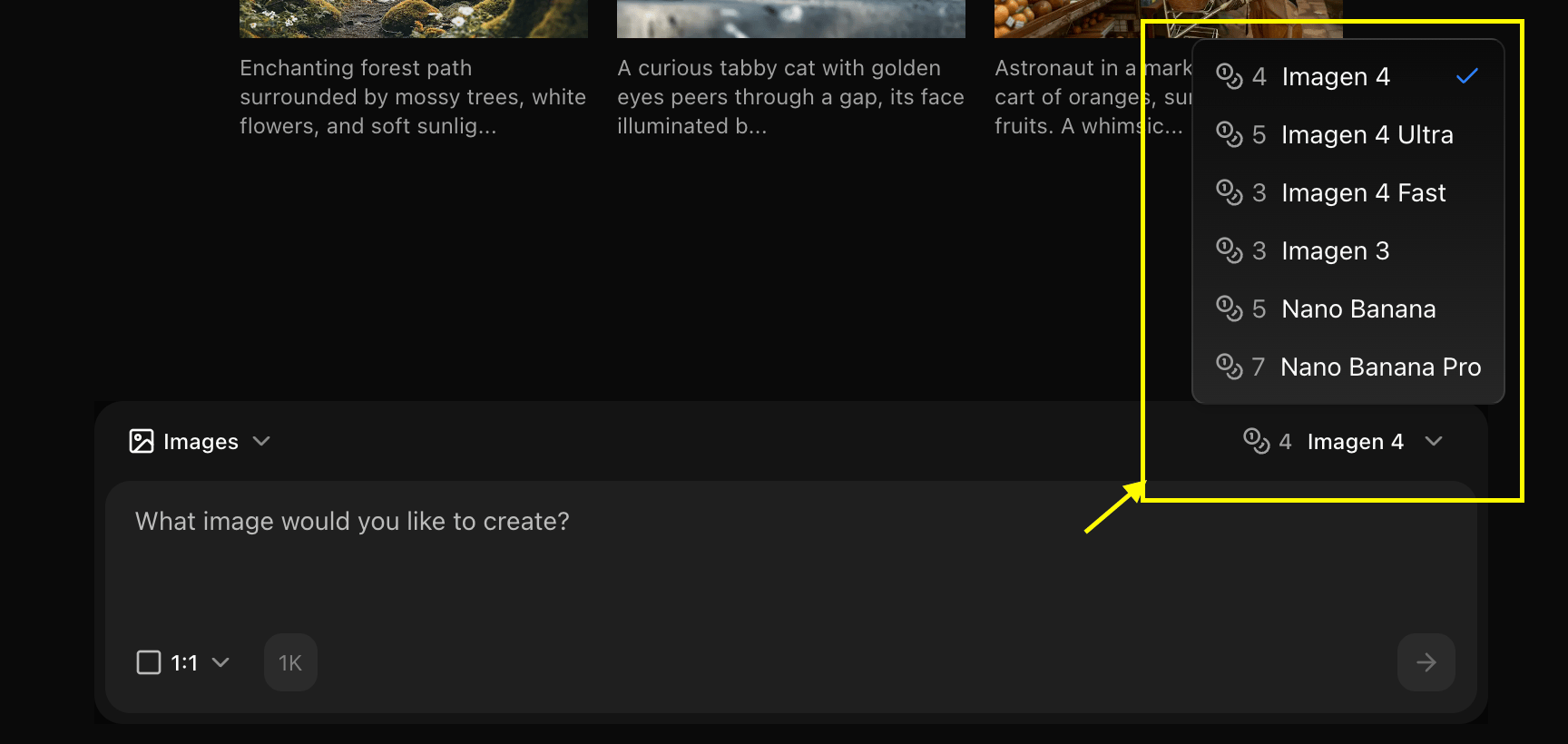
 Choose "Imagen 4" from the model selector.
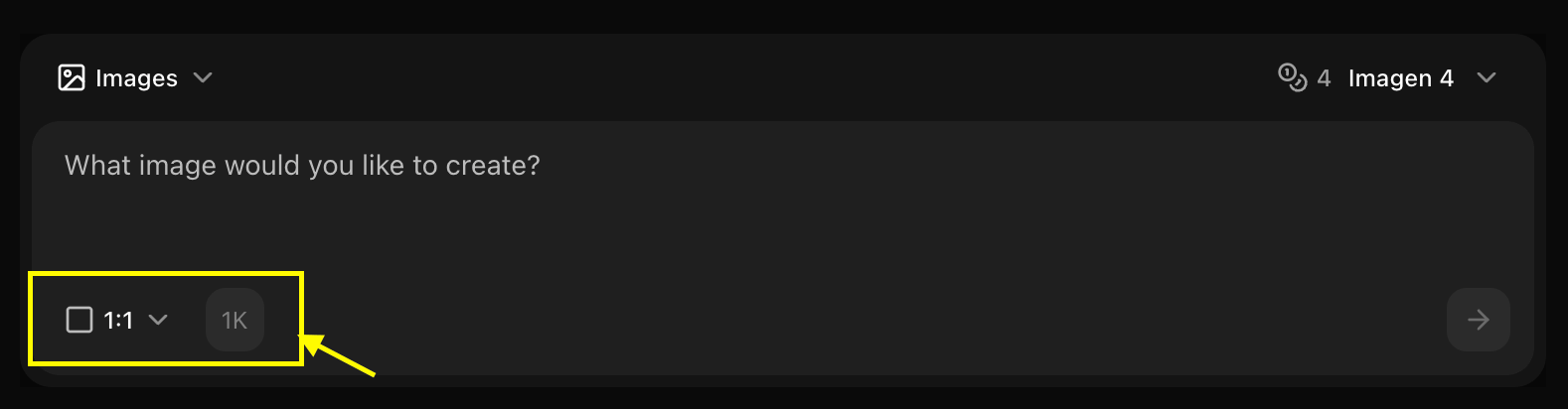
 Set resolution, quality, and select text to image to get your idea into reality.
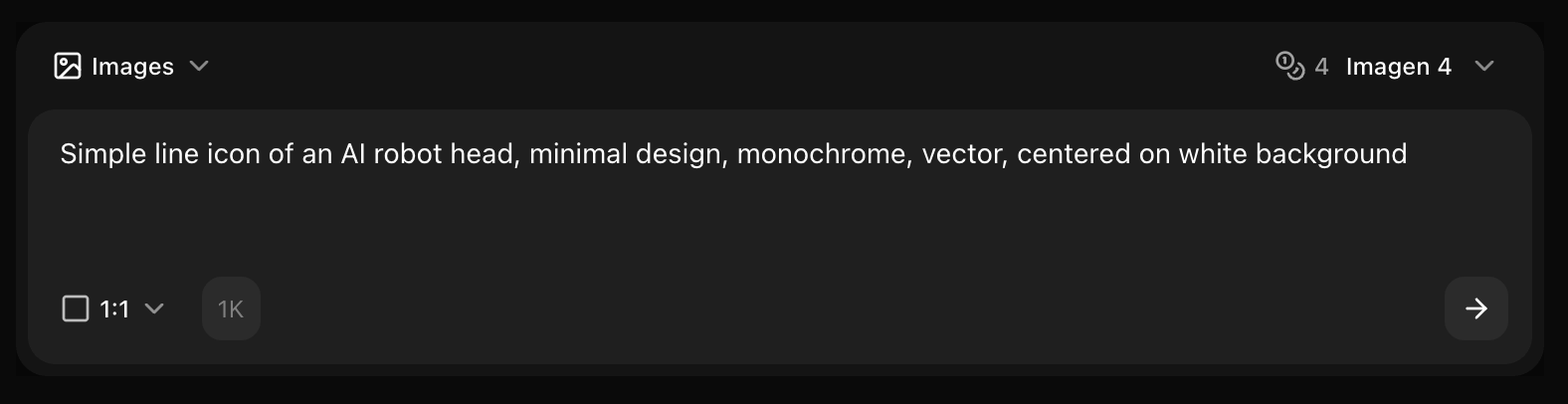
 Enter a detailed description of the image you want to create in the prompt box.
 Click generate and wait few seconds for your image to be generated.
 Save your generated image
## Prompt Writing for Imagen 4
### Leverage Advanced Capabilities
Imagen 4 understands complex, detailed prompts:
```text Professional Photography theme={null}
Professional corporate headshot of a confident businesswoman in her
mid-30s, shoulder-length brown hair, wearing navy blue blazer and
white blouse, warm smile, modern office background with soft bokeh,
natural window lighting from left creating subtle rim light, shallow
depth of field, 85mm lens, professional photography, sharp focus on
eyes, high quality, detailed, 4K resolution
```
```text Detailed Landscape theme={null}
Majestic mountain landscape at golden hour, snow-capped peaks
reflecting in crystal-clear alpine lake, wildflowers in foreground,
dramatic clouds with rays of sunlight breaking through, professional
landscape photography, wide angle composition, rich vibrant colors,
high dynamic range, ultra detailed, sharp throughout, 8K quality,
masterpiece
```
```text Complex Scene theme={null}
Bustling modern coffee shop interior, warm ambient lighting, barista
preparing latte with latte art, customers at wooden tables, large
windows showing city street outside, hanging Edison bulbs, exposed
brick wall, plants on shelves, steam rising from coffee cups,
professional interior photography, depth of field, natural colors,
highly detailed, photorealistic, 4K
```
## Advanced Techniques
### Detailed Descriptions
Imagen 4 rewards comprehensive prompts:
```text theme={null}
Subject: Describe in detail
Environment: Full scene description
Lighting: Specific light sources and quality
Camera: Lens, angle, composition
Style: Photography or art style
Quality: Resolution and detail keywords
```
### Photorealism Keywords
```text theme={null}
- Photorealistic, hyperrealistic
- Professional photography
- Sharp focus, tack sharp
- High detail, ultra detailed
- Natural lighting, studio lighting
- Shallow/deep depth of field
- 4K, 8K resolution
```
## Best Practices
* Include all relevant details
* Describe lighting thoroughly
* Specify camera settings
* Mention composition
* Photography terminology
* Lighting techniques
* Composition rules
* Quality descriptors
* Always mention resolution
* Include "professional"
* Add "detailed" or "sharp focus"
* Use "high quality"
## Common Use Cases
### Marketing Photography
```text theme={null}
Settings:
- Resolution: 4096x4096
- Guidance: 10-12
- Style: Professional commercial photography
```
### Product Photography
```text theme={null}
Settings:
- Resolution: 3072x3072
- Guidance: 11-13
- Style: Studio product photography
```
### Portrait Photography
```text theme={null}
Settings:
- Resolution: 2048x3072 (portrait)
- Guidance: 10-12
- Style: Professional portrait photography
```
Imagen 4's strength is in detailed, photorealistic images. Don't hesitate to write long, comprehensive prompts!
## Next Steps
Learn more about Imagen 4
Explore the premium version
Back to the main Image Generator guide
Save your generated image
## Prompt Writing for Imagen 4
### Leverage Advanced Capabilities
Imagen 4 understands complex, detailed prompts:
```text Professional Photography theme={null}
Professional corporate headshot of a confident businesswoman in her
mid-30s, shoulder-length brown hair, wearing navy blue blazer and
white blouse, warm smile, modern office background with soft bokeh,
natural window lighting from left creating subtle rim light, shallow
depth of field, 85mm lens, professional photography, sharp focus on
eyes, high quality, detailed, 4K resolution
```
```text Detailed Landscape theme={null}
Majestic mountain landscape at golden hour, snow-capped peaks
reflecting in crystal-clear alpine lake, wildflowers in foreground,
dramatic clouds with rays of sunlight breaking through, professional
landscape photography, wide angle composition, rich vibrant colors,
high dynamic range, ultra detailed, sharp throughout, 8K quality,
masterpiece
```
```text Complex Scene theme={null}
Bustling modern coffee shop interior, warm ambient lighting, barista
preparing latte with latte art, customers at wooden tables, large
windows showing city street outside, hanging Edison bulbs, exposed
brick wall, plants on shelves, steam rising from coffee cups,
professional interior photography, depth of field, natural colors,
highly detailed, photorealistic, 4K
```
## Advanced Techniques
### Detailed Descriptions
Imagen 4 rewards comprehensive prompts:
```text theme={null}
Subject: Describe in detail
Environment: Full scene description
Lighting: Specific light sources and quality
Camera: Lens, angle, composition
Style: Photography or art style
Quality: Resolution and detail keywords
```
### Photorealism Keywords
```text theme={null}
- Photorealistic, hyperrealistic
- Professional photography
- Sharp focus, tack sharp
- High detail, ultra detailed
- Natural lighting, studio lighting
- Shallow/deep depth of field
- 4K, 8K resolution
```
## Best Practices
* Include all relevant details
* Describe lighting thoroughly
* Specify camera settings
* Mention composition
* Photography terminology
* Lighting techniques
* Composition rules
* Quality descriptors
* Always mention resolution
* Include "professional"
* Add "detailed" or "sharp focus"
* Use "high quality"
## Common Use Cases
### Marketing Photography
```text theme={null}
Settings:
- Resolution: 4096x4096
- Guidance: 10-12
- Style: Professional commercial photography
```
### Product Photography
```text theme={null}
Settings:
- Resolution: 3072x3072
- Guidance: 11-13
- Style: Studio product photography
```
### Portrait Photography
```text theme={null}
Settings:
- Resolution: 2048x3072 (portrait)
- Guidance: 10-12
- Style: Professional portrait photography
```
Imagen 4's strength is in detailed, photorealistic images. Don't hesitate to write long, comprehensive prompts!
## Next Steps
Learn more about Imagen 4
Explore the premium version
Back to the main Image Generator guide