> ## Documentation Index
> Fetch the complete documentation index at: https://docs.zoice.com/llms.txt
> Use this file to discover all available pages before exploring further.
# How to Make a Singing Animal Avatar Video Using AI
> Learn how to make a singing animal avatar video using AI with Zoice. Turn your pet photos or any animal image into a realistic singing avatar with accurate lip-syncing and facial expressions in minutes.
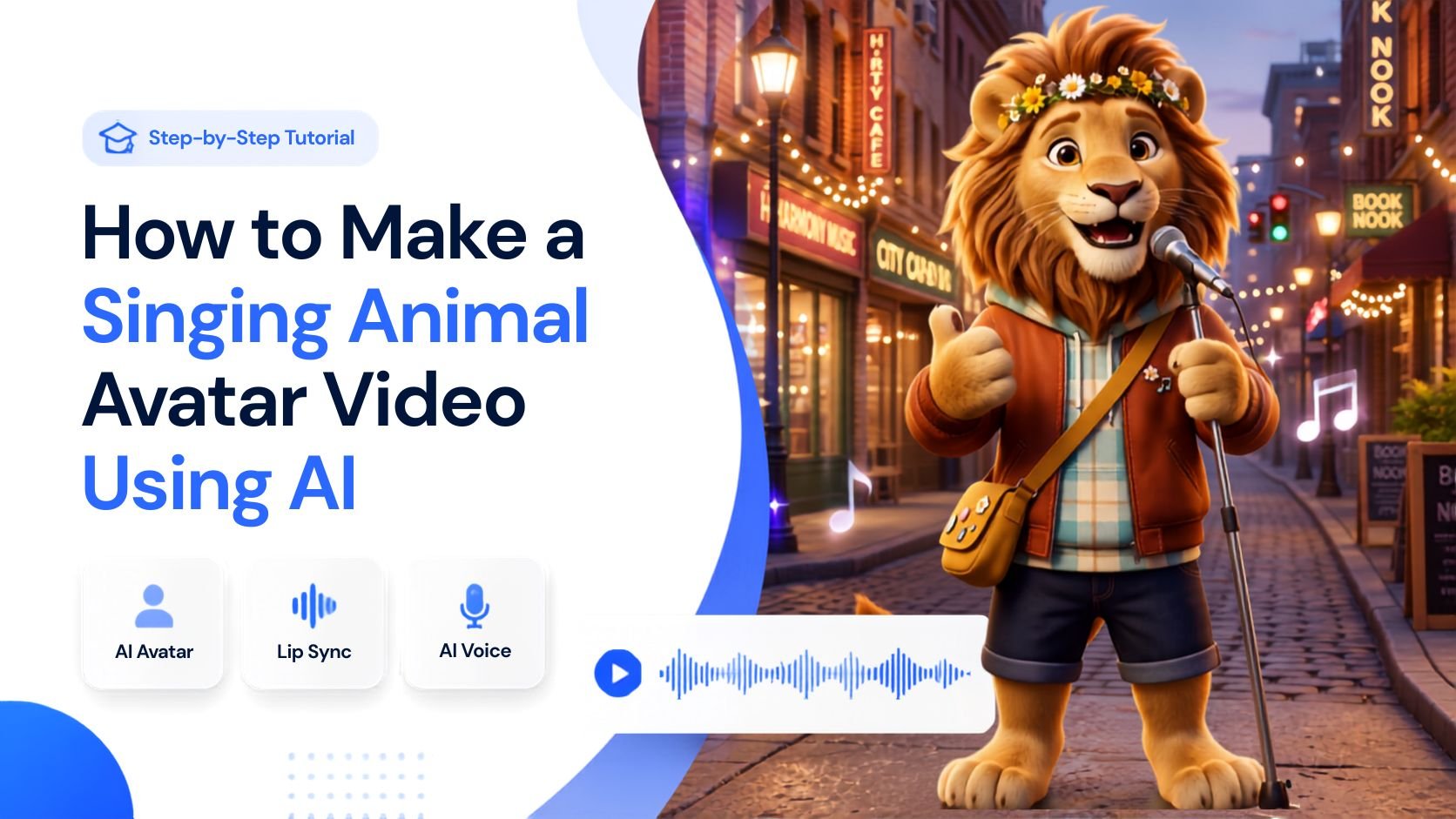 Creating fun, viral content has never been easier thanks to artificial intelligence. Instead of just posting cute photos of animals, you can now bring them to life by making them sing to your favorite audio tracks.
With Zoice, you can upload an image of a dog, cat, or any other animal, upload a vocal track or song, and generate an incredibly realistic singing animal video complete with natural head movements and lip-syncing.
Whether you are creating viral TikToks, entertaining YouTube Shorts, or funny memes to share with friends, singing animal avatars are a great way to capture attention and make people smile.
In this article, you will learn how to create a singing animal avatar video using Zoice by following a comprehensive, step-by-step tutorial.
## What is a Singing Animal Avatar?
A singing animal avatar is a digital animation created from a static image of an animal, which is then synchronized to an audio track using artificial intelligence. The AI analyzes the audio file and animates the animal's mouth, eyes, and head to match the rhythm, vocals, and emotion of the sound.
This technology allows you to create highly engaging and often humorous videos without needing 3D animation skills or complex video editing software. You just need a picture and a song.
## How to Make a Singing Animal Avatar Video Using AI
Creating a singing animal video with Zoice takes only a few minutes. To begin, create or choose your animal avatar, upload your audio track, configure the output settings, and generate your video. Follow the detailed steps below to get started.
### Step 1: Visit Zoice.com
Go to [Zoice.com](https://zoice.com) in your web browser. This is the main portal where you can access all of Zoice's AI creation tools.
Creating fun, viral content has never been easier thanks to artificial intelligence. Instead of just posting cute photos of animals, you can now bring them to life by making them sing to your favorite audio tracks.
With Zoice, you can upload an image of a dog, cat, or any other animal, upload a vocal track or song, and generate an incredibly realistic singing animal video complete with natural head movements and lip-syncing.
Whether you are creating viral TikToks, entertaining YouTube Shorts, or funny memes to share with friends, singing animal avatars are a great way to capture attention and make people smile.
In this article, you will learn how to create a singing animal avatar video using Zoice by following a comprehensive, step-by-step tutorial.
## What is a Singing Animal Avatar?
A singing animal avatar is a digital animation created from a static image of an animal, which is then synchronized to an audio track using artificial intelligence. The AI analyzes the audio file and animates the animal's mouth, eyes, and head to match the rhythm, vocals, and emotion of the sound.
This technology allows you to create highly engaging and often humorous videos without needing 3D animation skills or complex video editing software. You just need a picture and a song.
## How to Make a Singing Animal Avatar Video Using AI
Creating a singing animal video with Zoice takes only a few minutes. To begin, create or choose your animal avatar, upload your audio track, configure the output settings, and generate your video. Follow the detailed steps below to get started.
### Step 1: Visit Zoice.com
Go to [Zoice.com](https://zoice.com) in your web browser. This is the main portal where you can access all of Zoice's AI creation tools.
 ### Step 2: Sign In to Your Zoice Account
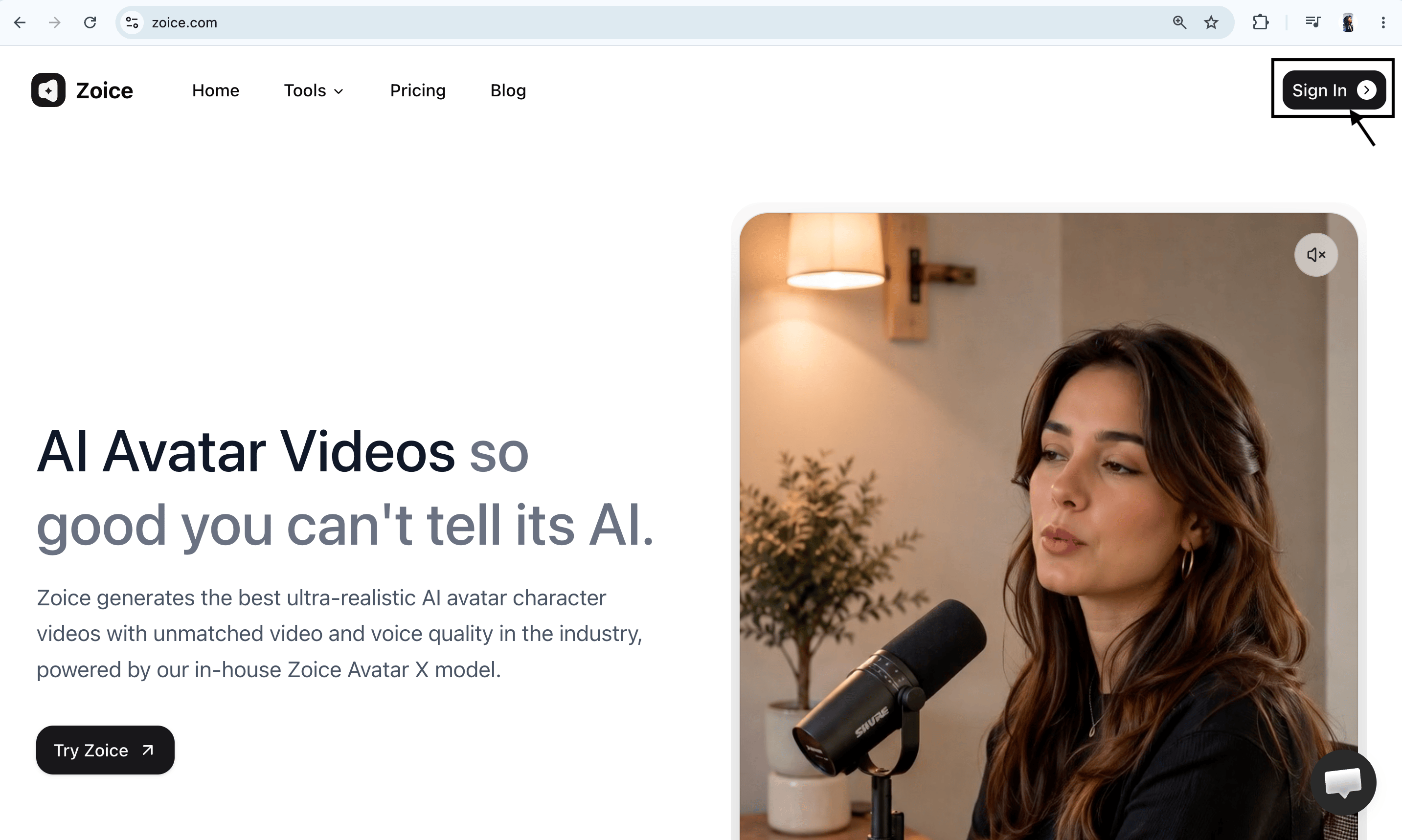
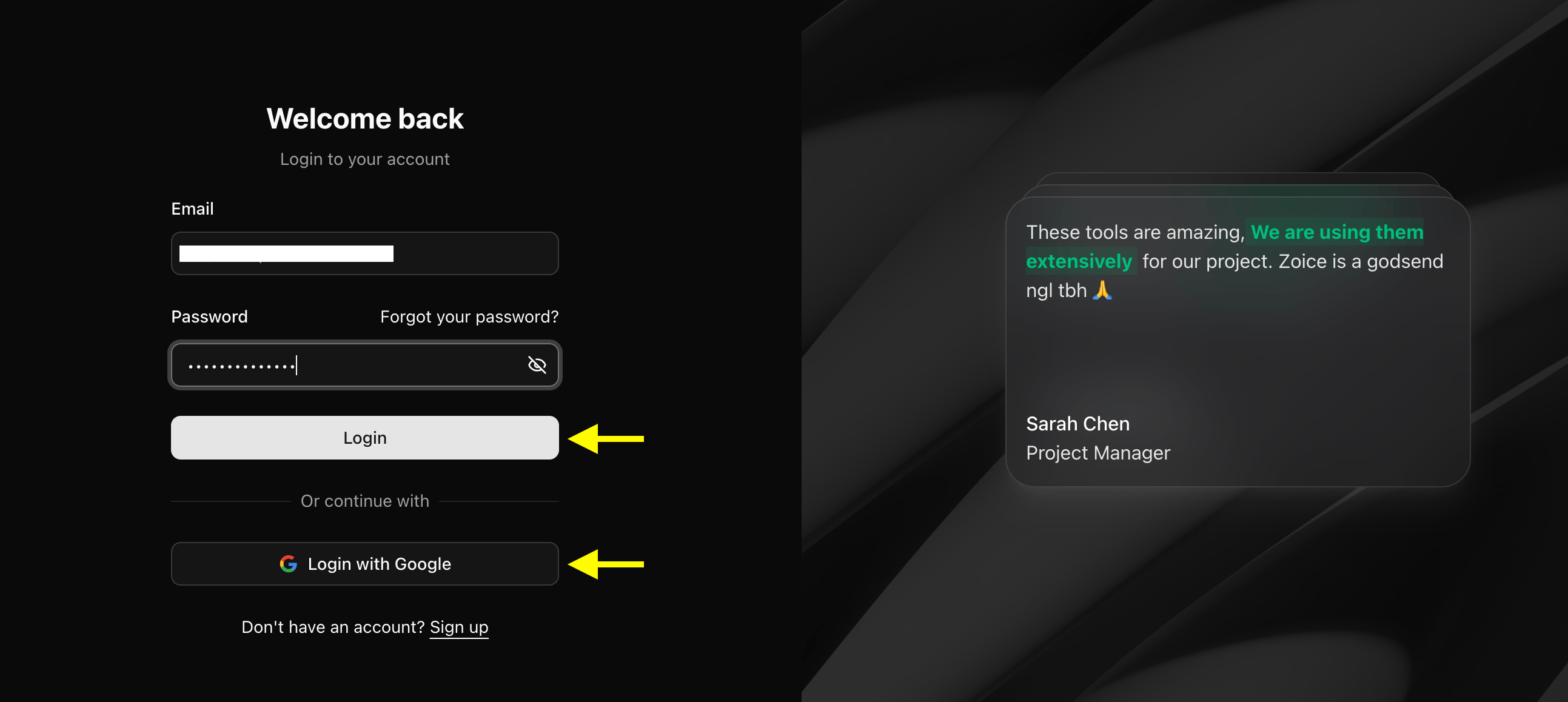
Click the **Sign In** button in the top-right corner of the homepage. Enter your registered email address and password, or choose **Sign in with Google** to access your dashboard quickly.
### Step 2: Sign In to Your Zoice Account
Click the **Sign In** button in the top-right corner of the homepage. Enter your registered email address and password, or choose **Sign in with Google** to access your dashboard quickly.
 ### Step 3: Create a New Zoice Account (For New Users)
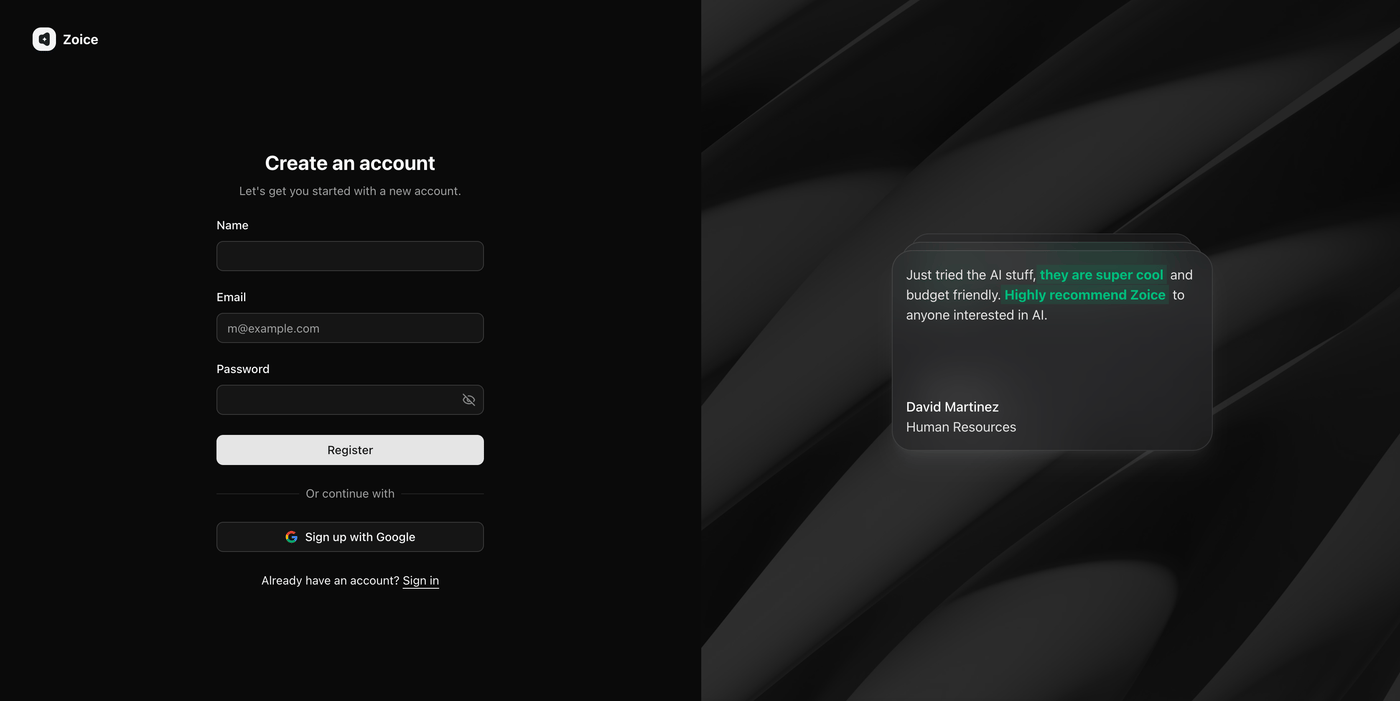
If you don't have a Zoice account yet, click **Sign Up** on the login page. Fill in your details (name, email, and password) or select **Sign up with Google** to create a new account in one click.
### Step 3: Create a New Zoice Account (For New Users)
If you don't have a Zoice account yet, click **Sign Up** on the login page. Fill in your details (name, email, and password) or select **Sign up with Google** to create a new account in one click.
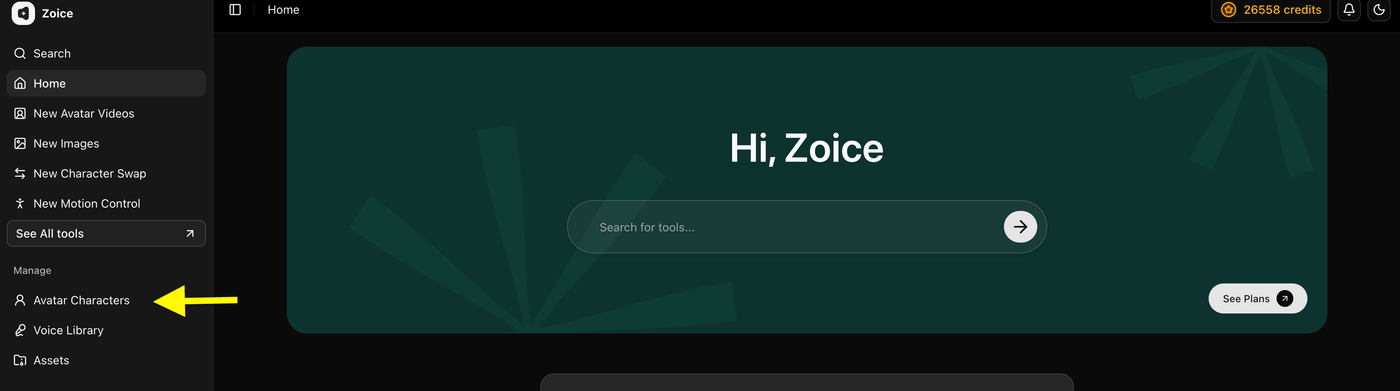
 ### Step 4: Click Avatar Character
Select **Avatar Character** to begin creating a new AI animal avatar. If you already have an animal avatar saved, you can choose it from your library and proceed to the next step.
### Step 4: Click Avatar Character
Select **Avatar Character** to begin creating a new AI animal avatar. If you already have an animal avatar saved, you can choose it from your library and proceed to the next step.
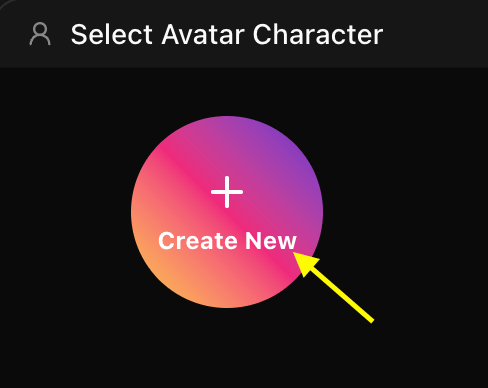
 * **Click on Create New**
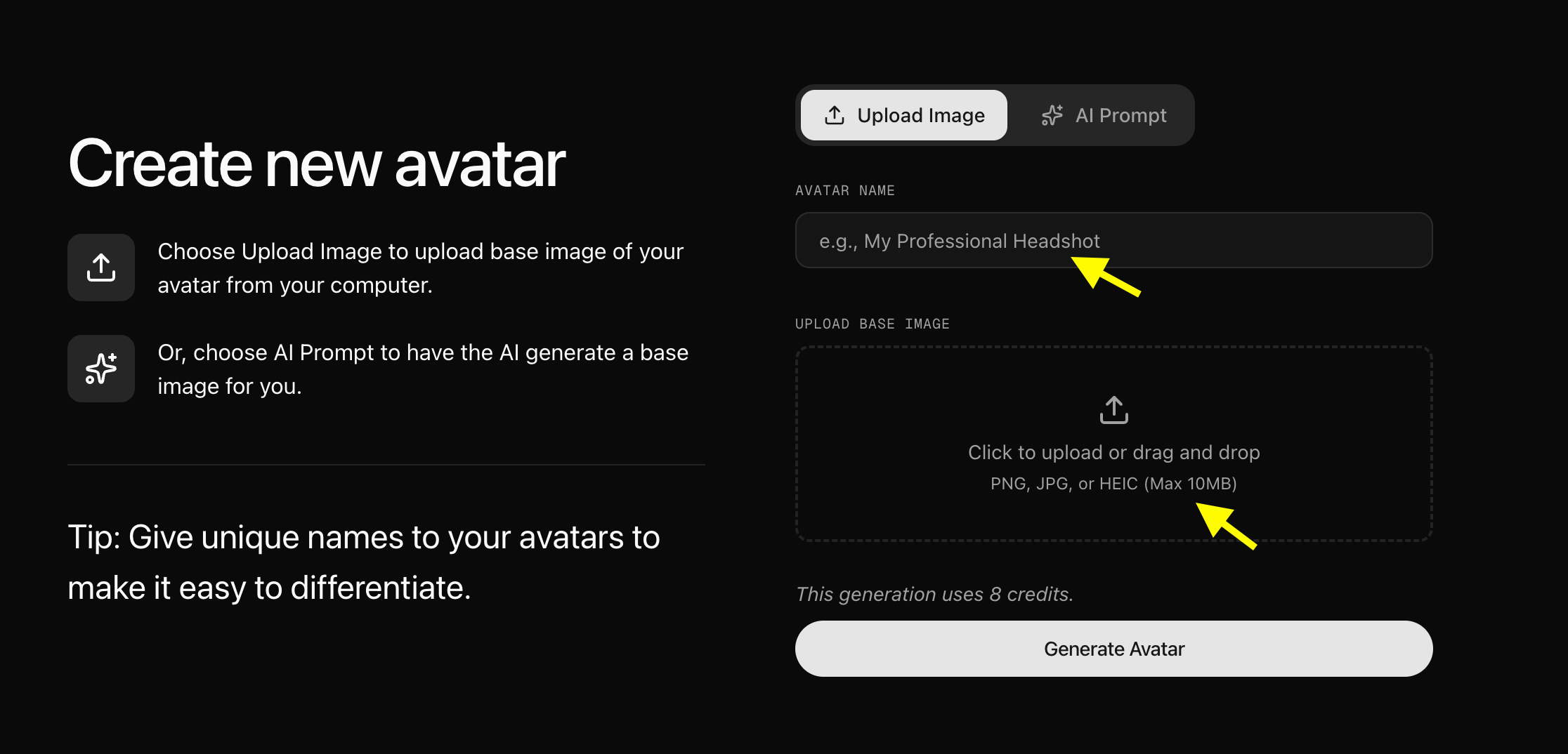
 ### Step 5: Upload or Generate Avatar Image
Now, You have two options to set up your AI singing animal avatar:
* **Upload a Photo**: Upload a clear portrait image of your pet or an animal from your computer and give your singer a name.
### Step 5: Upload or Generate Avatar Image
Now, You have two options to set up your AI singing animal avatar:
* **Upload a Photo**: Upload a clear portrait image of your pet or an animal from your computer and give your singer a name.
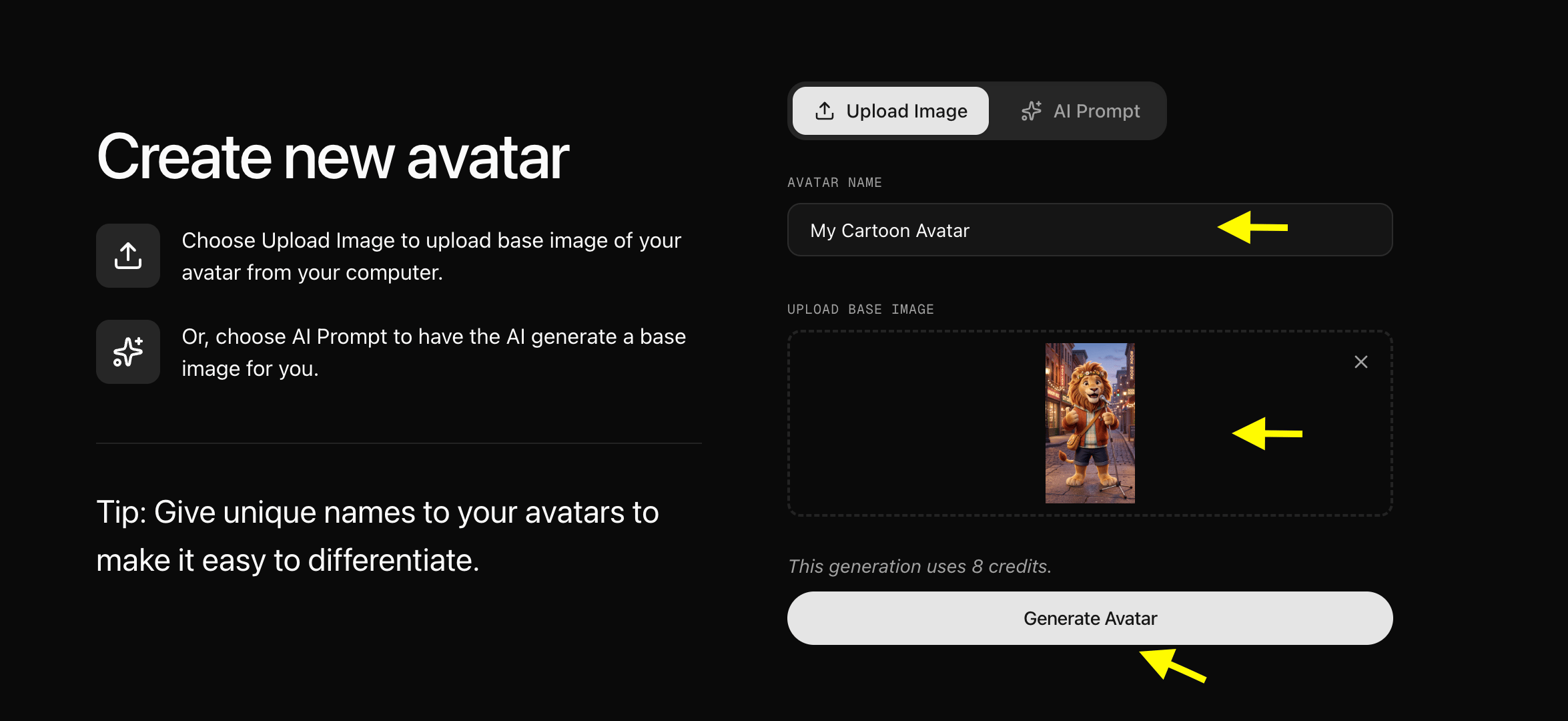
 A high-quality, front-facing image where the animal's mouth is visible helps Zoice generate more natural facial animations and accurate lip-syncing. We have uploaded an HD image and created an animal avatar, as shown below:
 * **Use an AI Prompt**: Toggle the **AI Prompt** option.
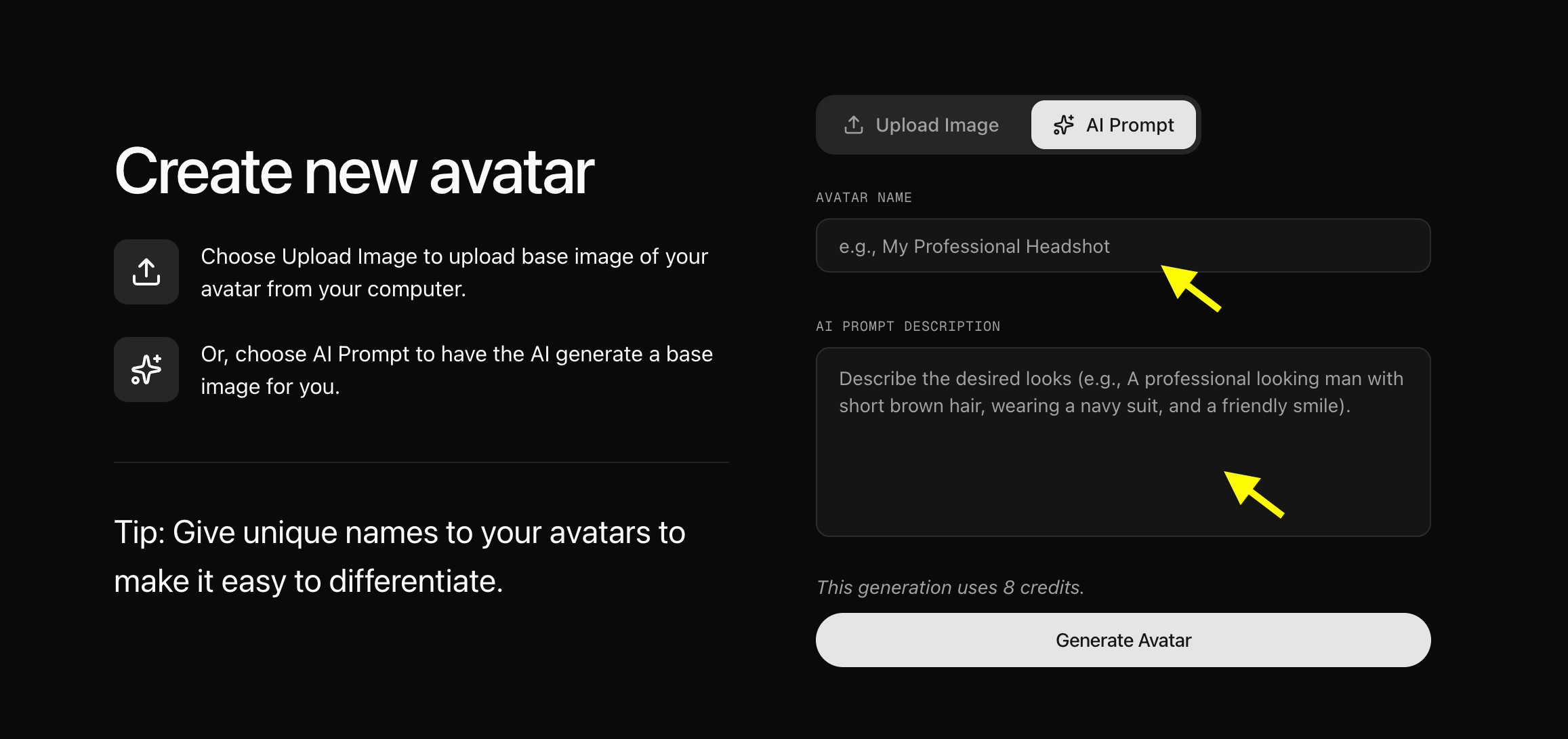 Enter a descriptive text prompt explaining what your animal avatar should look like (e.g., *"A cute golden retriever wearing sunglasses in a recording studio"*). Click **Generate Image**, review the generated image, name your avatar, and save it to your library.
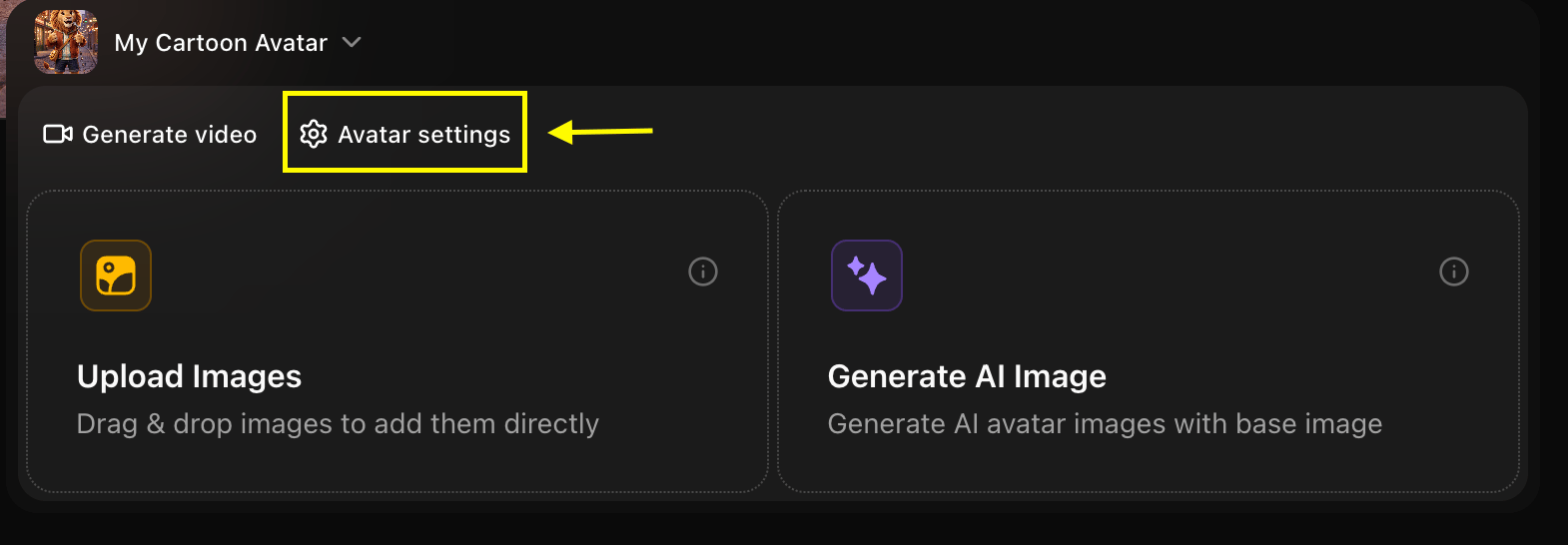
### Step 6: Configure Avatar Settings (Optional)
After adding the image to your library, click **Avatar Setting** to add basic details such as Name, Gender, and Age (if applicable). Providing these details can help organize your avatar library. Once done, save and close the avatar settings window.
Enter a descriptive text prompt explaining what your animal avatar should look like (e.g., *"A cute golden retriever wearing sunglasses in a recording studio"*). Click **Generate Image**, review the generated image, name your avatar, and save it to your library.
### Step 6: Configure Avatar Settings (Optional)
After adding the image to your library, click **Avatar Setting** to add basic details such as Name, Gender, and Age (if applicable). Providing these details can help organize your avatar library. Once done, save and close the avatar settings window.
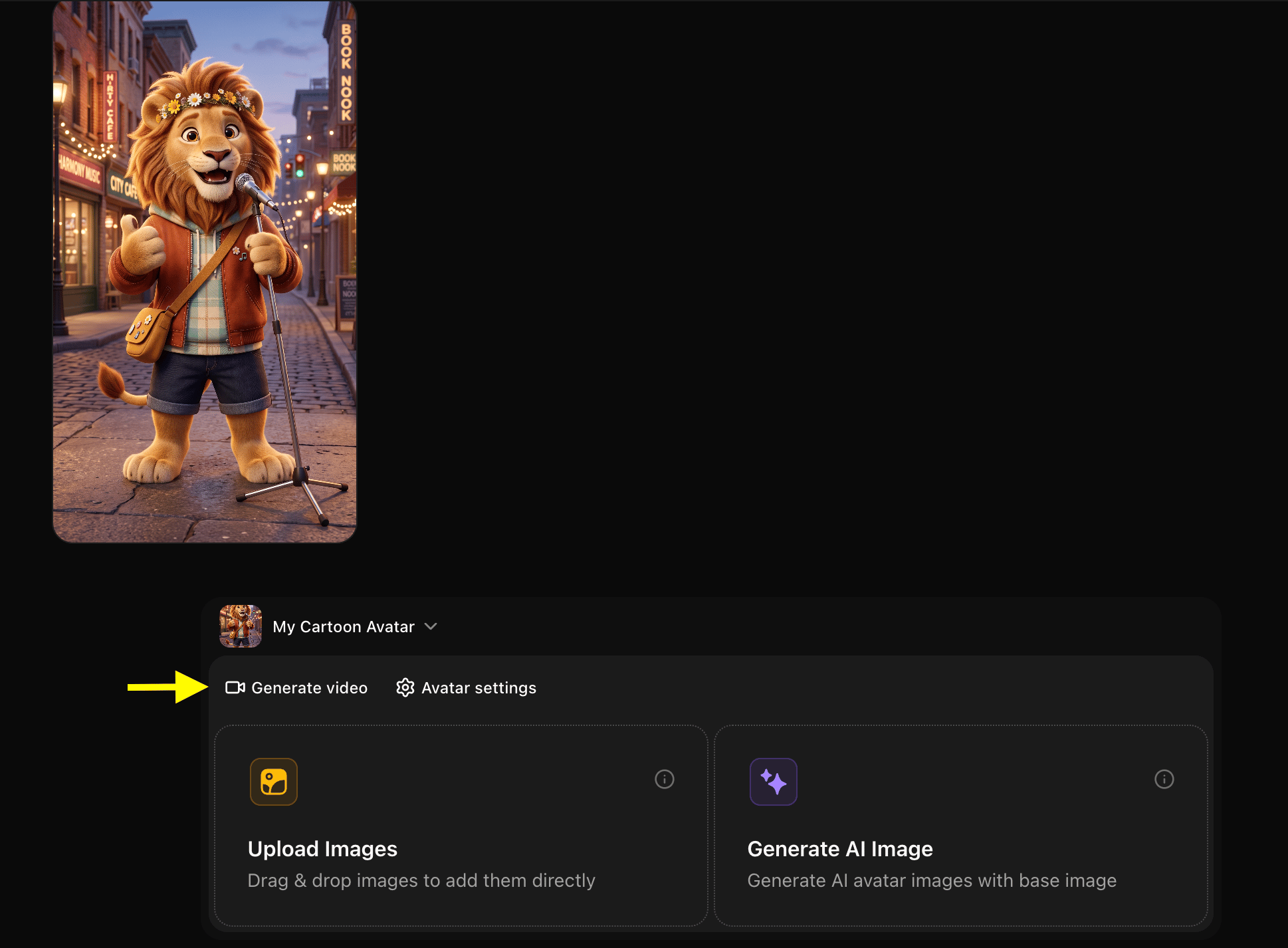
 ### Step 7: Click Generate Video
With your animal avatar profile ready, click **Generate Video** to open the video editor and add your singing audio.
### Step 7: Click Generate Video
With your animal avatar profile ready, click **Generate Video** to open the video editor and add your singing audio.
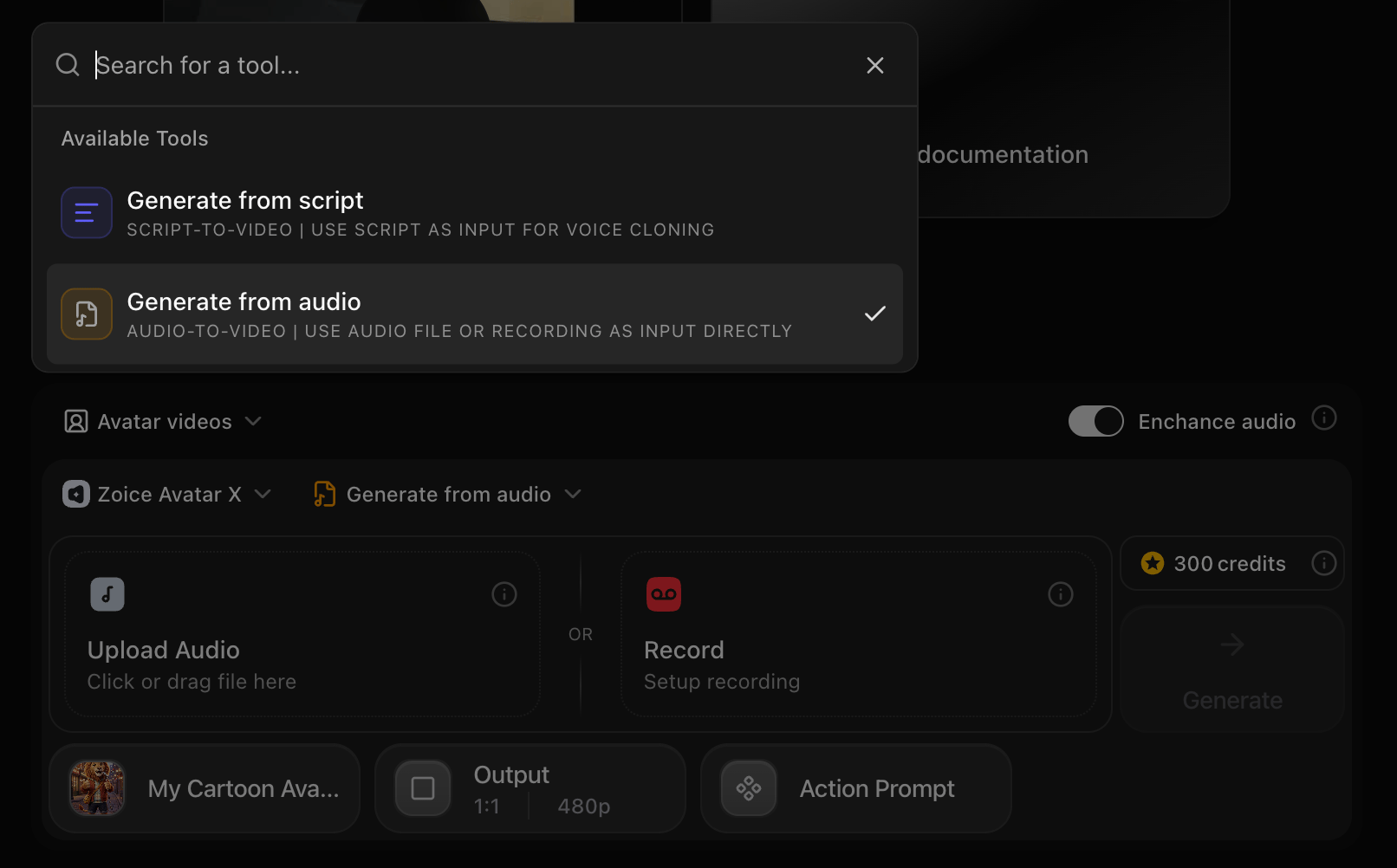
 ### Step 8: Select Generate from Audio
Switch the input mode from **Generate from Script** to **Generate from Audio** to create a singing avatar using a sound file. You can upload a pre-recorded audio file such as a famous song, a funny voiceover, or an original music track.
### Step 8: Select Generate from Audio
Switch the input mode from **Generate from Script** to **Generate from Audio** to create a singing avatar using a sound file. You can upload a pre-recorded audio file such as a famous song, a funny voiceover, or an original music track.
 ### Step 9: Upload the Song
Upload the audio file (MP3, WAV, or M4A format) that you want your animal avatar to sing. You can select a file from your device or choose a trending song from Zoice's built-in library.
### Step 9: Upload the Song
Upload the audio file (MP3, WAV, or M4A format) that you want your animal avatar to sing. You can select a file from your device or choose a trending song from Zoice's built-in library.
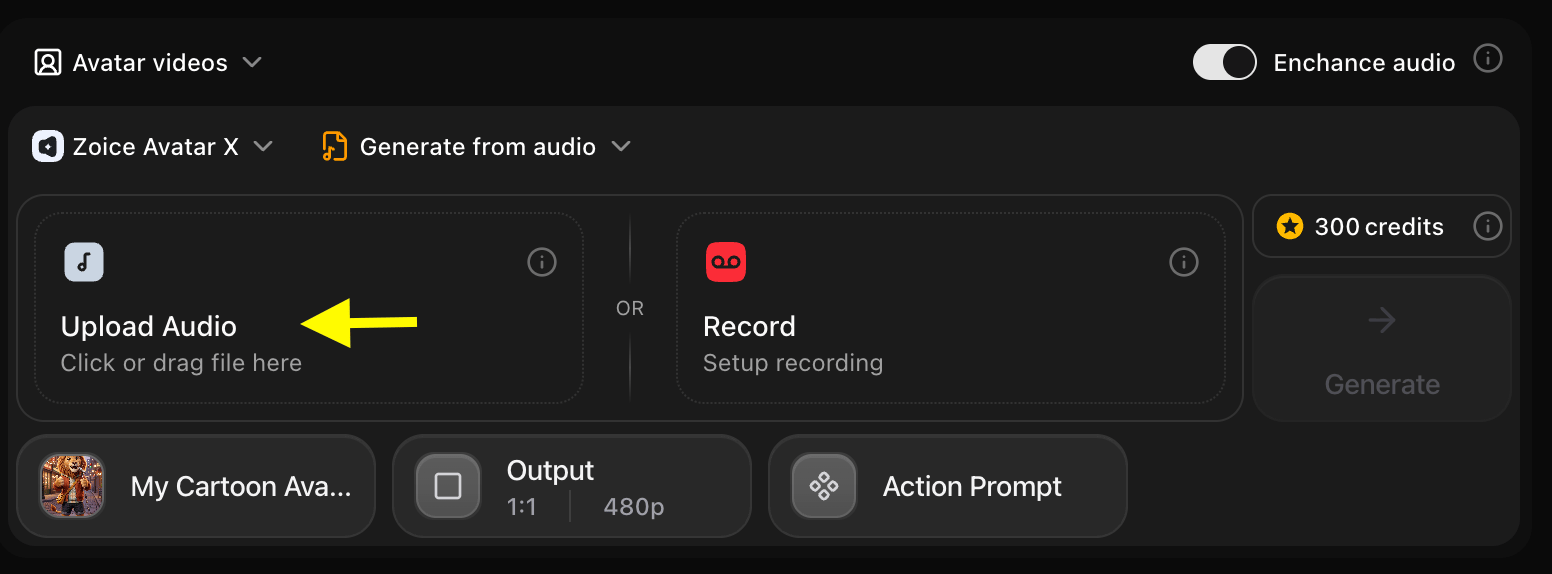 ### Step 10: Preview Your Uploaded Audio
Once the audio is uploaded, click **Preview** to listen to the track and confirm that the audio has loaded correctly and plays from the right starting point.
### Step 10: Preview Your Uploaded Audio
Once the audio is uploaded, click **Preview** to listen to the track and confirm that the audio has loaded correctly and plays from the right starting point.
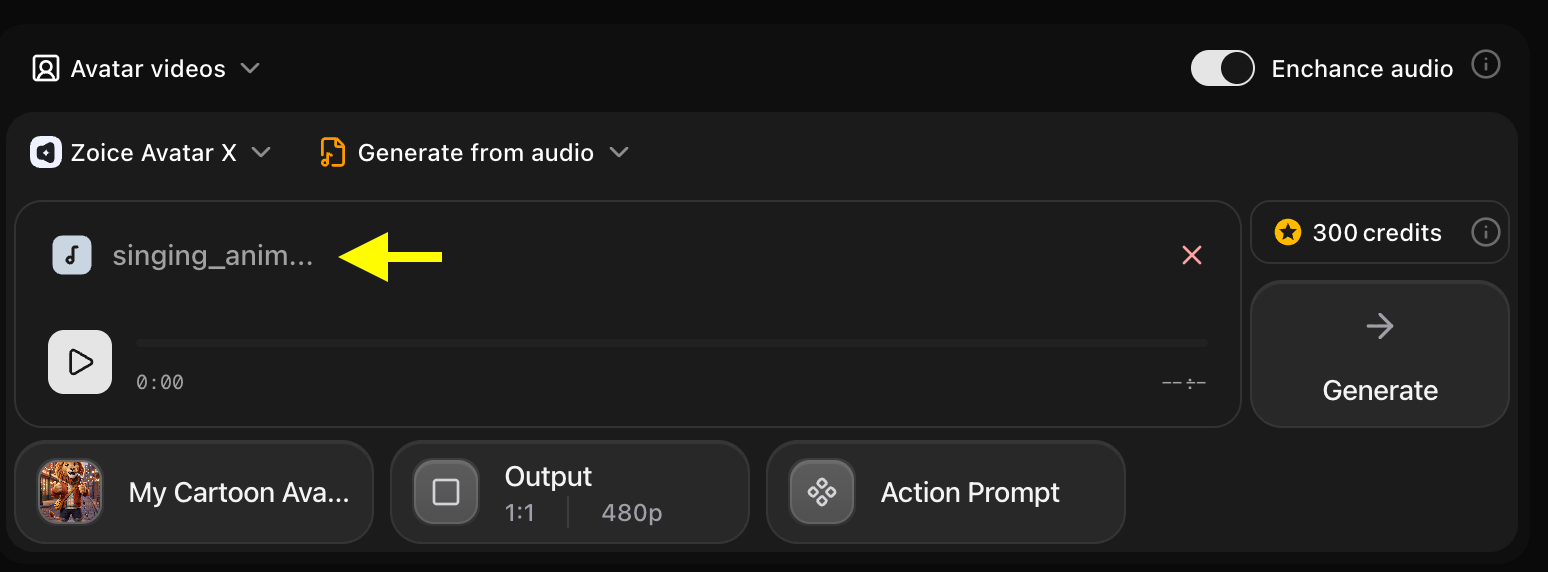 ### Step 11: Update Output Settings
Configure the output settings to suit your target platform:
* **Aspect Ratio**: Choose the aspect ratio matching your target platform (e.g., 9:16 for portrait/TikTok/Shorts, 16:9 for landscape/YouTube).
* **Resolution**: Set the resolution up to 4K for maximum clarity.
### Step 11: Update Output Settings
Configure the output settings to suit your target platform:
* **Aspect Ratio**: Choose the aspect ratio matching your target platform (e.g., 9:16 for portrait/TikTok/Shorts, 16:9 for landscape/YouTube).
* **Resolution**: Set the resolution up to 4K for maximum clarity.
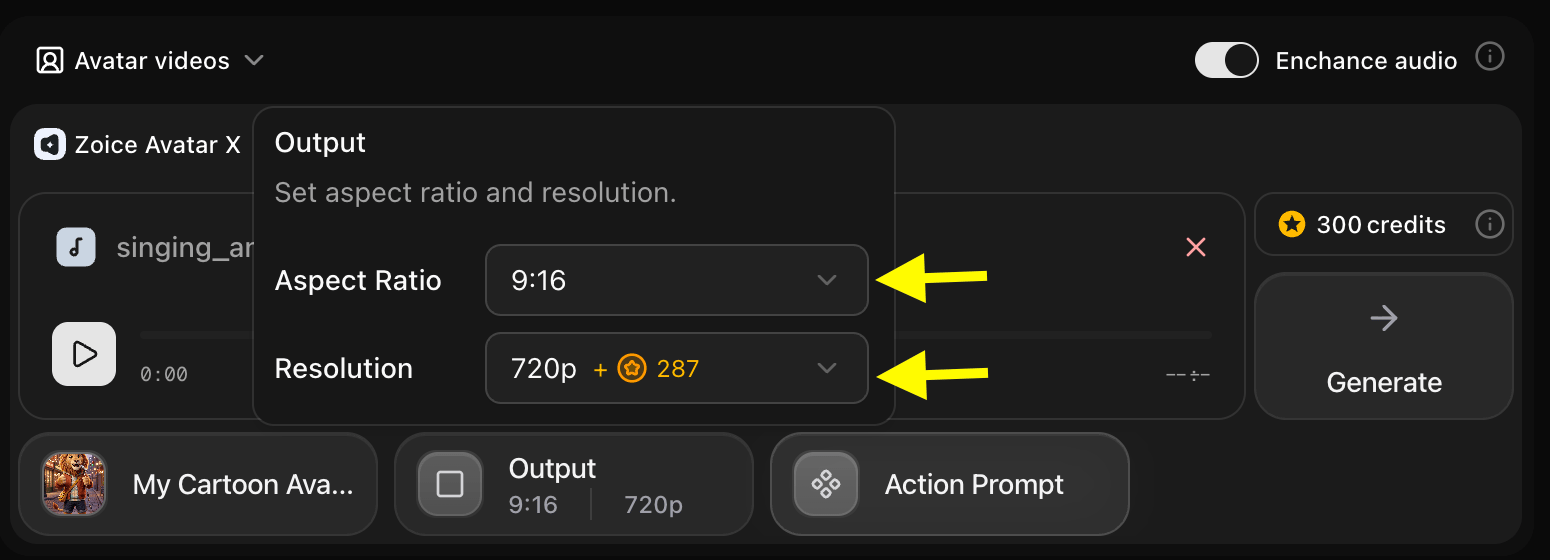 ### Step 12: Configure the Action Prompt
Click **Action Prompt** to define the facial expressions and physical gestures of your singing animal avatar during the video.
### Step 12: Configure the Action Prompt
Click **Action Prompt** to define the facial expressions and physical gestures of your singing animal avatar during the video.
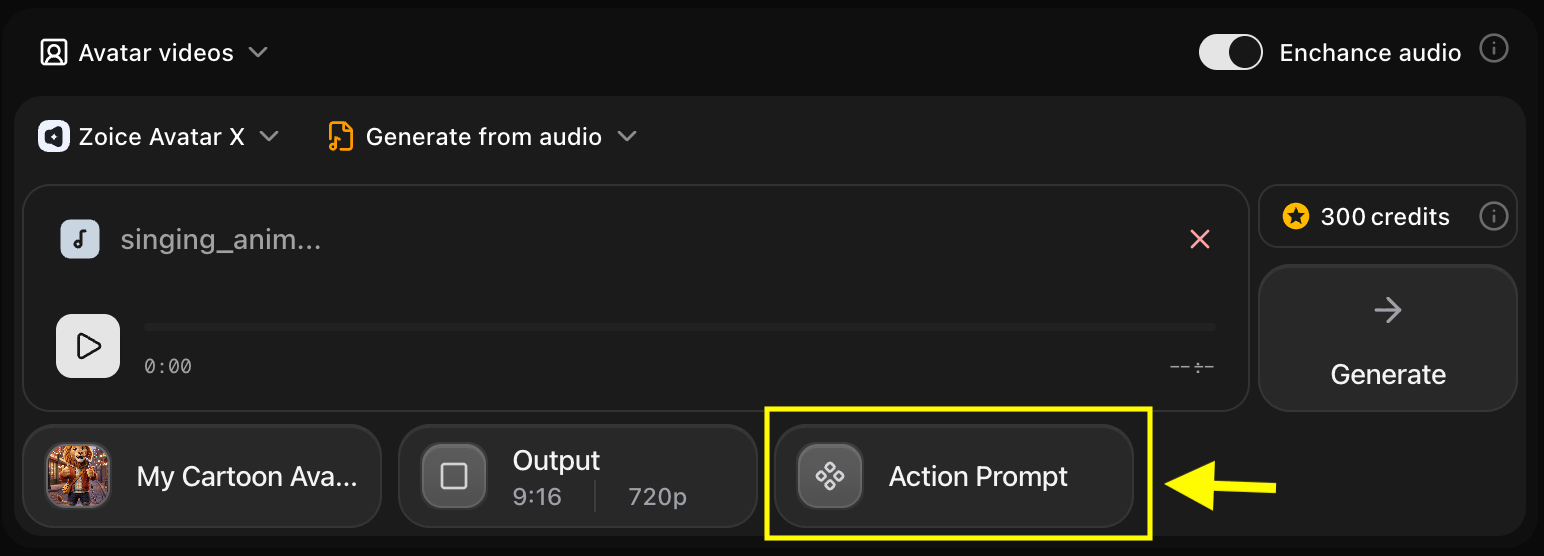 ### Step 13: Select or Write an Action Prompt
Write a custom prompt to specify your animal avatar's expressions (e.g., *"The dog sings enthusiastically, bobbing its head to the beat with energetic expressions"*).
### Step 13: Select or Write an Action Prompt
Write a custom prompt to specify your animal avatar's expressions (e.g., *"The dog sings enthusiastically, bobbing its head to the beat with energetic expressions"*).
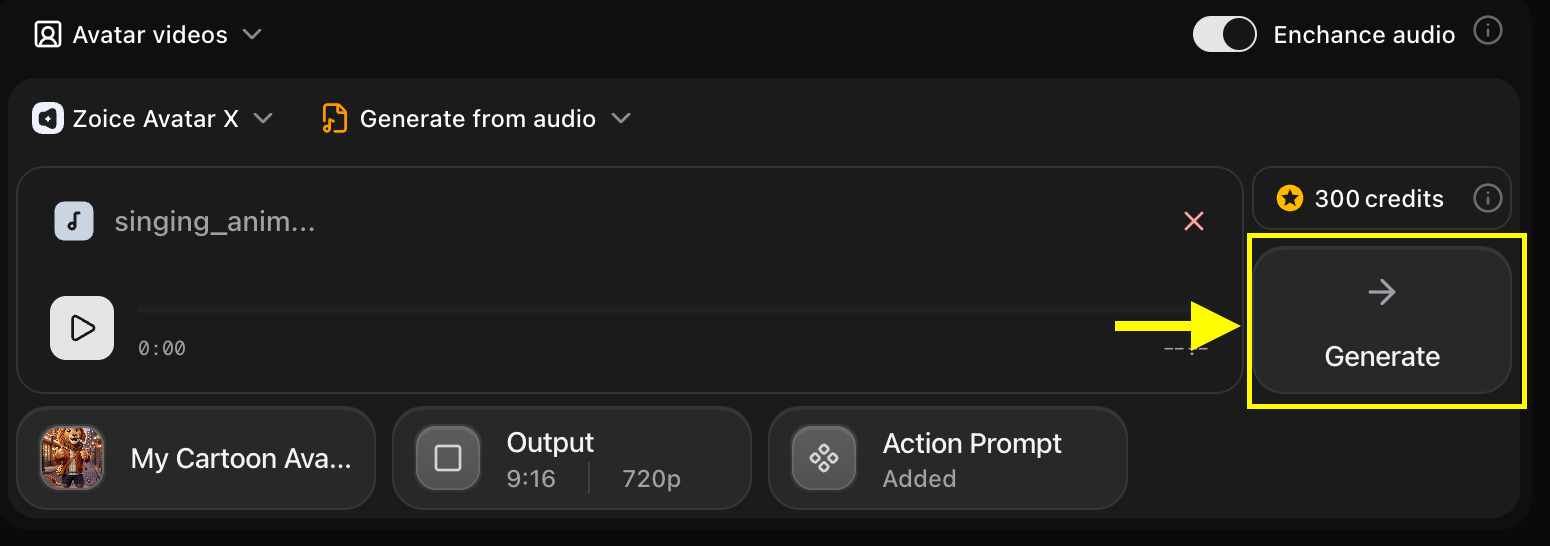
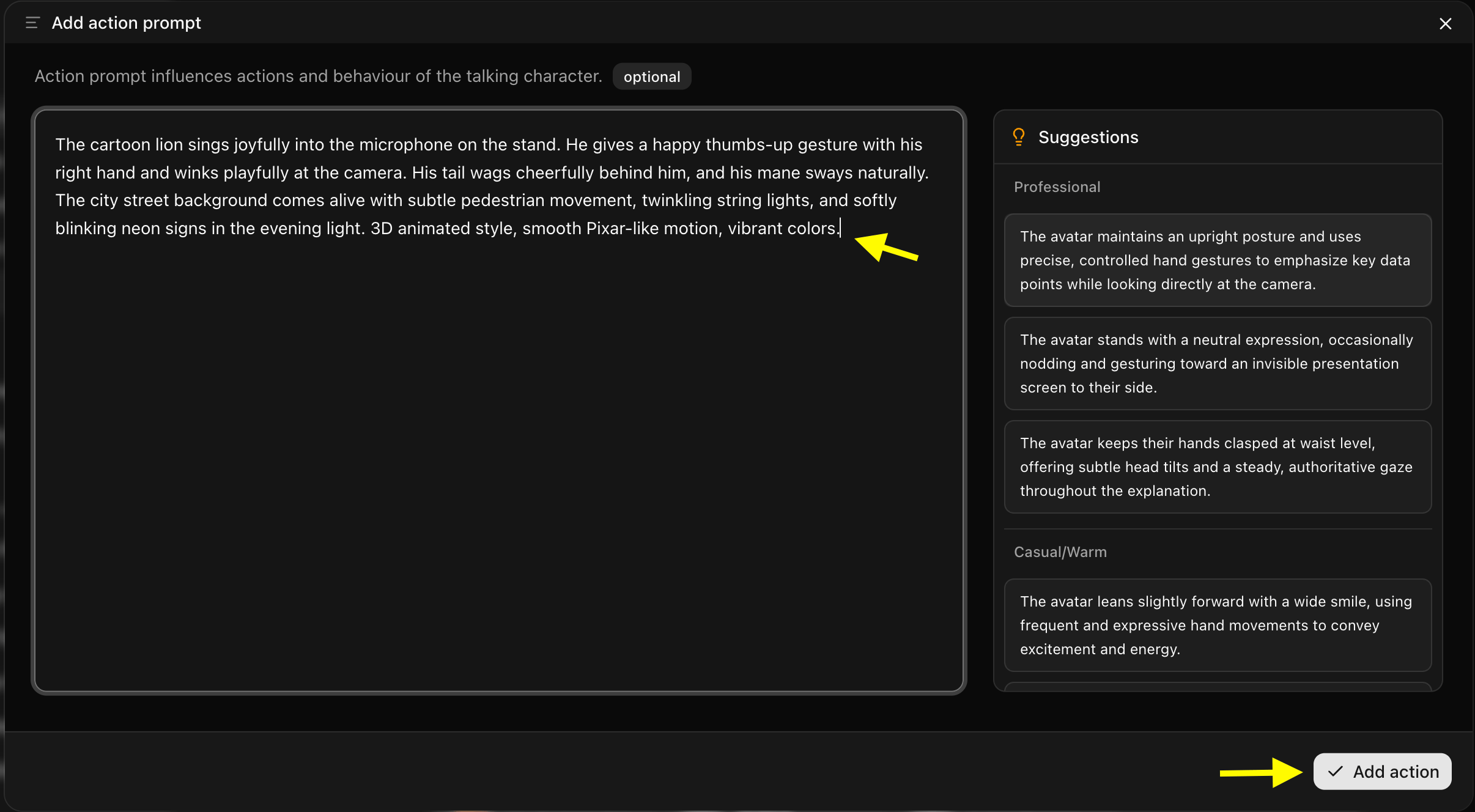 ### Step 14: Generate Your Singing Avatar Video
Once all settings are configured, click the **Generate** button to begin the generation process.
### Step 14: Generate Your Singing Avatar Video
Once all settings are configured, click the **Generate** button to begin the generation process.
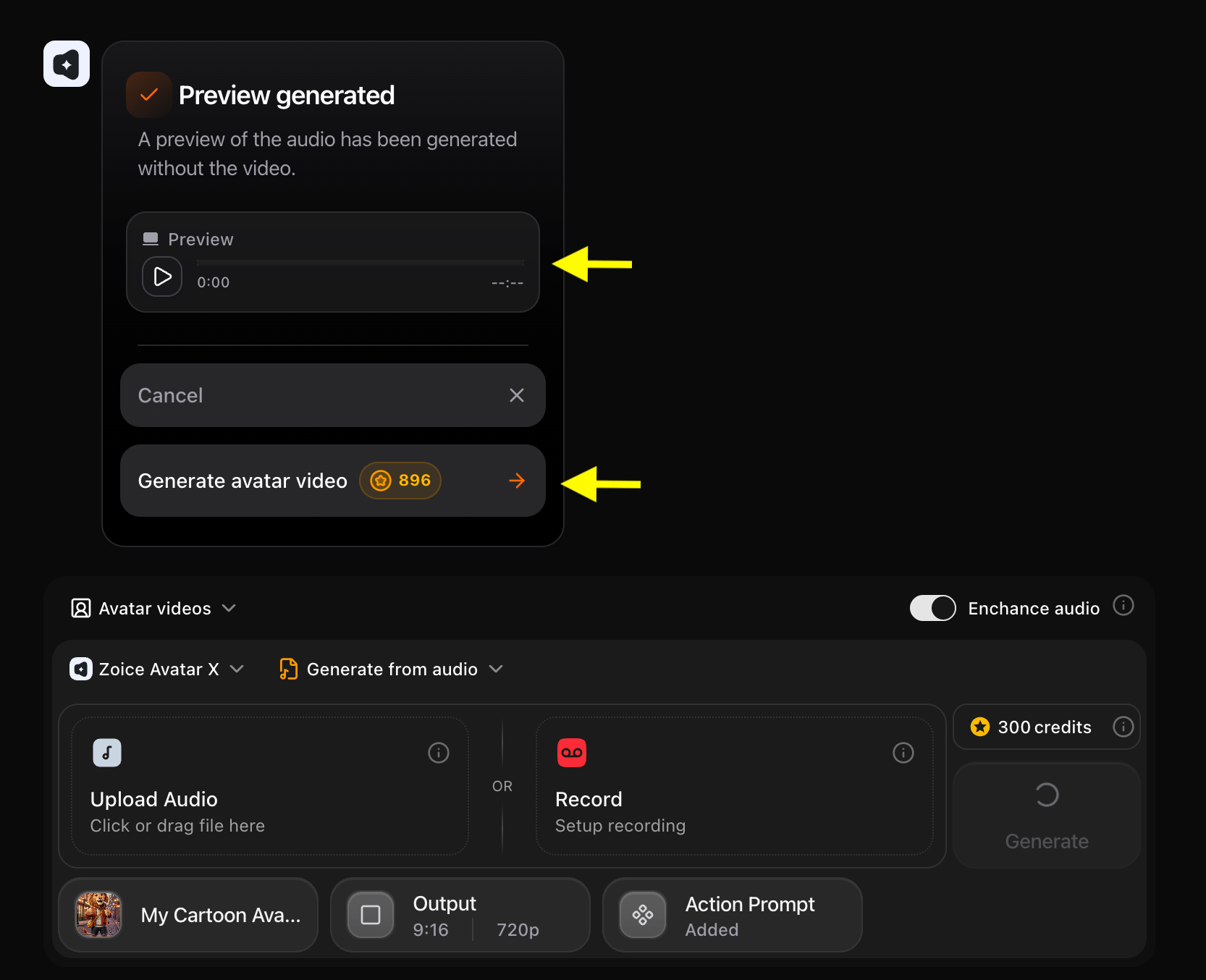
 ### Step 15: Preview the Generated Audio
Before processing the final video, Zoice generates an audio preview. Listen to the preview to verify the audio quality and timing.
If the preview sounds correct, click **Generate Avatar Video** to render the final video.
### Step 15: Preview the Generated Audio
Before processing the final video, Zoice generates an audio preview. Listen to the preview to verify the audio quality and timing.
If the preview sounds correct, click **Generate Avatar Video** to render the final video.
 **Tip**: You can toggle the **Enhance Audio** switch in the top-right corner of the script box to automatically improve the sound quality of the uploaded track before rendering.
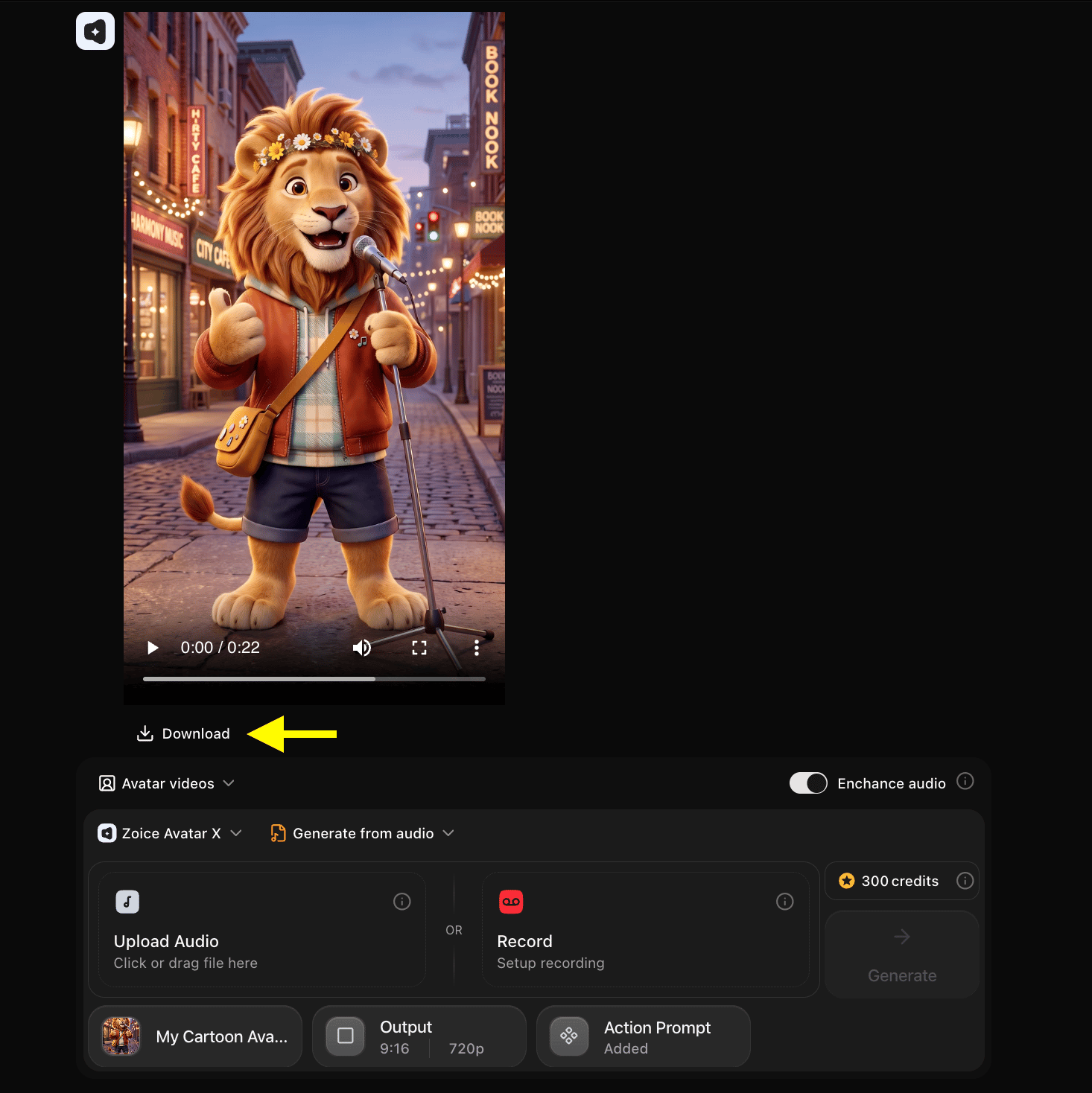
### Step 15: Download Your Singing AI Avatar Video
Once the rendering is complete and you are satisfied with the result, click the **Download** button to save the singing animal video to your device. It is now ready to share on social media or send to friends.
**Tip**: You can toggle the **Enhance Audio** switch in the top-right corner of the script box to automatically improve the sound quality of the uploaded track before rendering.
### Step 15: Download Your Singing AI Avatar Video
Once the rendering is complete and you are satisfied with the result, click the **Download** button to save the singing animal video to your device. It is now ready to share on social media or send to friends.
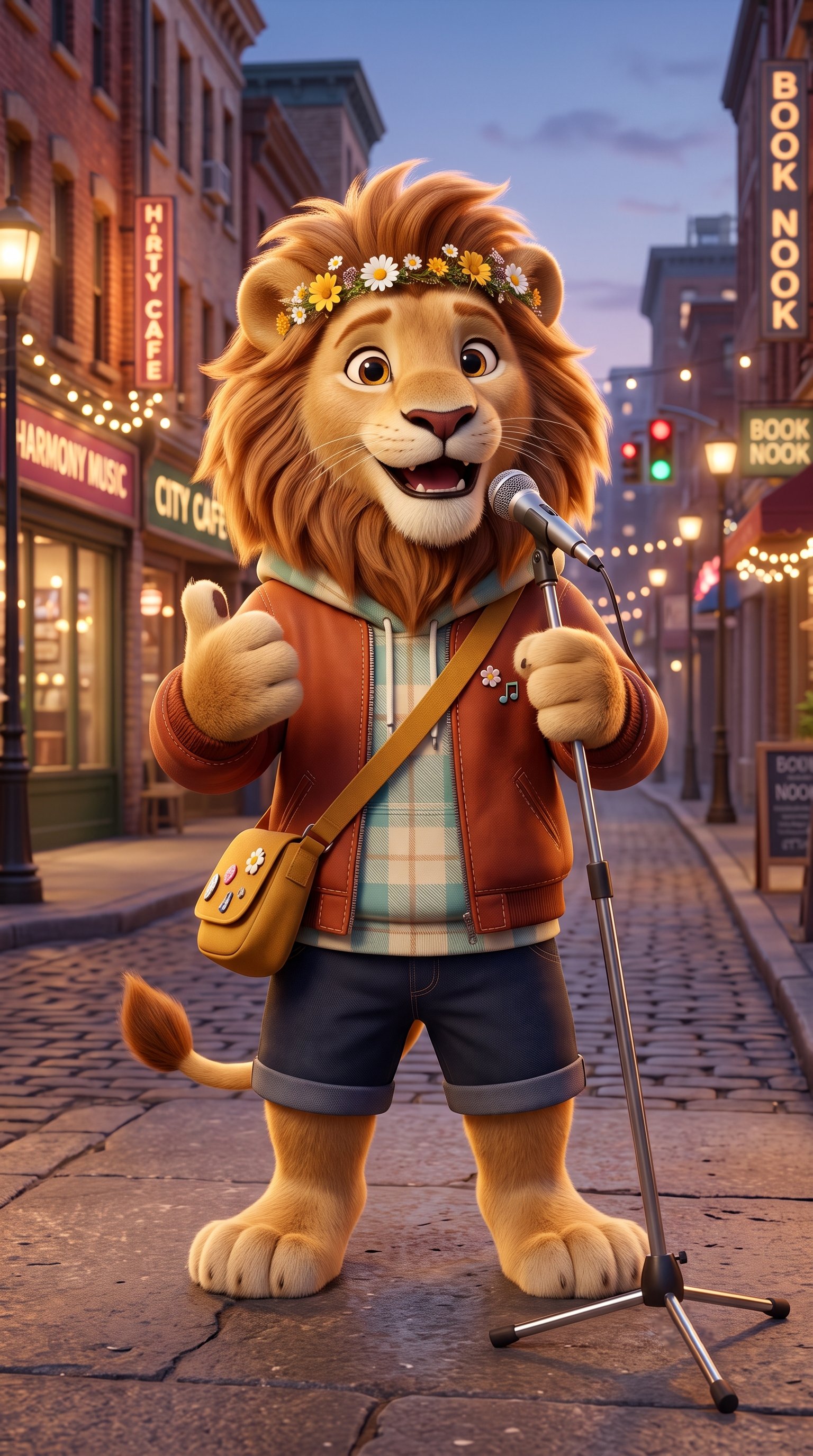
 ## Example Input Image, Voice, Action Prompt & Output Video
To help you get started, here is an example of an input voice, action prompt and generated singing animal video.
### Used Image
## Example Input Image, Voice, Action Prompt & Output Video
To help you get started, here is an example of an input voice, action prompt and generated singing animal video.
### Used Image
 ### Used Voice
[🎵 Click here to listen to the voice sample](/images/singing-animal-used-voice.mp3)
### Used Action Prompt
```
Funny animal singing style. The golden retriever is singing energetically, head bopping side to side to the rhythm of the music. Natural jaw movement and expressive, happy eyes.
```
### Output Result Video
Below is the rendered singing animal avatar video based on the input:
## What AI Singing Animals Can Be Used For
Singing animal avatars are highly versatile and perfect for:
* **Viral Social Media Content**: Create funny, highly shareable TikToks and Instagram Reels.
* **Pet Influencer Accounts**: Produce unique content for your pet's social media channels to increase engagement.
* **Greeting Cards and Messages**: Send humorous birthday wishes or holiday greetings featuring a singing dog or cat.
* **Music Promotion**: Promote your new track by having a cute animal "sing" the hook.
* **Children's Entertainment**: Create engaging, educational, or musical videos for young audiences.
## Where AI Singing Animal Videos Are Used
Singing animal videos thrive on platforms that favor short-form, entertaining content:
* TikTok and Instagram Reels
* YouTube Shorts and meme channels
* Facebook Groups dedicated to pet lovers
* Messaging apps (WhatsApp, iMessage) for sharing with friends and family
## Final Words
Making a singing animal avatar video with Zoice is incredibly fun and surprisingly easy. By combining a great photo of a pet or animal with a catchy audio track, you can generate a hilarious and engaging video in minutes.
The next time you want to create a standout piece of social media content or just want to see your pet belt out a pop song, Zoice has all the tools you need to make it happen effortlessly.
## Next Steps
Learn how to create realistic singing videos using human avatars.
Bring cartoon characters and mascots to life with talking animations.
### Used Voice
[🎵 Click here to listen to the voice sample](/images/singing-animal-used-voice.mp3)
### Used Action Prompt
```
Funny animal singing style. The golden retriever is singing energetically, head bopping side to side to the rhythm of the music. Natural jaw movement and expressive, happy eyes.
```
### Output Result Video
Below is the rendered singing animal avatar video based on the input:
## What AI Singing Animals Can Be Used For
Singing animal avatars are highly versatile and perfect for:
* **Viral Social Media Content**: Create funny, highly shareable TikToks and Instagram Reels.
* **Pet Influencer Accounts**: Produce unique content for your pet's social media channels to increase engagement.
* **Greeting Cards and Messages**: Send humorous birthday wishes or holiday greetings featuring a singing dog or cat.
* **Music Promotion**: Promote your new track by having a cute animal "sing" the hook.
* **Children's Entertainment**: Create engaging, educational, or musical videos for young audiences.
## Where AI Singing Animal Videos Are Used
Singing animal videos thrive on platforms that favor short-form, entertaining content:
* TikTok and Instagram Reels
* YouTube Shorts and meme channels
* Facebook Groups dedicated to pet lovers
* Messaging apps (WhatsApp, iMessage) for sharing with friends and family
## Final Words
Making a singing animal avatar video with Zoice is incredibly fun and surprisingly easy. By combining a great photo of a pet or animal with a catchy audio track, you can generate a hilarious and engaging video in minutes.
The next time you want to create a standout piece of social media content or just want to see your pet belt out a pop song, Zoice has all the tools you need to make it happen effortlessly.
## Next Steps
Learn how to create realistic singing videos using human avatars.
Bring cartoon characters and mascots to life with talking animations.