> ## Documentation Index
> Fetch the complete documentation index at: https://docs.zoice.com/llms.txt
> Use this file to discover all available pages before exploring further.
# Text to Voice
> Text-to-Voice (Text-to-Speech/TTS) converts written text into spoken audio using AI-generated voices. Create voiceovers, narration, audiobooks, or any spoken content from text with natural-sounding, customizable voices.
## Quick Start
Convert text into natural-sounding speech with customizable voices and emotions.
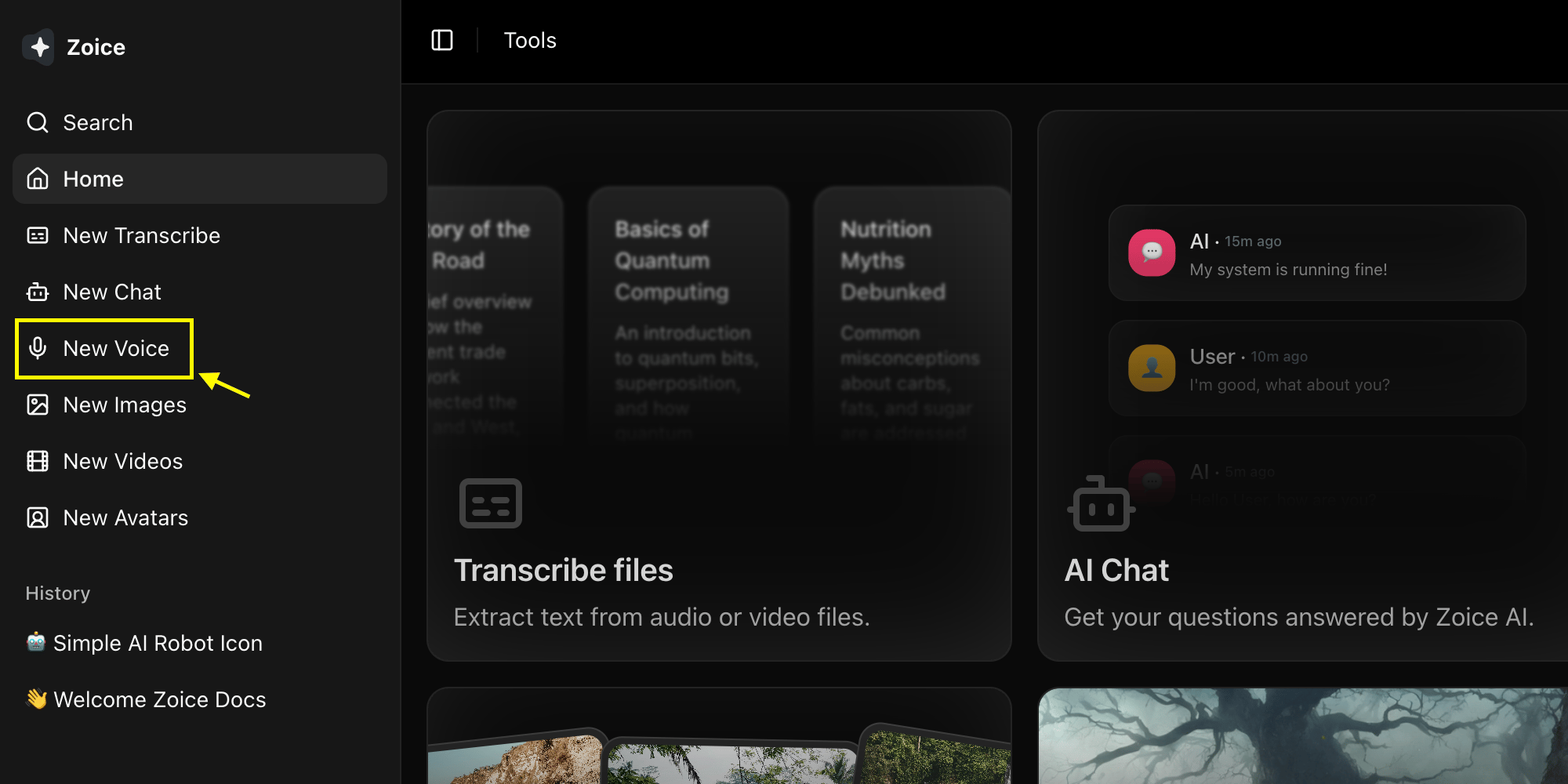
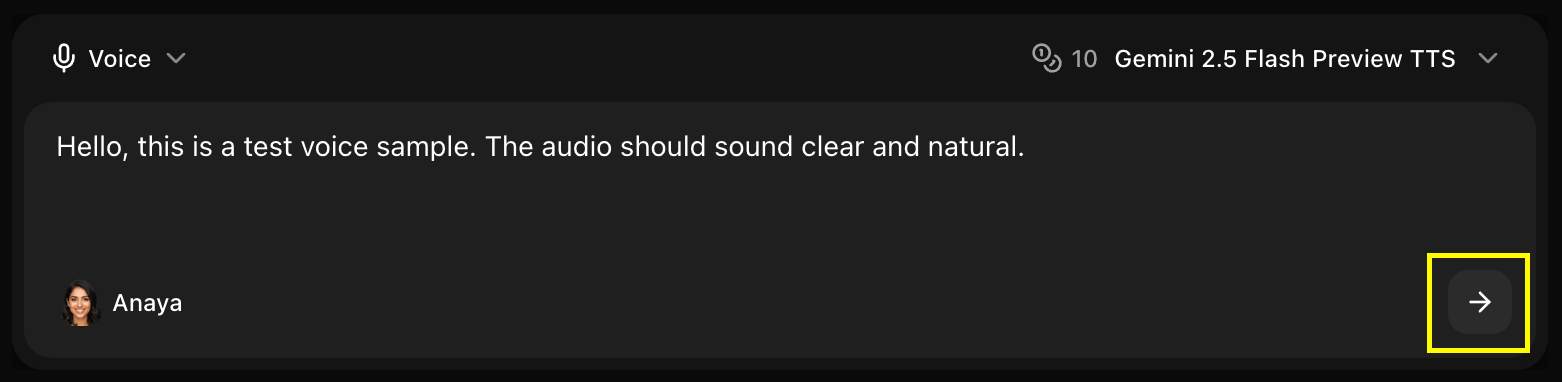
Navigate to the new voice generator page.
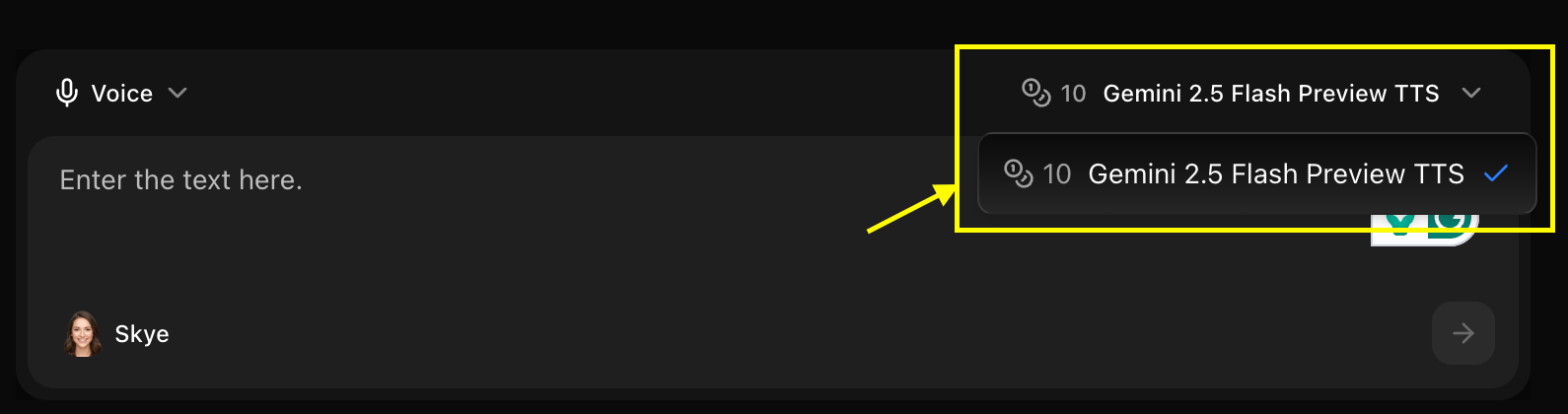
 Choose the AI model you want to use for your voice generation
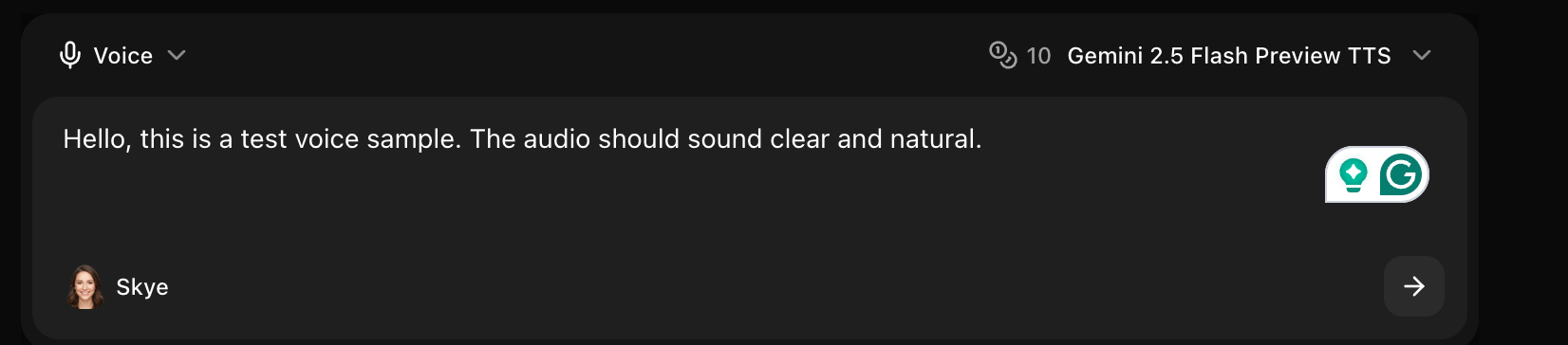
 Enter the text or script you want to hear in the voice-over section.
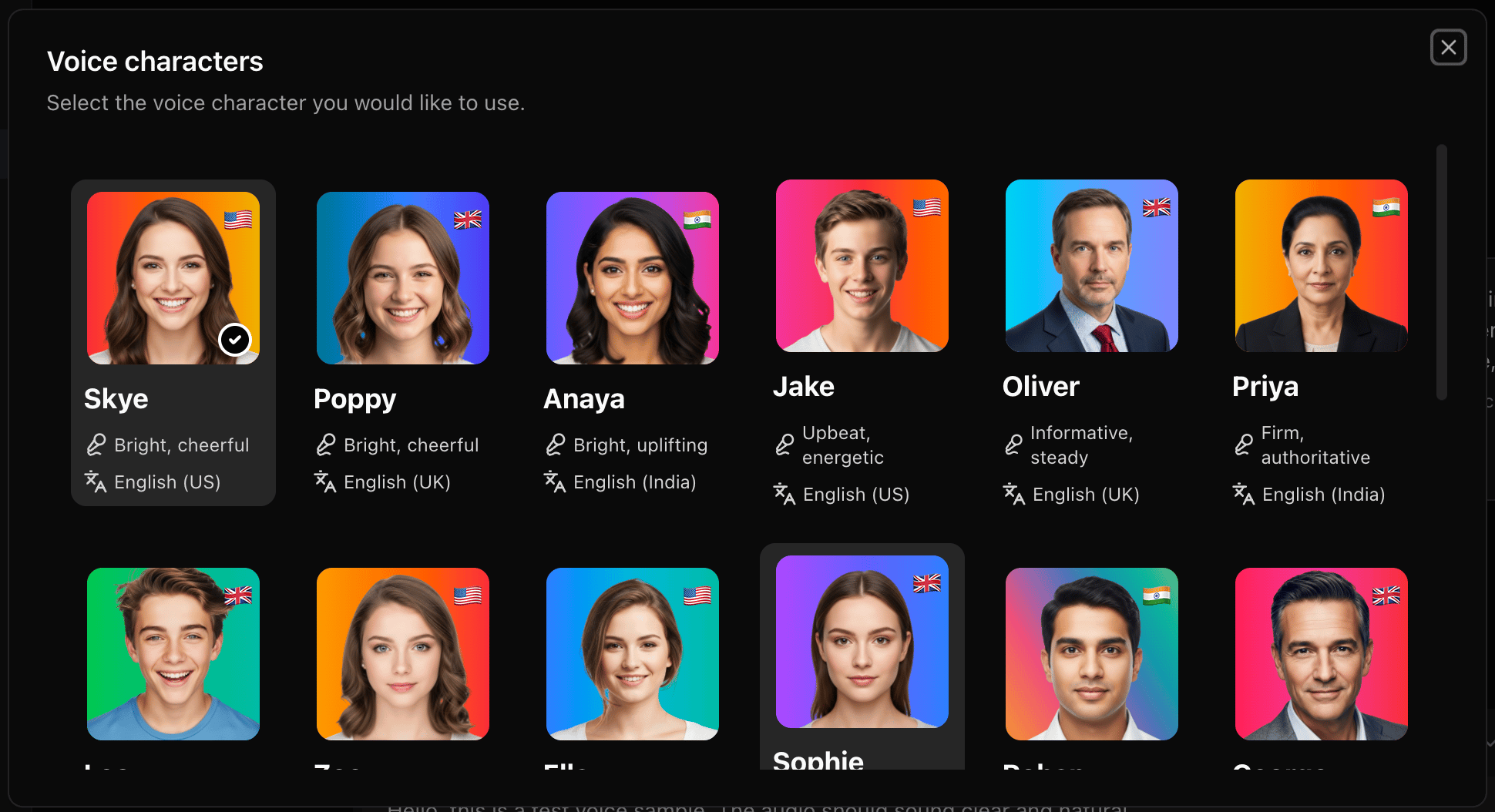
 Browse the sample templates and choose the voice that best fits your content's tone and style.
 Click the **Generate** button to process your text into the selected voice.
 Once processing is complete, download and save your professional AI voiceover.
## Voice Selection
### Voice Types
**Characteristics:**
* Deep, authoritative tones
* Professional narration
* Various age ranges
* Multiple accents
**Best For:**
* Corporate narration
* Audiobooks
* Professional content
* Educational material
**Characteristics:**
* Warm, engaging tones
* Clear articulation
* Various age ranges
* Multiple accents
**Best For:**
* Customer service
* E-learning
* Friendly narration
* Conversational content
**Characteristics:**
* Gender-neutral tones
* Modern, inclusive
* Clear and professional
* Versatile usage
**Best For:**
* Inclusive content
* Modern brands
* Tech products
* General purpose
**Characteristics:**
* Unique personalities
* Expressive delivery
* Stylized tones
* Creative options
**Best For:**
* Animations
* Games
* Creative projects
* Entertainment
### Language Support
Zoice supports 50+ languages including:
* **English**: US, UK, Australian, Indian, and more
* **Spanish**: Spain, Latin American variants
* **French**: France, Canadian
* **German**: Standard, Austrian, Swiss
* **Mandarin**: Simplified, Traditional
* **Japanese**, **Korean**, **Hindi**, **Arabic**, and many more
## Voice Customization
### Speed Control
* **Slow (0.5x-0.8x)**: Deliberate, clear enunciation
* **Normal (1.0x)**: Natural speaking pace
* **Fast (1.2x-1.5x)**: Quick, energetic delivery
### Pitch Adjustment
* **Lower (-20% to -10%)**: Deeper, more authoritative
* **Normal (0%)**: Natural voice pitch
* **Higher (+10% to +20%)**: Lighter, more energetic
### Emotion & Tone
Standard, professional delivery
Upbeat, cheerful, positive
Somber, melancholic, gentle
Energetic, enthusiastic, dynamic
Soothing, relaxed, peaceful
Professional, formal, authoritative
## Text Formatting
### Punctuation Control
Punctuation affects pacing and delivery:
```text theme={null}
Period (.) - Brief pause
Comma (,) - Short pause
Question mark (?) - Rising intonation
Exclamation (!) - Emphasis and energy
Ellipsis (...) - Longer pause, trailing off
Em dash (—) - Dramatic pause
```
### Special Formatting
Use asterisks or capitals for emphasis:
```text theme={null}
This is *really* important.
This is VERY important.
```
Add pauses with special tags:
```text theme={null}
Hello [pause: 1s] and welcome.
Let me think... [pause: 2s] yes, that works.
```
Guide pronunciation with phonetic spelling:
```text theme={null}
The CEO [see-ee-oh] will speak.
SQL [sequel] database
```
Format numbers for proper reading:
```text theme={null}
$1,000 - "one thousand dollars"
01/15/2024 - "January fifteenth, twenty twenty-four"
3:30 PM - "three thirty PM"
```
## Use Cases
### Voiceovers & Narration
```text theme={null}
Welcome to our comprehensive guide on artificial intelligence.
In this video, we'll explore the fundamentals of machine
learning and how it's transforming industries worldwide.
```
### Customer Service
```text theme={null}
Thank you for calling Zoice support. Your call is important
to us. Please hold while we connect you to the next available
representative.
```
### E-Learning
```text theme={null}
In today's lesson, we'll learn about photosynthesis.
Photosynthesis is the process by which plants convert
sunlight into energy. Let's begin with the basics.
```
### Audiobooks
```text theme={null}
Chapter One: The Beginning
It was a dark and stormy night when Sarah first discovered
the mysterious letter hidden in her grandmother's attic...
```
## Best Practices
* Write conversationally, not formally
* Use shorter sentences
* Avoid complex punctuation
* Read aloud to test flow
* Use natural language
* Spell out acronyms first time
* Provide pronunciation guides for unique terms
* Avoid ambiguous abbreviations
* Use standard formatting for numbers
* Use punctuation for natural pauses
* Break long paragraphs into shorter segments
* Vary sentence length
* Add pauses for emphasis
* Match voice to content tone
* Consider target audience
* Test different voices
* Stay consistent within projects
## Advanced Features
### SSML Support
Use Speech Synthesis Markup Language for advanced control:
```xml theme={null}
This text is spoken slowly with higher pitch.
This is emphasized!
```
### Multi-Voice Scripts
Use different voices in one audio:
```text theme={null}
[Voice: Sarah] Hello, welcome to our podcast!
[Voice: John] Thanks for having me, Sarah.
[Voice: Sarah] Let's dive right in...
```
### Background Music
Add background music to your voice:
* Upload music track
* Set volume levels
* Auto-duck during speech
* Fade in/out options
## Audio Output Settings
### Format Options
* **MP3**: Compressed, smaller file size
* **WAV**: Uncompressed, highest quality
* **OGG**: Open format, good compression
### Quality Settings
* **Standard**: 128 kbps (web, streaming)
* **High**: 192 kbps (general use)
* **Premium**: 320 kbps (professional)
### Sample Rate
* **22 kHz**: Voice-only, smaller files
* **44.1 kHz**: CD quality, standard
* **48 kHz**: Professional, broadcast
## Common Scenarios
Narration for video content
Intro/outro or full episodes
Phone menu and prompts
Make content accessible
## Troubleshooting
* Add phonetic spelling
* Break compound words
* Use pronunciation guides
* Try different voice
* Adjust speed setting
* Add punctuation for pauses
* Break long sentences
* Use pause tags
* Add emotion settings
* Use varied punctuation
* Try different voice
* Add emphasis markers
* Use emphasis markers
* Adjust punctuation
* Rewrite sentence structure
* Use SSML tags
Always preview a short sample before generating long audio files to ensure the voice and settings are correct.
## Character Limits
* **Single Generation**: Up to 5,000 characters
* **Batch Processing**: Up to 50,000 characters
* **Audiobook Mode**: Unlimited with chapter breaks
## Next Steps
Combine voice with avatars
Master voice prompt engineering
Once processing is complete, download and save your professional AI voiceover.
## Voice Selection
### Voice Types
**Characteristics:**
* Deep, authoritative tones
* Professional narration
* Various age ranges
* Multiple accents
**Best For:**
* Corporate narration
* Audiobooks
* Professional content
* Educational material
**Characteristics:**
* Warm, engaging tones
* Clear articulation
* Various age ranges
* Multiple accents
**Best For:**
* Customer service
* E-learning
* Friendly narration
* Conversational content
**Characteristics:**
* Gender-neutral tones
* Modern, inclusive
* Clear and professional
* Versatile usage
**Best For:**
* Inclusive content
* Modern brands
* Tech products
* General purpose
**Characteristics:**
* Unique personalities
* Expressive delivery
* Stylized tones
* Creative options
**Best For:**
* Animations
* Games
* Creative projects
* Entertainment
### Language Support
Zoice supports 50+ languages including:
* **English**: US, UK, Australian, Indian, and more
* **Spanish**: Spain, Latin American variants
* **French**: France, Canadian
* **German**: Standard, Austrian, Swiss
* **Mandarin**: Simplified, Traditional
* **Japanese**, **Korean**, **Hindi**, **Arabic**, and many more
## Voice Customization
### Speed Control
* **Slow (0.5x-0.8x)**: Deliberate, clear enunciation
* **Normal (1.0x)**: Natural speaking pace
* **Fast (1.2x-1.5x)**: Quick, energetic delivery
### Pitch Adjustment
* **Lower (-20% to -10%)**: Deeper, more authoritative
* **Normal (0%)**: Natural voice pitch
* **Higher (+10% to +20%)**: Lighter, more energetic
### Emotion & Tone
Standard, professional delivery
Upbeat, cheerful, positive
Somber, melancholic, gentle
Energetic, enthusiastic, dynamic
Soothing, relaxed, peaceful
Professional, formal, authoritative
## Text Formatting
### Punctuation Control
Punctuation affects pacing and delivery:
```text theme={null}
Period (.) - Brief pause
Comma (,) - Short pause
Question mark (?) - Rising intonation
Exclamation (!) - Emphasis and energy
Ellipsis (...) - Longer pause, trailing off
Em dash (—) - Dramatic pause
```
### Special Formatting
Use asterisks or capitals for emphasis:
```text theme={null}
This is *really* important.
This is VERY important.
```
Add pauses with special tags:
```text theme={null}
Hello [pause: 1s] and welcome.
Let me think... [pause: 2s] yes, that works.
```
Guide pronunciation with phonetic spelling:
```text theme={null}
The CEO [see-ee-oh] will speak.
SQL [sequel] database
```
Format numbers for proper reading:
```text theme={null}
$1,000 - "one thousand dollars"
01/15/2024 - "January fifteenth, twenty twenty-four"
3:30 PM - "three thirty PM"
```
## Use Cases
### Voiceovers & Narration
```text theme={null}
Welcome to our comprehensive guide on artificial intelligence.
In this video, we'll explore the fundamentals of machine
learning and how it's transforming industries worldwide.
```
### Customer Service
```text theme={null}
Thank you for calling Zoice support. Your call is important
to us. Please hold while we connect you to the next available
representative.
```
### E-Learning
```text theme={null}
In today's lesson, we'll learn about photosynthesis.
Photosynthesis is the process by which plants convert
sunlight into energy. Let's begin with the basics.
```
### Audiobooks
```text theme={null}
Chapter One: The Beginning
It was a dark and stormy night when Sarah first discovered
the mysterious letter hidden in her grandmother's attic...
```
## Best Practices
* Write conversationally, not formally
* Use shorter sentences
* Avoid complex punctuation
* Read aloud to test flow
* Use natural language
* Spell out acronyms first time
* Provide pronunciation guides for unique terms
* Avoid ambiguous abbreviations
* Use standard formatting for numbers
* Use punctuation for natural pauses
* Break long paragraphs into shorter segments
* Vary sentence length
* Add pauses for emphasis
* Match voice to content tone
* Consider target audience
* Test different voices
* Stay consistent within projects
## Advanced Features
### SSML Support
Use Speech Synthesis Markup Language for advanced control:
```xml theme={null}
This text is spoken slowly with higher pitch.
This is emphasized!
```
### Multi-Voice Scripts
Use different voices in one audio:
```text theme={null}
[Voice: Sarah] Hello, welcome to our podcast!
[Voice: John] Thanks for having me, Sarah.
[Voice: Sarah] Let's dive right in...
```
### Background Music
Add background music to your voice:
* Upload music track
* Set volume levels
* Auto-duck during speech
* Fade in/out options
## Audio Output Settings
### Format Options
* **MP3**: Compressed, smaller file size
* **WAV**: Uncompressed, highest quality
* **OGG**: Open format, good compression
### Quality Settings
* **Standard**: 128 kbps (web, streaming)
* **High**: 192 kbps (general use)
* **Premium**: 320 kbps (professional)
### Sample Rate
* **22 kHz**: Voice-only, smaller files
* **44.1 kHz**: CD quality, standard
* **48 kHz**: Professional, broadcast
## Common Scenarios
Narration for video content
Intro/outro or full episodes
Phone menu and prompts
Make content accessible
## Troubleshooting
* Add phonetic spelling
* Break compound words
* Use pronunciation guides
* Try different voice
* Adjust speed setting
* Add punctuation for pauses
* Break long sentences
* Use pause tags
* Add emotion settings
* Use varied punctuation
* Try different voice
* Add emphasis markers
* Use emphasis markers
* Adjust punctuation
* Rewrite sentence structure
* Use SSML tags
Always preview a short sample before generating long audio files to ensure the voice and settings are correct.
## Character Limits
* **Single Generation**: Up to 5,000 characters
* **Batch Processing**: Up to 50,000 characters
* **Audiobook Mode**: Unlimited with chapter breaks
## Next Steps
Combine voice with avatars
Master voice prompt engineering