

Quick Start
Nano Banana 2 supports reference images, allowing you to guide generation with existing images while maintaining fast processing times. The AI analyzes your input image and applies transformations based on your text prompt while maintaining the overall composition and structure of the original image.1
Navigate to Image Generator by Clicking on New Image
Go to the Image Generator tool by clicking on New Image.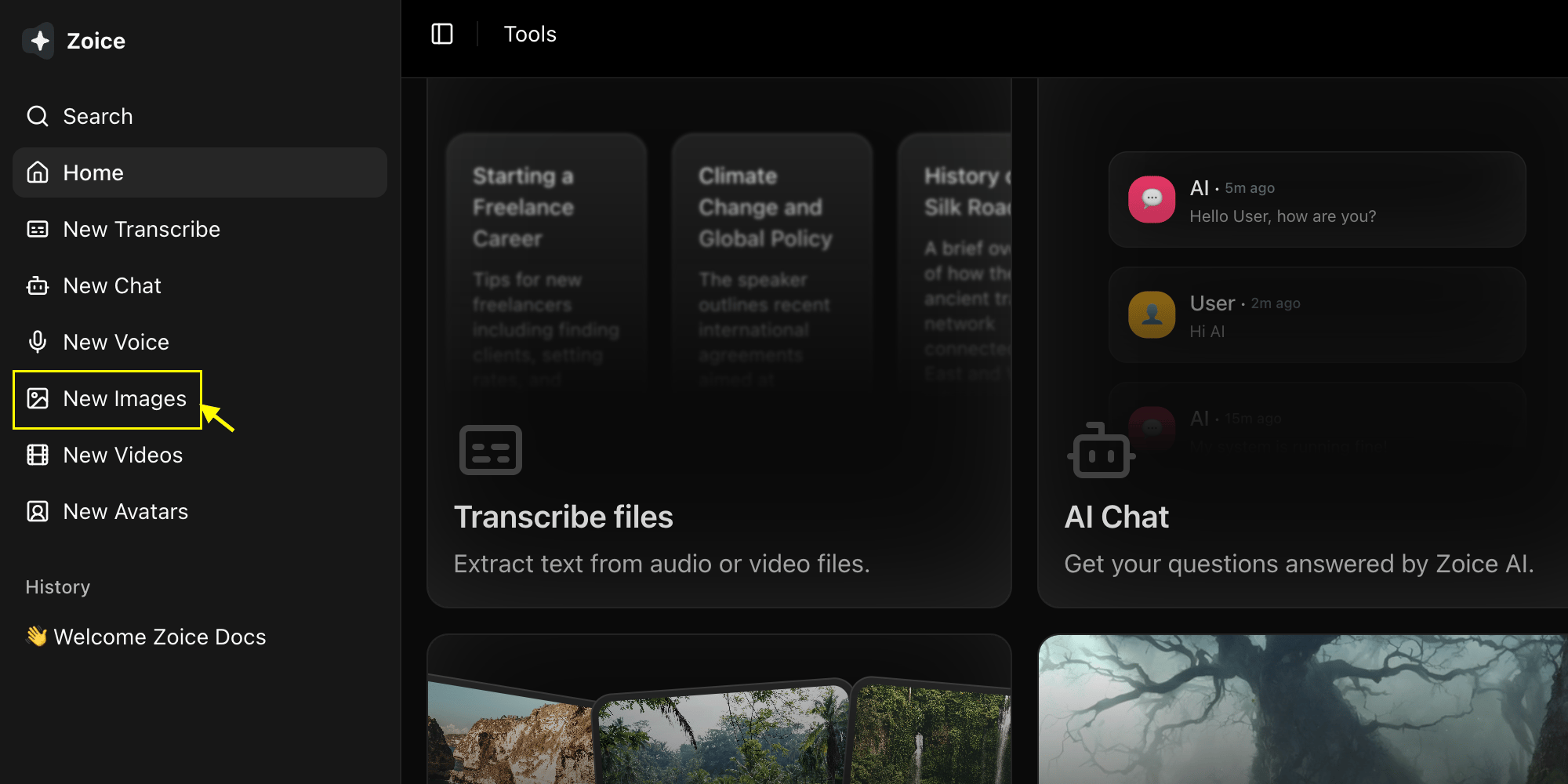
2
Select Nano Banana 2 Model
Choose “Nano Banana 2” from the model selector.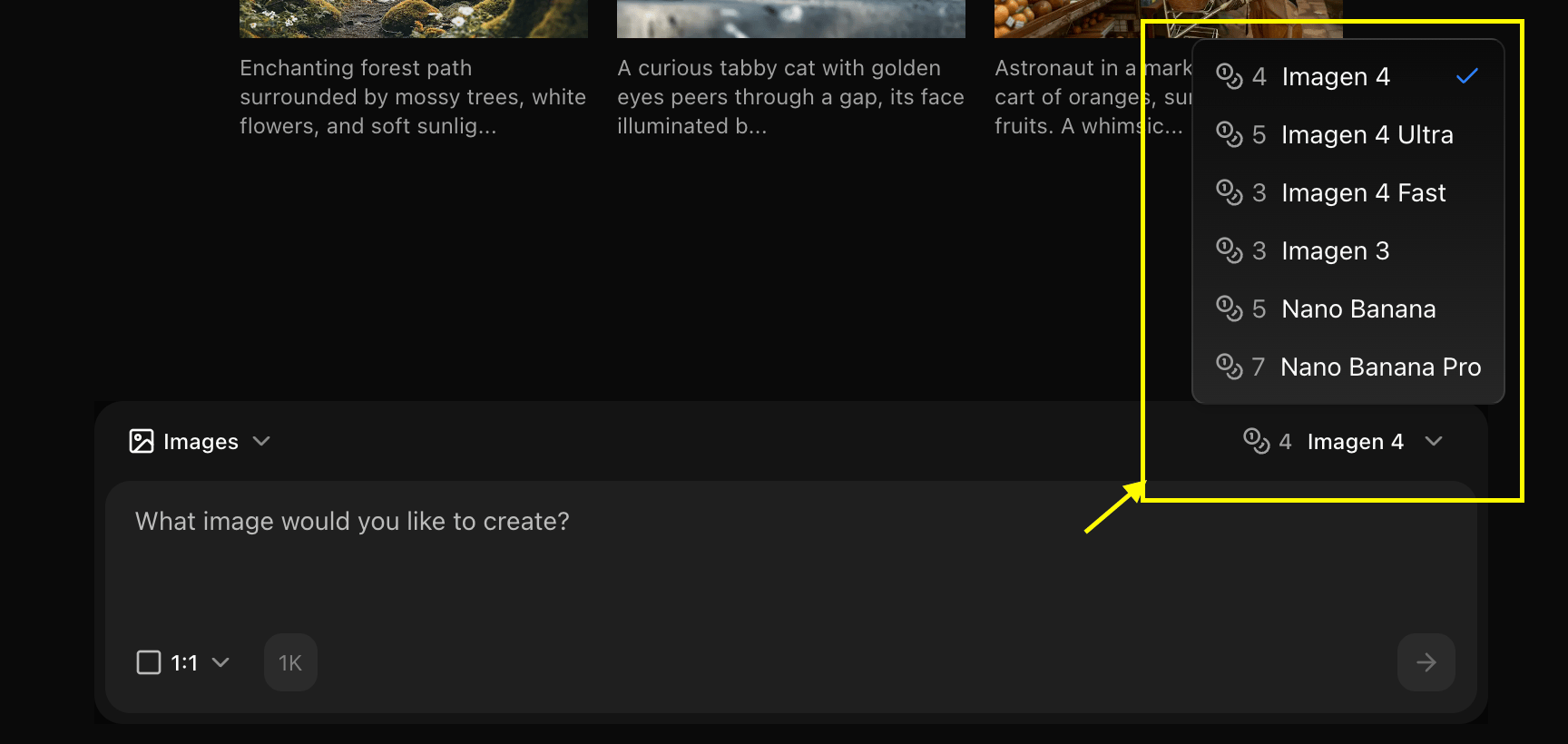
3
Configure Settings for Image
Choose Image to Image mode and set your preferred resolution.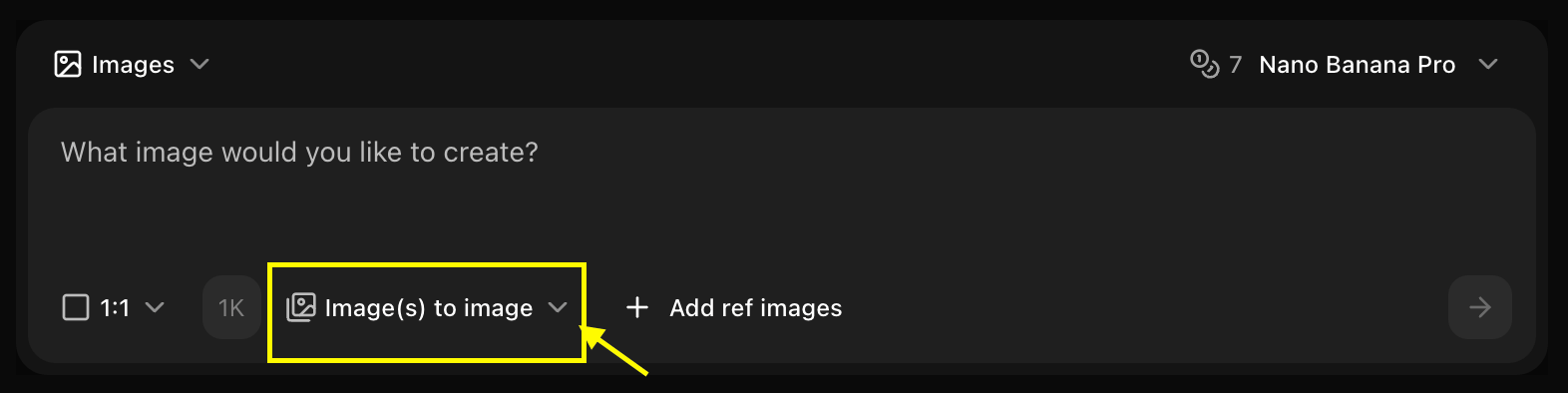
4
Upload Reference Image
Upload the image you want to use as a base.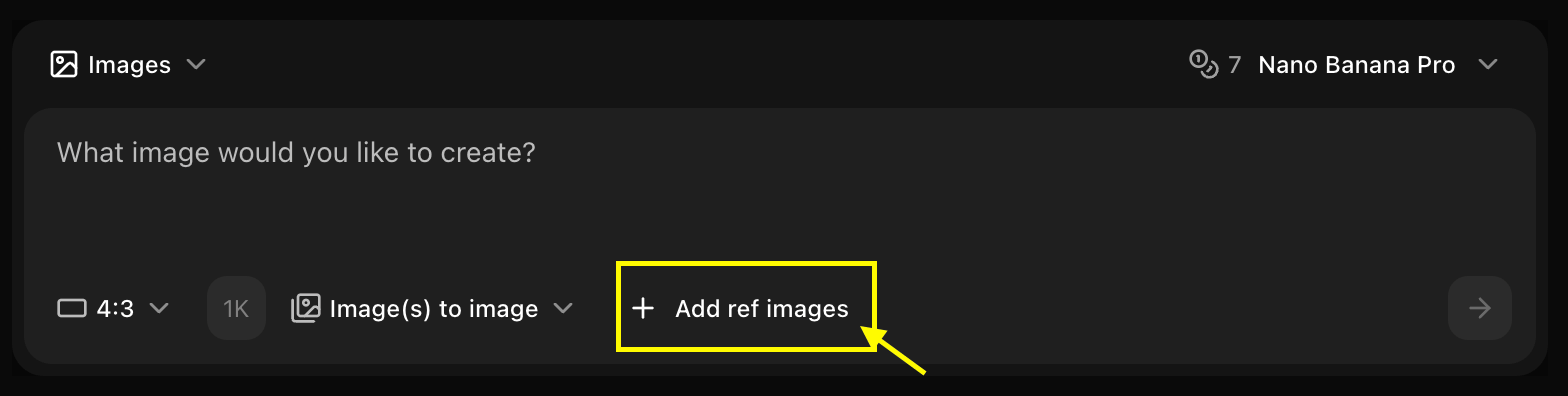
5
Type Detailed Prompt
Enter a description of how you want the AI to modify your reference image.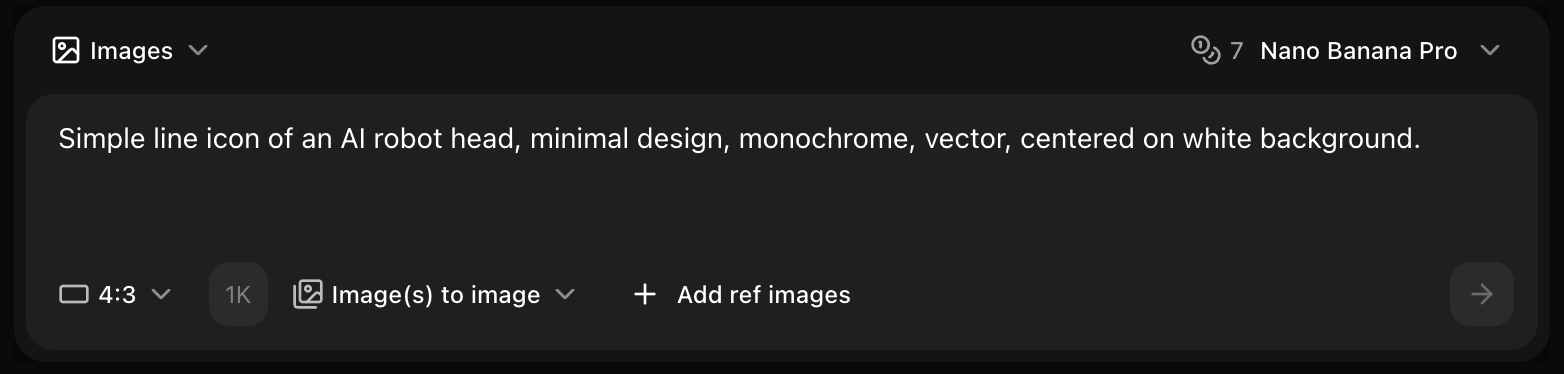
6
Generate
Click on Generate and wait a few seconds for your transformed image to be created.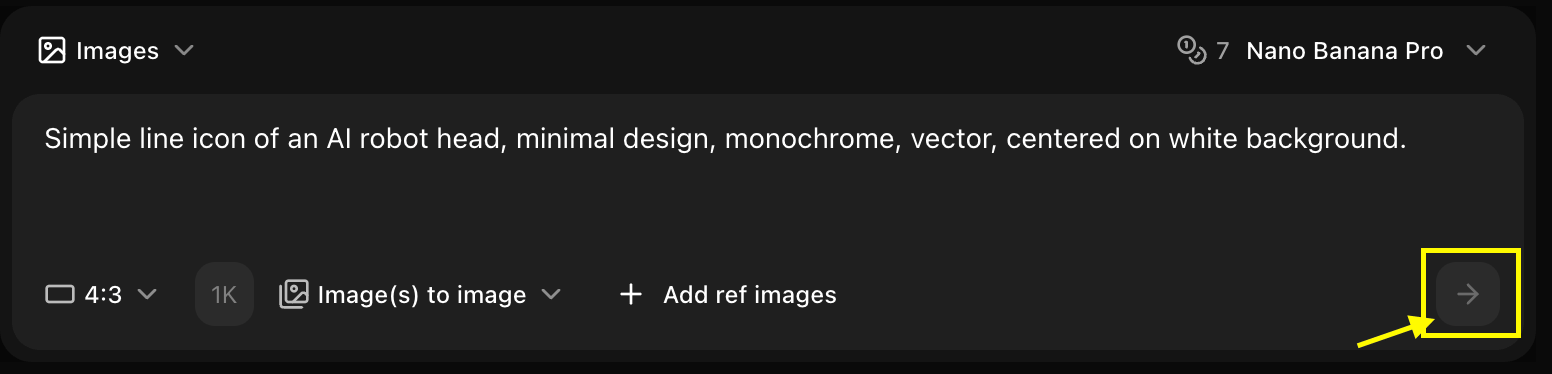
7
Download
Save your generated image.
Best Practices
- Use clear reference images
- Adjust strength for desired effect
- Combine with detailed prompts
Next Steps
Text Prompts
Generate without reference
Model Overview
Learn more
Image Generator Tool
Back to the main Image Generator guide