

Overview
Veo 3.1 Fast provides professional-quality videos with faster generation times, ideal for projects requiring quick turnaround.Quick Start
Generate videos from text prompts using Zoice’s AI video generation models.1
Navigate to New Video
Go to the Video Generator tool by clicking on New Video.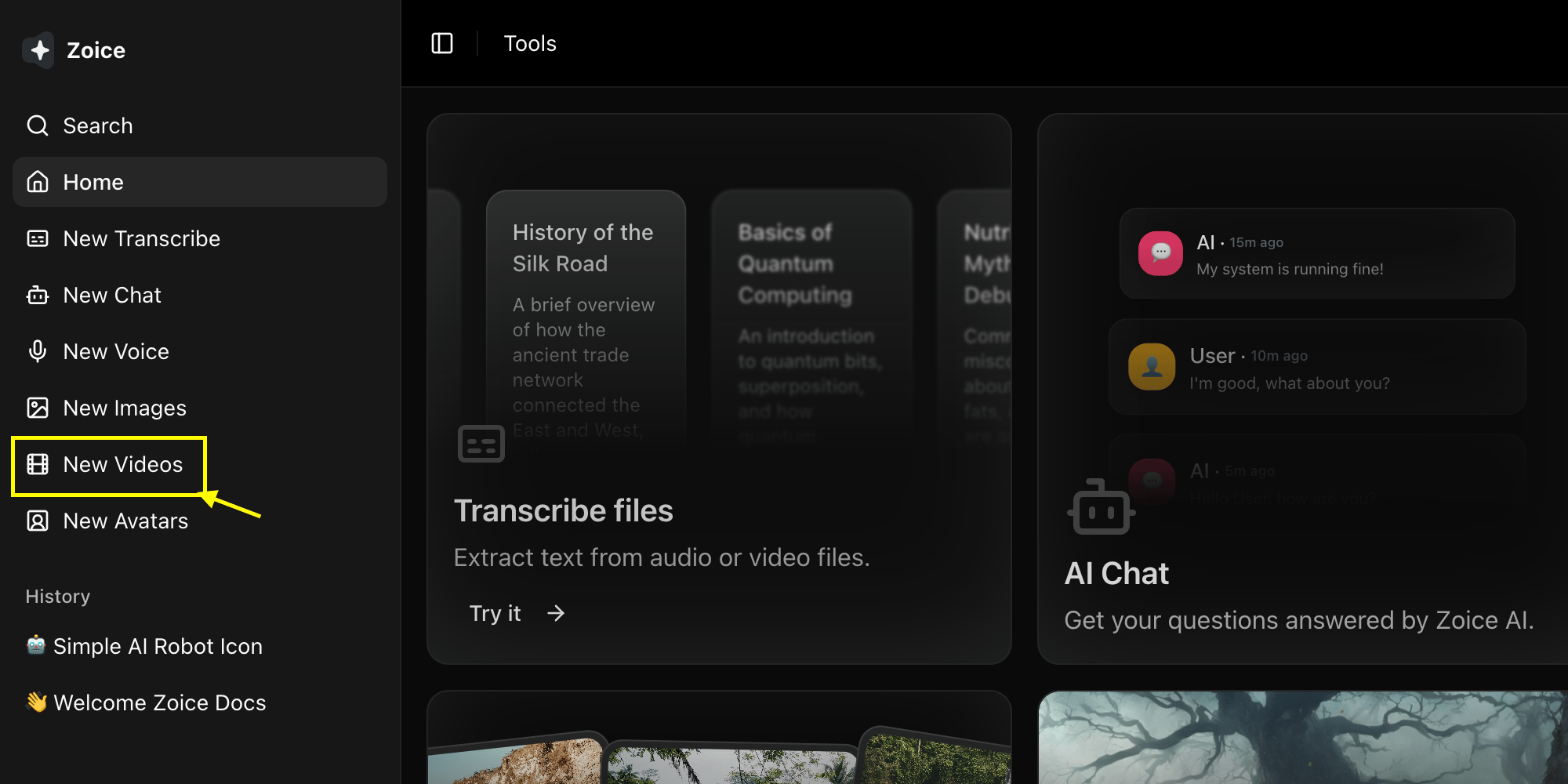
2
Select Veo 3.1 Fast Model
Choose Veo 3.1 Fast from the model selector.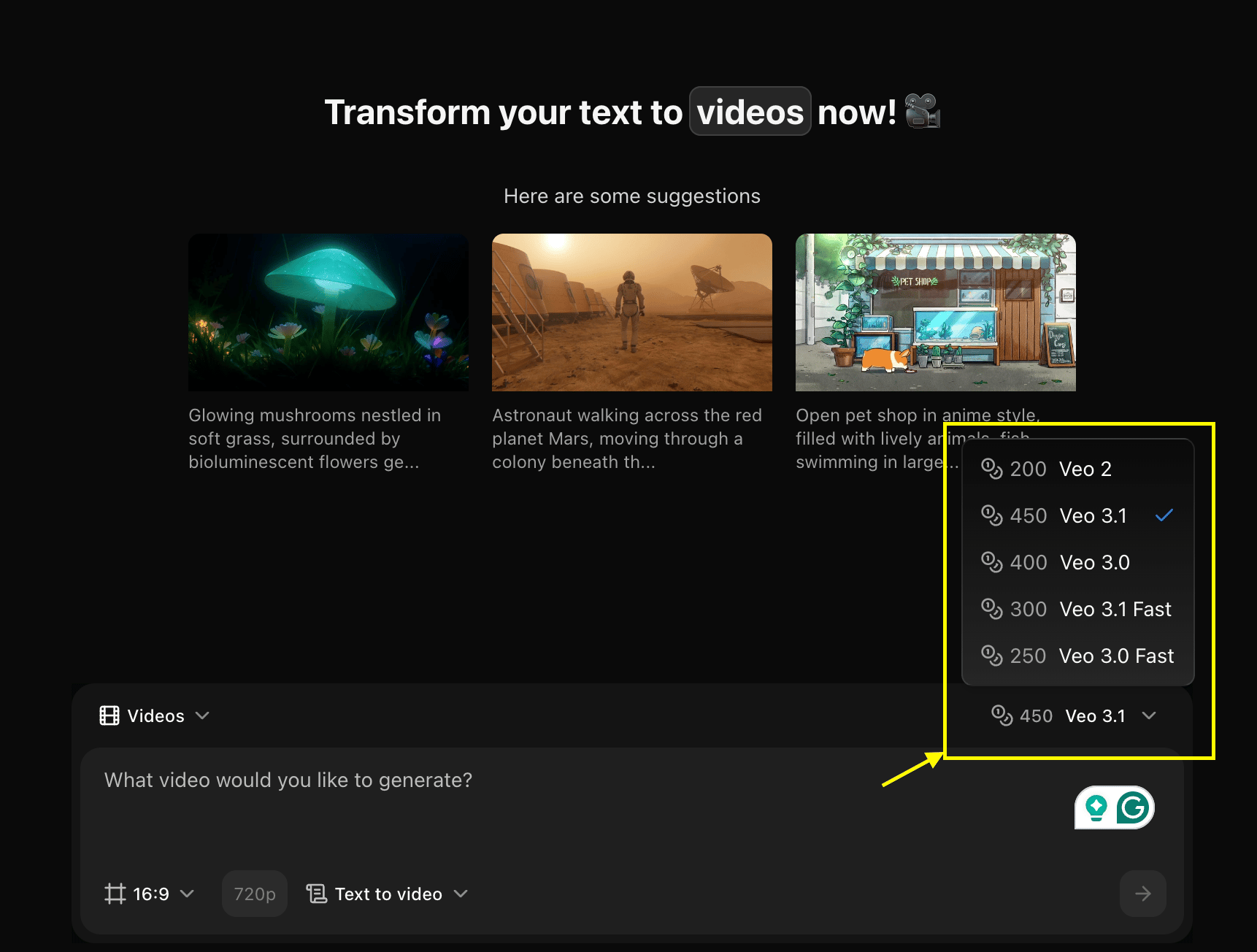
3
Configure Settings for Video
Set dimensions, resolution, and choose Text to Video mode.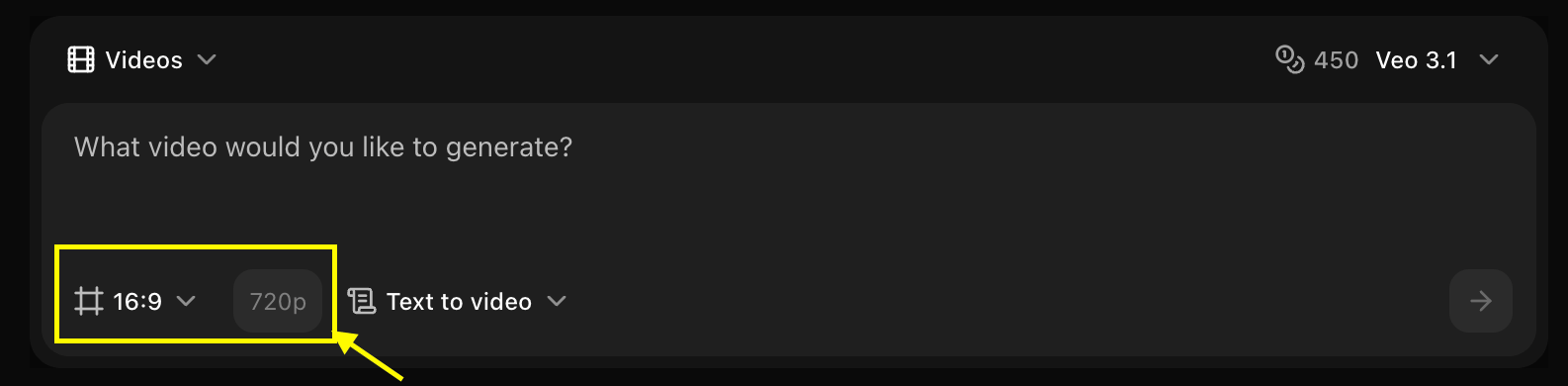
4
Write Your Text Prompt
Enter a description of the scene and action you want to create in the prompt box.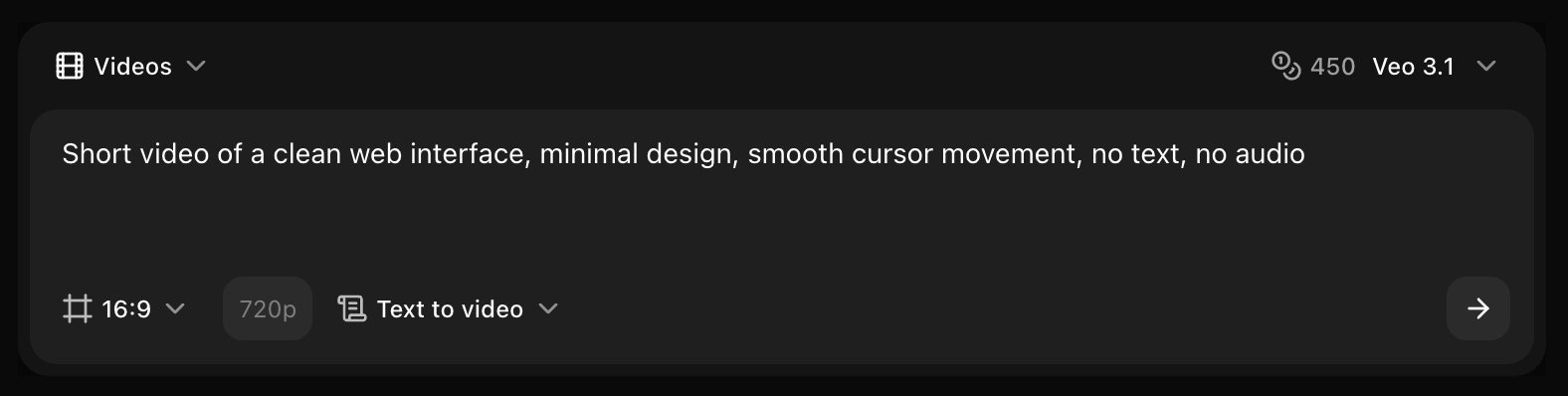
5
Click on Generate
Click on the Generate button to begin creating your video.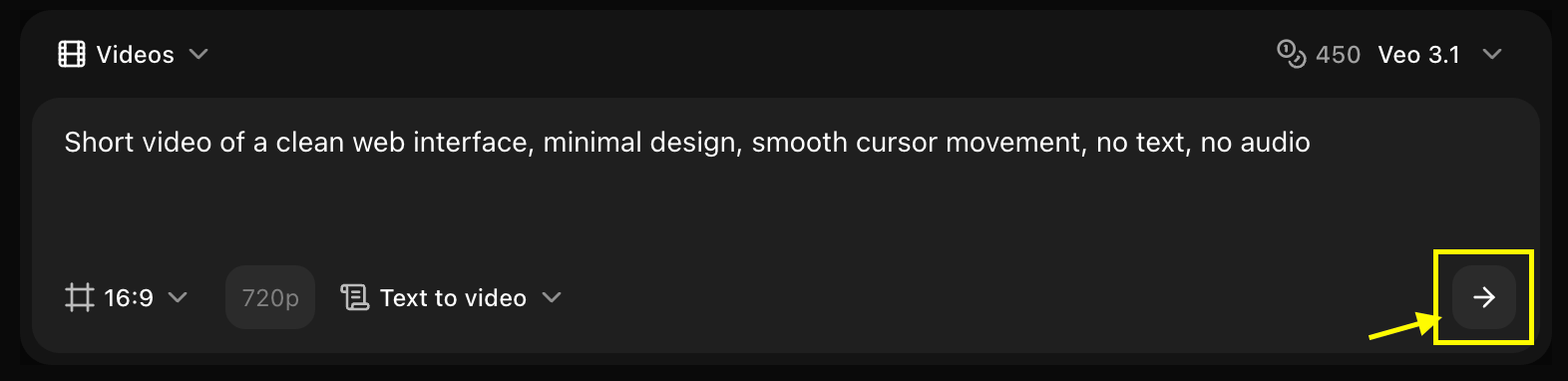
6
Download
Save your generated video.
Best Practices
- Clear scene descriptions
- Include camera movements
- Leverage speed for iterations
Next Steps
Image to Video
Convert images to video
Video Generator Tool
Back to the main Video Generator guide