

What are Custom Avatars?
Custom avatars are AI-generated characters created from your uploaded photos. They maintain the likeness of the person in the photo while adding realistic animations, lip-sync, and expressions for video presentations.Benefits of Custom Avatars
- Personal Branding: Use your own face or brand representatives
- Authenticity: Real people, AI-powered animation
- Brand Consistency: Maintain visual brand identity
- Professional Presence: Create polished video content
- Flexibility: Multiple team members as avatars
- Reusable: Create once, use for multiple videos
How It Works
Describe your ideal avatar using text prompts, and our AI will generate a 3D avatar model matching your description. You have full control over appearance, style, clothing, and characteristics.Getting Started
1
Login to Zoice
Log in to your account at Zoice.com.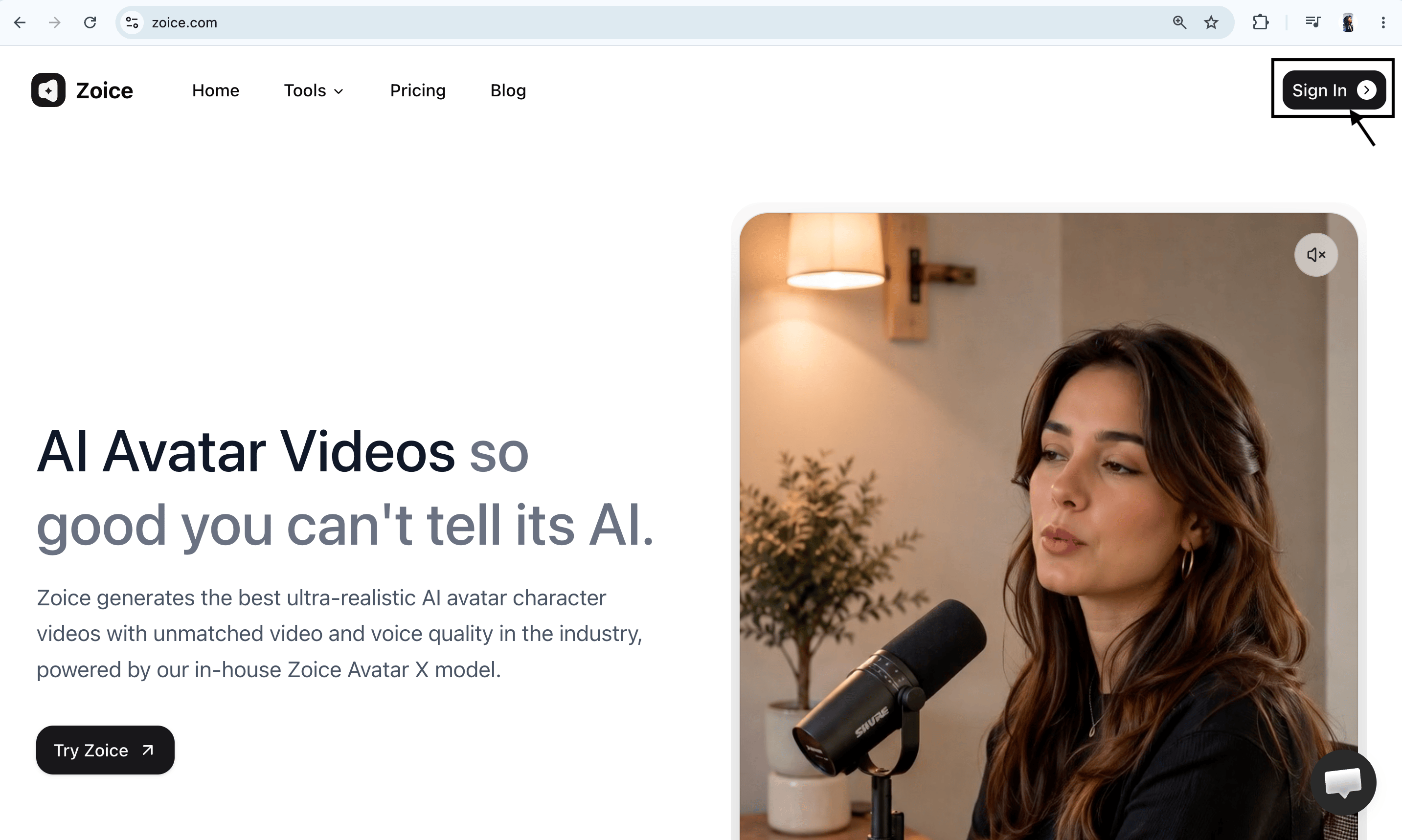
2
Navigate to All Tools
Click on See all tools and scroll down to locate the video creation features.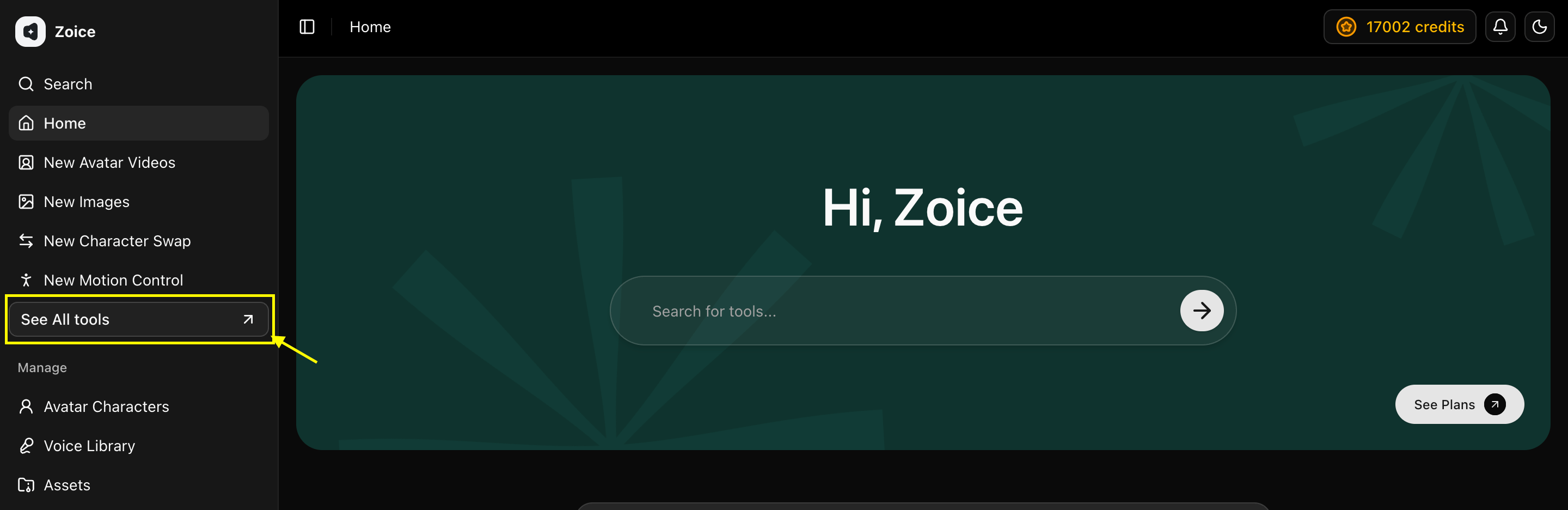
3
Select AI Avatar Videos
Find AI Avatar Videos and click on Generate to proceed.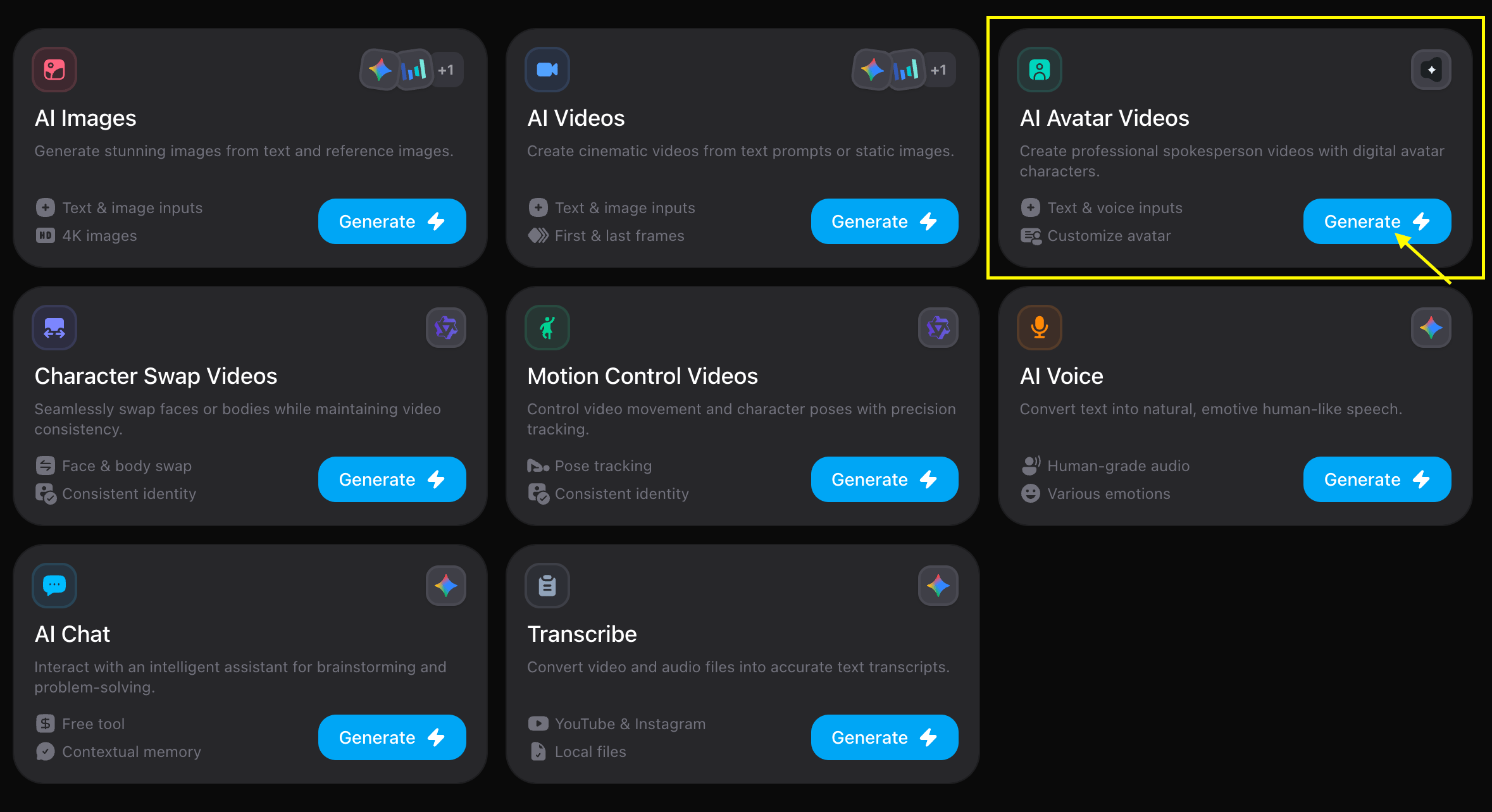
4
Choose Avatar Character
On the options screen, locate Avatar Character and click on it.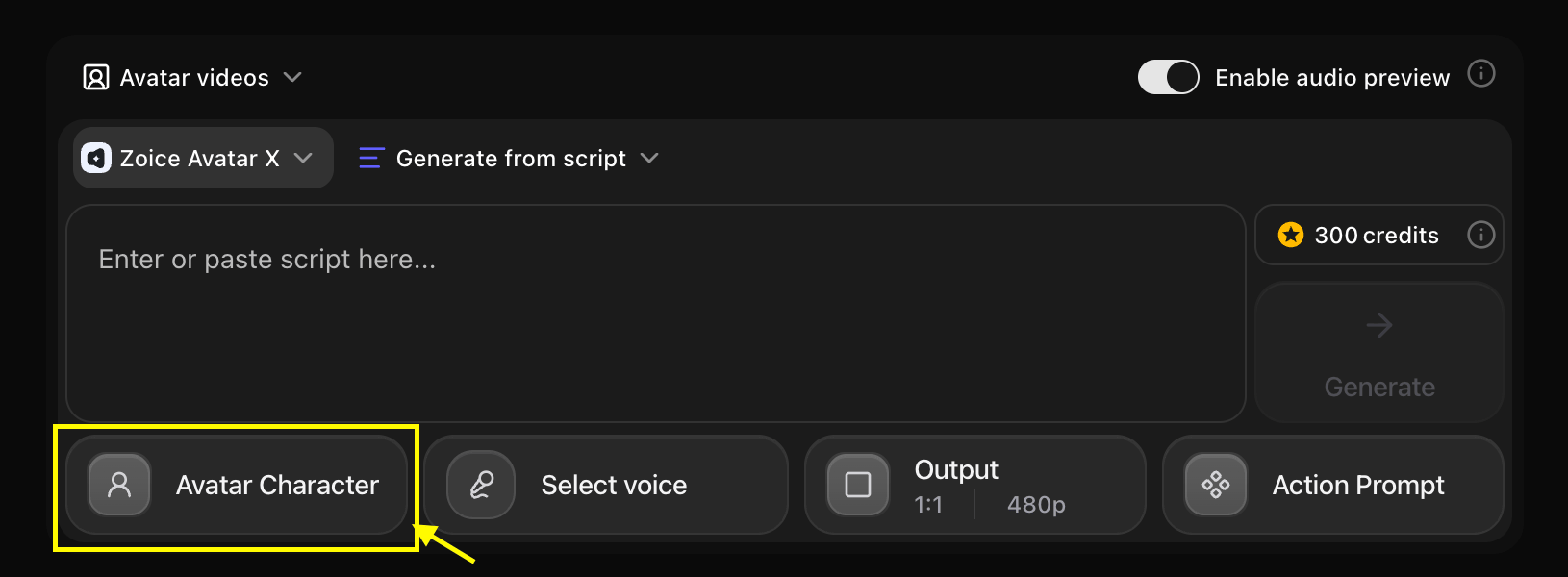
5
Create New Avatar
Click on the Create New button to initiate the avatar creation wizard.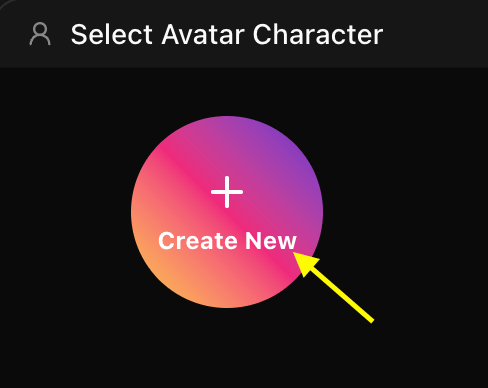
6
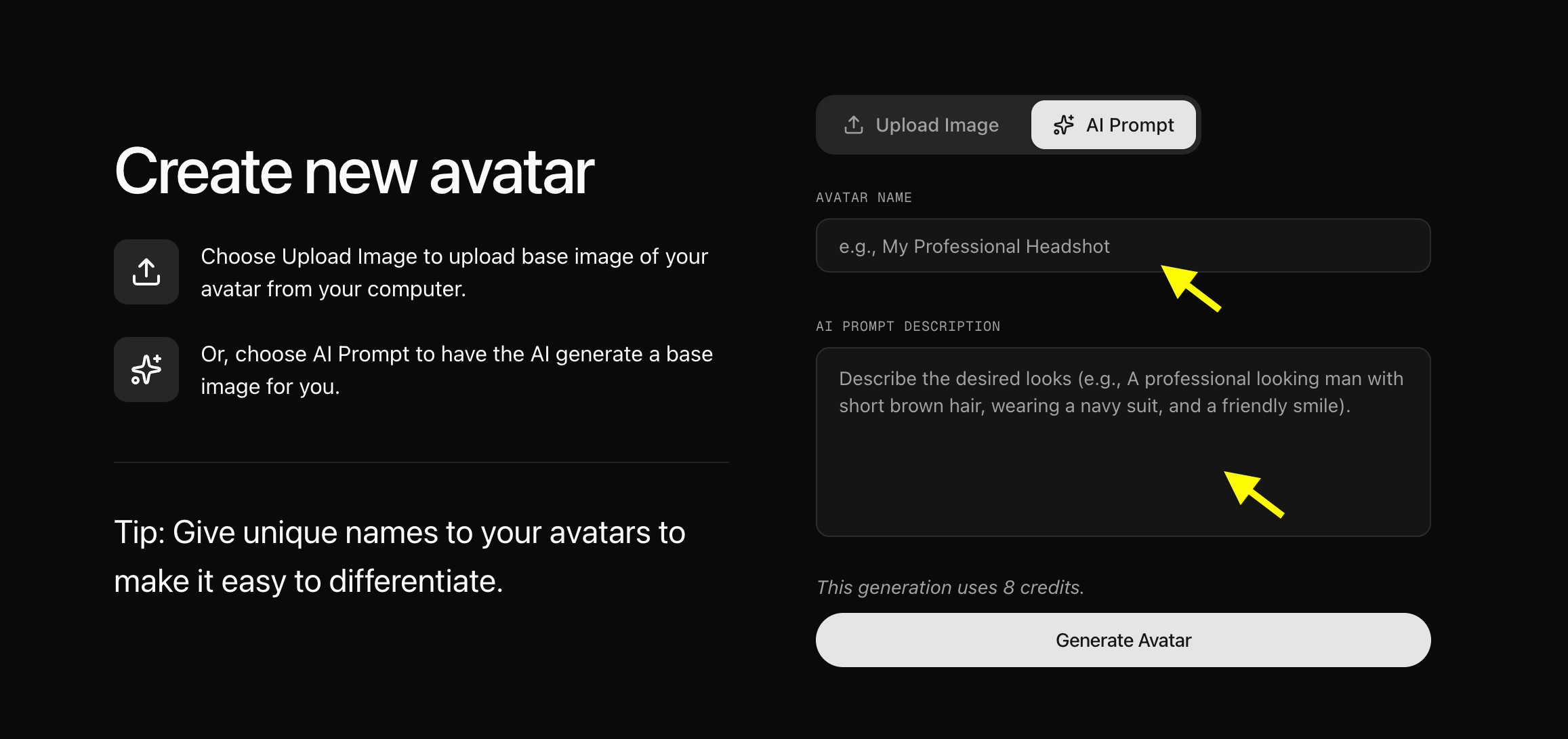
Upload or Generate Avatar Image
You have two options to set up your avatar image: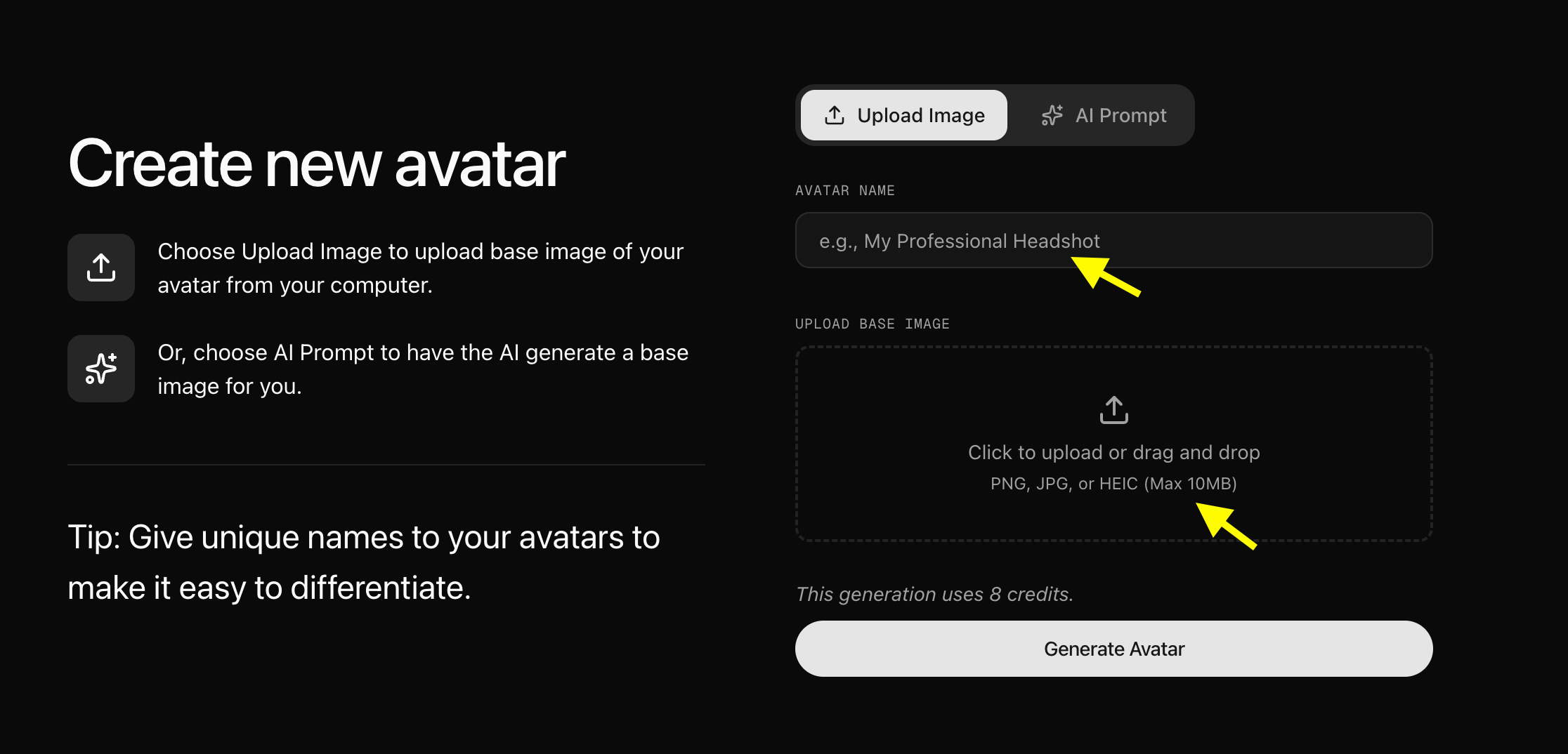
- Upload Image: Enter a name and upload your front-facing portrait image.
- AI Prompt Generation: Toggle the AI prompt option, name your avatar, and enter a detailed prompt to generate an image.
7
Configure Avatar Settings
Click on Avatar Settings to customize details for a more realistic output. Once customized, you can add more images or generate variations from the base image.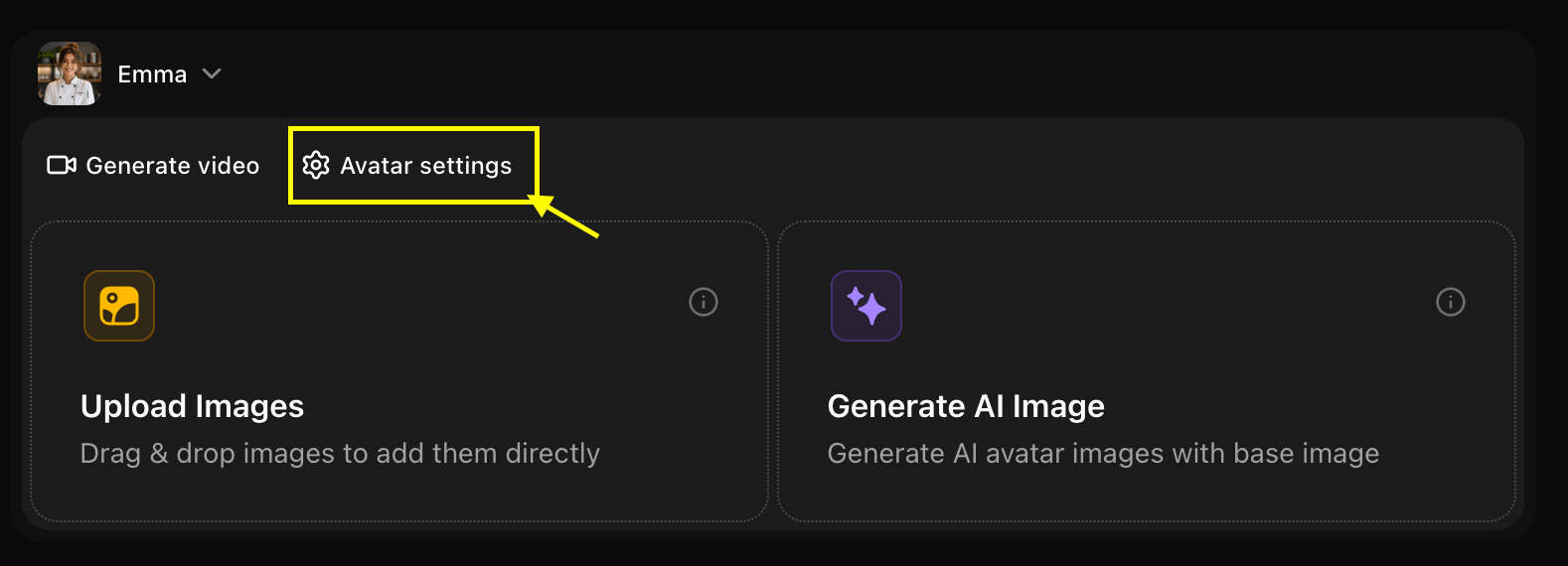
8
Adjust General Settings
In the General Settings tab, fill in the basic details such as age, ethnicity, and gender.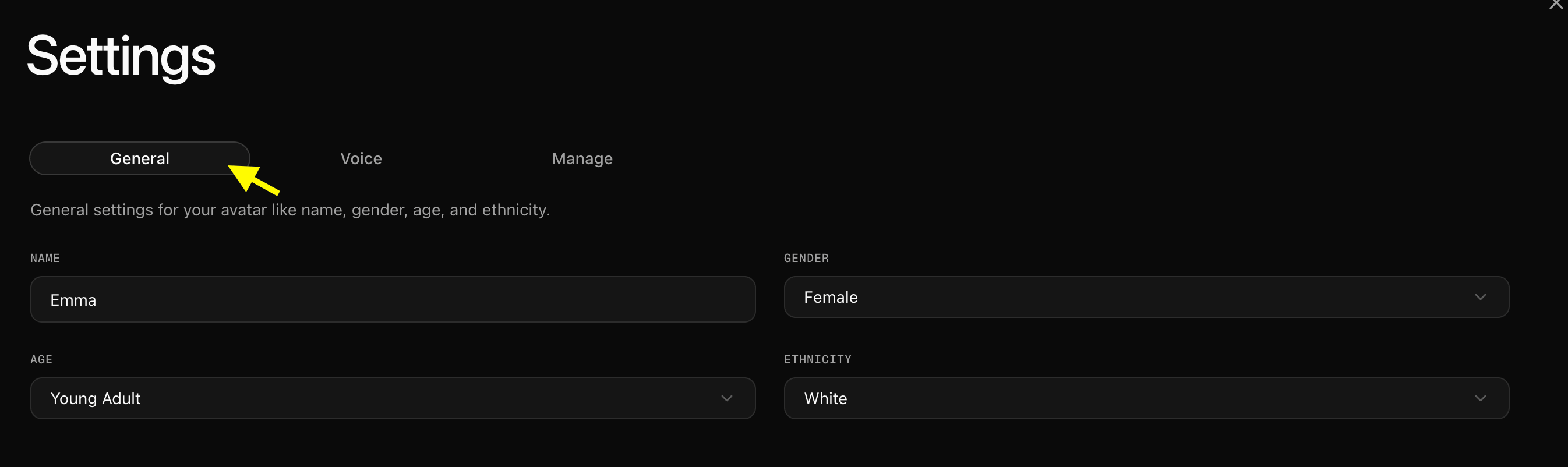
9
Add a Custom Voice
In the voice settings tab, upload or record your own voice to set it as the default voice for your custom avatar.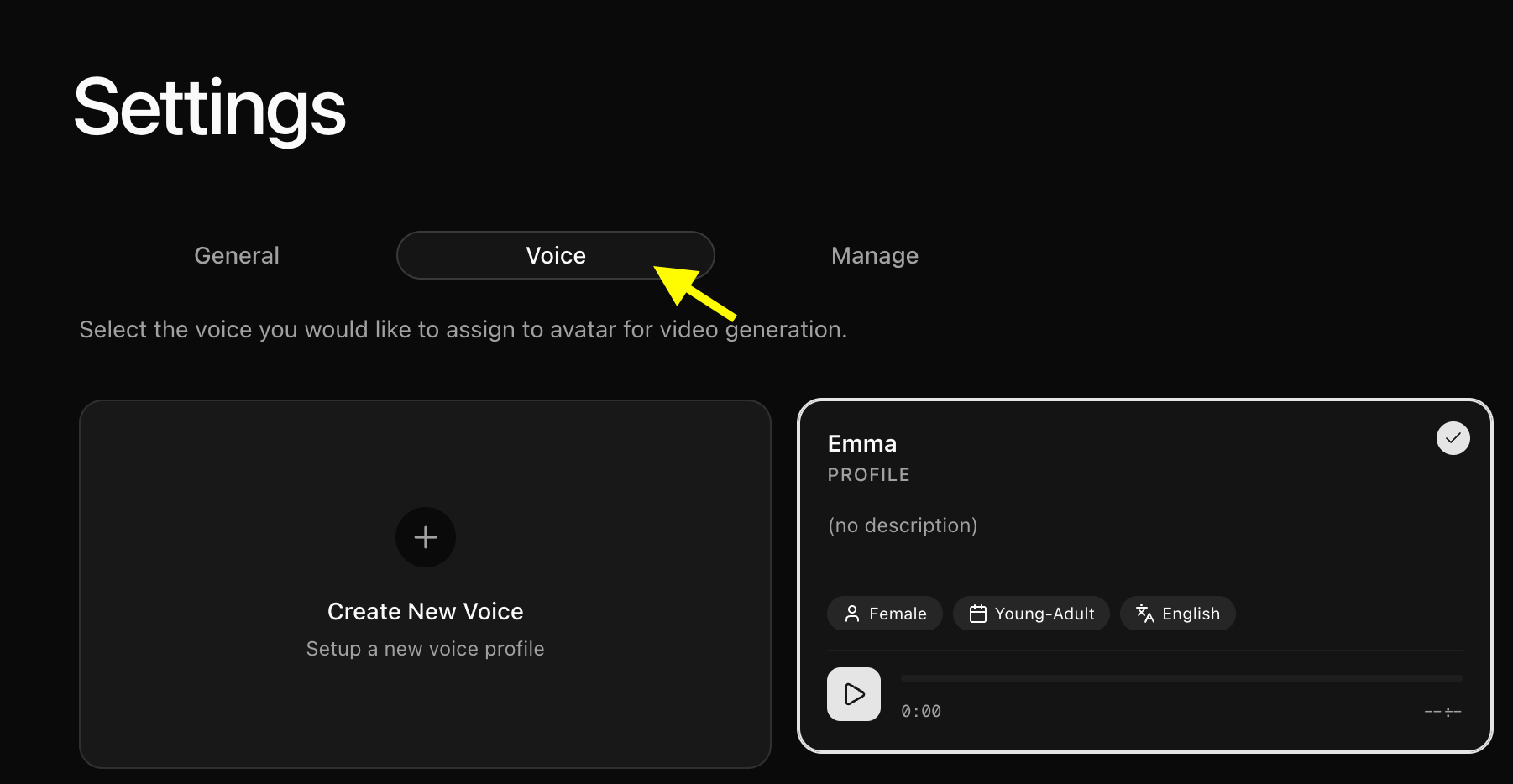
10
Manage Avatar Options
Under the Manage tab, you can manage your avatar options or delete the avatar to start fresh if needed.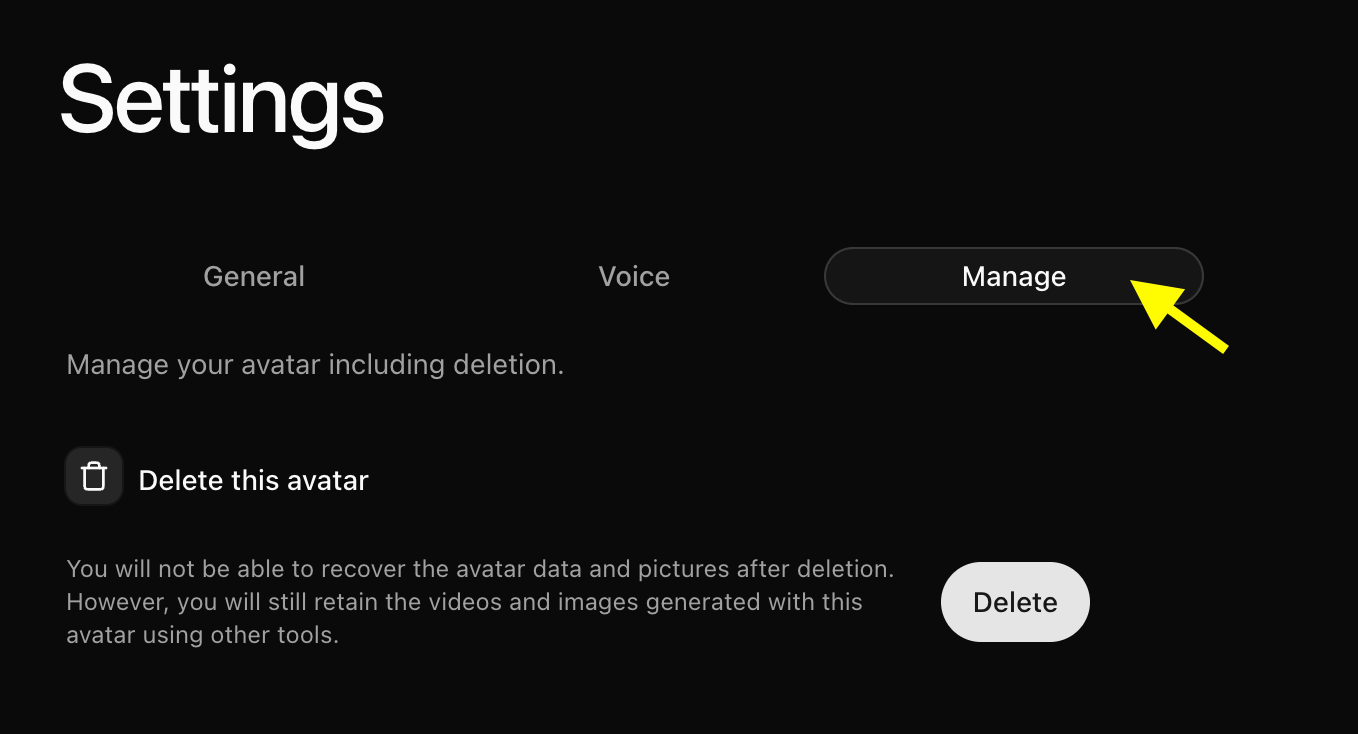
11
Navigate to Video Generation
Go back to the previous screen and click Generate Video to open the advanced video settings panel.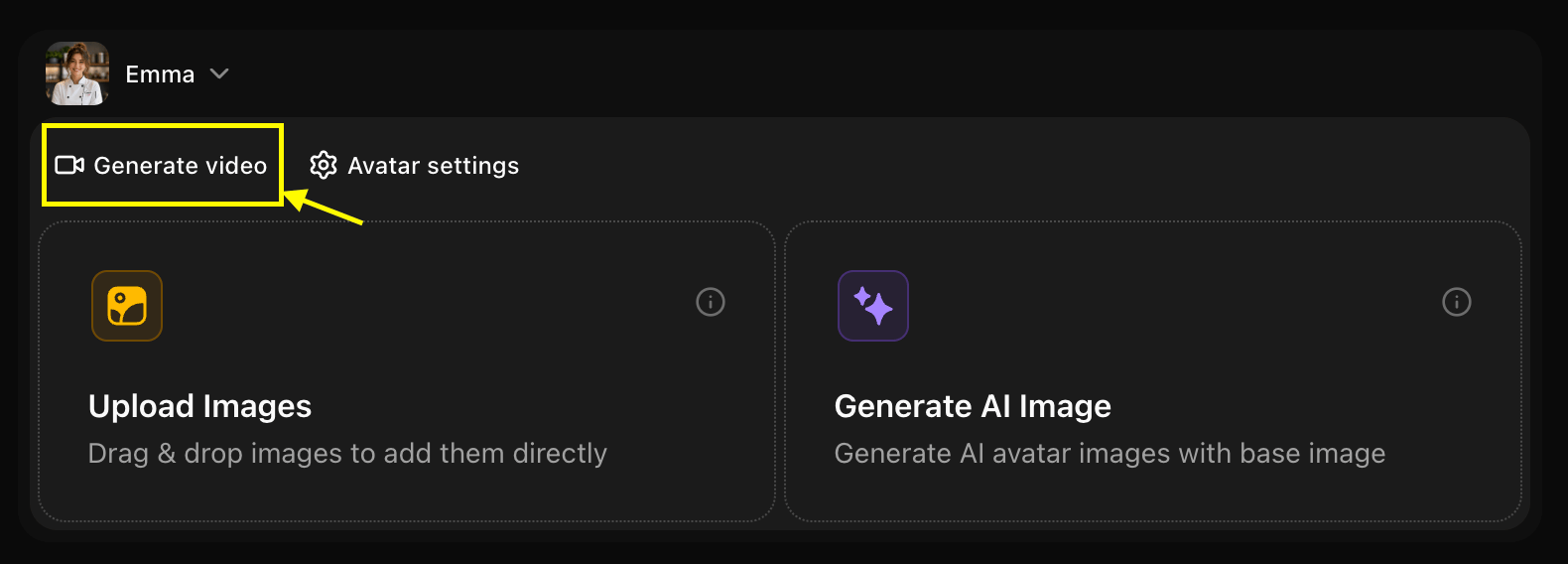
[!TIP] Audio Preview Feature: Use the audio preview in the top-right corner to listen to the generated speech before creating the full video, helping you conserve credits.
12
Set Up Script and Expressions
Add your text script, select your voice model, and configure emotions, delivery style, human reactions, and accent tags.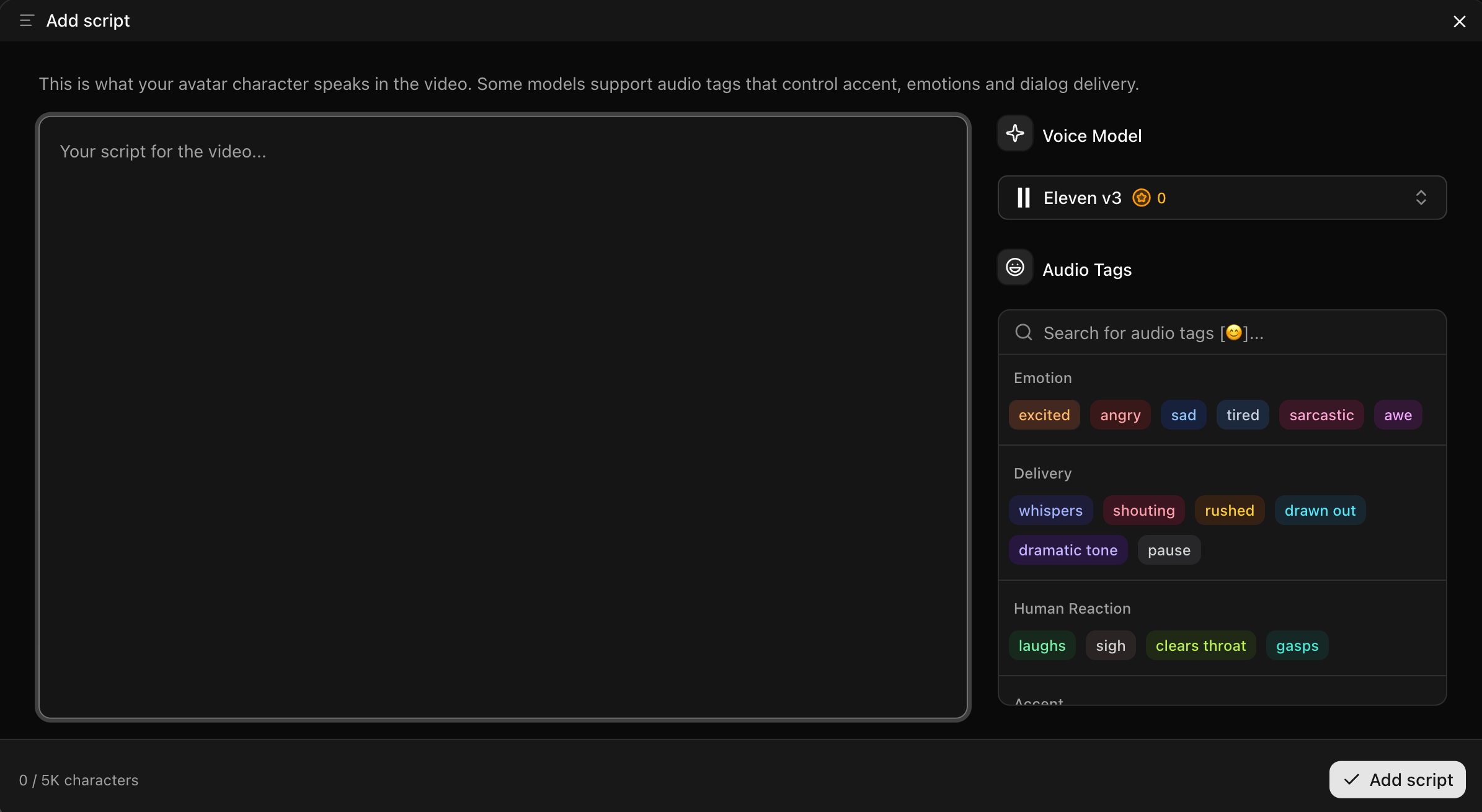
13
Select Voice Model
Select your uploaded voice, import a public voice, or add a new one by clicking the New button.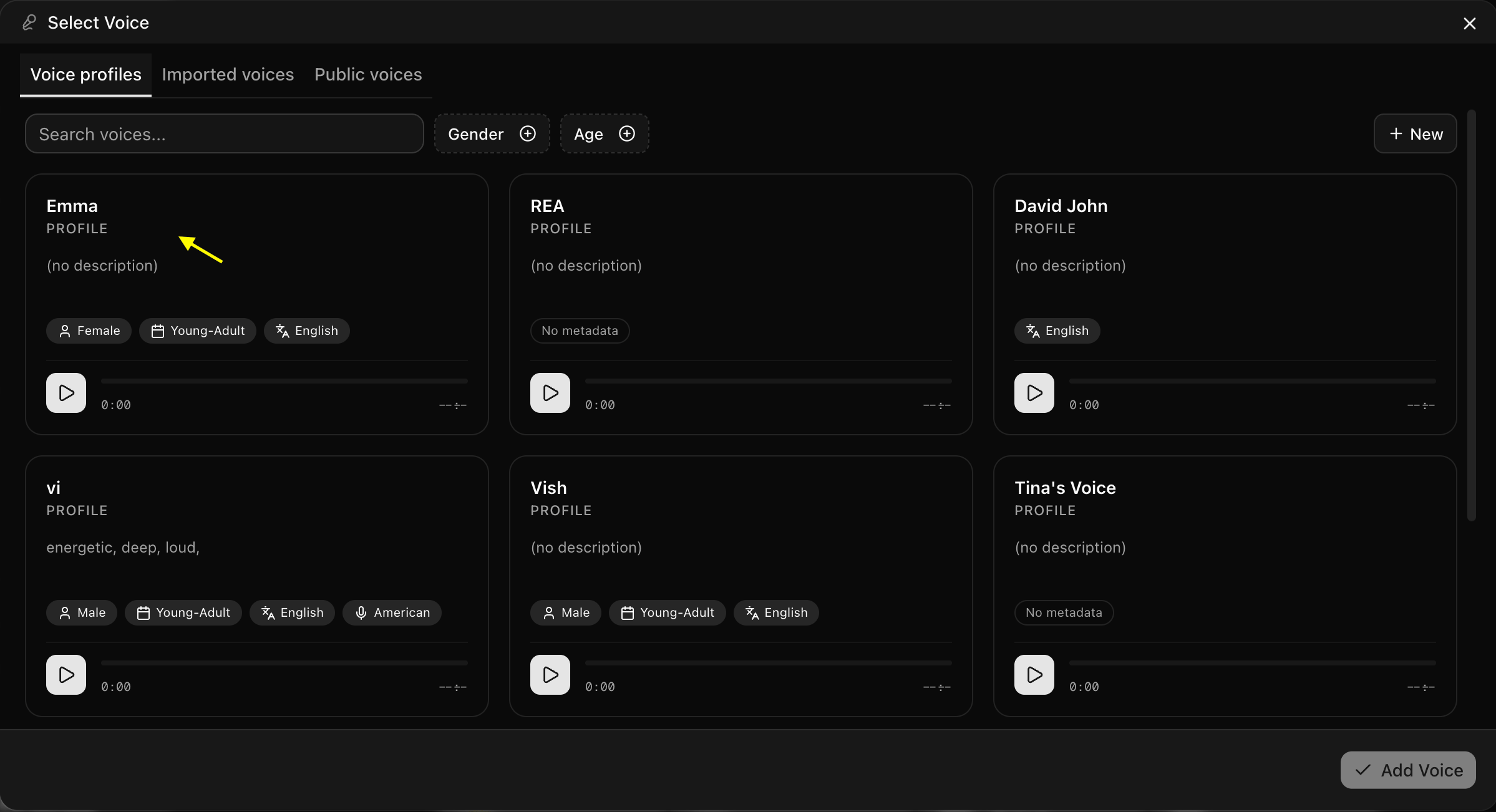
14
Choose Aspect Ratio and Resolution
Choose the desired aspect ratio and resolution for your output video.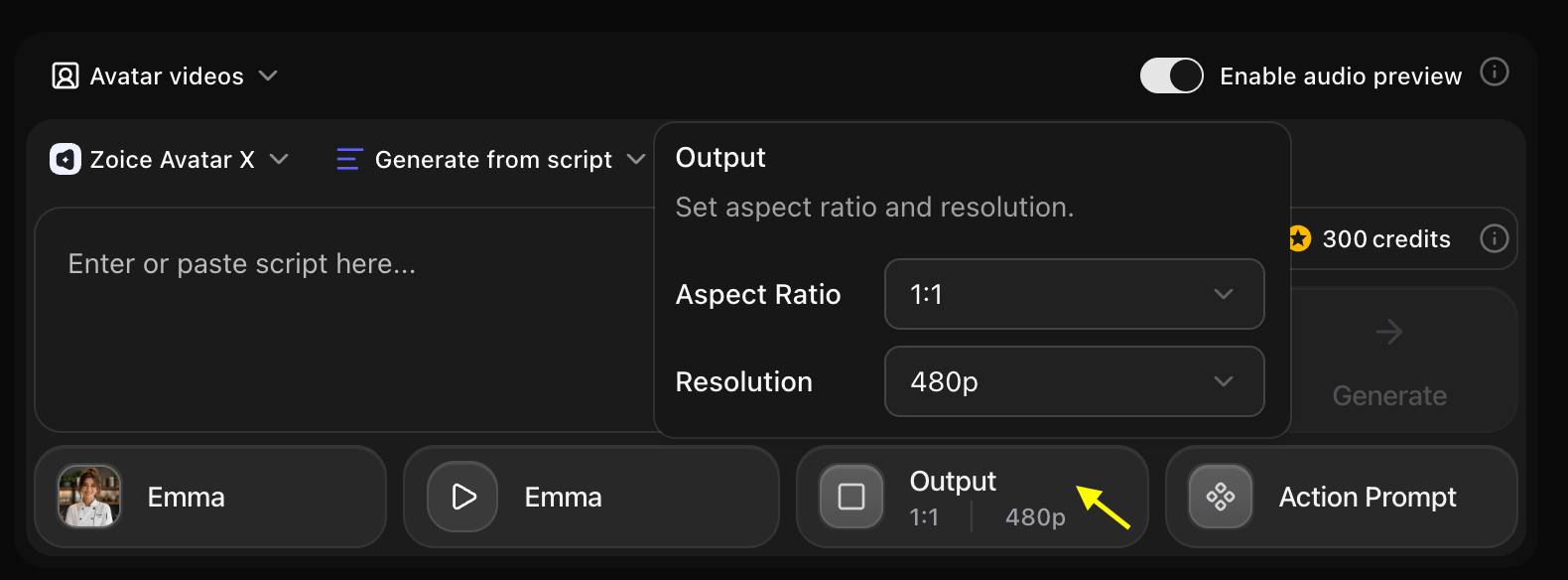
15
Define Avatar Action Prompt
Click and select a preset action suitable for your avatar, or type a custom description for the avatar’s movement.
16
Generate the Video
Verify all settings and click Generate. Wait a few minutes for the system to process and deliver your custom AI avatar video!
Writing Effective Prompts
Basic Structure
A good avatar prompt includes:- Demographics: Age, gender, ethnicity
- Appearance: Hair color/style, facial features, build
- Style: Clothing, accessories, overall aesthetic
- Mood: Expression, demeanor, personality
Example Prompts
Customization Options
Appearance Controls
- Age Range: Child, teen, young adult, middle-aged, senior
- Gender: Male, female, non-binary
- Ethnicity: Various ethnic backgrounds available
- Hair: Color, length, style
- Facial Features: Eyes, nose, mouth, facial structure
- Build: Body type and proportions
Style Options
- Realistic: Photorealistic human avatars
- Stylized: Semi-realistic with artistic touches
- Cartoon: Animated, cartoon-style characters
- Anime: Anime/manga-inspired style
Clothing & Accessories
- Professional: Business attire, formal wear
- Casual: Everyday clothing, streetwear
- Creative: Artistic, unique outfits
- Themed: Specific themes or costumes
Background & Setting
- Office: Professional workspace
- Studio: Neutral or colored backgrounds
- Outdoor: Natural settings
- Custom: Upload your own background
Use Cases
Brand Mascots
Create unique brand representative avatars
Virtual Presenters
Generate presenters for videos and webinars
Game Characters
Design characters for games or interactive content
Social Media
Create consistent avatar personas for platforms
Best Practices
Prompt Writing Tips
Prompt Writing Tips
- Be specific about key features
- Include style preferences
- Mention clothing and accessories
- Describe the mood or expression
- Specify background if important
Iteration Strategy
Iteration Strategy
- Start with a basic description
- Generate and review
- Refine prompt based on results
- Adjust specific details
- Test different style options
Consistency
Consistency
- Save successful prompts for reuse
- Use similar descriptions for character consistency
- Document your avatar specifications
- Create style guides for brand avatars
Advanced Features
Voice Integration
Combine your text-generated avatar with:- Custom voice selection
- Voice cloning for unique voices
- Emotion and tone control
- Multi-language support
Animation Control
- Expression Intensity: Subtle to expressive
- Movement Style: Static, moderate, or dynamic
- Gesture Options: Hand movements and body language
- Camera Angles: Front, slight angle, or dynamic
Limitations
- Avatar generation may take 30-60 seconds
- Very complex or contradictory prompts may produce unexpected results
- Extreme or unrealistic features may not render accurately
- Some style combinations may not be available
Next Steps
Image to Avatar
Animate your photos into AI presenters
Stock Avatars
Explore our library of professional presenters
Prompt Guide
Master generation techniques