

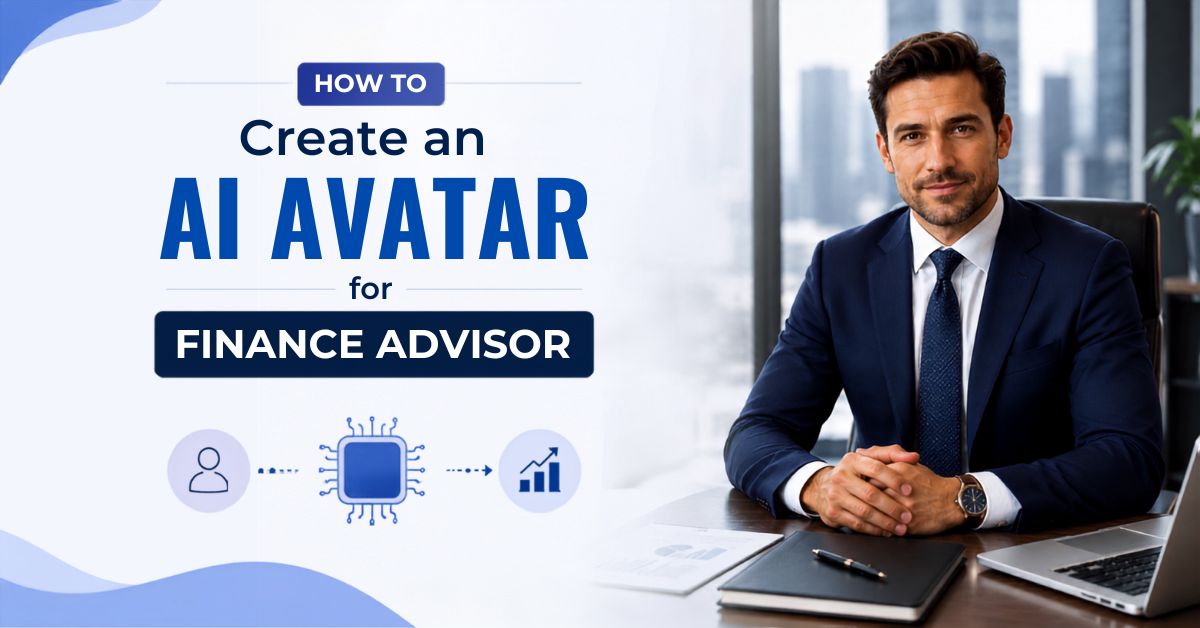
 The financial services industry is quickly adopting artificial intelligence to connect with clients, explain complex concepts, and deliver personalized financial guidance at scale. Banks, wealth managers, financial planners, and investment advisors now use AI avatar videos to educate clients, present market updates, and promote their services more effectively.
Traditionally, creating finance videos required professional filming setups, presenters who are comfortable on camera, and hours of editing time. For many financial professionals, this made consistent video content production difficult and time-consuming.
AI avatar technology removes these barriers by allowing finance professionals to create polished, professional presenter videos from a typed script. Instead of filming yourself, you can create a virtual finance advisor that explains investment strategies, tax planning tips, and market insights with clear speech and authoritative delivery.
Whether you want to create investment education videos, financial planning guides, market commentary, client onboarding content, or service promotion videos, Zoice makes it simple to produce professional finance content without a production team.
In this article, you will learn how to create AI finance advisor videos using Zoice by following a complete step-by-step process.
The financial services industry is quickly adopting artificial intelligence to connect with clients, explain complex concepts, and deliver personalized financial guidance at scale. Banks, wealth managers, financial planners, and investment advisors now use AI avatar videos to educate clients, present market updates, and promote their services more effectively.
Traditionally, creating finance videos required professional filming setups, presenters who are comfortable on camera, and hours of editing time. For many financial professionals, this made consistent video content production difficult and time-consuming.
AI avatar technology removes these barriers by allowing finance professionals to create polished, professional presenter videos from a typed script. Instead of filming yourself, you can create a virtual finance advisor that explains investment strategies, tax planning tips, and market insights with clear speech and authoritative delivery.
Whether you want to create investment education videos, financial planning guides, market commentary, client onboarding content, or service promotion videos, Zoice makes it simple to produce professional finance content without a production team.
In this article, you will learn how to create AI finance advisor videos using Zoice by following a complete step-by-step process.
What Are AI Finance Advisor Videos?
AI finance advisor videos are educational or informational videos created using artificial intelligence tools. These videos use AI avatars, AI voices, and automated video generation technology to explain financial topics in a professional and easy-to-understand way. Instead of a real person recording every video, an AI avatar acts as a virtual financial advisor and delivers your prepared content directly to clients or viewers. For example, a financial firm can create an AI avatar video explaining: “Top 5 investment strategies to grow your wealth in 2025” or “How to create a solid retirement plan starting today” The AI avatar reads the script naturally, creating a professional finance video that clients can watch anytime, on any platform.How to Create an AI Avatar for Finance Advisor Videos Using Zoice
Creating finance advisor videos with an AI avatar is simple. Follow the steps below to create a professional finance video.Step 1: Visit Zoice.com and Click Sign In
Go to Zoice.com in your browser and click the Sign In button available at the top-right corner of the homepage. This will open the login page where you can access your Zoice account.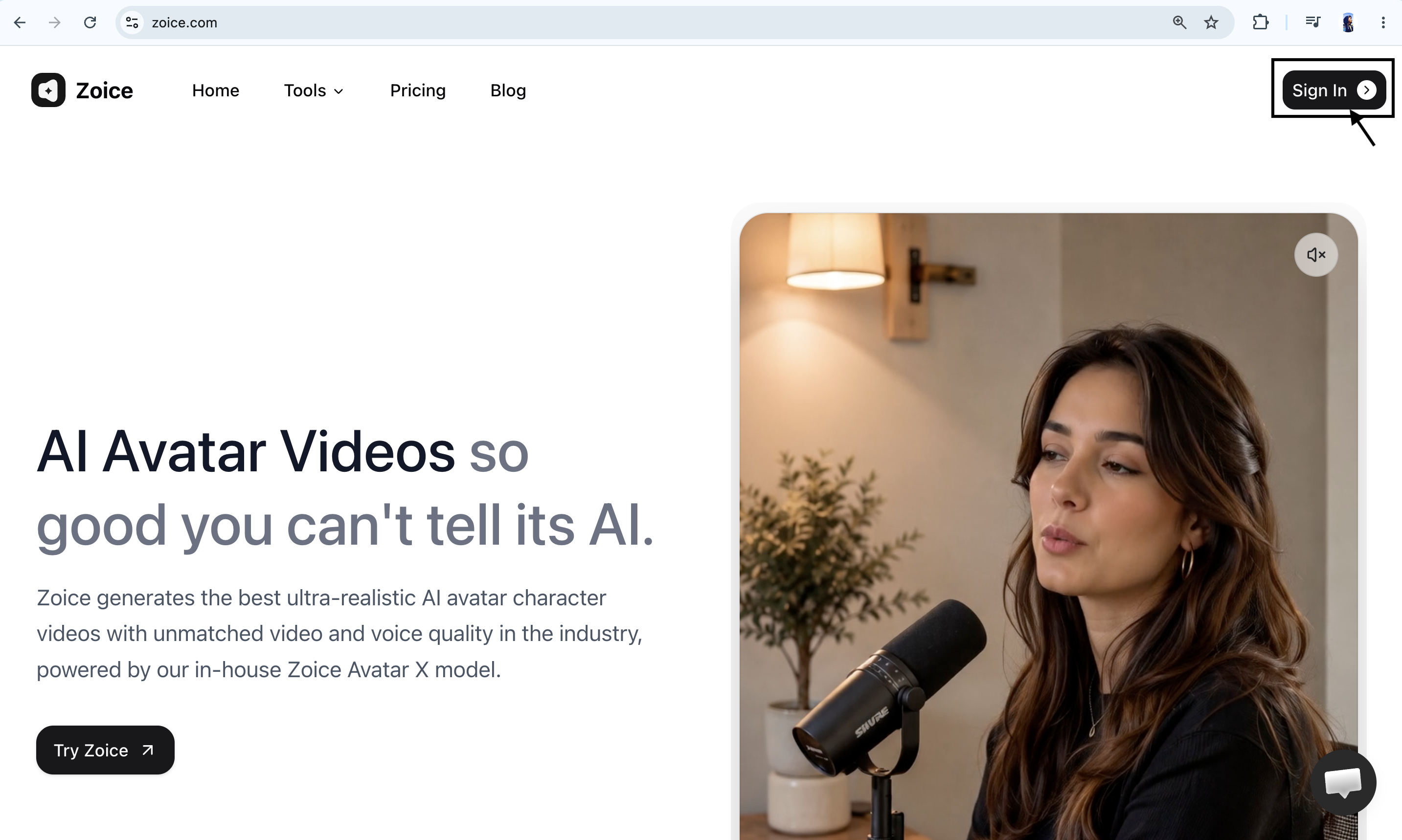
Step 2: Sign In to Your Zoice Account
If you already have a Zoice account, enter your registered email address and password, then click Sign In. You can also choose Sign in with Google if your account is connected with Google. After successfully signing in, you will be redirected to the Zoice dashboard.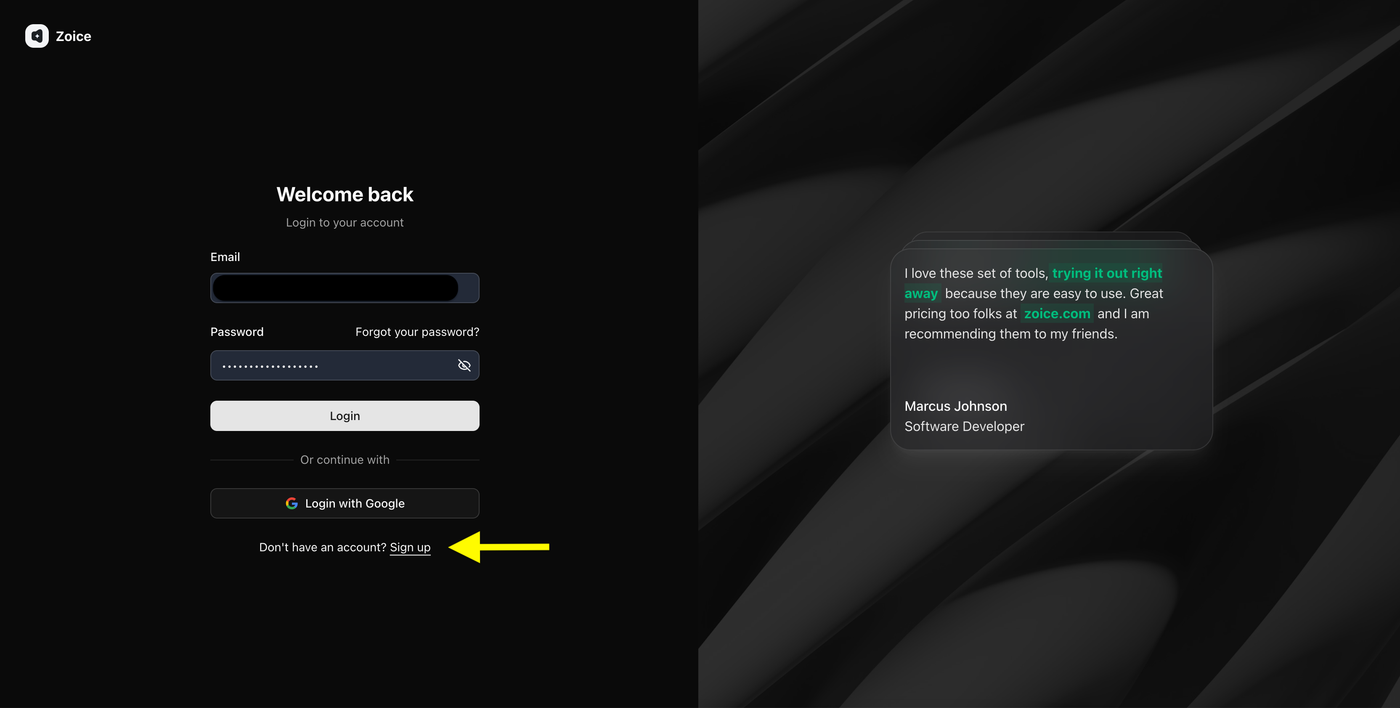
Step 3: Create a New Zoice Account (For New Users)
If you are using Zoice for the first time, click Sign Up to create a new account.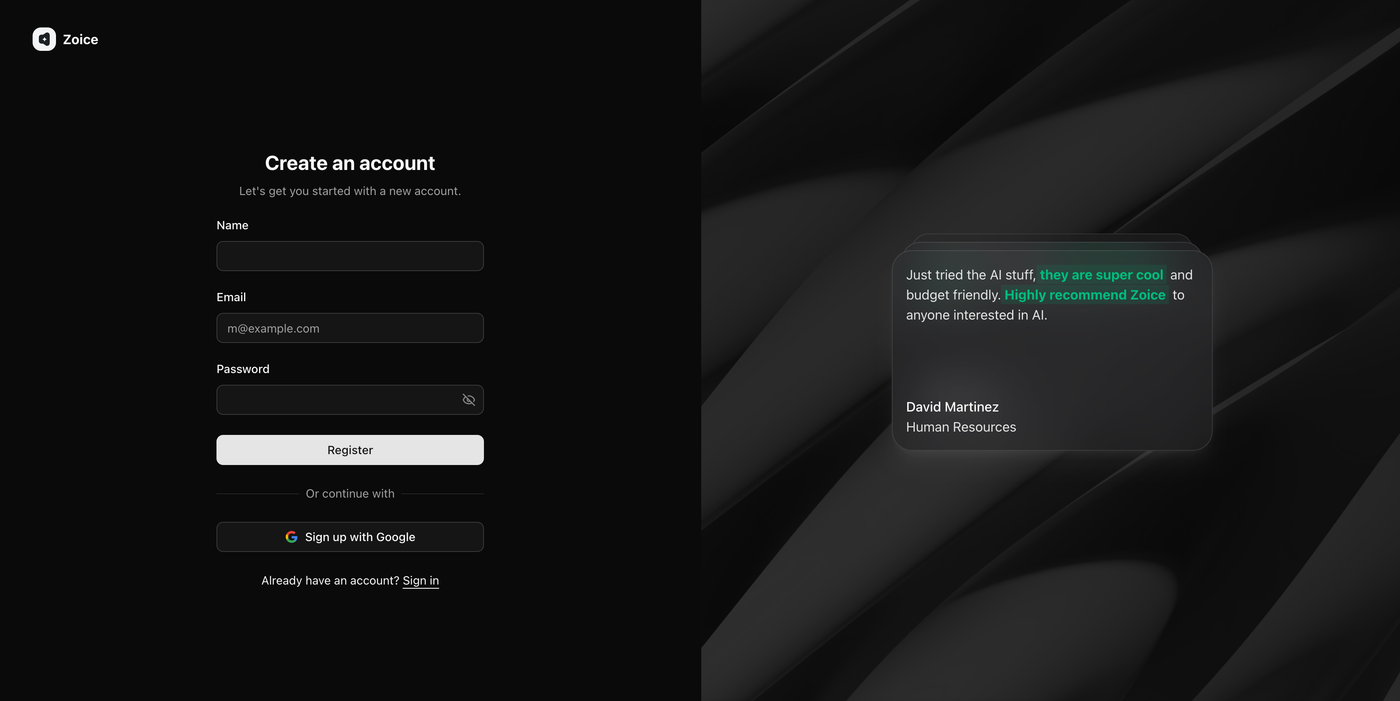 Enter the required details:
- Name
- Email address
- Password
Step 4: Navigate to Avatar Characters
After logging in, you will reach the Zoice dashboard. From the left sidebar, click Avatar Characters under the Manage section.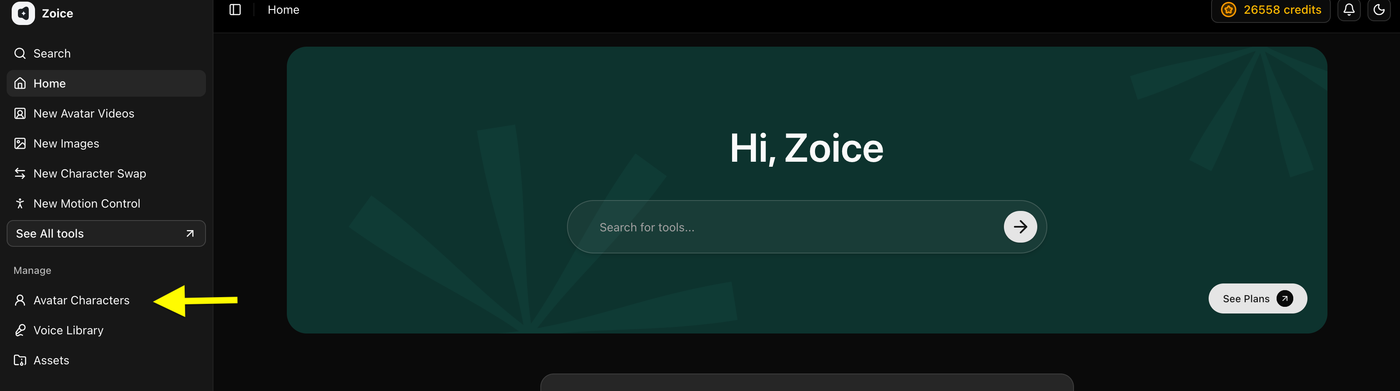 This section allows you to create, customize, and manage AI avatars that you can use for finance advisor videos, investment education content, market updates, and other AI-generated videos.
Step 5: Click Create New Avatar
On the Avatar Characters page, click the Create New button to start creating your custom AI finance avatar.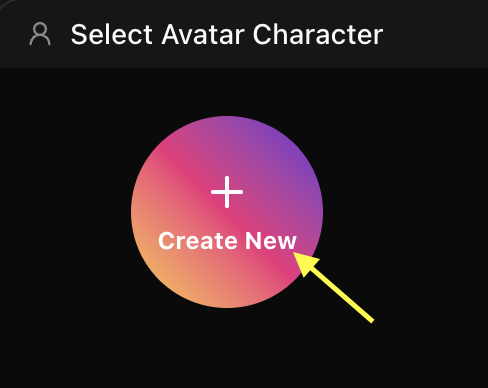 This will open the avatar creation page where you can create your avatar by uploading an image or generating one using an AI prompt.
Step 6A: Create Your Avatar Using an Image (Skip to Step 6B if you don’t have an image)
Upload a clear, high-quality image of a financial professional or presenter that you want to convert into an AI avatar. Add an avatar name so you can easily identify it later in your avatar library.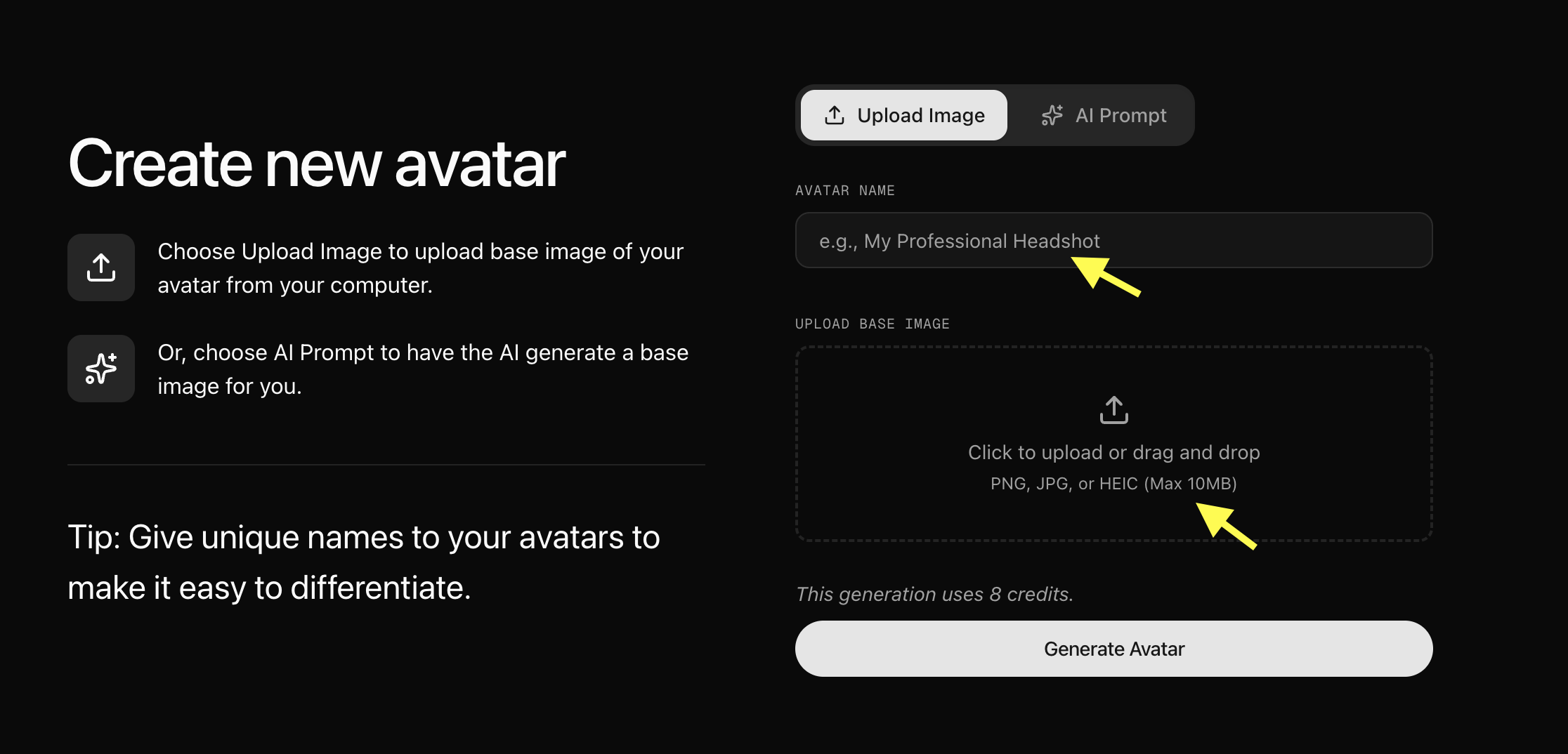 For better results, use an image with:
- Clear face visibility
- Good lighting
- Front-facing angle
- High image quality
Step 6B: Generate Avatar Using AI Prompt (Skip if you uploaded an image)
If you don’t have an image, select the AI Prompt option to create an avatar using a text description. Enter an Avatar Name, describe the type of finance avatar you want (for example: “A professional male financial advisor in a sharp navy suit, sitting at a modern office desk, confident and authoritative expression, clean studio lighting”), and click Generate Image. Once you are happy with the generated image, click Generate Avatar.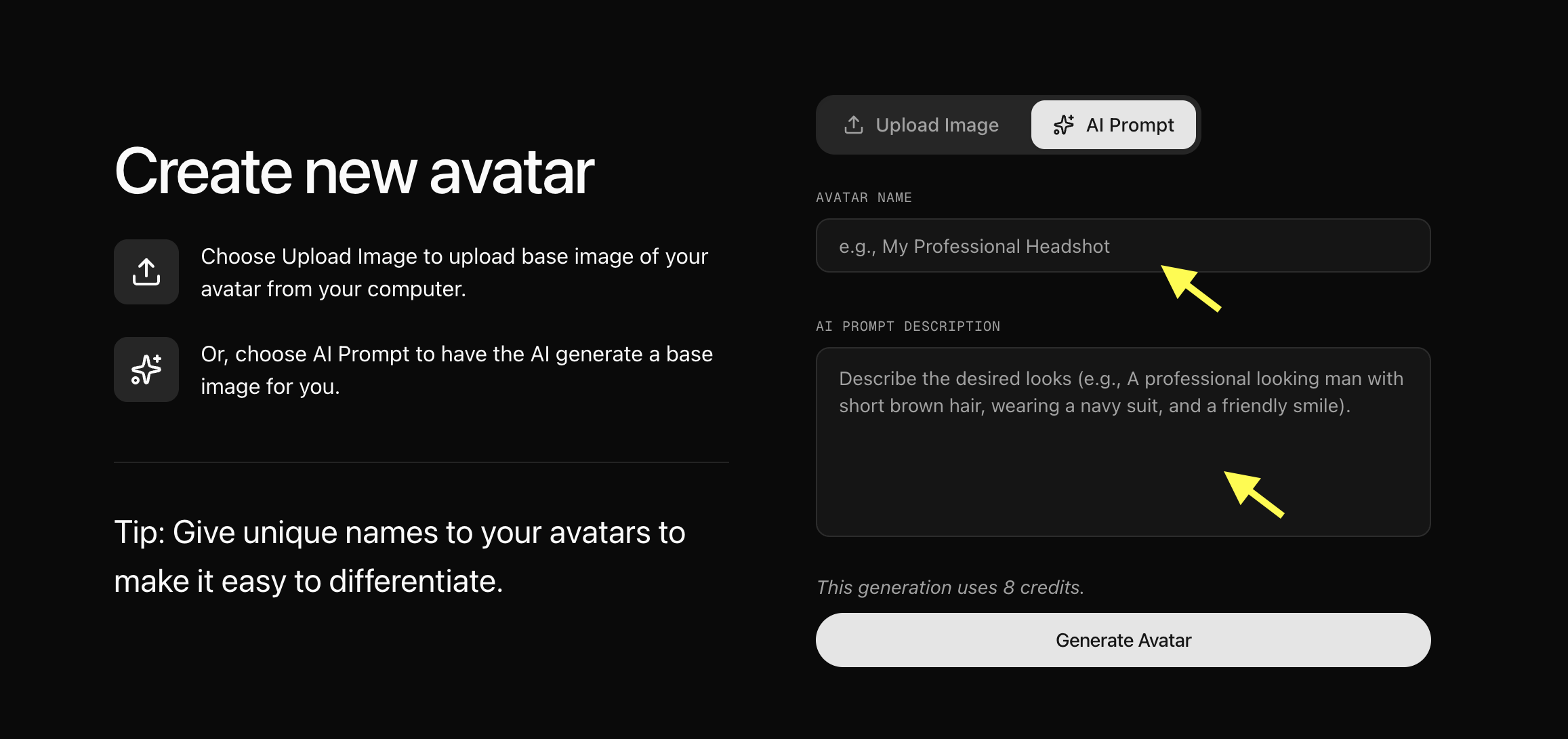
Step 7: Upload Your Avatar Image and Generate Avatar
Now upload the image you want to convert into an AI finance advisor avatar. Add a unique Avatar Name so you can easily find and manage your avatar later, and click Generate Avatar. Zoice will process your image and create your AI avatar profile.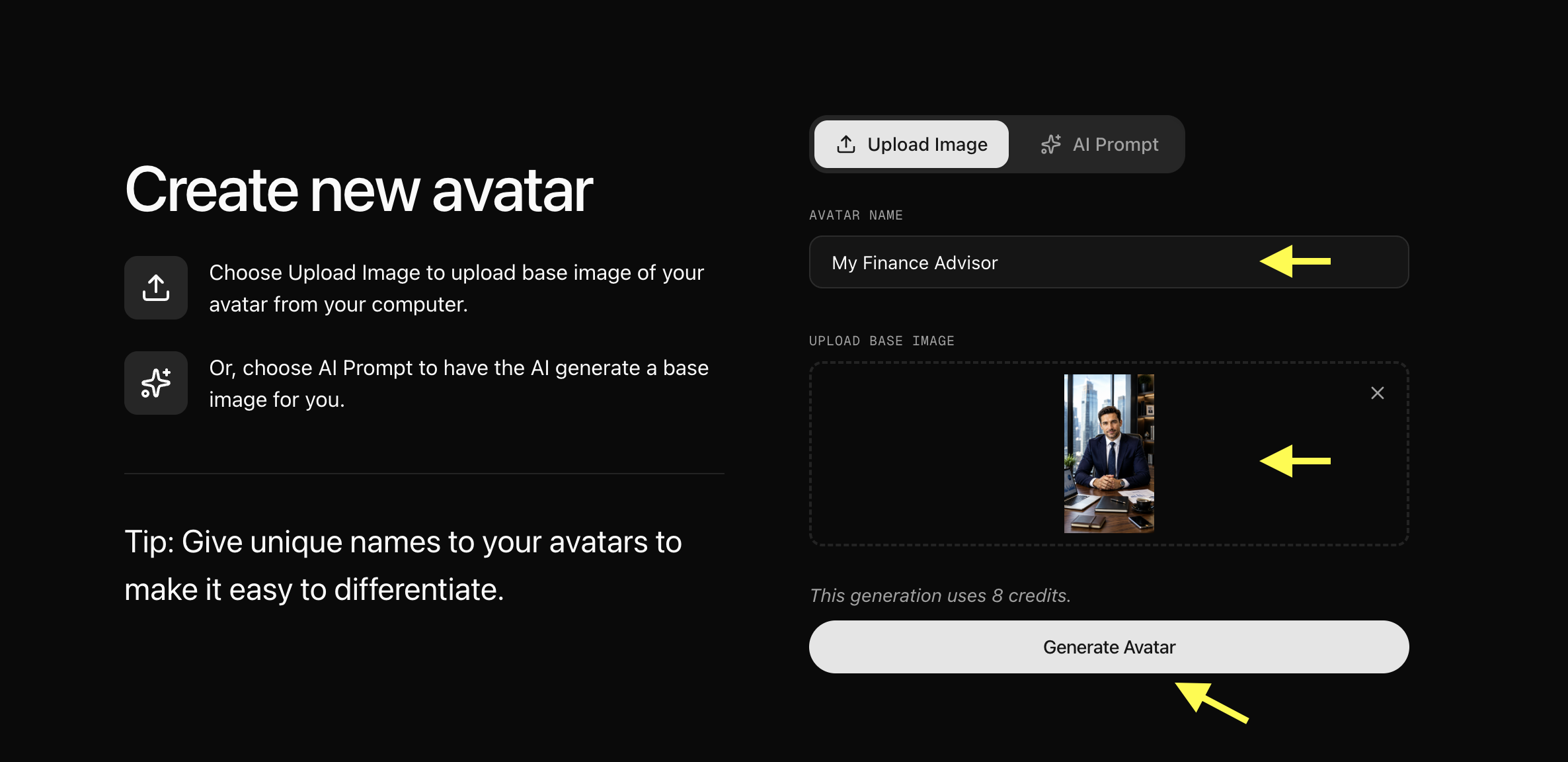
Step 8: Select Your Created Avatar
After your AI avatar profile is generated, go back to the Avatar Characters section. Your newly created avatar will appear in the avatar library. Click on the avatar you created to select it.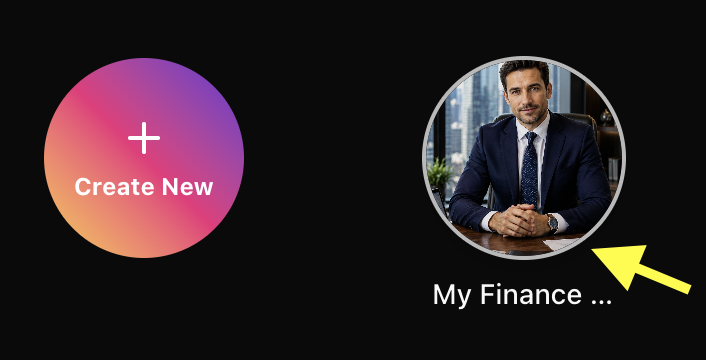
Step 9: Go to Avatar Settings
Click on Avatar Setting to add details about the AI Finance Advisor, like Gender, Ethnicity, Age, Voice, and Accent.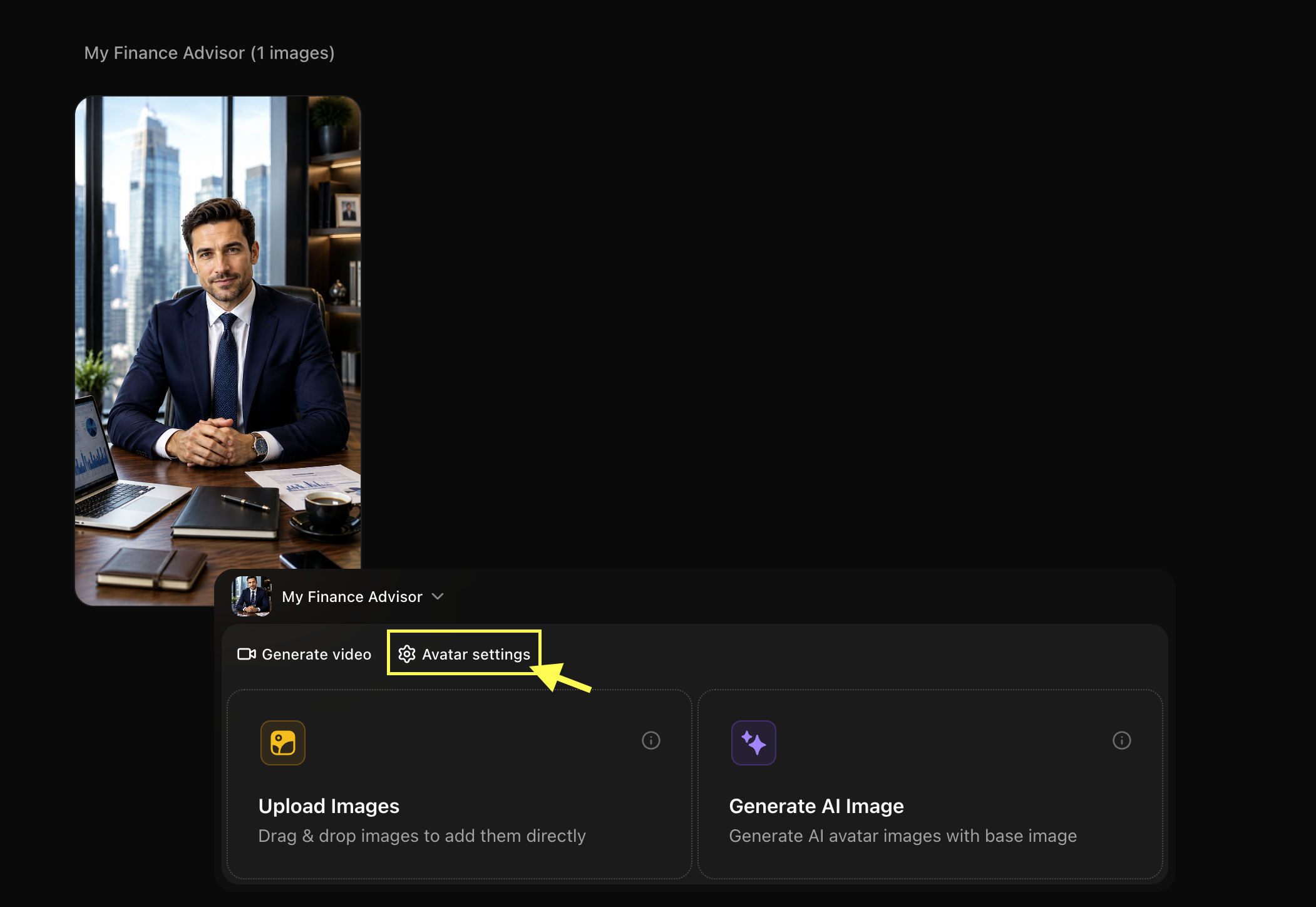
Step 10: Click Generate Video
After selecting the avatar you want to use for your finance video from the library, click Generate Video to open the video creation workspace page.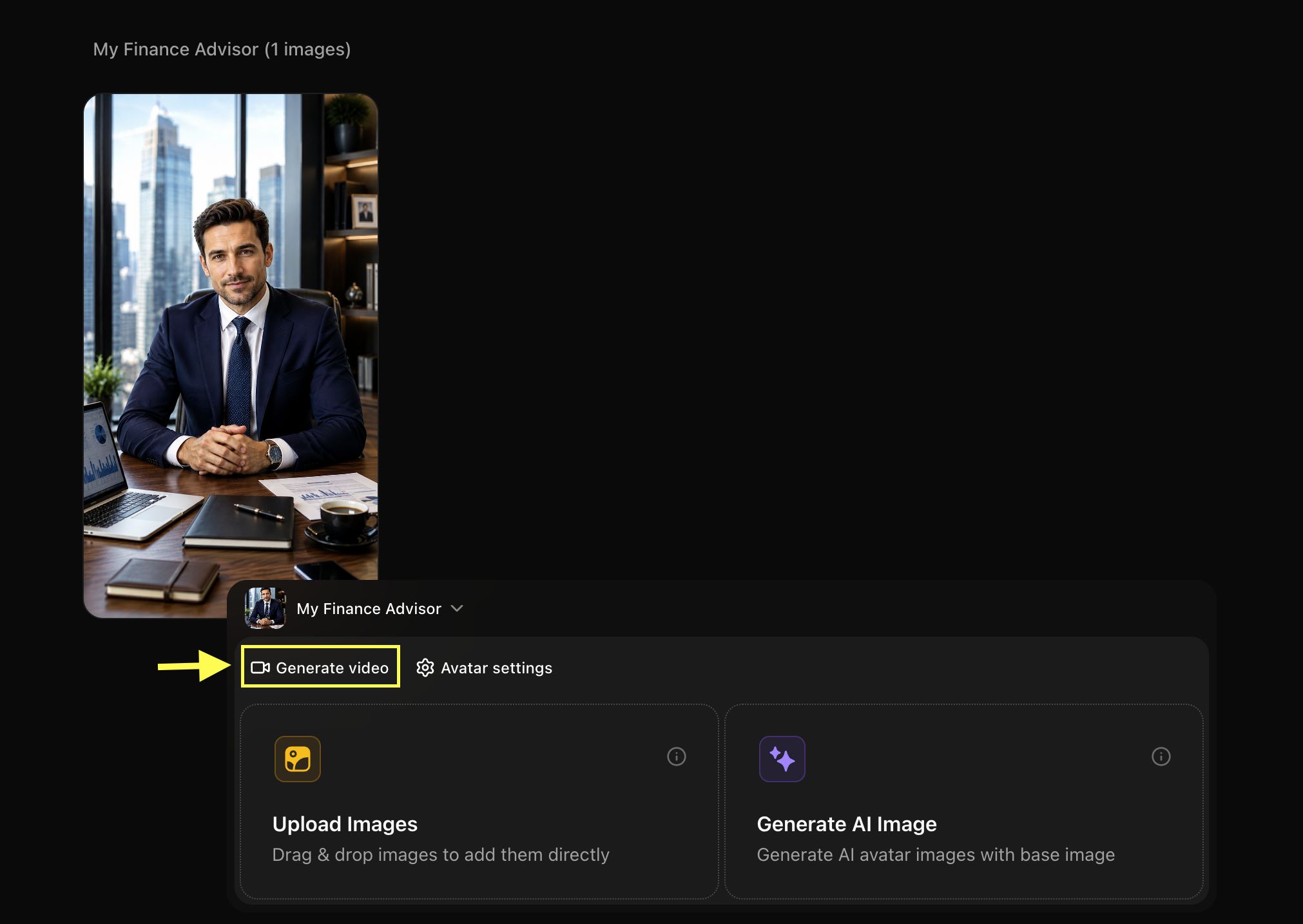
Step 11: Add Script and Configure Video Settings
After opening the avatar video creator, you can customize your video by entering a script, selecting a voice, choosing the output format, and adding an action prompt.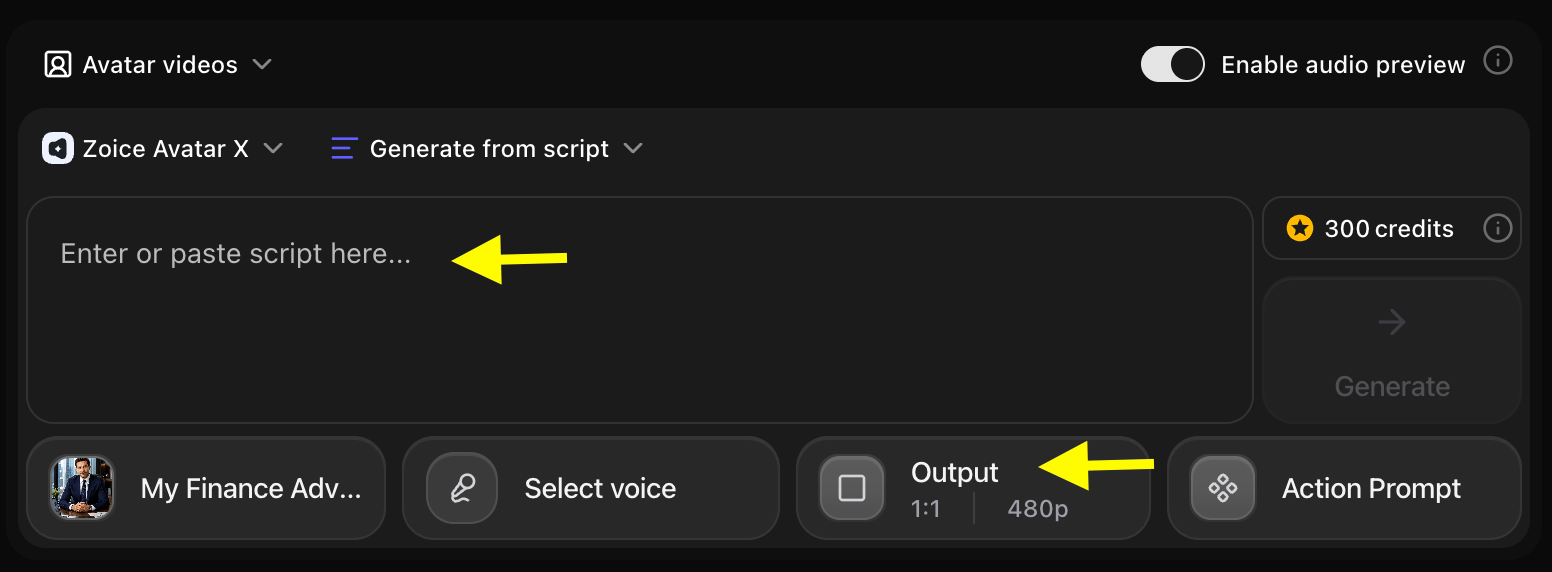
Step 12: Add Your Script and Select the Voice Model
Click on the script box. A popup window will appear where you can write the detailed script. Add the script that your AI finance advisor avatar will speak in the video. Also, select the voice model to smooth your voice.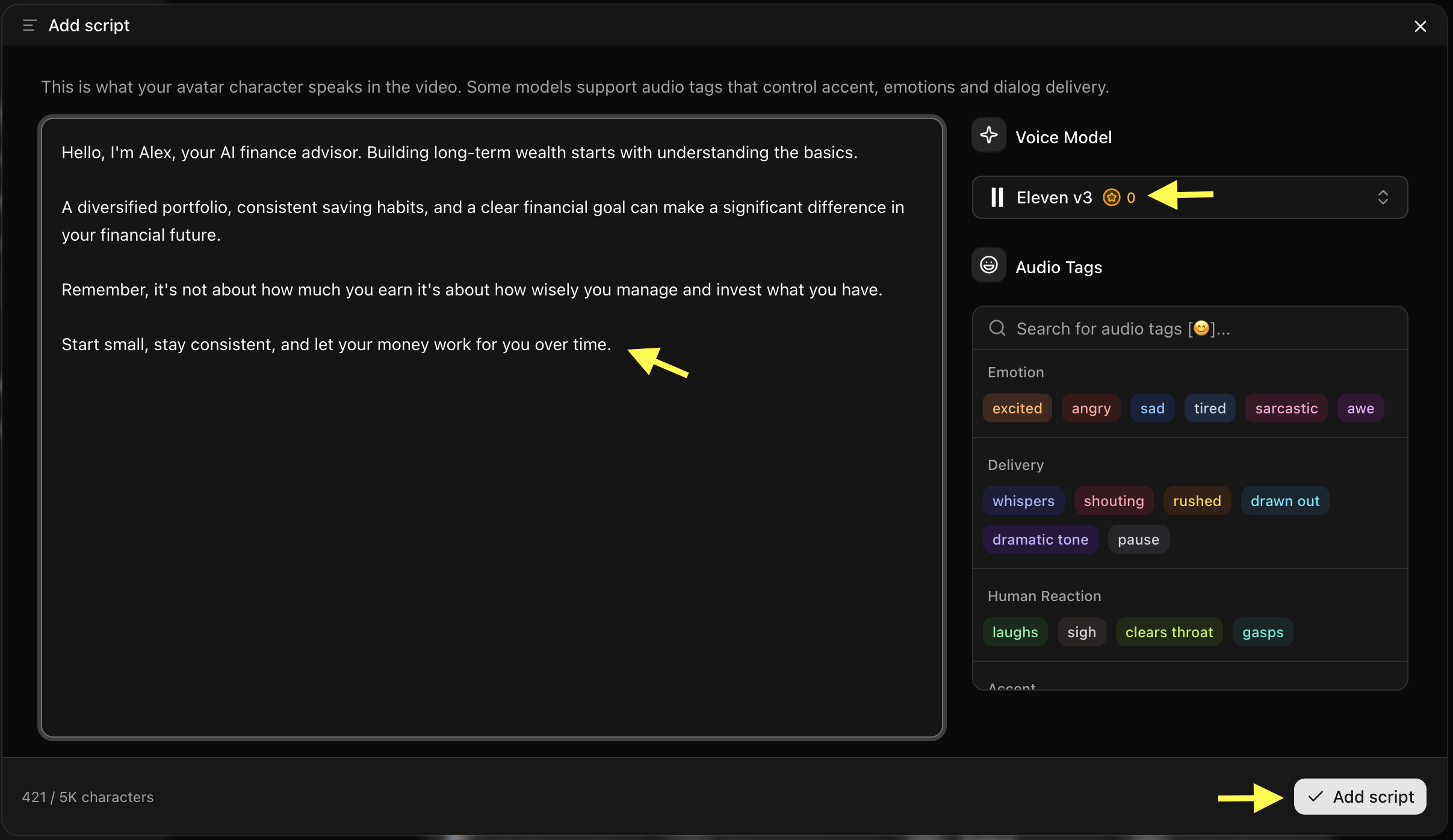 Tip: For finance videos, use clear, confident, and professional language. Avoid overly complex jargon and explain financial concepts in a way your audience can easily understand.
Step 13: Click on Select Voice
Click on the Select Voice option. You can browse through the available public voices, listen to voice previews, or upload your own voice. Select a professional, authoritative, and articulate AI voice model that matches your finance content style.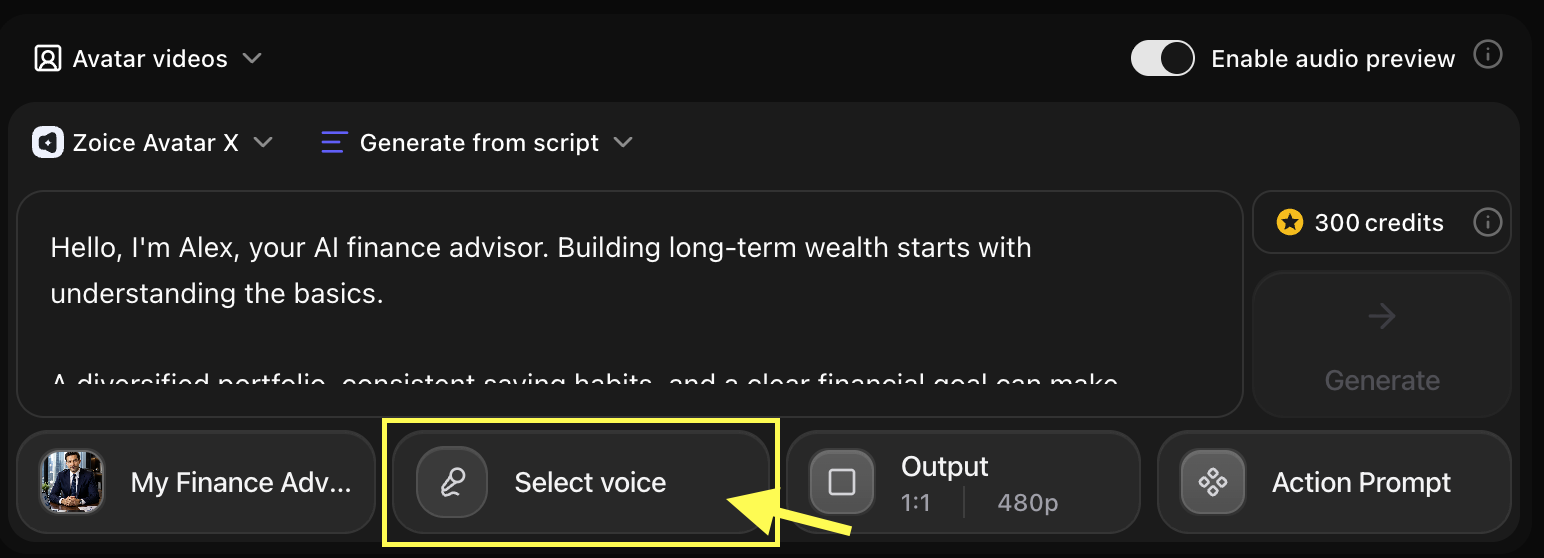
-
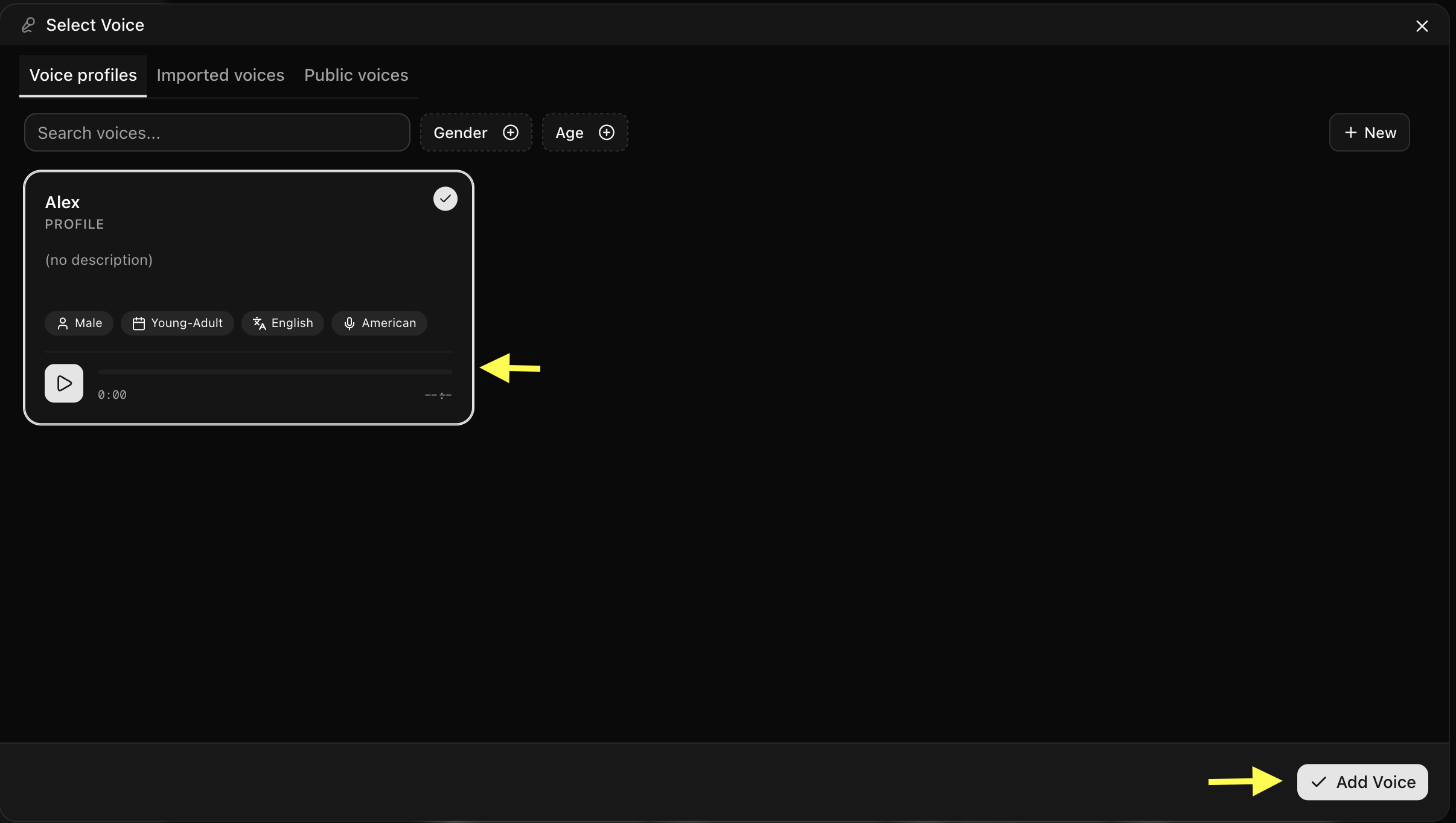
Choose the Voice for your AI Finance Advisor
Step 14: Choose Video Output Settings
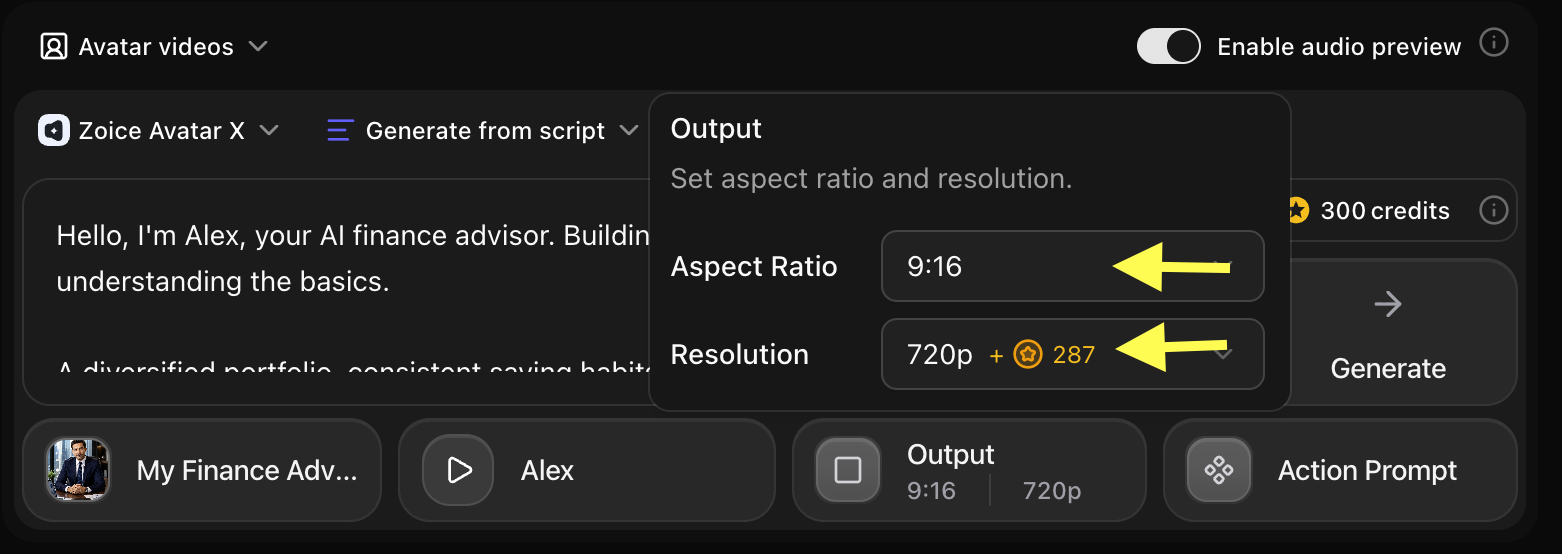
Click on Output Settings. Choose the aspect ratio and resolution based on where you want to publish your finance video:- Aspect Ratio: 16:9 for YouTube videos or website embeds, or 9:16 for YouTube Shorts, Instagram Reels, and TikTok.
- Resolution: Select 1080p or up to 4K for high-quality professional output.
Step 15: Add Action Prompt
Click on Action Prompt to control how your AI avatar behaves during the video. You can write your own instructions or select suggested action styles (such as: “confident and composed expression, steady eye contact with the camera, professional hand gestures to emphasize key financial points”).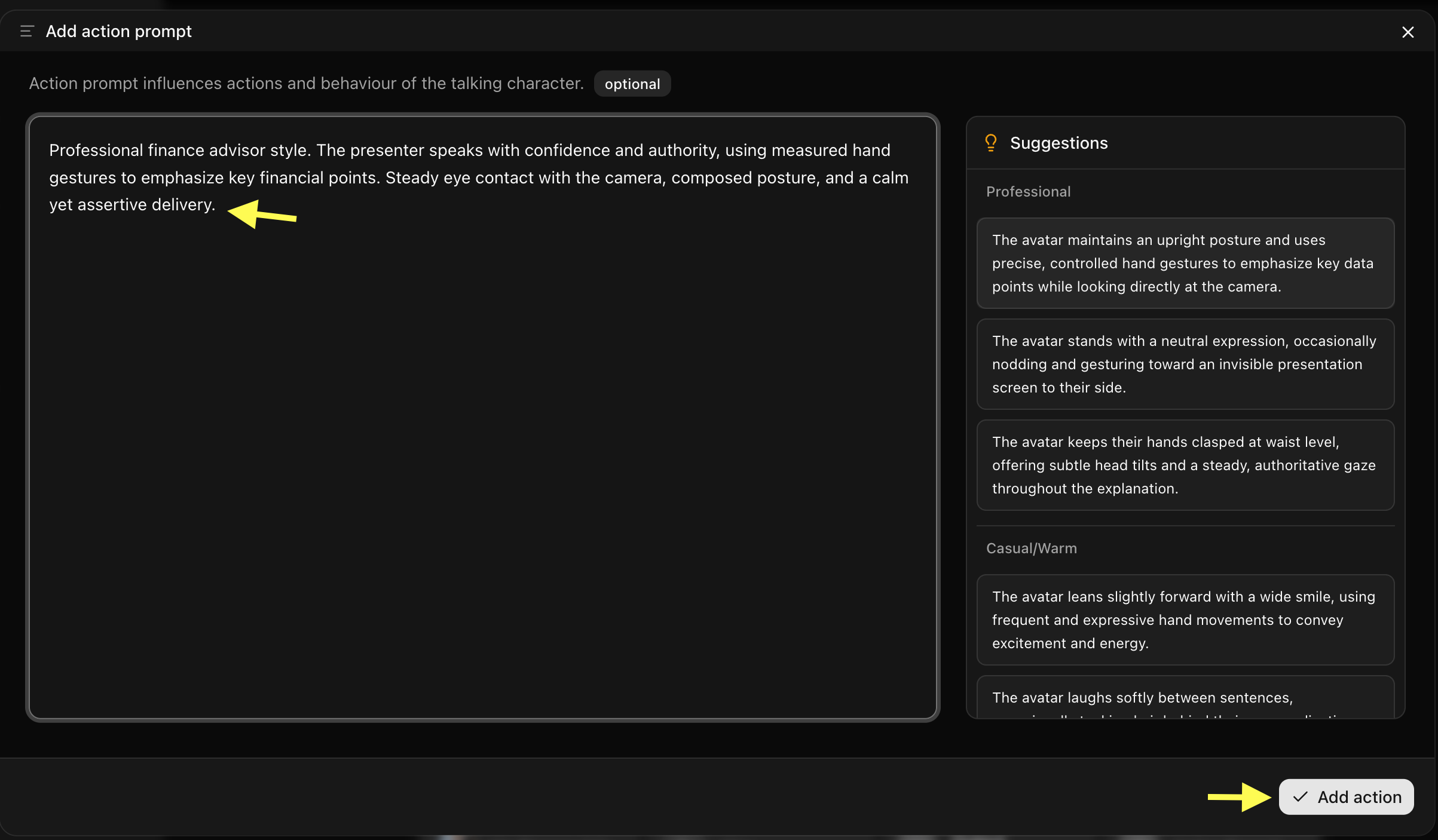
Step 16: Generate Your AI Finance Advisor Video
After setting up the script, voice, output settings, and action prompt, review all your configuration options. Click Generate to start processing your AI finance advisor video.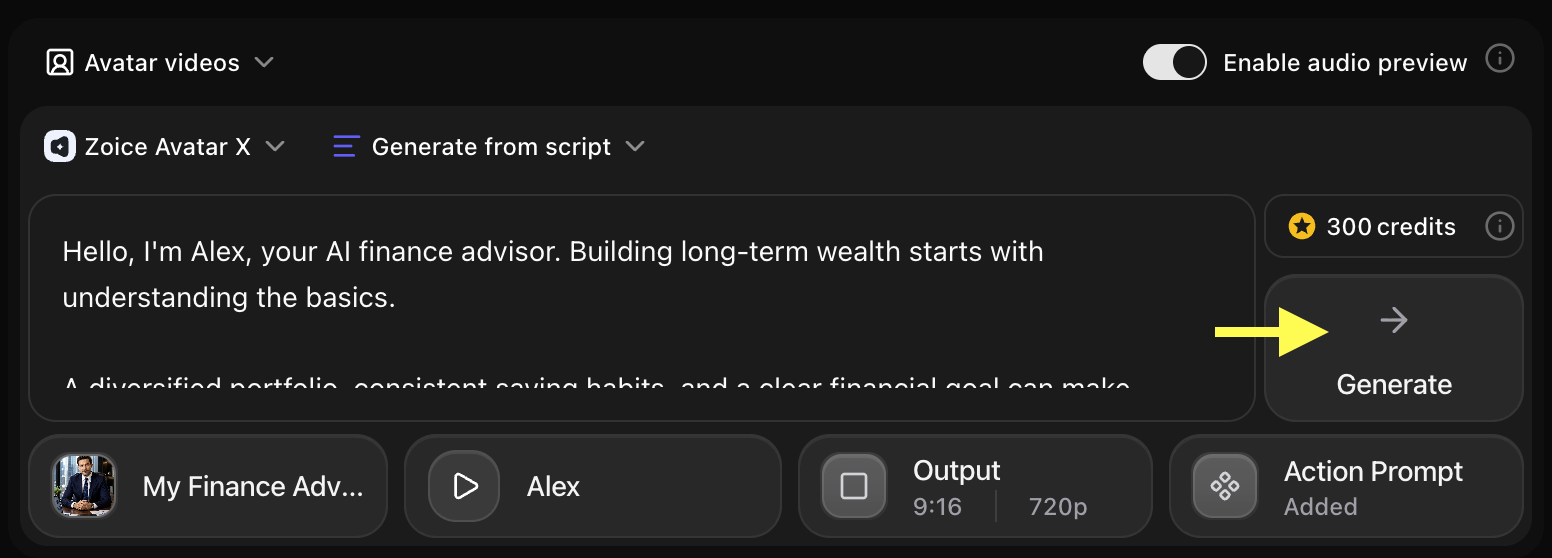
Step 17: Preview Audio and Click on Generate Avatar Video
Before generating the final video, Zoice creates an audio preview so you can verify how your script sounds. Check pronunciation, clarity, and pacing. If everything sounds correct, click Generate Avatar Video to create the final talking video.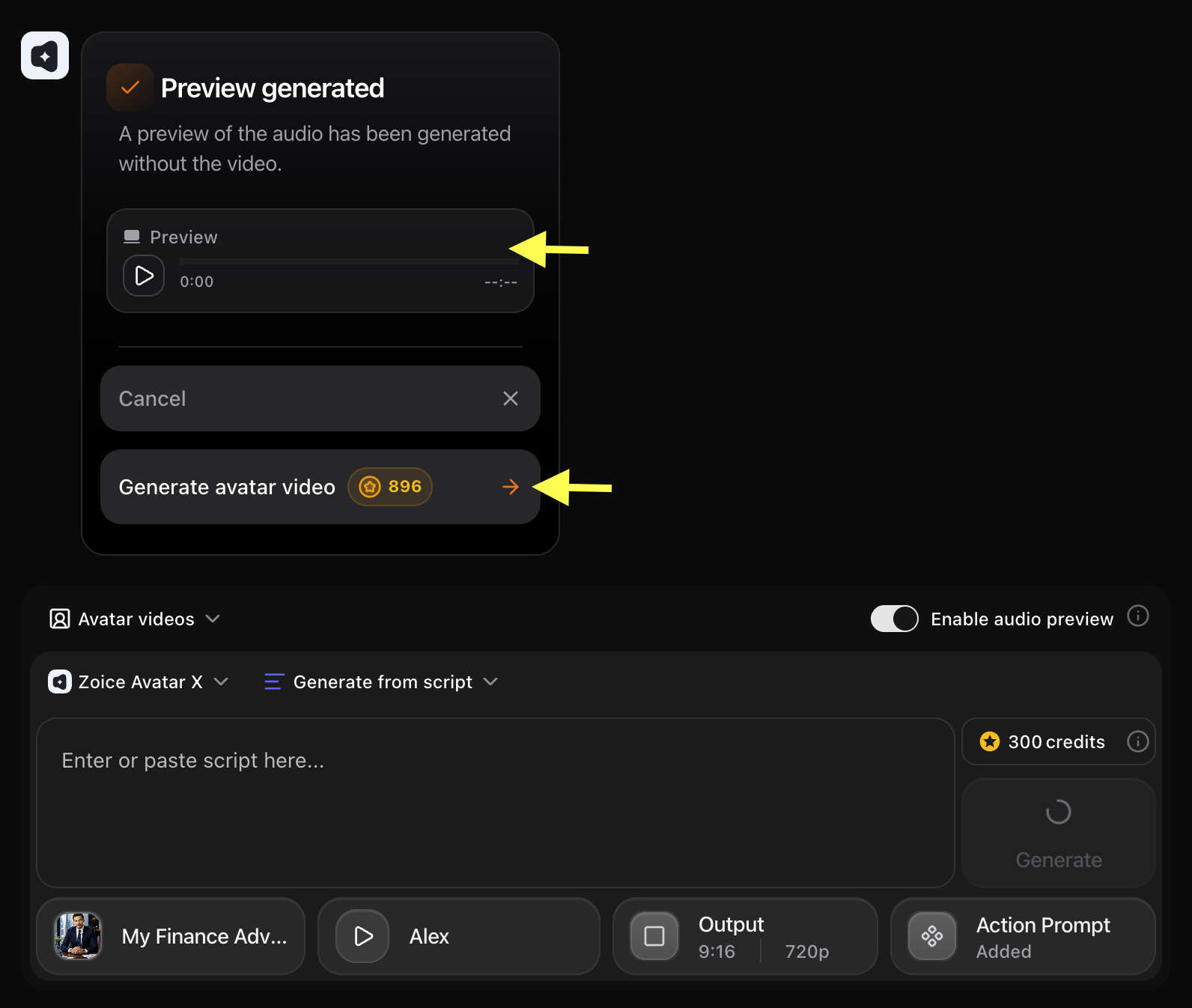
Step 18: Preview and Download Your AI Finance Advisor Video
Once the AI avatar video finishes processing, play the final result to check the avatar movements, voice synchronization, and video quality.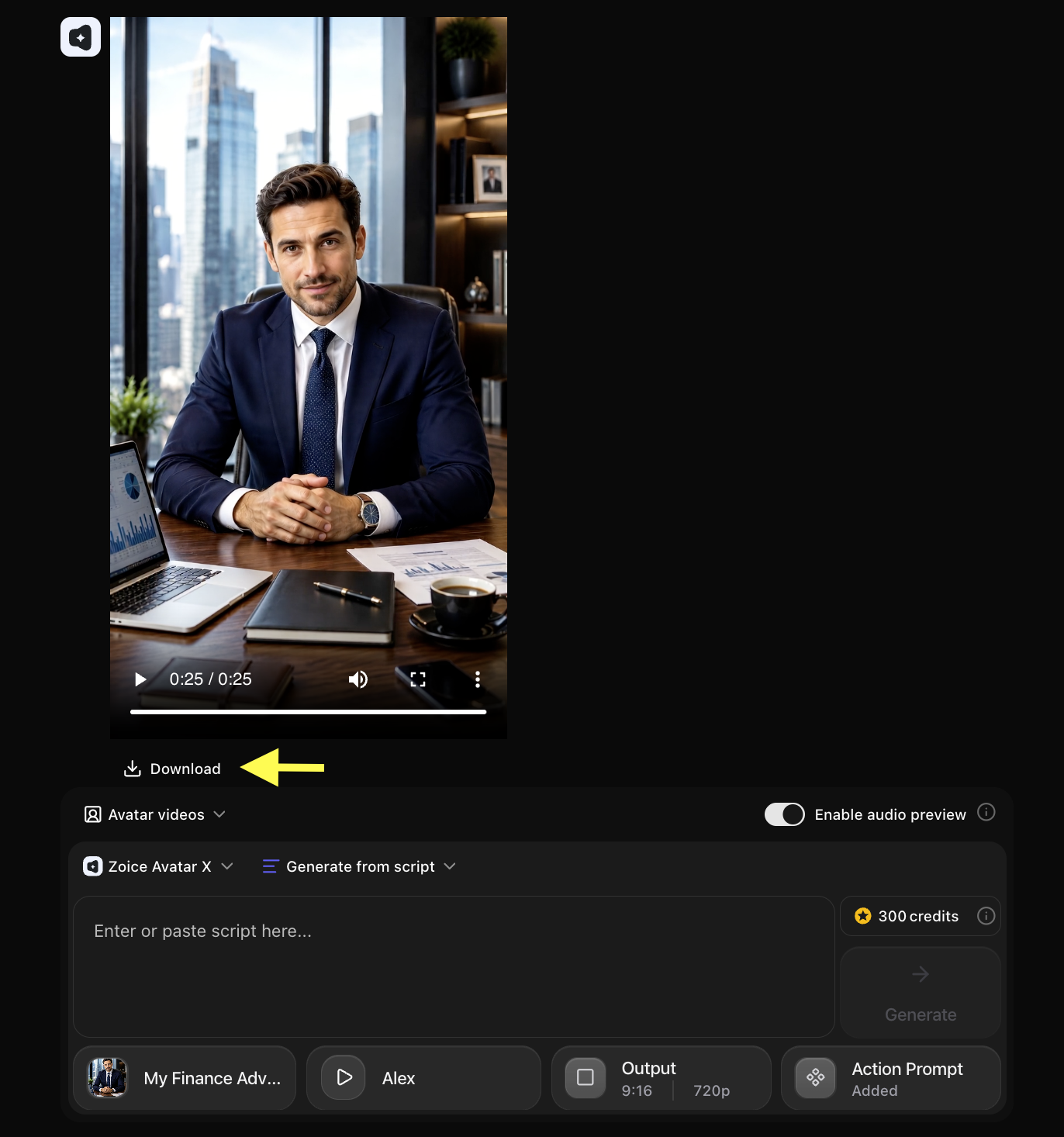 If you are satisfied, click Download to save the video to your device. Your AI finance advisor video is now ready to use for client education, investment marketing, or financial awareness campaigns!
Example Input Image, Script, Action Prompt & Output Video
To help you get started, here is an example of an input image, script, action prompt, and generated AI finance advisor video.Used Image

Used Script
Used Action Prompt
Output Result Video
Below is the rendered AI finance advisor video based on the input script:Tips for Creating Better AI Finance Advisor Videos
- Keep Financial Information Clear: Use straightforward language when explaining financial concepts. Avoid heavy jargon and define technical terms when necessary so all viewers can follow along.
- Use a Professional Avatar: Choose an avatar that looks trustworthy, polished, and authoritative. A professional advisor in formal attire works best for financial content.
- Stay Focused on One Topic: Create each video around a single financial concept or question. Focused videos are easier for viewers to absorb and more likely to be shared.
- Use a Confident, Clear Voice: Select a voice model with a clear, steady, and authoritative tone. A calm, professional voice builds credibility with viewers.
- Add Captions: Add captions to your videos so clients can easily follow the content even without audio, especially in office or public settings.
AI Finance Advisor Avatar Can Be Used For
- Investment strategy explainer videos
- Financial planning guides
- Market updates and economic commentary
- Retirement planning advice
- Tax-saving tips and guides
- Client onboarding and welcome videos
- Insurance and product explanation videos
- Wealth management education
- Budgeting and personal finance tips
Where AI Finance Advisor Videos Are Used
- Financial advisory firm websites
- Client portals and mobile banking apps
- YouTube channels and LinkedIn pages
- Instagram Reels and TikTok for financial education
- Email newsletters and client communications
- Webinars and virtual investor events
- Fintech apps and digital banking platforms
Final Words
Creating AI finance advisor videos with Zoice is a fast, professional, and cost-effective way to educate clients and promote your financial services. By setting up your advisor avatar and uploading your script, you can generate expert finance content in minutes. Whether you want to build client trust, share investment insights, or run educational campaigns, AI avatars help you produce polished financial videos without cameras, studios, or complex production setups.Next Steps
AI Healthcare Avatar Guide
Learn how to create patient education and healthcare marketing videos with AI.
AI News Anchor Tutorial
Create professional news broadcast videos with a virtual AI anchor.
AI Podcast Video
Host a podcast series using your AI avatar as the on-screen presenter.
Real Estate AI Avatar
Present property listings and market updates with a professional AI agent.