

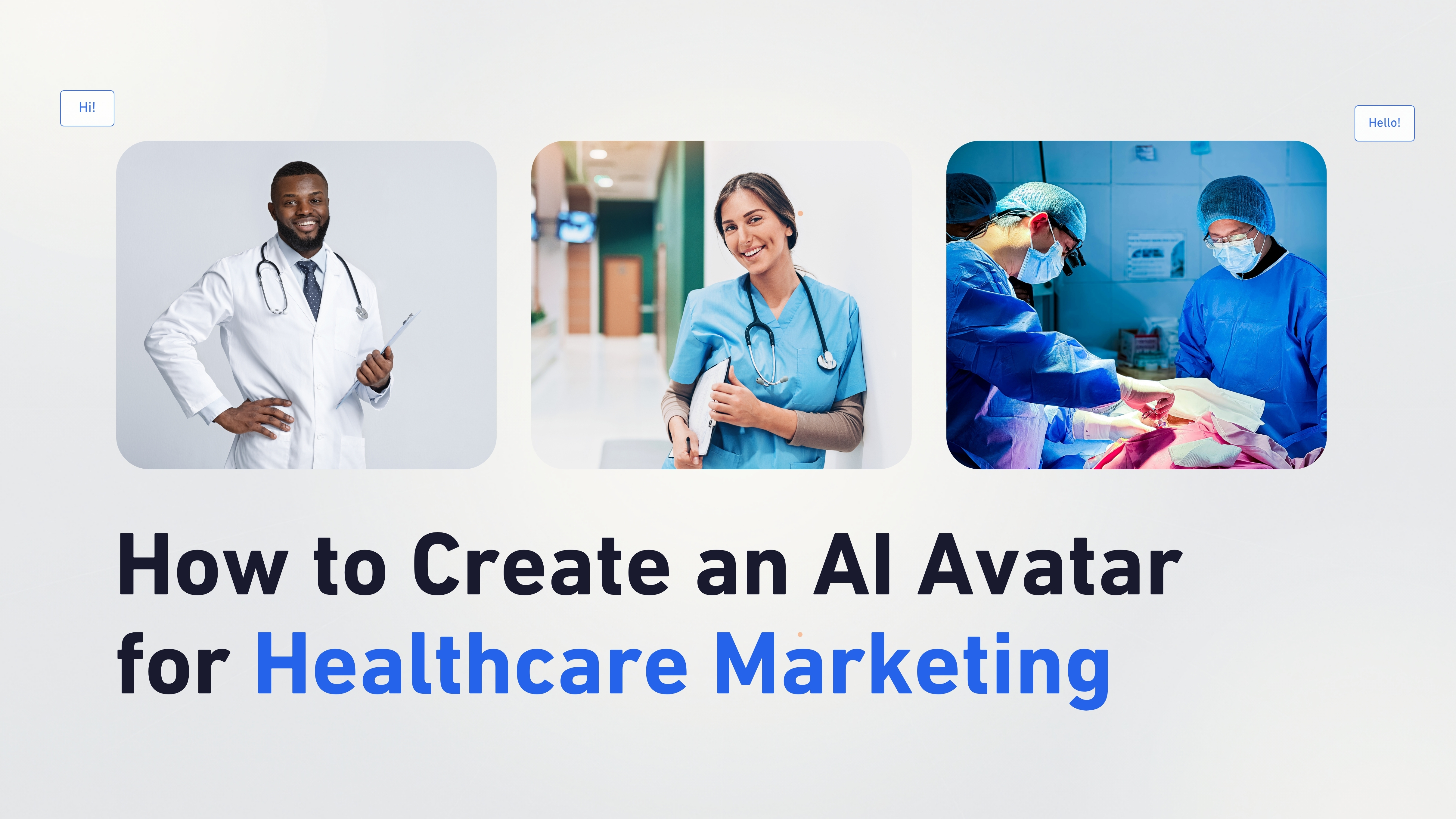
 Healthcare communication is changing quickly with the help of artificial intelligence. Hospitals, doctors, wellness brands, and healthcare educators now use AI videos to explain medical information, improve patient awareness, and create educational content faster.
Traditionally, creating healthcare videos required cameras, presenters, recording studios, and editing teams. This process could take days or weeks, especially when creating multiple videos for different health topics.
AI avatar technology makes this process easier by allowing healthcare professionals to create realistic presenter videos from a simple script or audio recording. Instead of recording yourself, you can create a digital healthcare presenter that explains information clearly with natural speech, facial expressions, and human-like communication.
Whether you want to create patient education videos, wellness tips, healthcare tutorials, awareness campaigns, or training content, AI avatars help you produce professional videos without complicated production setups.
In this article, you will learn how to create AI healthcare videos using Zoice by following a complete step-by-step process.
Healthcare communication is changing quickly with the help of artificial intelligence. Hospitals, doctors, wellness brands, and healthcare educators now use AI videos to explain medical information, improve patient awareness, and create educational content faster.
Traditionally, creating healthcare videos required cameras, presenters, recording studios, and editing teams. This process could take days or weeks, especially when creating multiple videos for different health topics.
AI avatar technology makes this process easier by allowing healthcare professionals to create realistic presenter videos from a simple script or audio recording. Instead of recording yourself, you can create a digital healthcare presenter that explains information clearly with natural speech, facial expressions, and human-like communication.
Whether you want to create patient education videos, wellness tips, healthcare tutorials, awareness campaigns, or training content, AI avatars help you produce professional videos without complicated production setups.
In this article, you will learn how to create AI healthcare videos using Zoice by following a complete step-by-step process.
What Are AI Healthcare Videos?
AI healthcare videos are educational or informational videos created using artificial intelligence tools. These videos often use AI avatars, AI voices, and automated video generation technology to explain healthcare topics in a simple and engaging way. Instead of a real person recording every video, an AI avatar acts as a virtual healthcare presenter and delivers your prepared content. For example, a clinic can create an AI avatar video explaining: “How to prepare before a health checkup” or “5 simple habits for maintaining better wellness” The AI avatar reads the script naturally, creating a professional healthcare video that patients can watch anytime.How to Create an AI Avatar for Healthcare Marketing Videos Using Zoice
Creating healthcare videos with an AI avatar is simple. Follow the steps below to create a professional healthcare video.Step 1: Visit Zoice.com and Click Sign In
Go to Zoice.com in your browser and click the Sign In button available at the top-right corner of the homepage. This will open the login page where you can access your Zoice account.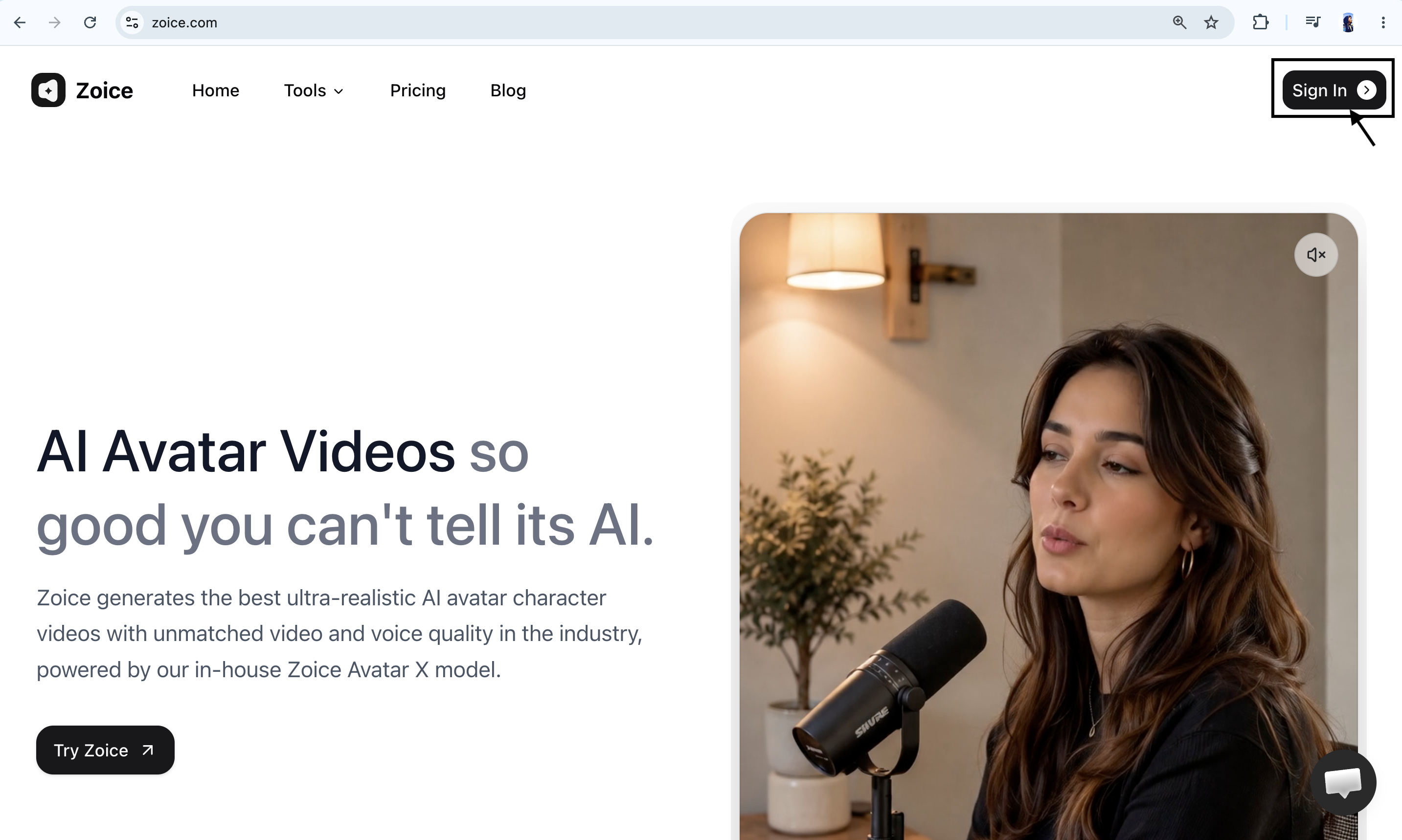
Step 2: Sign In to Your Zoice Account
If you already have a Zoice account, enter your registered email address and password, then click Sign In. You can also choose Sign in with Google if your account is connected with Google. After successfully signing in, you will be redirected to the Zoice dashboard.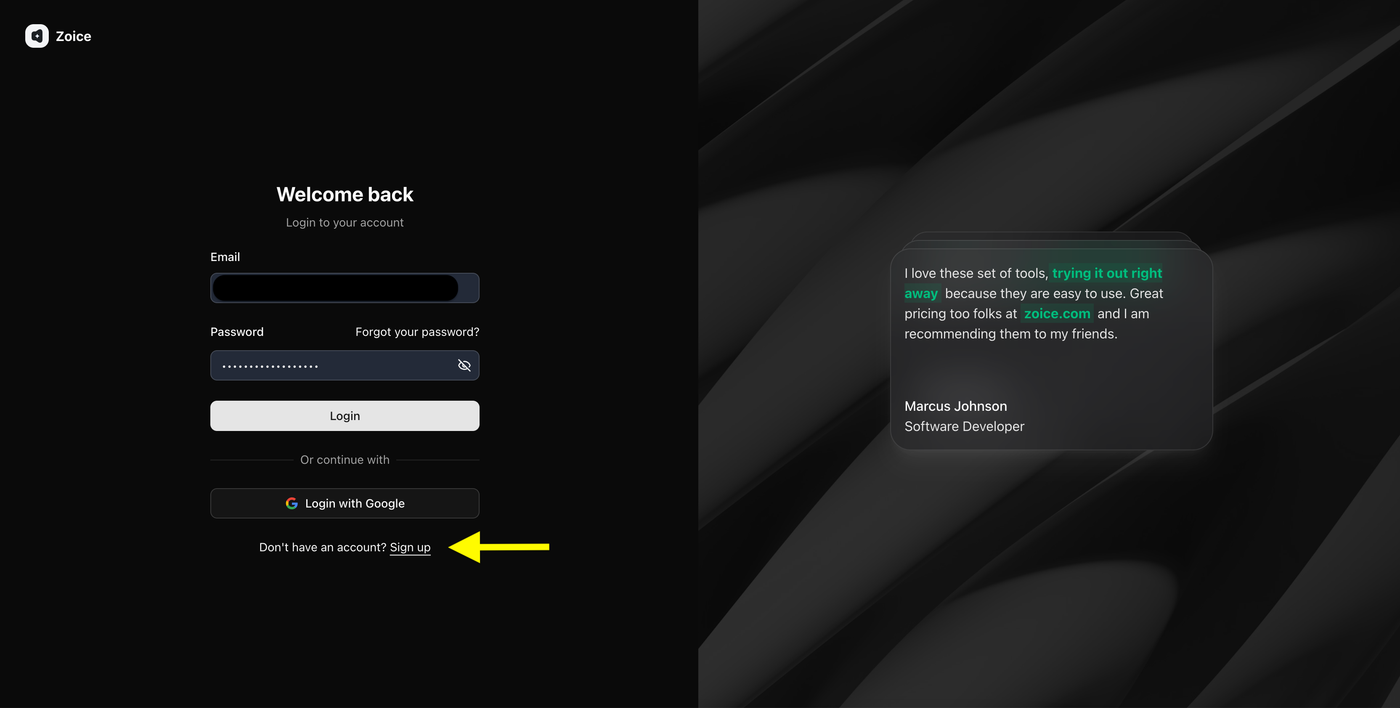
Step 3: Create a New Zoice Account (For New Users)
If you are using Zoice for the first time, click Sign Up to create a new account.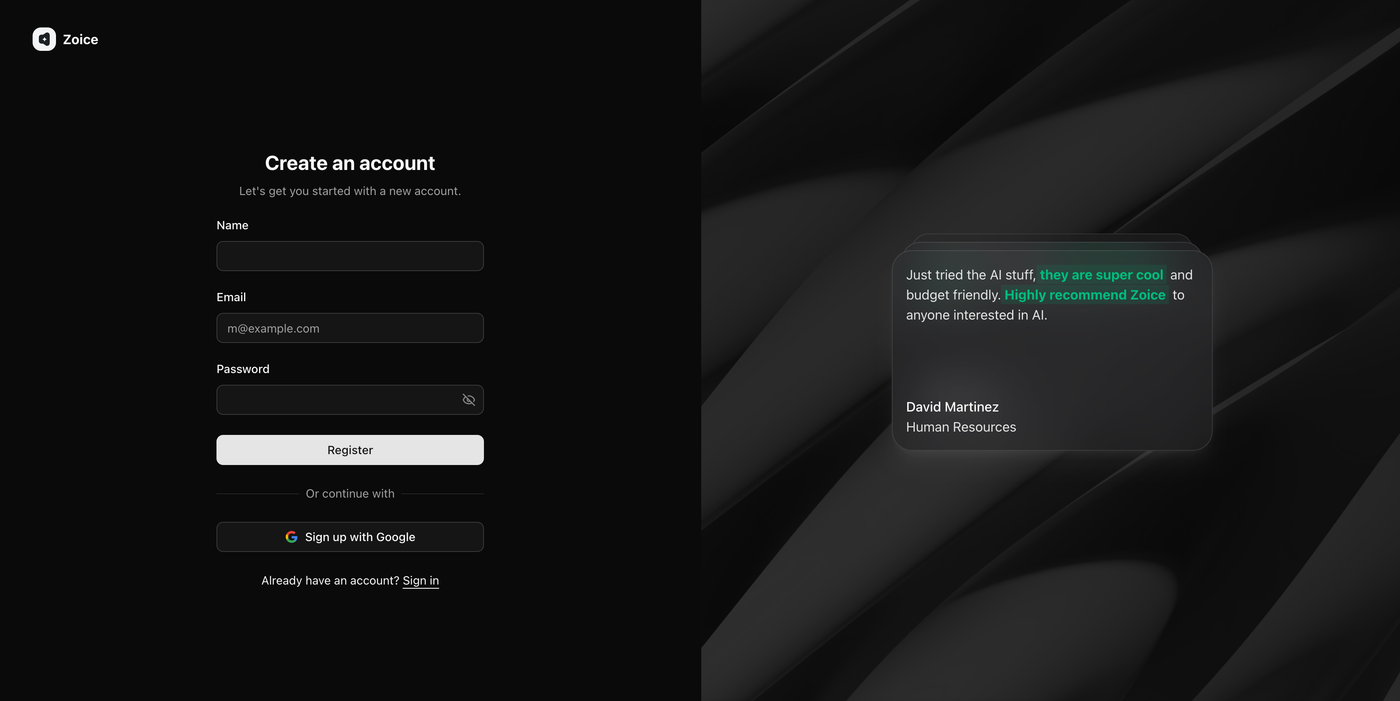 Enter the required details:
- Name
- Email address
- Password
Step 4: Navigate to Avatar Characters
After logging in, you will reach the Zoice dashboard. From the left sidebar, click Avatar Characters under the Manage section.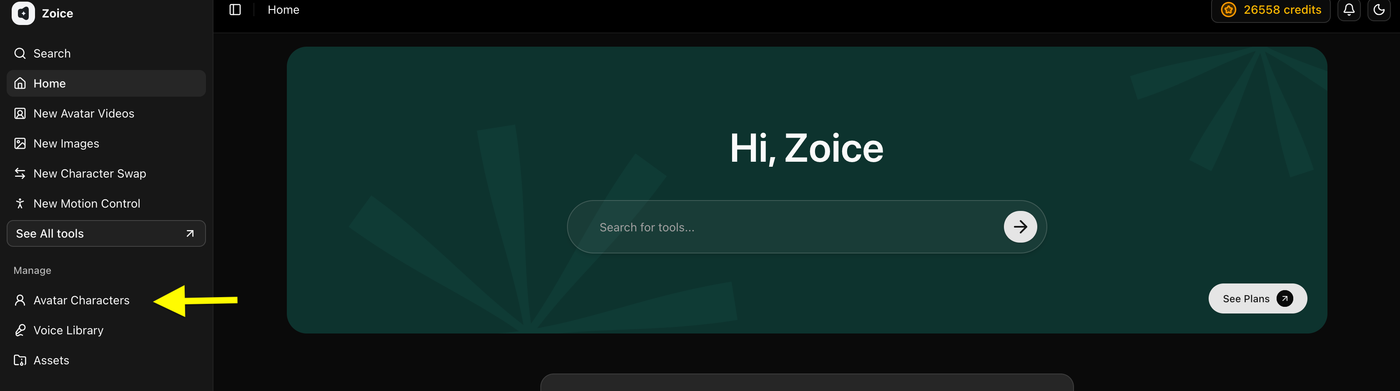 This section allows you to create, customize, and manage AI avatars that you can use for healthcare videos, patient education content, wellness videos, and other AI-generated videos.
Step 5: Click Create New Avatar
On the Avatar Characters page, click the Create New button to start creating your custom AI avatar.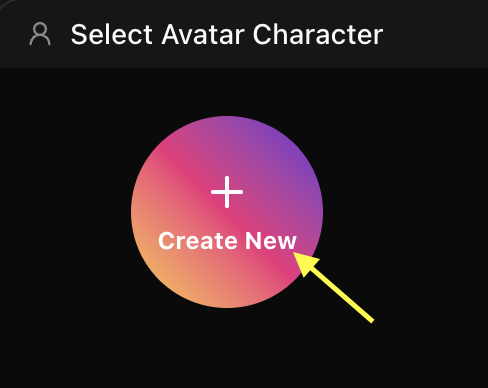 This will open the avatar creation page where you can create your avatar by uploading an image or generating one using an AI prompt.
Step 6A: Create Your Avatar Using an Image (Skip to step 6B if you don’t have an image)
Upload a clear, high-quality image of a healthcare professional or presenter that you want to convert into an AI avatar. Add an avatar name so you can easily identify it later in your avatar library.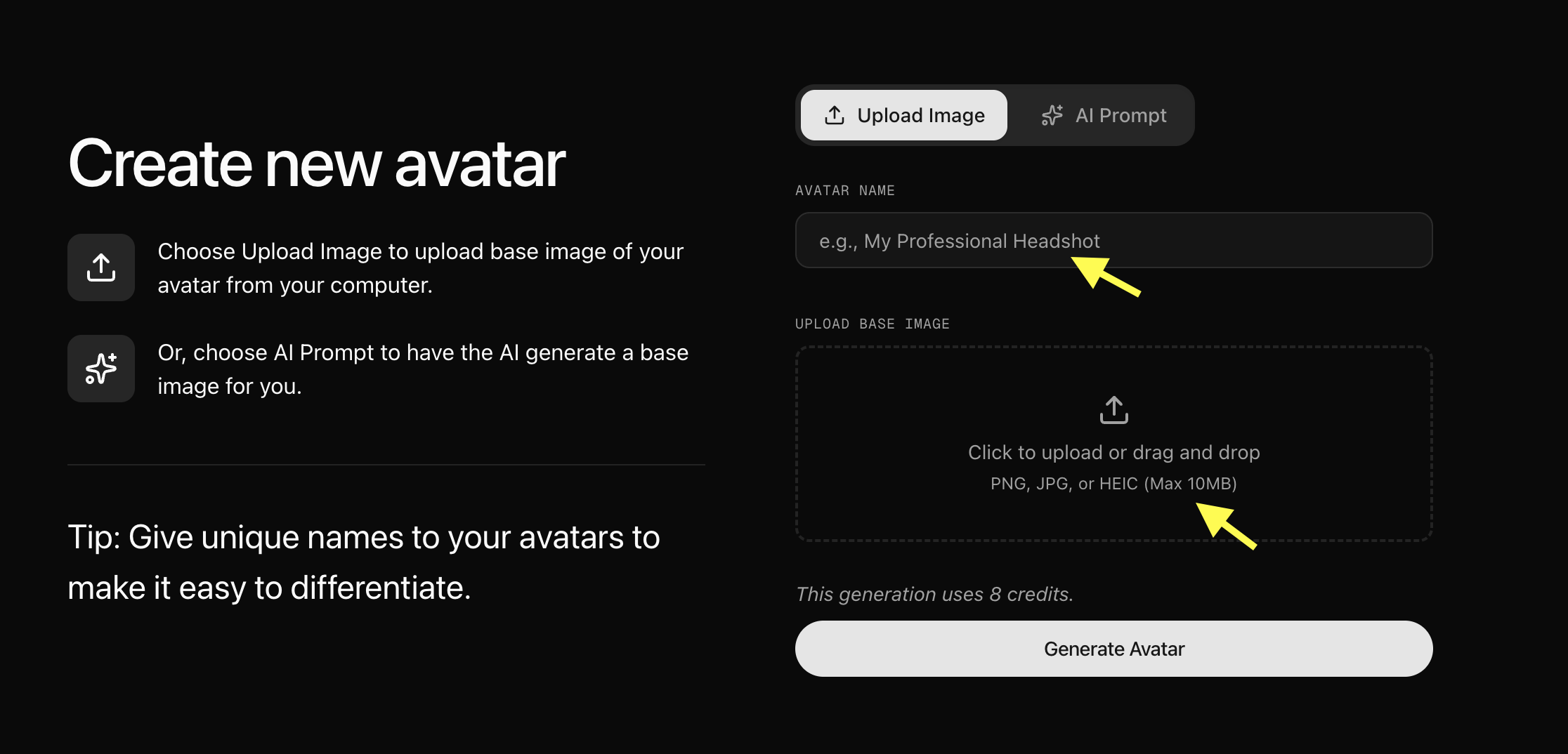 For better results, use an image with:
- Clear face visibility
- Good lighting
- Front-facing angle
- High image quality
Step 6B: Generate Avatar Using AI Prompt (Skip if you uploaded an image)
If you don’t have an image, select the AI Prompt option to create an avatar using text description. Enter an Avatar Name, describe the type of healthcare avatar you want (for example: “A professional female doctor in a white lab coat, smiling, professional lighting, medical clinic background”), and click Generate Image. Once you are happy with the generated image, click Generate Avatar.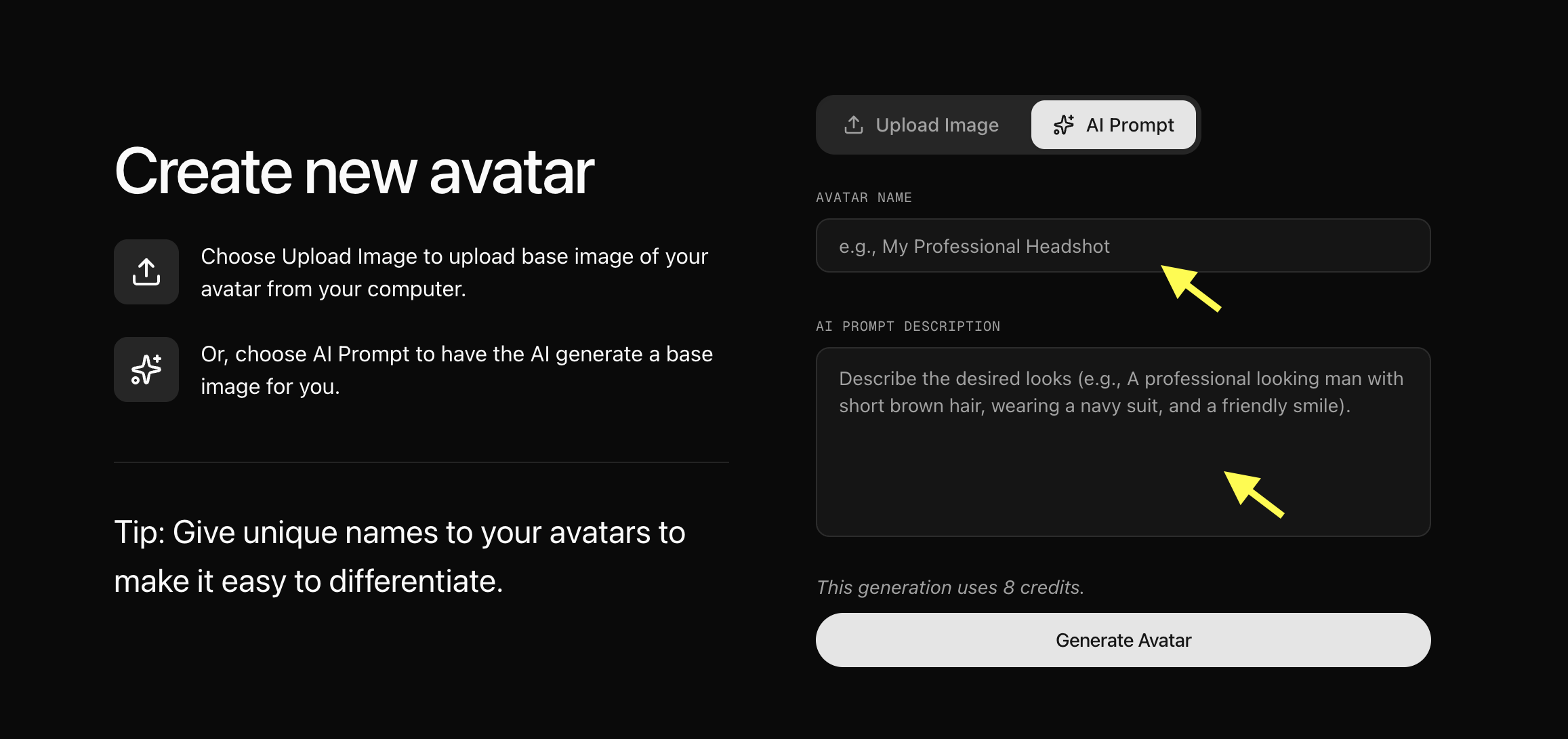
Step 7: Upload Your Avatar Image and Generate Avatar
Now upload the image you want to convert into an AI healthcare avatar. Add a unique Avatar Name so you can easily find and manage your avatar later, and click Generate Avatar. Zoice will process your image and create your AI avatar profile.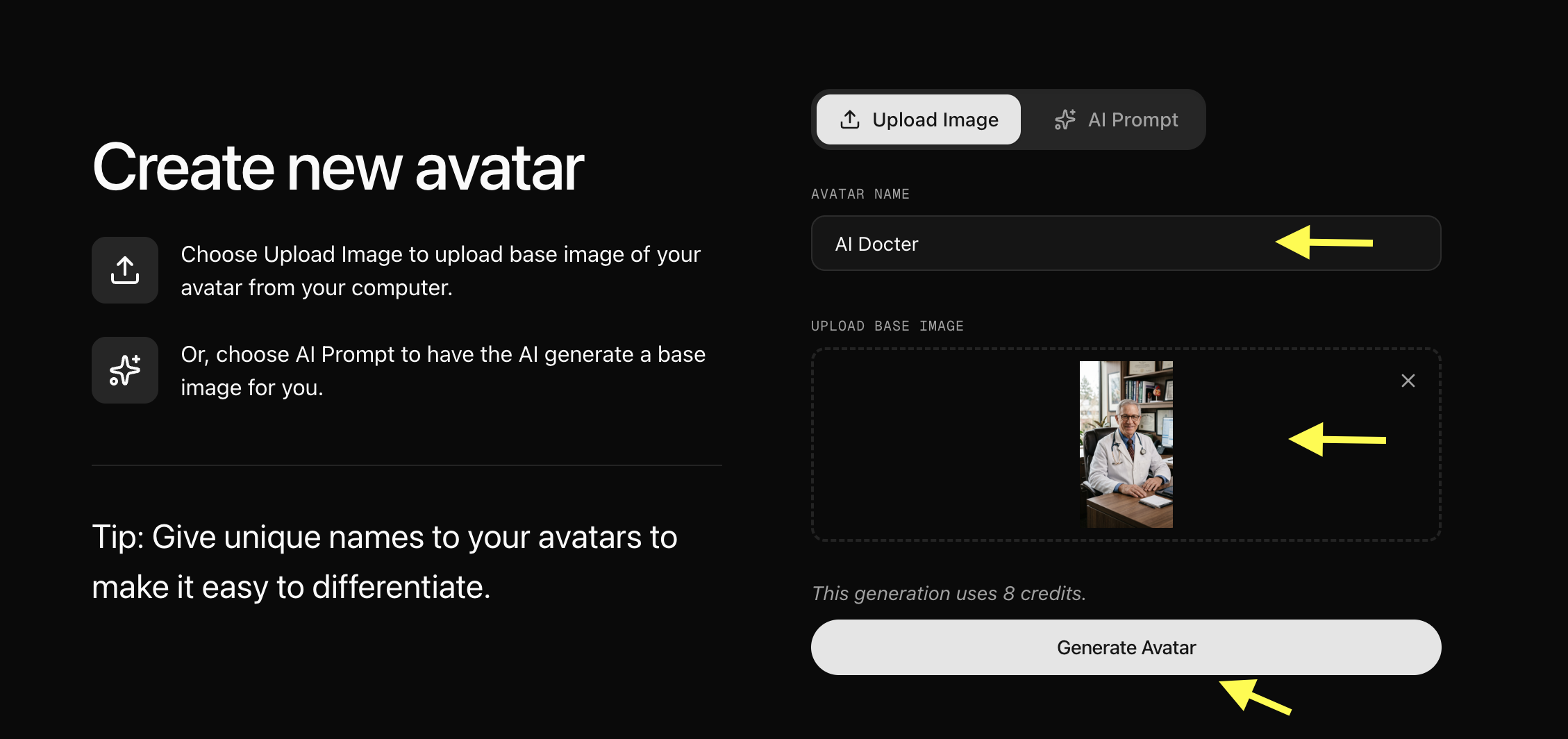
Step 8: Select Your Created Avatar
After your AI avatar profile is generated, go back to the Avatar Characters section. Your newly created avatar will appear in the avatar library. Click on the avatar you created to select it.Step 9: Click Generate Video
After selecting the avatar you want to use for your healthcare video from the library, click Generate Video to open the video creation workspace page.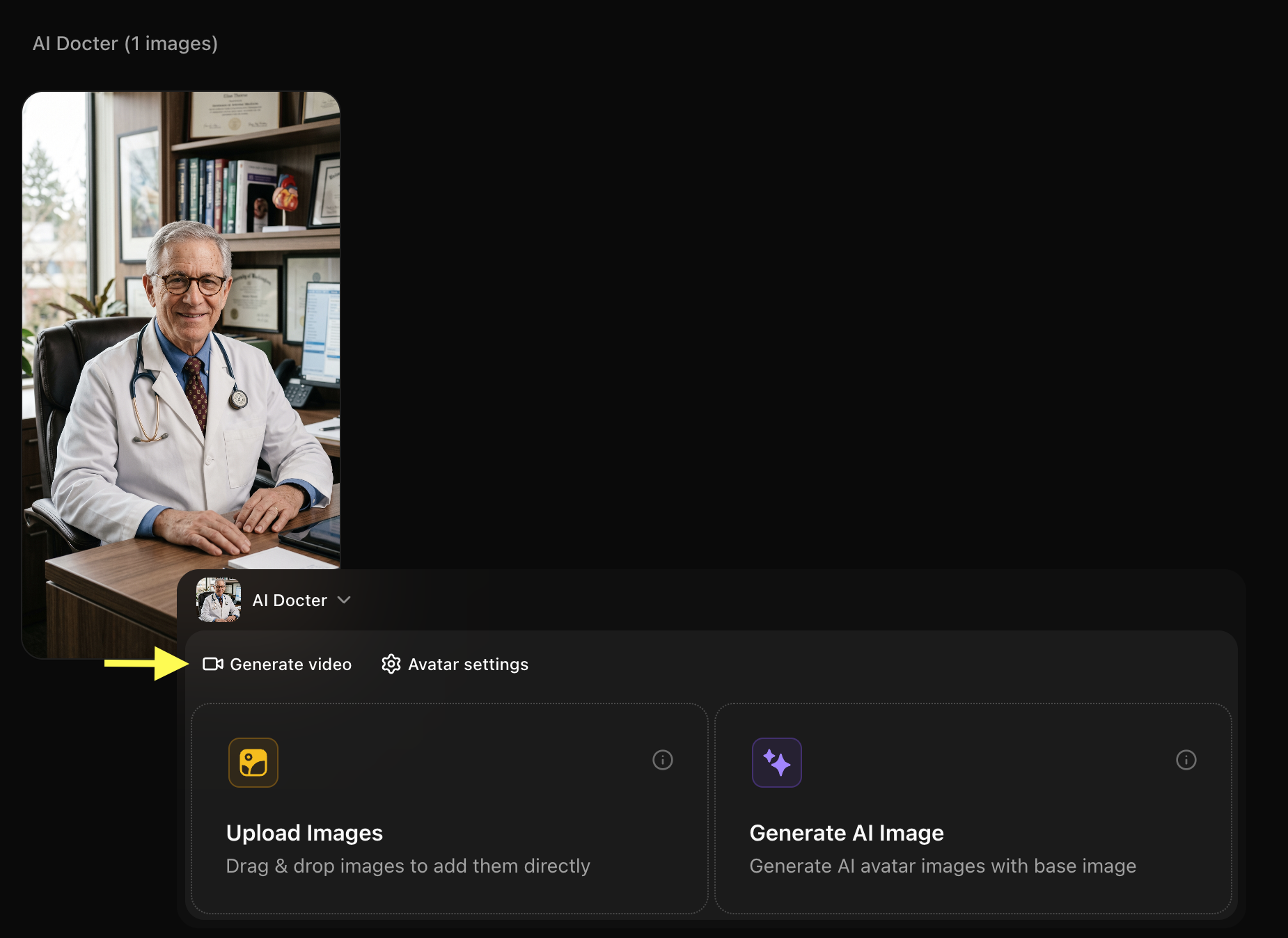
Step 10: Add Script and Configure Video Settings
After opening the avatar video creator, you can customize your video by entering a script, selecting a voice, choosing the output format, and adding an action prompt.Step 11: Add Your Script and Select Voice Model
Click on the script box. A popup window will appear where you can write the detailed script. Add the script that your AI doctor avatar will speak in the video.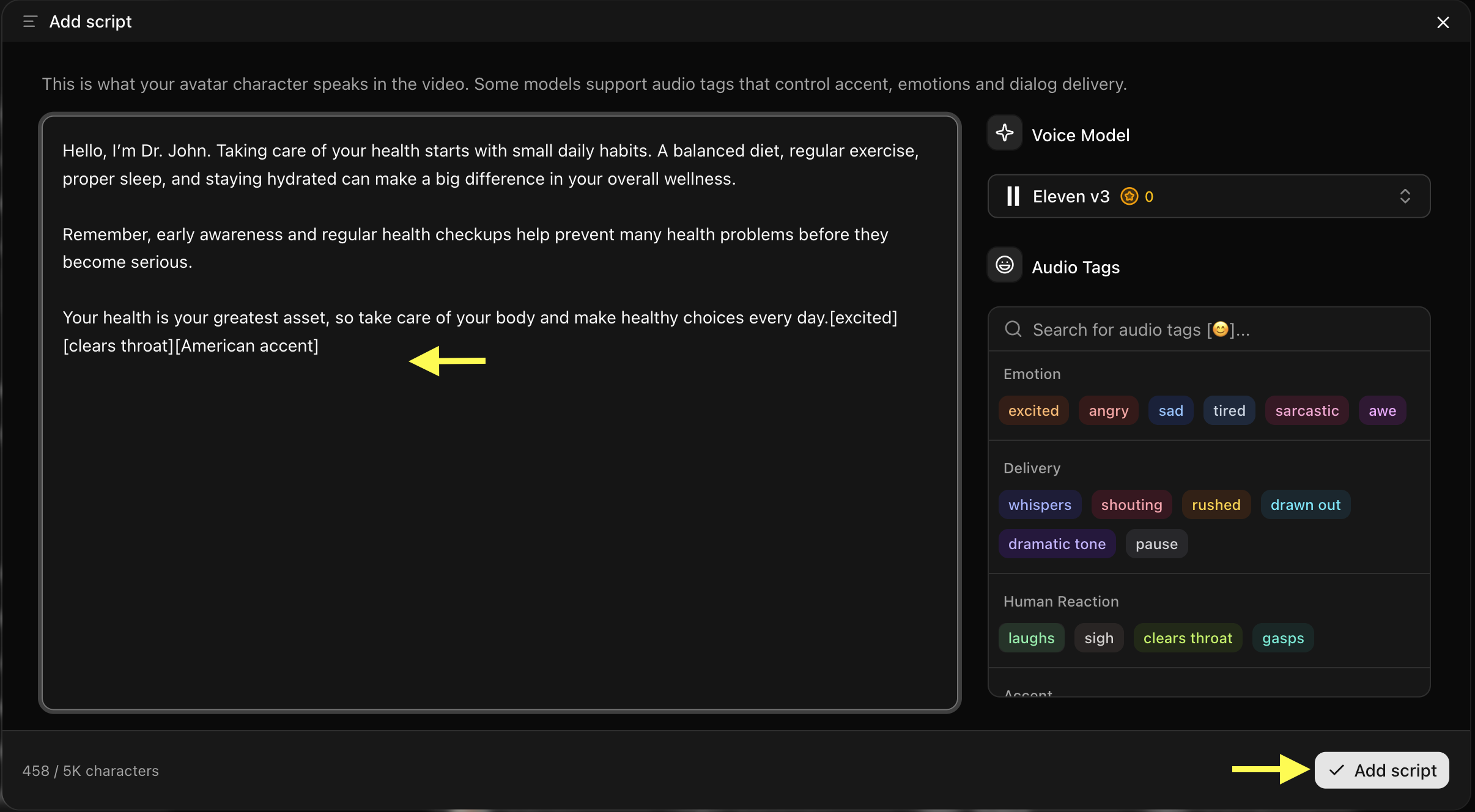 Tip: For healthcare videos, keep the script simple, clear, and compassionate so the medical information is easy to understand.
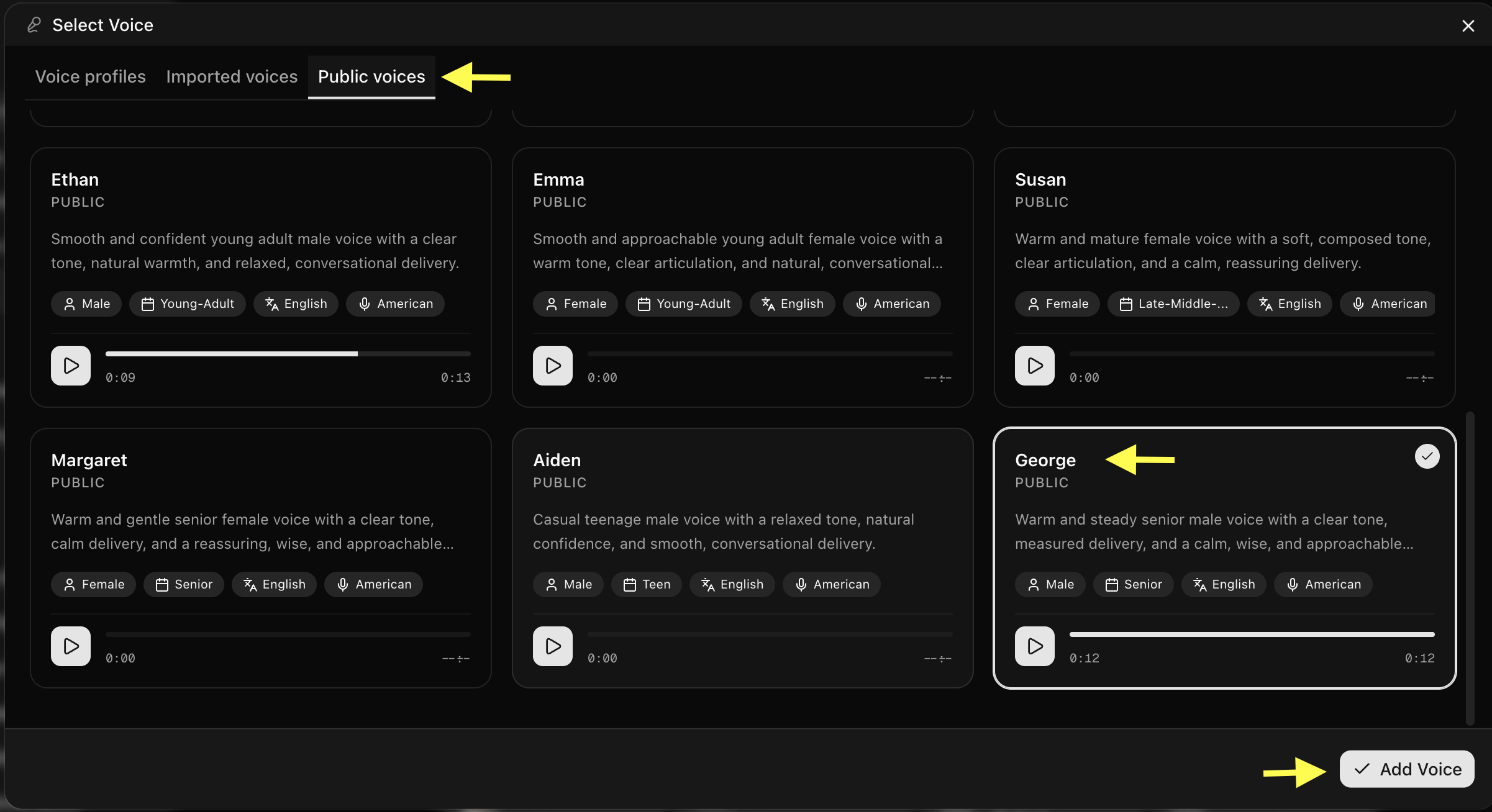
Step 12: Click on Select Voice
Click on the Select Voice option. You can browse through the available public voices, listen to voice previews, or upload your own voice. Select a professional, calm, and clear AI voice model that matches your content style.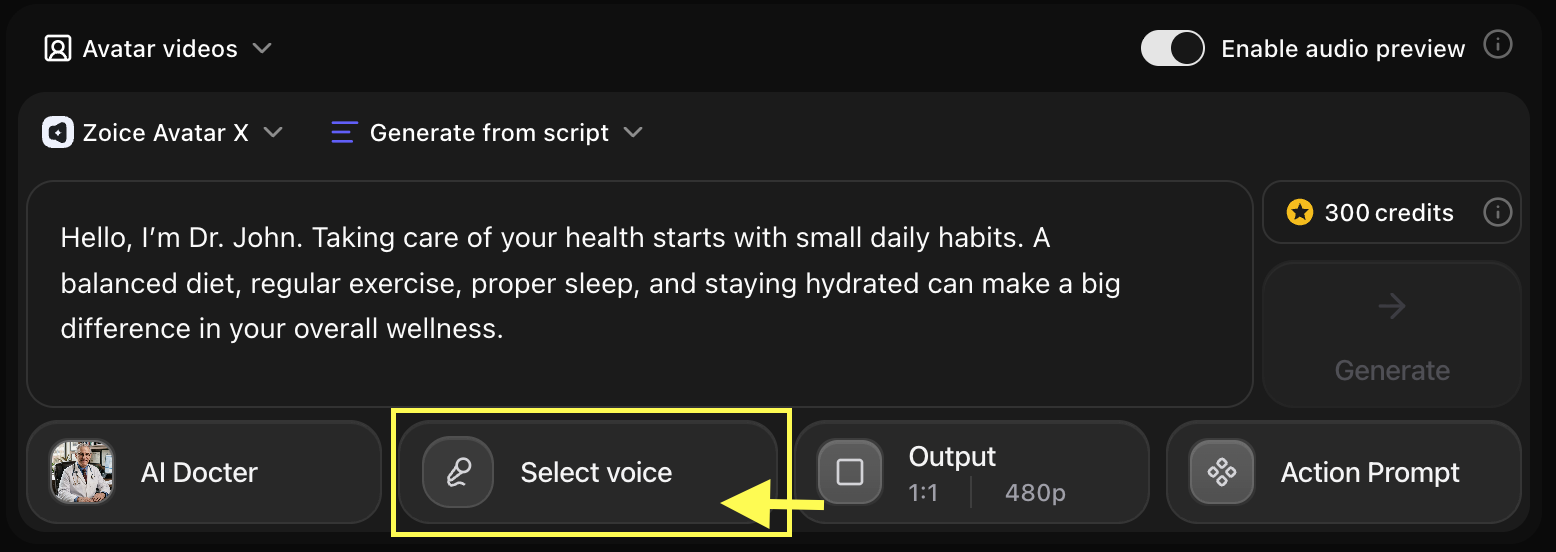
-
Choose the Voice for your AI doctor
Step 13: Choose Video Output Settings
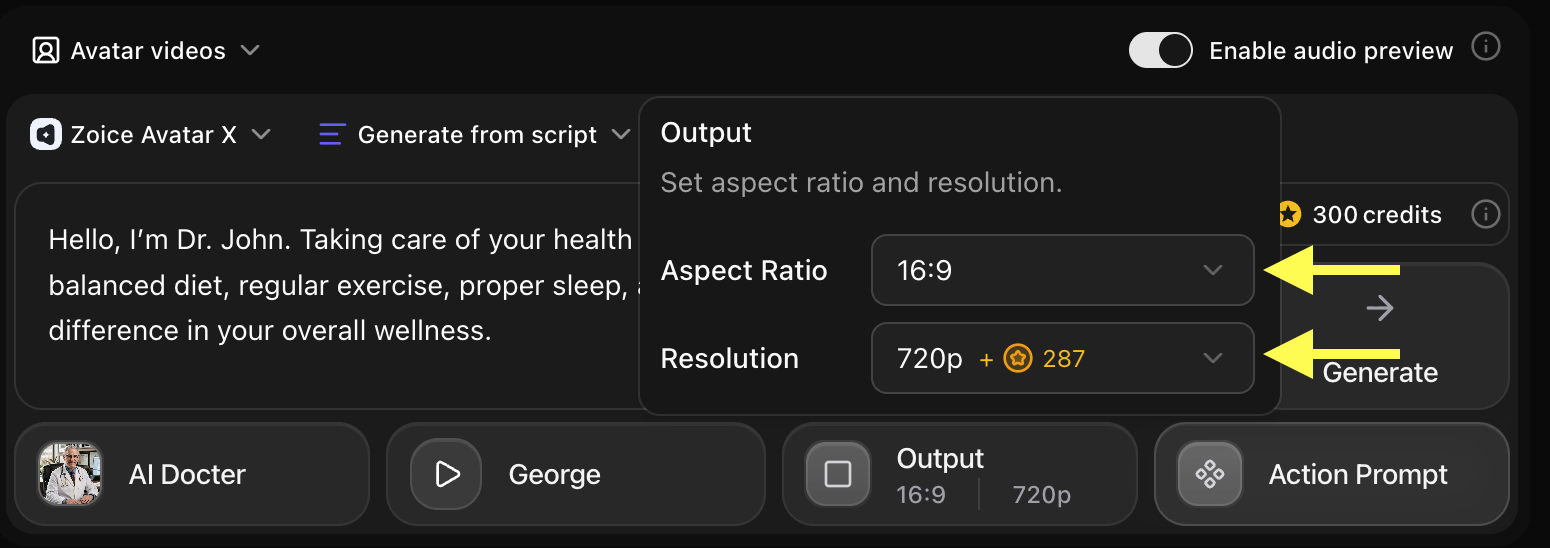
Click on Output Settings. Choose the aspect ratio and resolution based on where you want to publish your healthcare video:- Aspect Ratio: 16:9 for YouTube videos/website embeds, or 9:16 for YouTube Shorts, Instagram Reels, and TikTok.
- Resolution: Select 1080p or up to 4K for high-quality professional output.
Step 14: Add Action Prompt
Click on Action Prompt to control how your AI avatar behaves during the video. You can write your own instructions or select suggested action styles (such as: “maintaining professional eye contact, calm expression, and natural hand gestures”).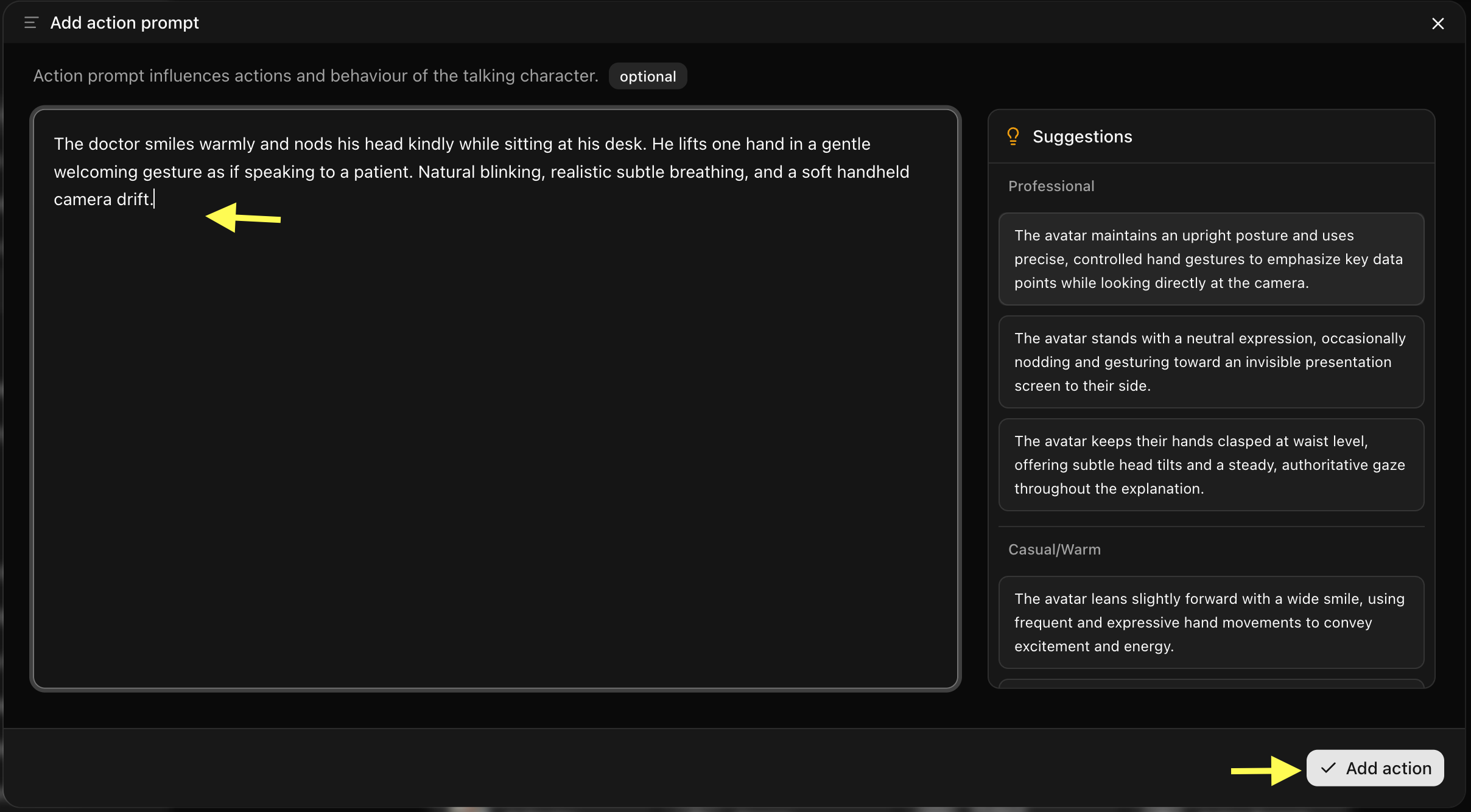
Step 15: Generate Your AI Healthcare Video
After setting up the script, voice, output settings, and action prompt, review all your configuration options. Click Generate to start processing your AI healthcare video.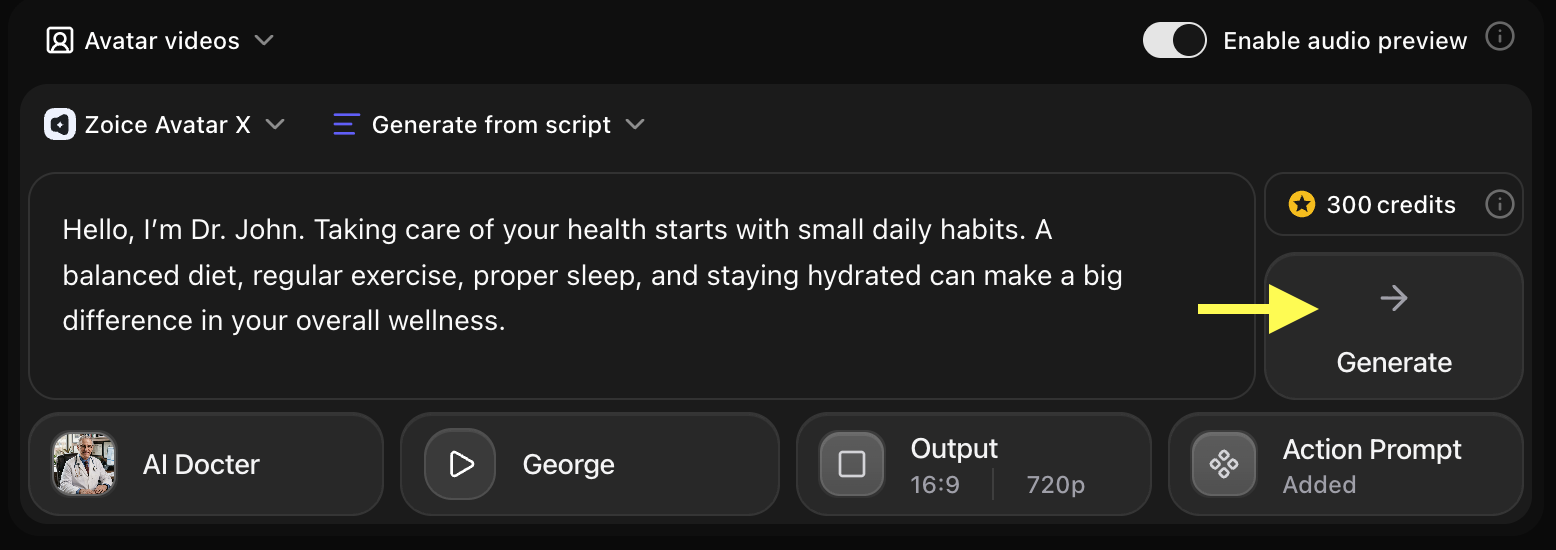
Step 16: Preview Audio and Click on Generate Avatar Video
Before generating the final video, Zoice creates an audio preview so you can verify how your script sounds. Check pronunciation, clarity, and pacing. If everything sounds correct, click Generate Avatar Video to create the final talking video.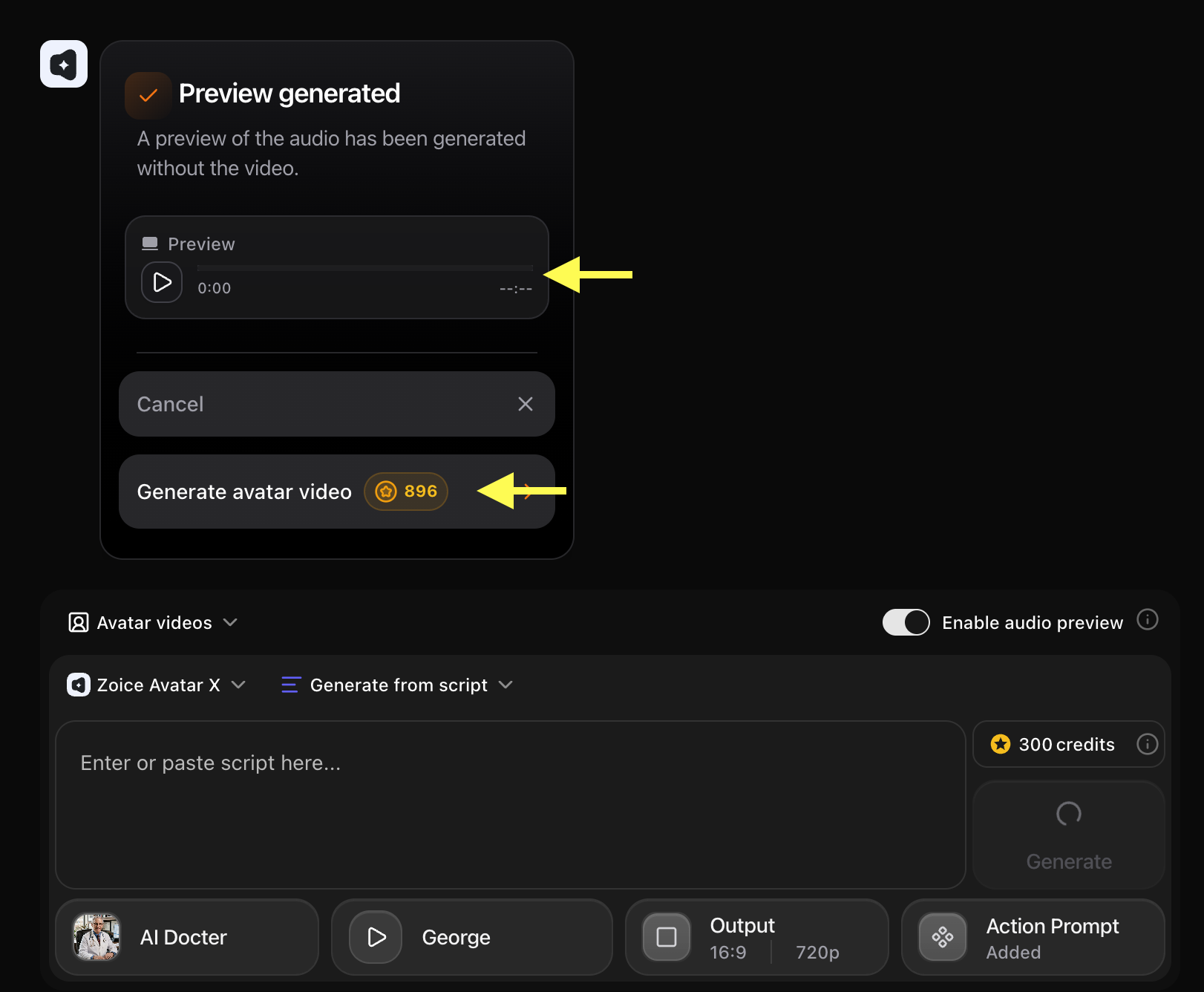
Step 17: Preview and Download Your AI Healthcare Video
Once the AI avatar video finishes processing, play the final result to check the avatar movements, voice synchronization, and video quality.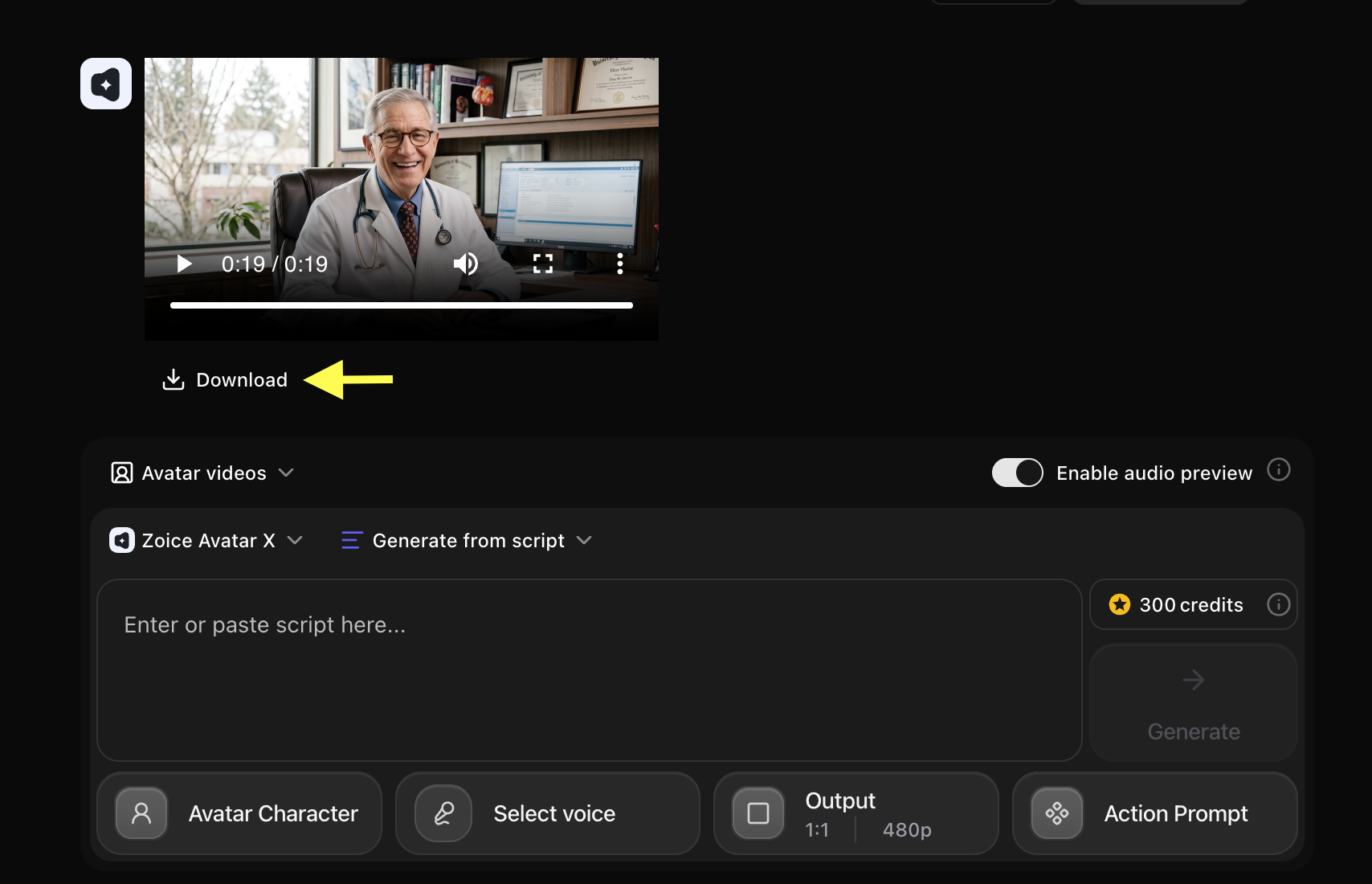 If you are satisfied, click Download to save the video to your device. Your AI healthcare video is now ready to use for patient education, clinic marketing, or health awareness campaigns!
Example Input Image, Voice, Action Prompt & Output Video
To help you get started, here is an example of an input voice, action prompt, and generated AI healthcare video.Used Image

Used Script
Used Action Prompt
Output Result Video
Below is the rendered AI healthcare video based on the input script:Tips for Creating Better AI Healthcare Videos
- Keep Medical Information Simple: Use simple and easy-to-understand language when creating healthcare videos. Avoid complex medical terms so patients can clearly understand your message.
- Use a Professional Avatar: Choose an avatar that looks trustworthy and matches your healthcare topic. A doctor, healthcare expert, or wellness coach avatar works best for medical content.
- Keep Videos Focused: Create each video around one specific topic. Short and focused videos help viewers understand the information better without feeling overwhelmed.
- Use a Calm and Clear Voice: Select a professional voice with a calm tone and clear pronunciation. A friendly voice helps make healthcare information easier to follow.
- Add Captions: Add captions to your videos so viewers can easily read important points and understand the content even without audio.
AI Healthcare Avatar Can Be Used For
- Patient education videos
- Wellness and nutrition tips
- Clinic and hospital promotions
- Healthcare staff onboarding and training
- Patient FAQs and instruction videos
- Medical awareness campaigns
- Fitness and lifestyle coaching
- Healthcare product demonstrations
- General medical storytelling
Where AI Healthcare Avatar Videos Are Used
- Clinic and hospital websites
- Patient portals and mobile apps
- Waiting room TV screens
- Social media platforms (YouTube, Instagram, TikTok, Facebook)
- Medical training and e-learning platforms
- Healthcare newsletters and email campaigns
- Medical seminars and presentations
Final Words
Creating AI healthcare videos with Zoice is a fast and simple process. By setting up your presenter avatar and uploading your script, you can generate medical education and wellness videos in minutes. Whether you want to build trust with patients, share wellness tips, or run campaigns, AI avatars help you produce professional-quality healthcare videos without cameras, recording studios, or complex editing.Next Steps
Cartoon Character Talk Guide
Bring cartoon characters and brand mascots to life with talking animations.
Custom Avatar Guide
Learn how to generate your own custom talking avatars.