

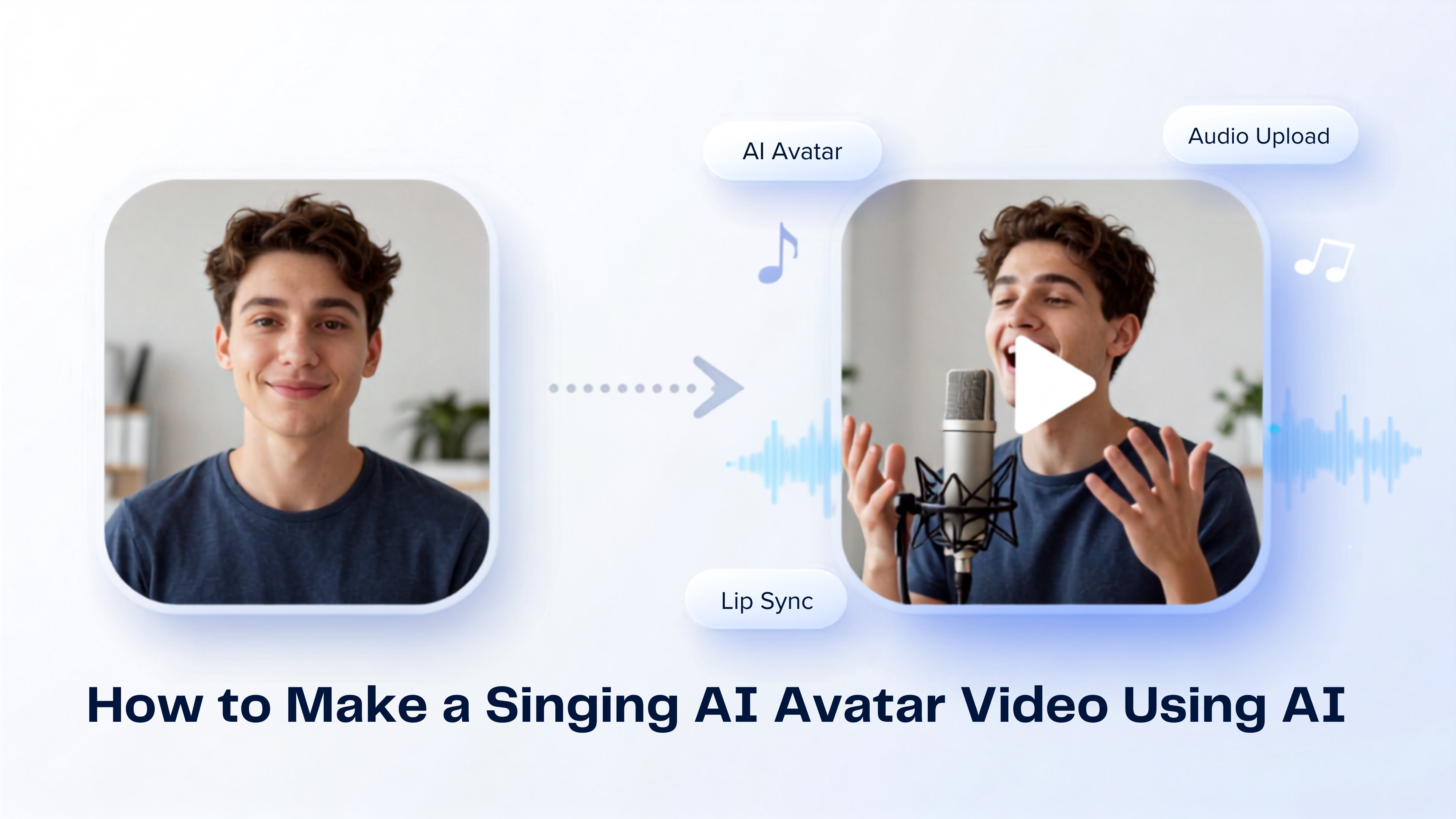
What is a Singing AI Avatar?
A singing AI avatar is a digital character that performs songs using artificial intelligence. Instead of recording yourself on camera, the AI analyzes your uploaded audio and animates an avatar with realistic lip movements, facial expressions, and natural head motions. Singing AI avatars help creators produce engaging videos in minutes while maintaining a polished, professional appearance. They are widely used for music content, promotional videos, educational projects, and social media posts.How to Make a Singing AI Avatar Video Using AI
Creating a singing AI avatar video with Zoice takes only a few minutes. To begin, create or choose an AI avatar, upload your audio, configure the output settings, and generate your video. Follow the detailed steps below to get started.Step 1: Visit Zoice.com
Go to Zoice.com in your web browser. This is the main portal where you can access all of Zoice’s AI creation tools.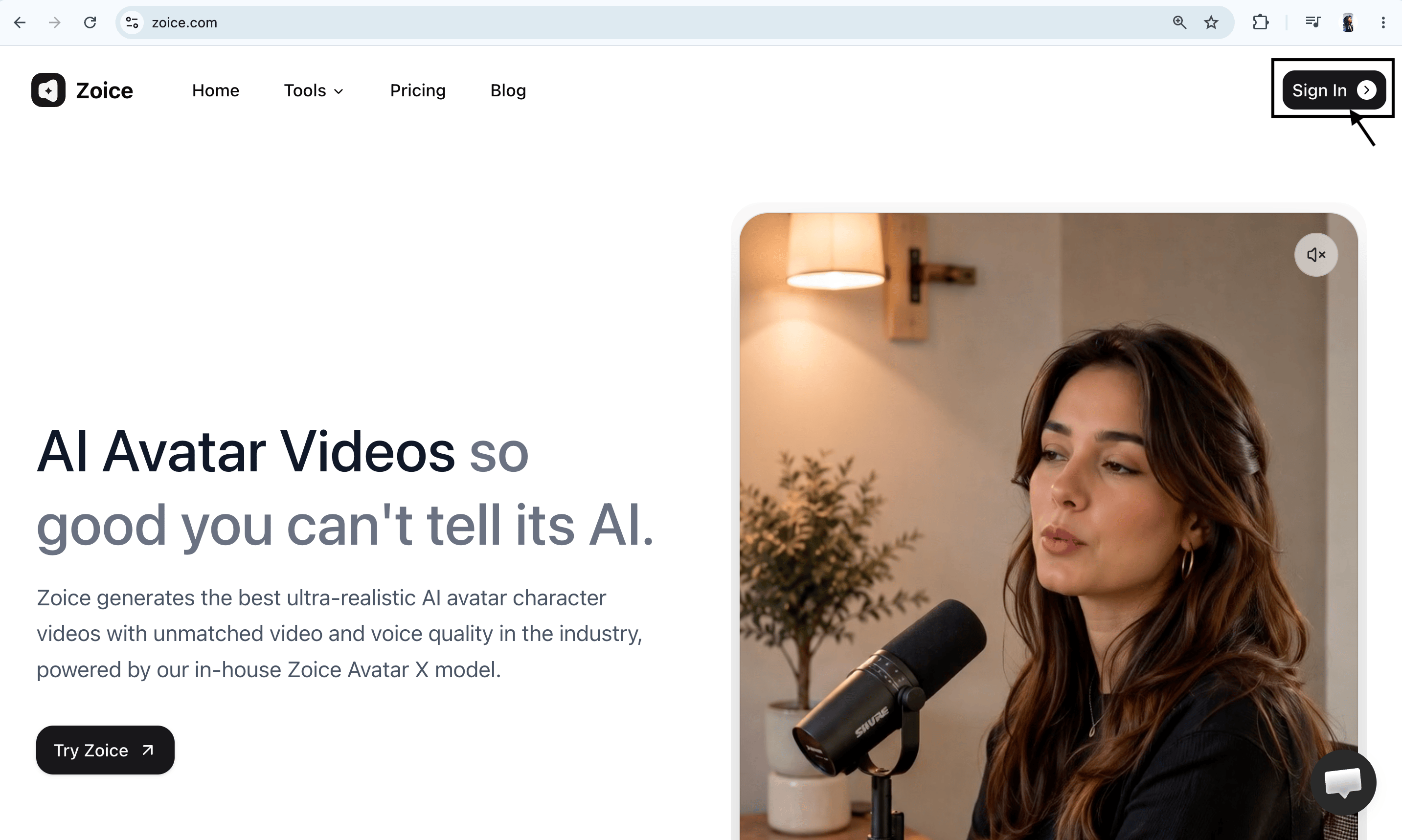
Step 2: Sign In to Your Zoice Account
Click the Sign In button in the top-right corner of the homepage. Enter your registered email address and password, or choose Sign in with Google to access your dashboard quickly.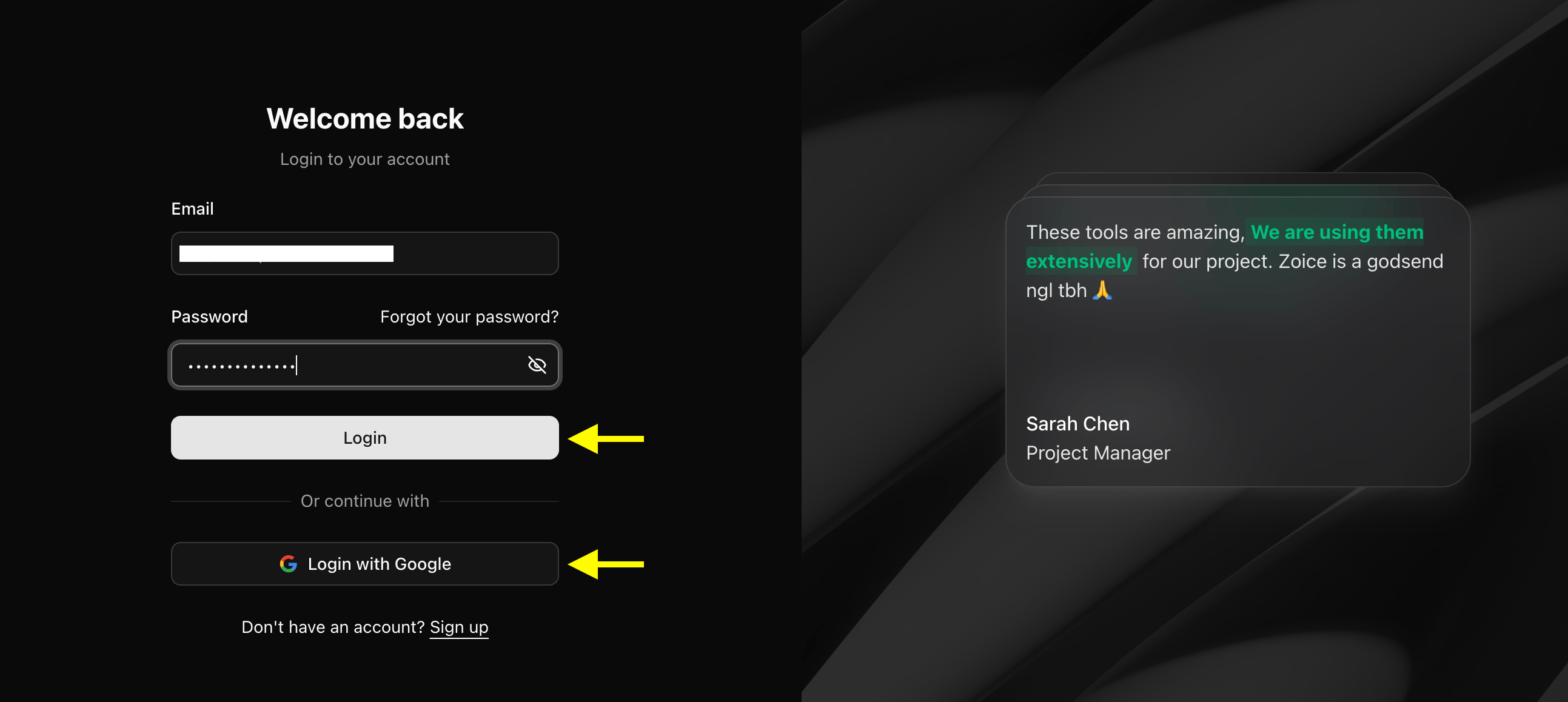
Step 3: Create a New Zoice Account (For New Users)
If you don’t have a Zoice account yet, click Sign Up on the login page. Fill in your details (name, email, and password) or select Sign up with Google to create a new account in one click.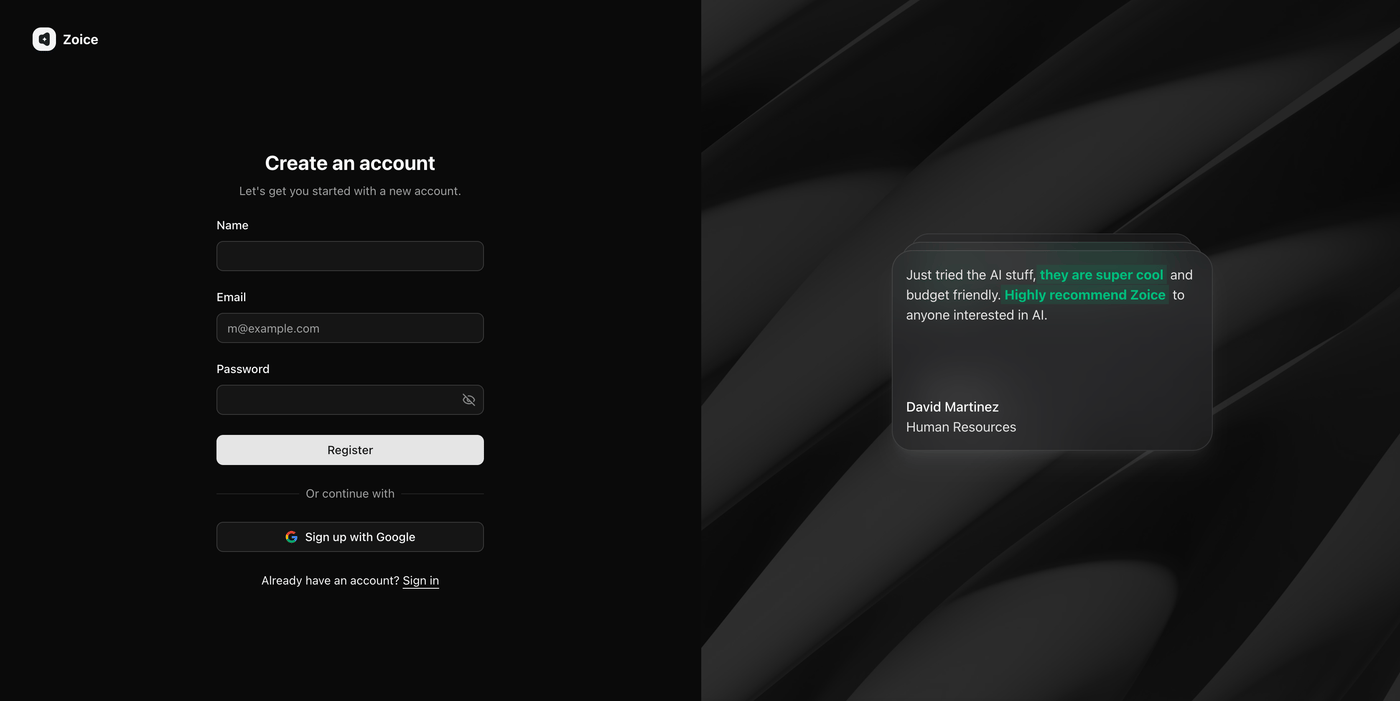
Step 4: Click Avatar Character
Click Avatar Characters to begin creating a new AI avatar. If you already have an avatar character, you can choose it from your library and proceed to the next step. Creating a custom avatar allows you to generate personalized singing videos that match your appearance or brand identity.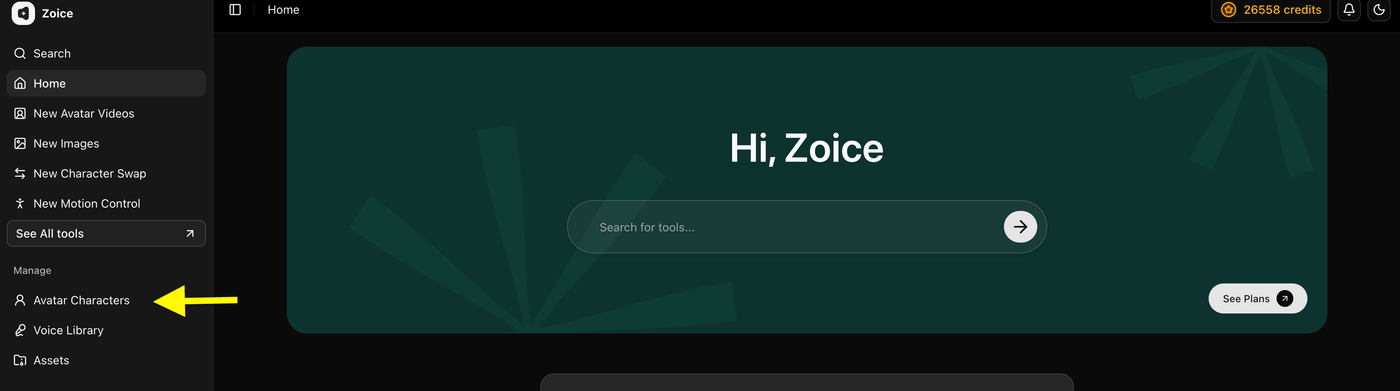
- Click on Create New
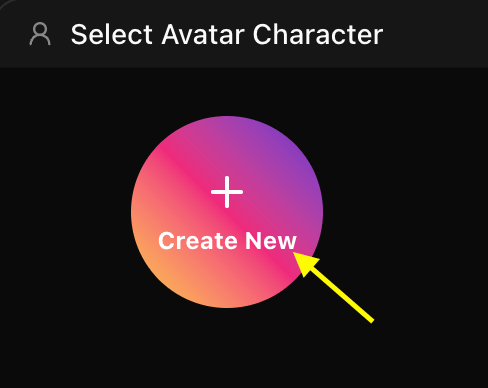
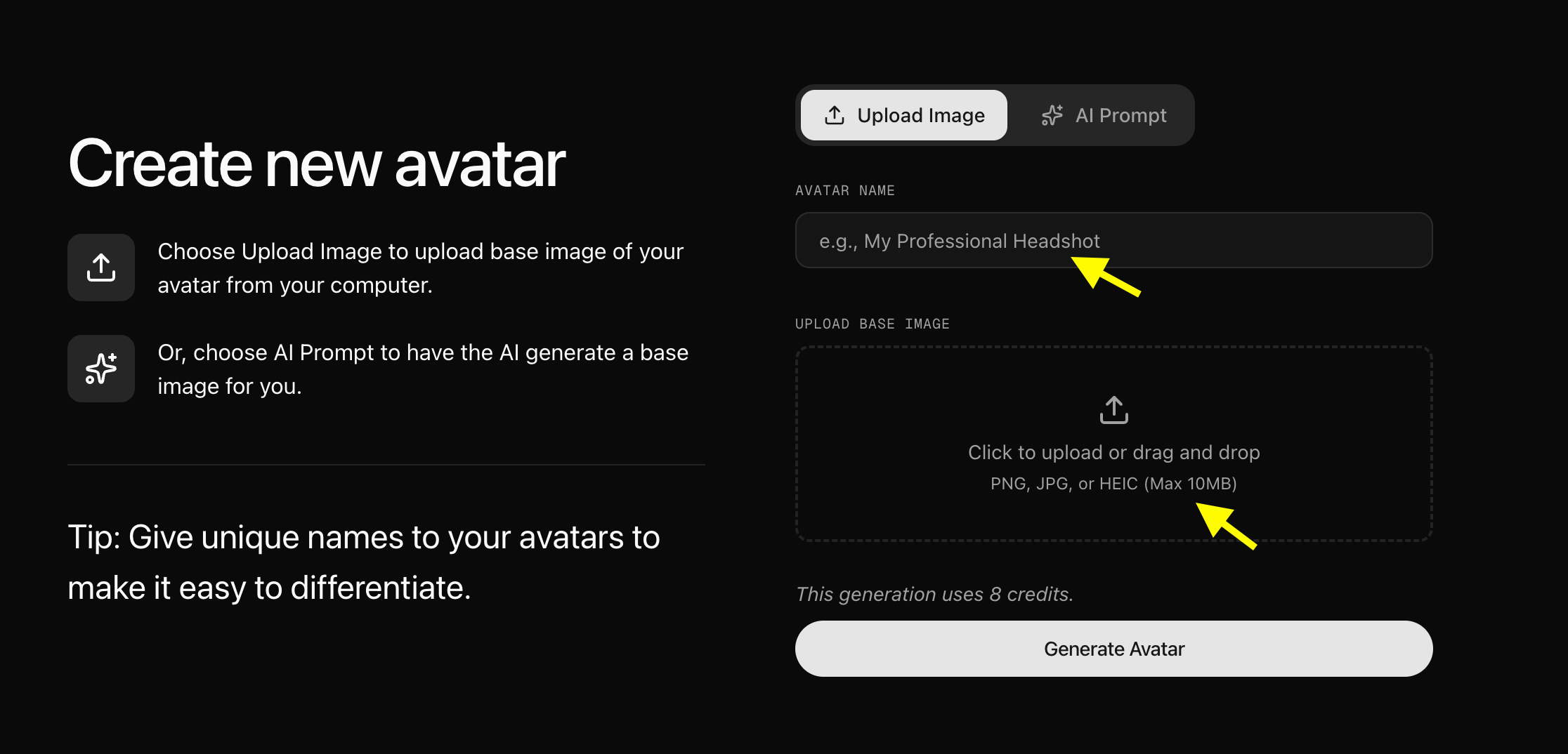
Step 5: Upload or Generate Avatar Image
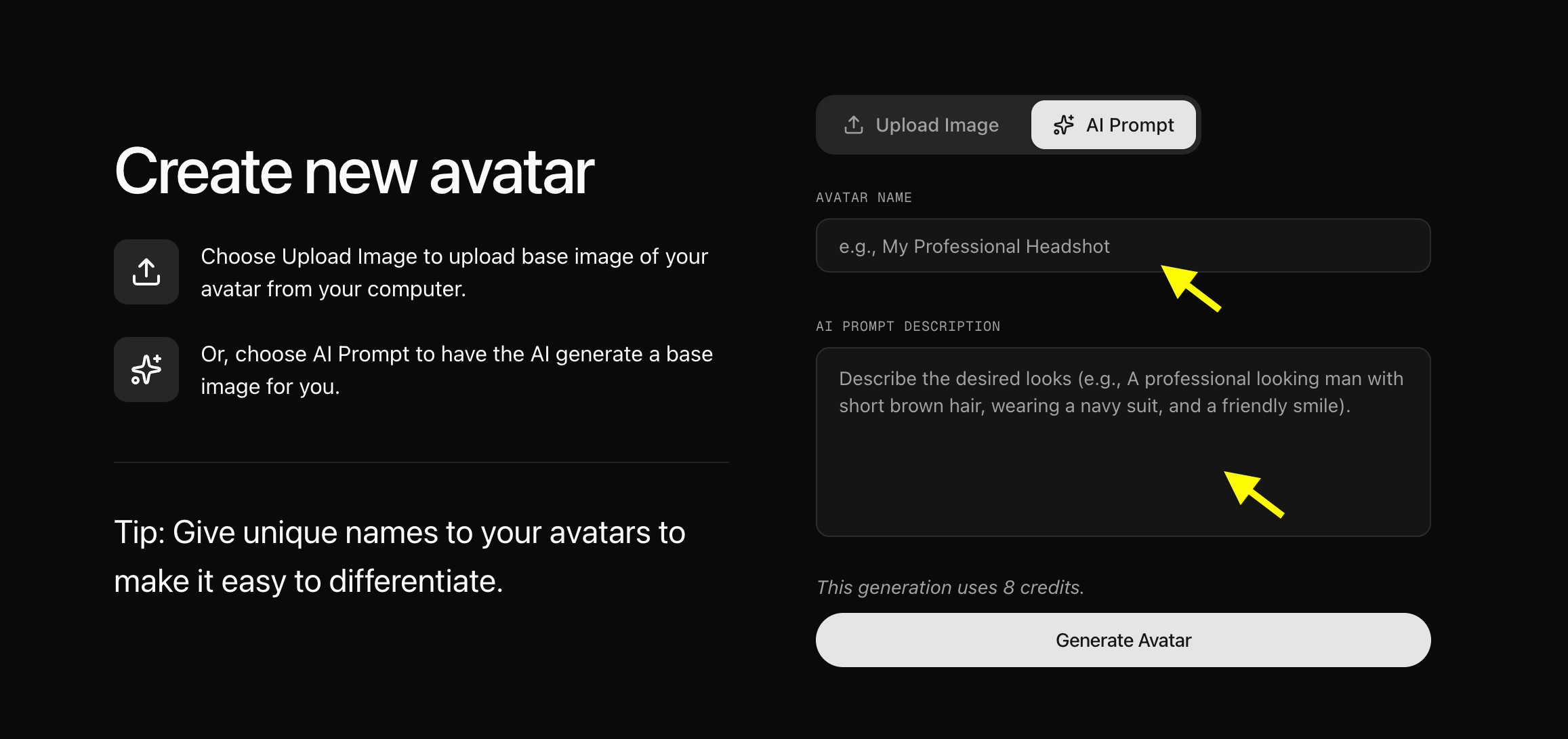
Now, You have two options to set up your AI singing avatar:- Upload a Photo: Upload a clear portrait image from your computer and give your singer a name.
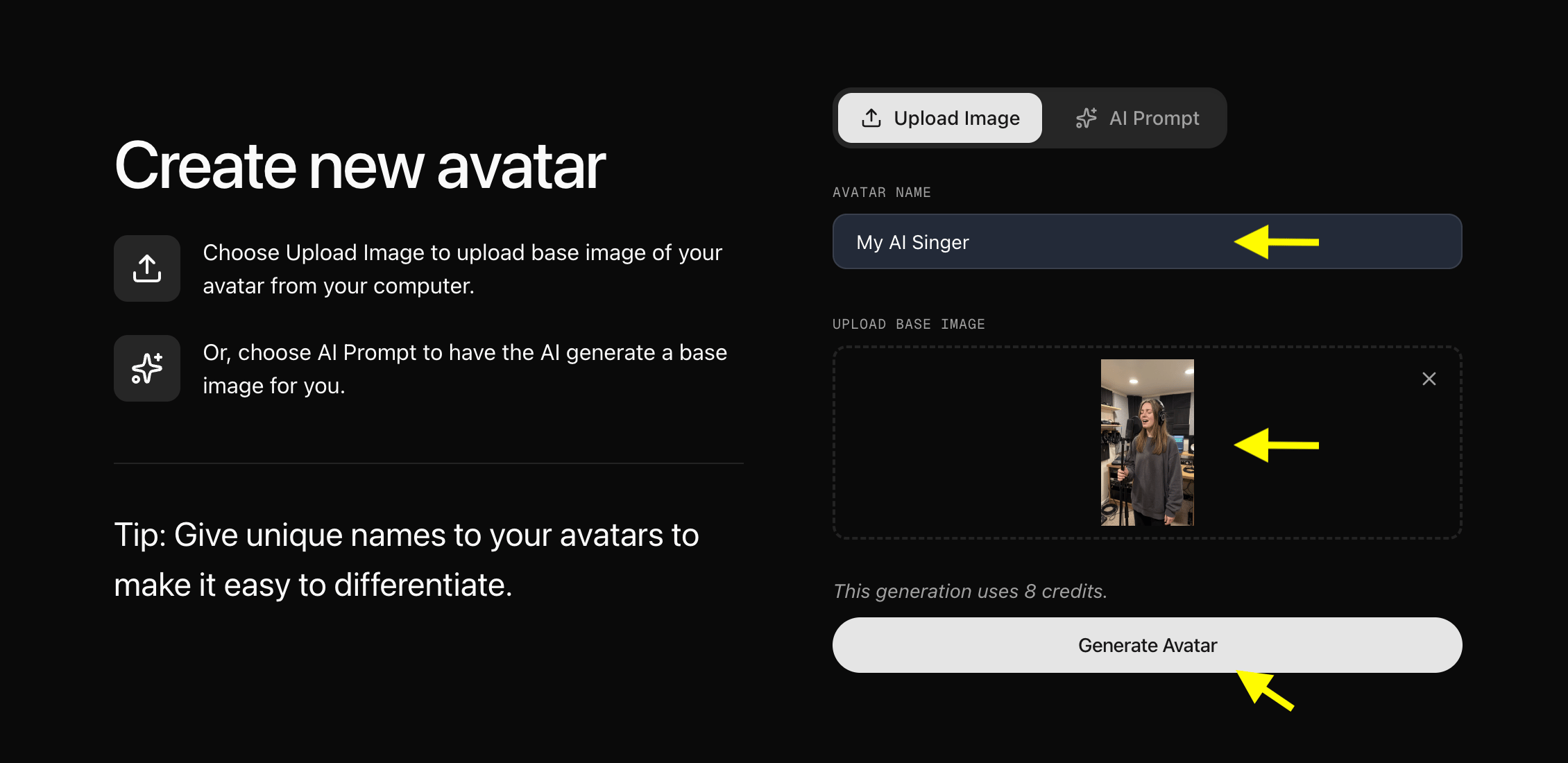
- Use an AI Prompt: Toggle the AI Prompt option.
Step 6: Configure Avatar Settings (Optional)
After adding the image to your library, click Avatar Setting to add basic details such as Name, Gender, Age, and Ethnicity. Providing these details helps achieve better, more personalized results. Once done, save and close the avatar settings window.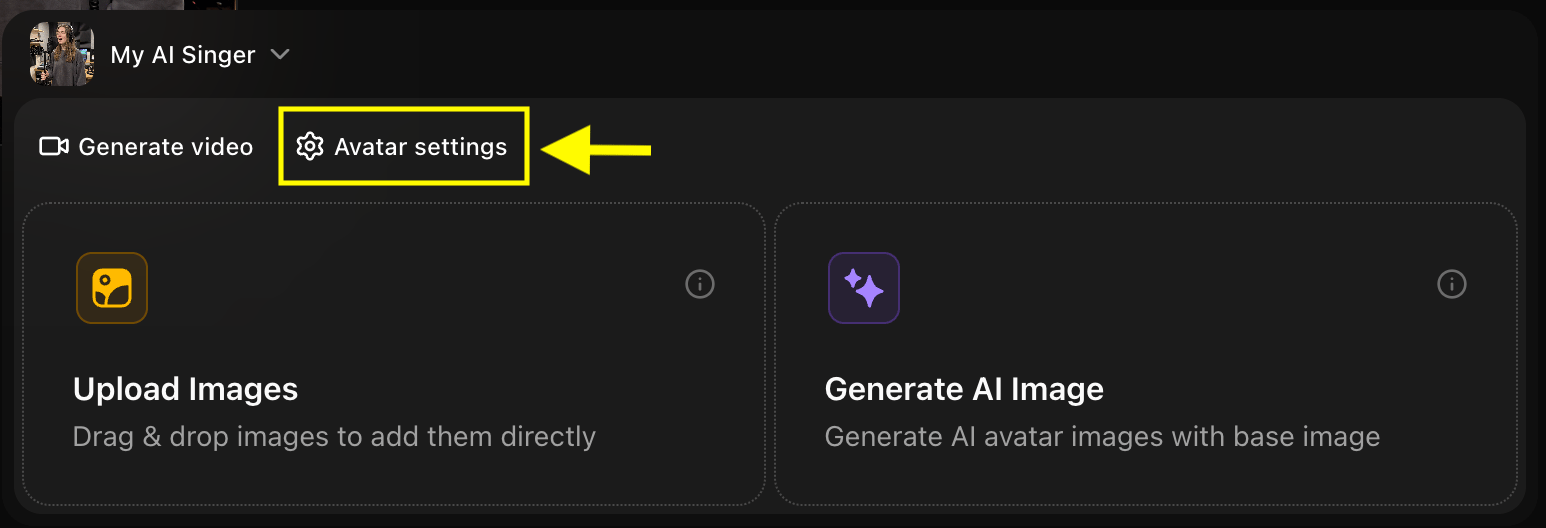
Step 7: Click Generate Video
With your avatar profile ready, click Generate Video to open the video editor and add your singing audio.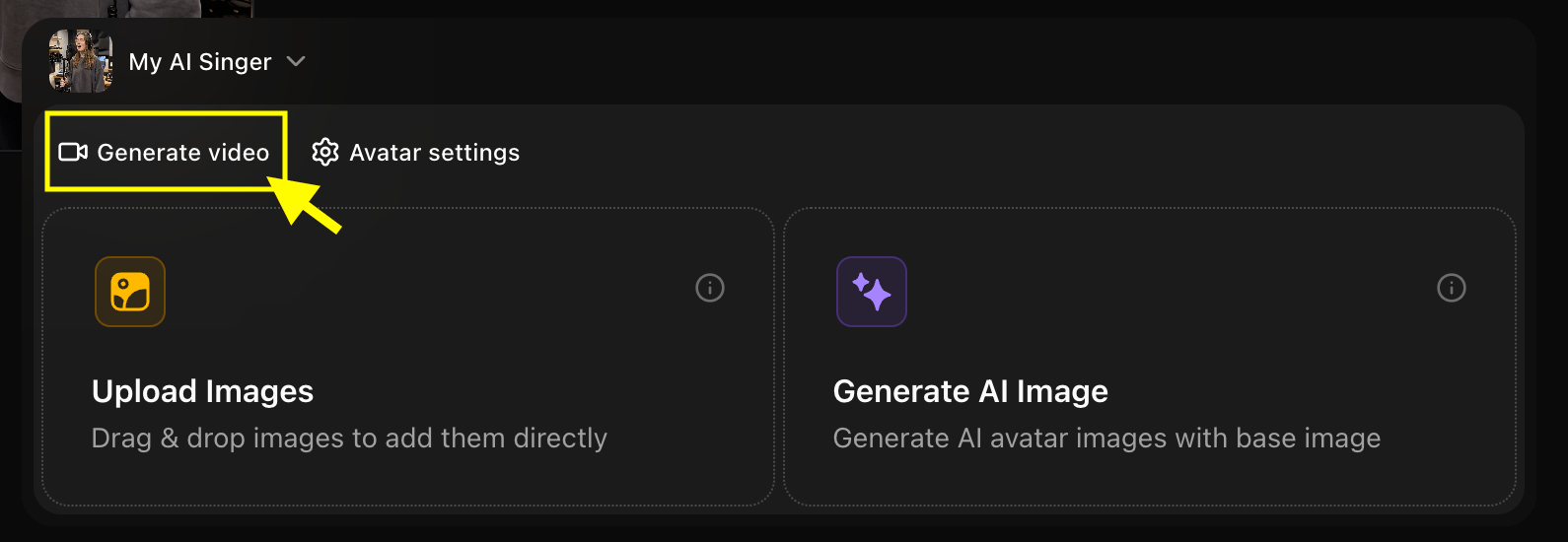
Step 8: Select Generate from Audio
Switch the input mode from Generate from Script to Generate from Audio to create a singing avatar using a sound file. You can either record your voice directly within Zoice or upload a pre-recorded audio file (such as a song or vocal track).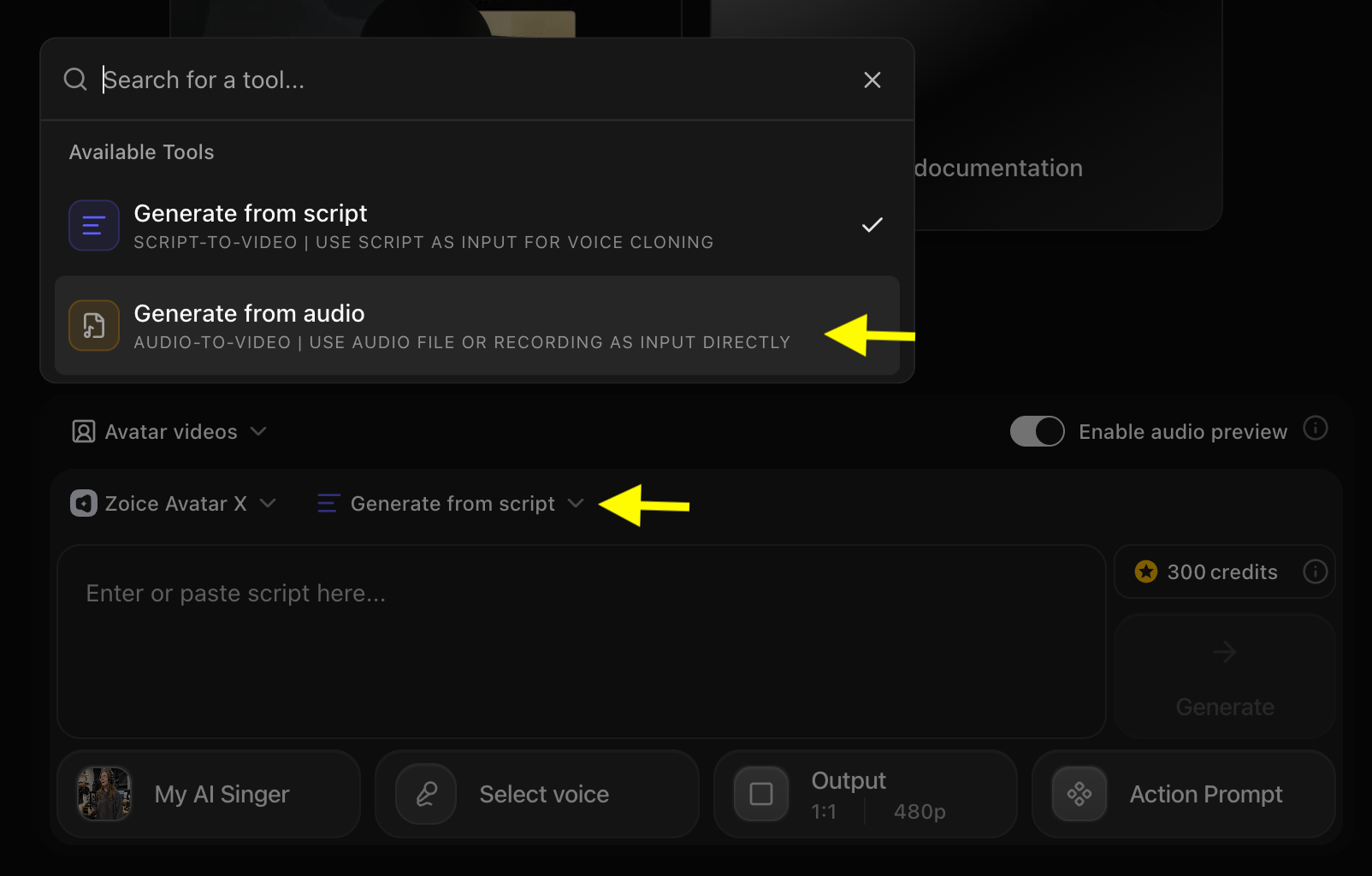
Step 9: Preview Your Uploaded Audio
Once the audio is uploaded, click Preview to listen to the track and confirm that the audio has loaded correctly.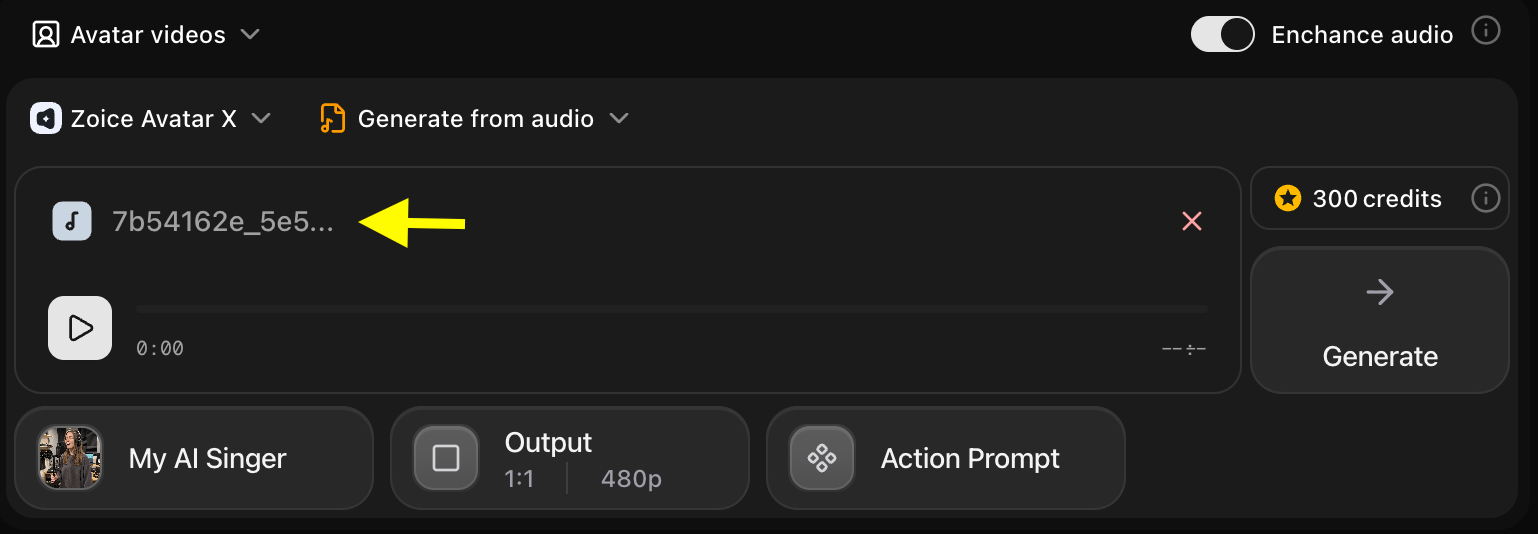
Step 10: Update Output Settings
Configure the output settings to suit your target platform:- Aspect Ratio: Choose the aspect ratio matching your target platform (e.g., 9:16 for portrait/social shorts, 16:9 for landscape/YouTube).
- Resolution: Set the resolution up to 4K for maximum clarity.
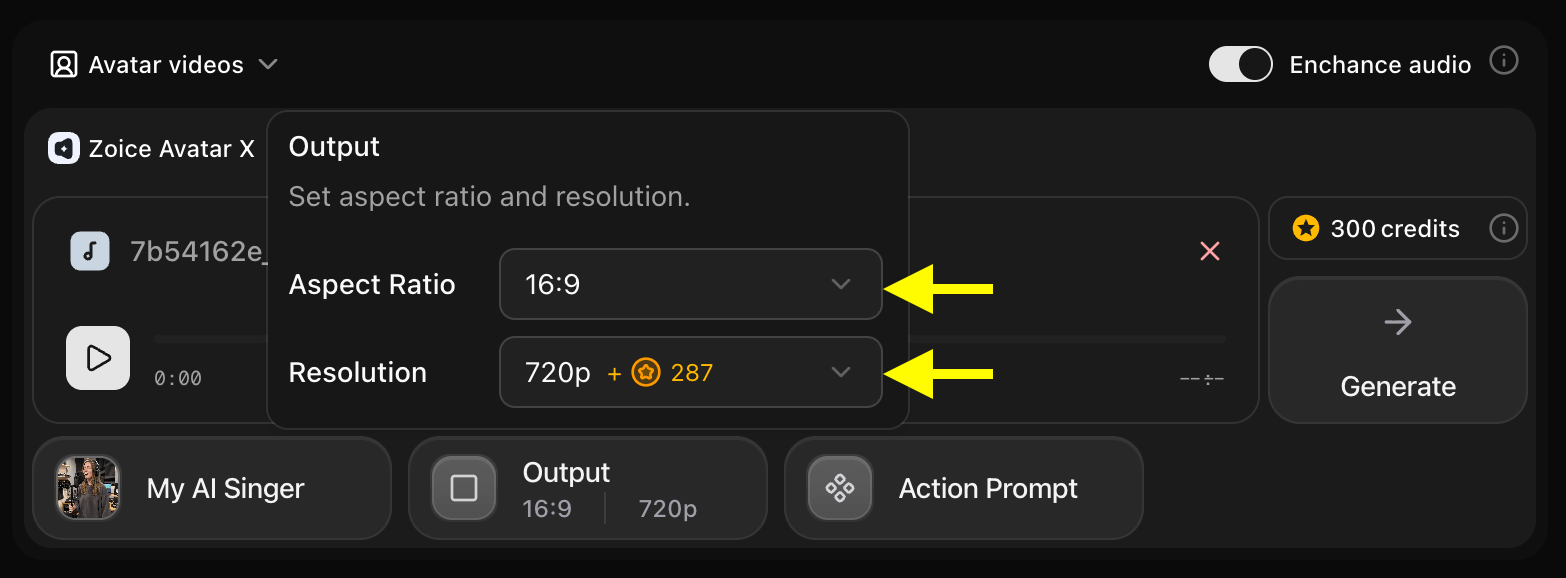
Step 11: Configure the Action Prompt
Click Action Prompt to define the facial expressions and physical gestures of your singing avatar during the video.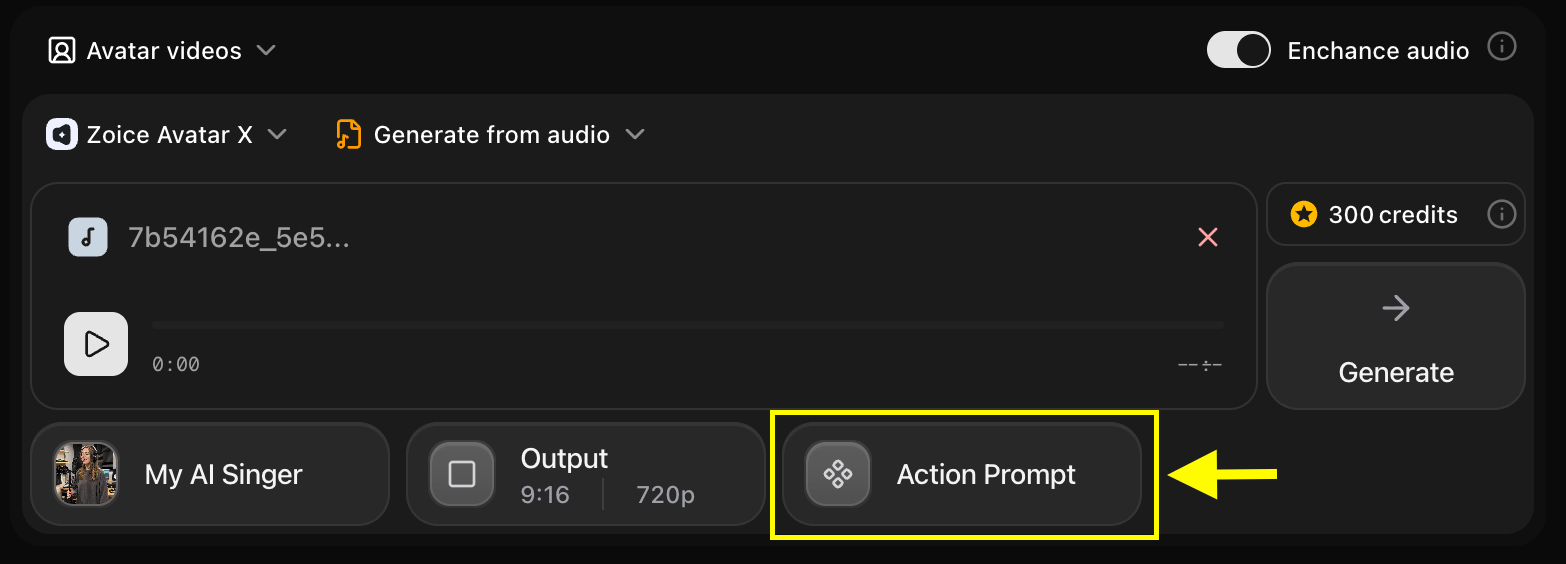
Step 12: Select or Write an Action Prompt
Select one of the suggested action prompts or write a custom prompt to specify your avatar’s expressions (e.g., “smiling and winking while singing with passion”).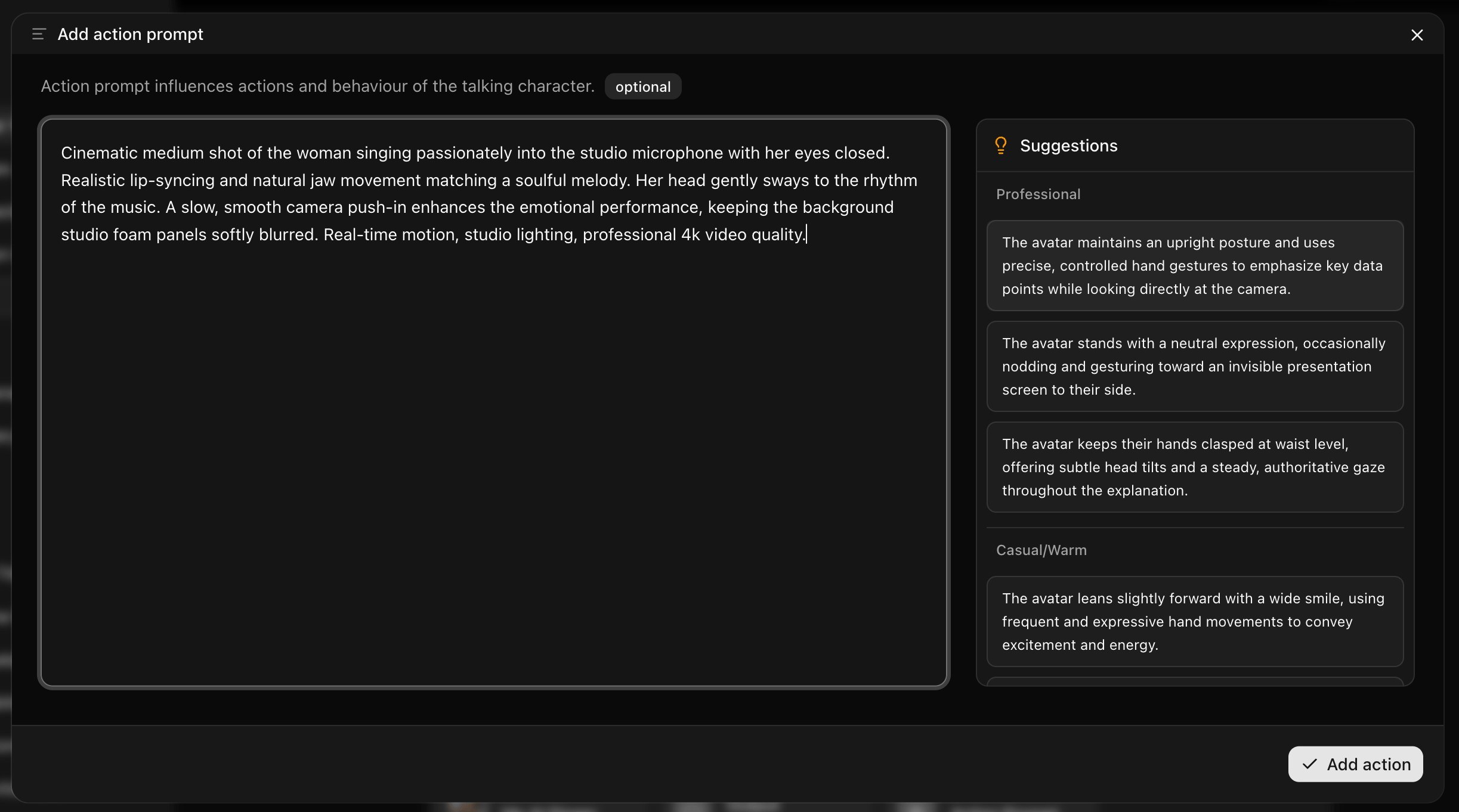
Step 13: Generate Your Singing Avatar Video
Once all settings are configured, click the Generate button to begin the generation process.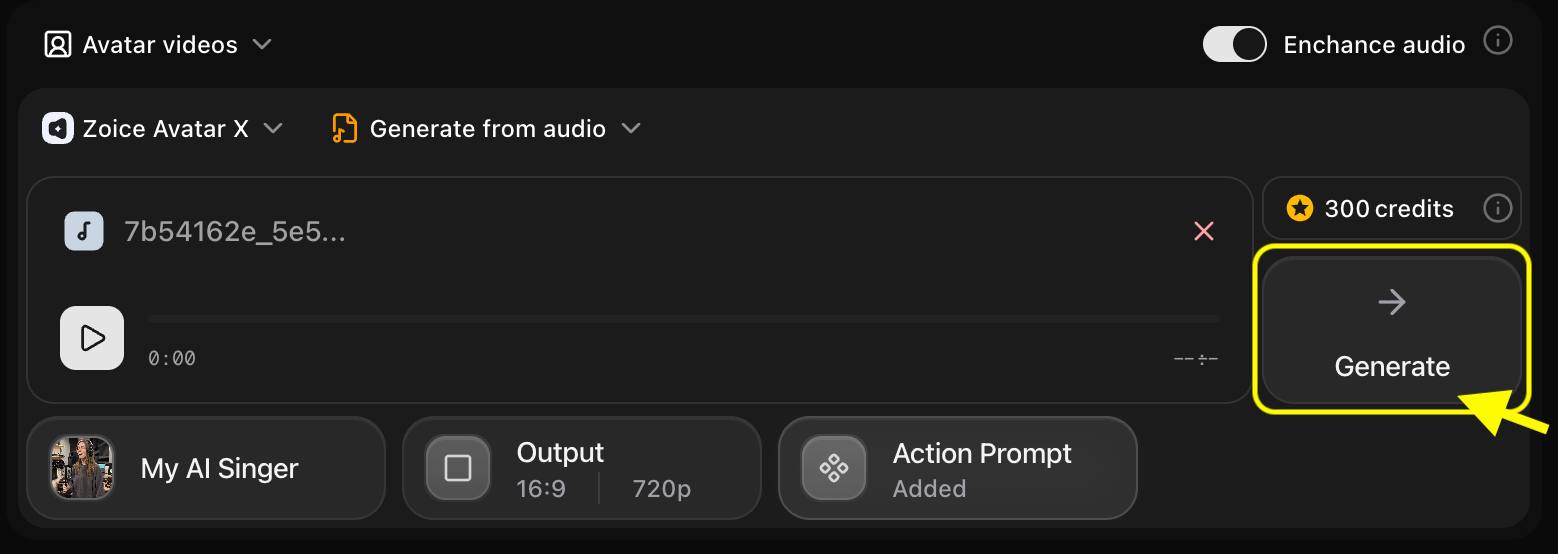
Step 14: Preview the Generated Audio
Before processing the final video, Zoice generates an audio preview. Listen to the preview to verify:- Audio Quality: Ensure there is no noise or distortion.
- Voice Pacing: Verify the rhythm and timing.
- Overall Flow: Confirm it aligns with your expectations.
Step 15: Download Your Singing AI Avatar Video
Once the rendering is complete and you are satisfied with the result, click the Download button to save the video to your device. It is now ready to share or publish.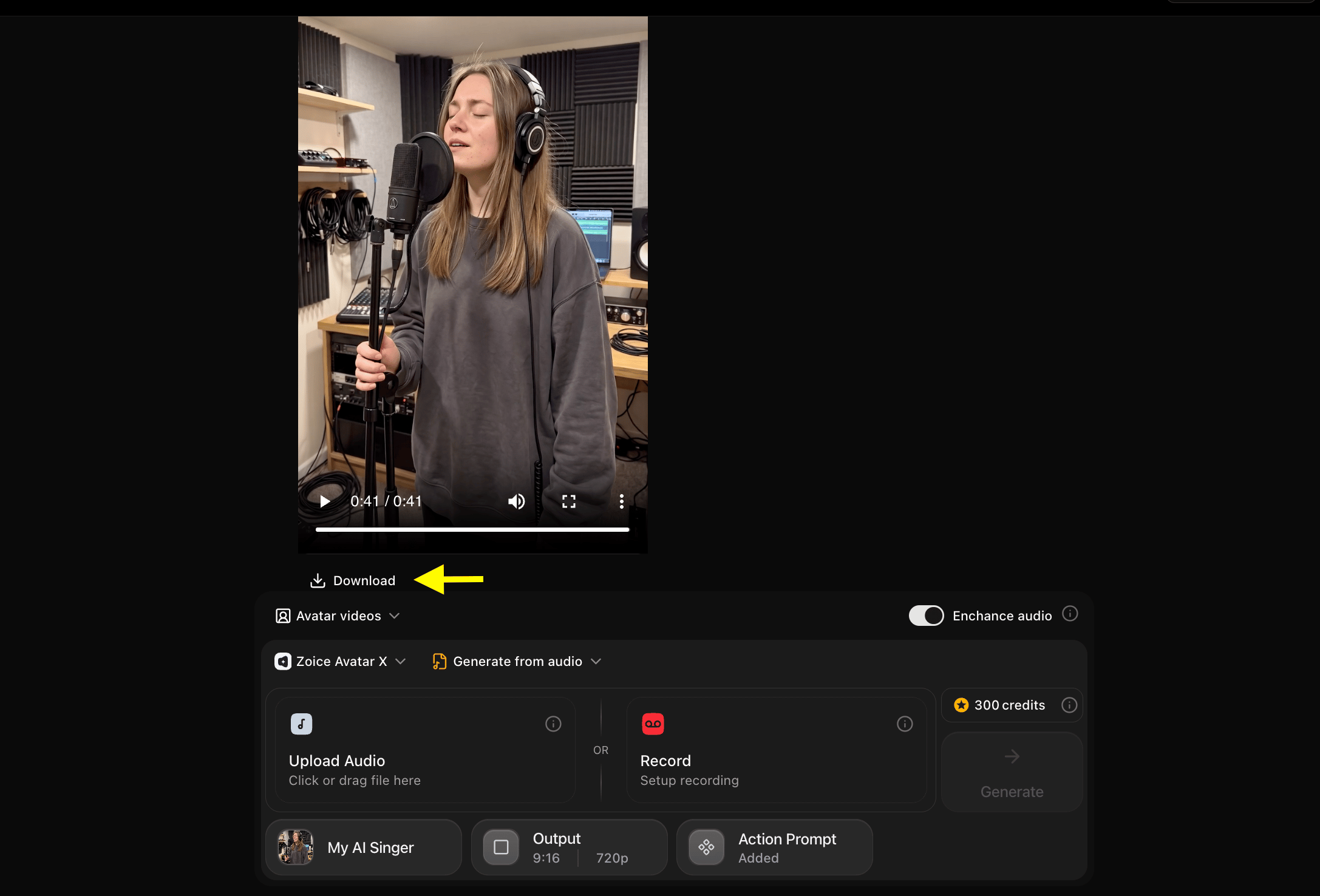
[!NOTE] Adding Background Music: Zoice generates the lip-synced vocal performance video without background music tracks. To add background music or instrumental tracks to your avatar video, open any video editor (such as CapCut, Premiere Pro, or Canva), import your generated Zoice avatar video, and add your music track as an additional audio layer.
Example Input Image, Voice, Action Prompt & Output Video
To help you get started, here is an example of an input voice, action prompt and generated singing AI avatar video.Used Image
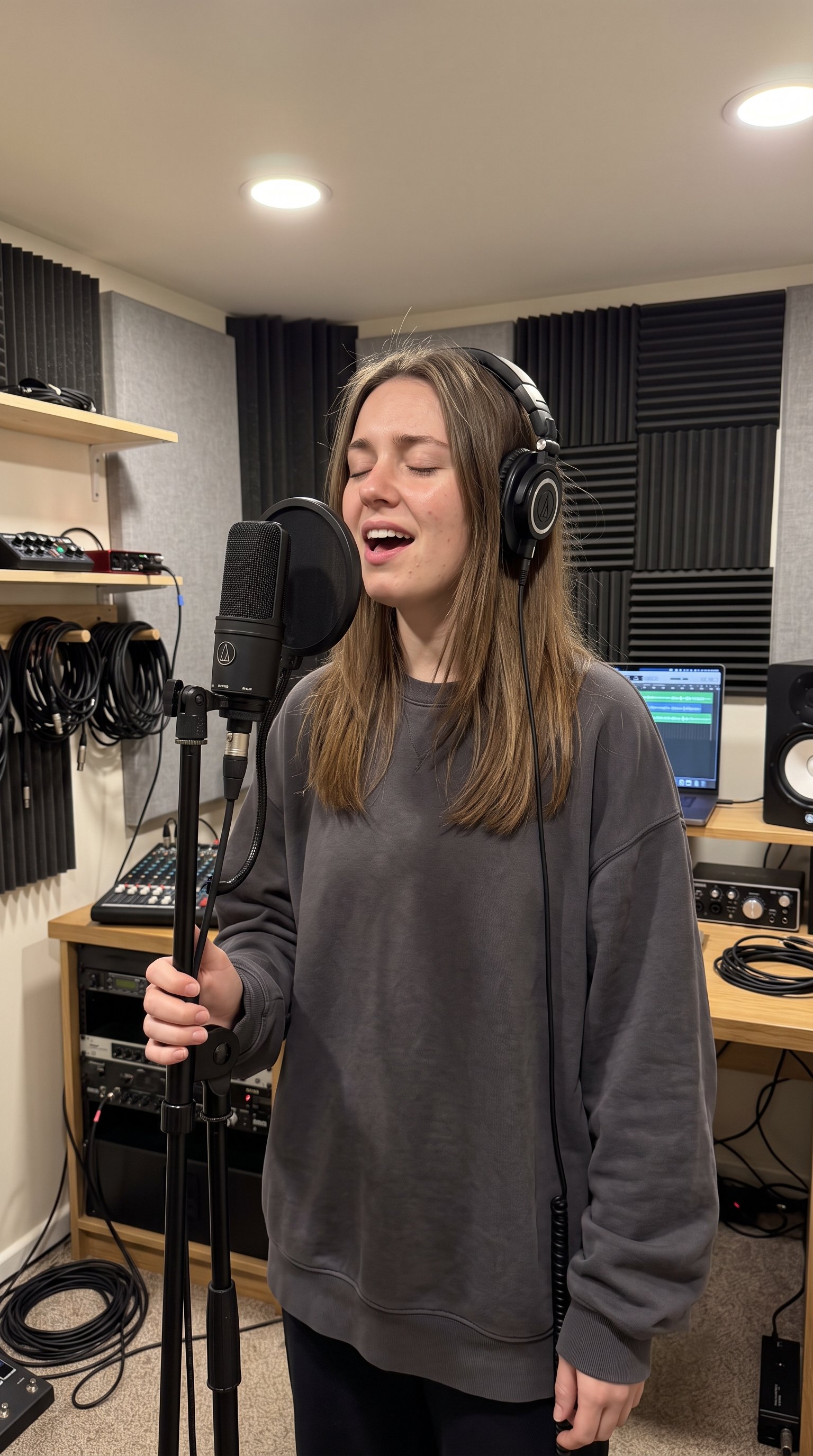
Used Voice
🎵 Click here to listen to the voice sampleUsed Action Prompt
Output Result Video
Below is the rendered singing AI avatar video based on the input script:What AI Singing Avatars Can Be Used For
AI singing avatars are suitable for many personal and professional projects, including:- Music Videos: Animate and visualize your vocal tracks.
- Social Media Content: Create catchy posts for YouTube, Instagram Reels, TikTok, and Facebook.
- Marketing & Branding: Enhance product promotions, brand campaigns, and creative ads.
- Educational Material: Design engaging educational content and animated tutorials.
- Creative Storytelling: Bring digital stories and presentations to life.
- Personal Branding: Stand out with unique digital content.
Where AI Singing Avatar Videos Are Used
Singing AI avatar videos are widely used across different industries to create engaging and interactive visual content:- Music Industry: Independent artists and labels use avatars to release visualizers and lyric videos.
- Digital Marketing & Advertising: Agencies leverage interactive avatars to capture audience attention.
- Social Media & Influencer Marketing: Creators use singing characters to increase engagement and trend on viral sounds.
- E-Learning & Education: Platforms use animated tutors to deliver educational melodies and presentations.
- Corporate & Events: Companies use avatars for creative presentations and event promotions.
Final Words
Creating a singing AI avatar video with Zoice is a fast, intuitive, and highly efficient process. By following this guide from creating your custom avatar to uploading your track, fine tuning your settings, and generating the outputyou can produce high-quality, realistic singing videos in minutes. Whether you are looking to boost engagement on social media, run a creative marketing campaign, or experiment with digital music videos, Zoice provides the tools to generate professional grade AI avatar animations with flawless lip-syncing and expressive facial movements.Next Steps
Voice Cloning Guide
Learn how to clone your own voice for personalized singing.
Video Generator
Explore text-to-video features for secondary clips.