

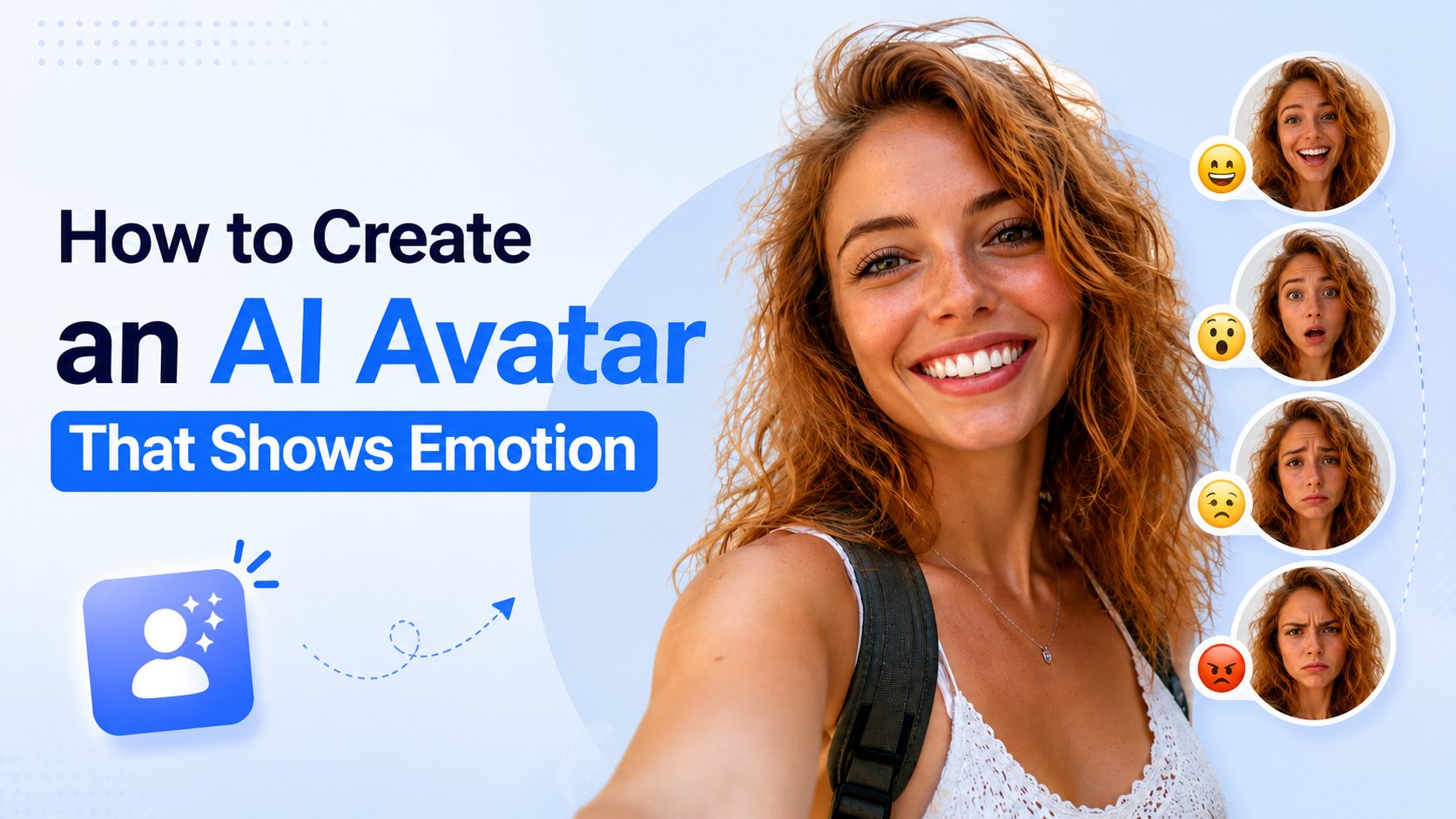
What is an Emotional AI Avatar?
An emotional AI avatar is a digital character capable of conveying realistic human emotions through synchronized facial expressions, eyebrow movements, head gestures, and vocal inflections. Instead of delivering scripts with a static face, an emotional avatar reacts dynamically to the sentiment of the spoken text or voice track. Key capabilities of emotional AI avatars include:- Facial Micro-Expressions: Natural smiling, winking, eyebrow shifts, and eye contact.
- Emotion-Aware Action Prompts: Custom text prompts that direct the avatar’s mood and gestures (e.g., warmly smiling with an empathetic nod).
- Vocal Emotion Sync: Matching lip-syncing and facial timing to expressive, emotional AI voices.
- Dynamic Head Motion: Realistic sways, tilts, and head movements that reinforce the conveyed emotion.
How to Create an AI Avatar That Shows Emotion Using Zoice
Creating an expressive AI avatar with Zoice takes only a few minutes. Follow the step-by-step guide below to generate your avatar video.Step 1: Visit Zoice.com and Click Sign In
Go to Zoice.com in your web browser. Click the Sign In button in the top-right corner of the homepage to access your dashboard.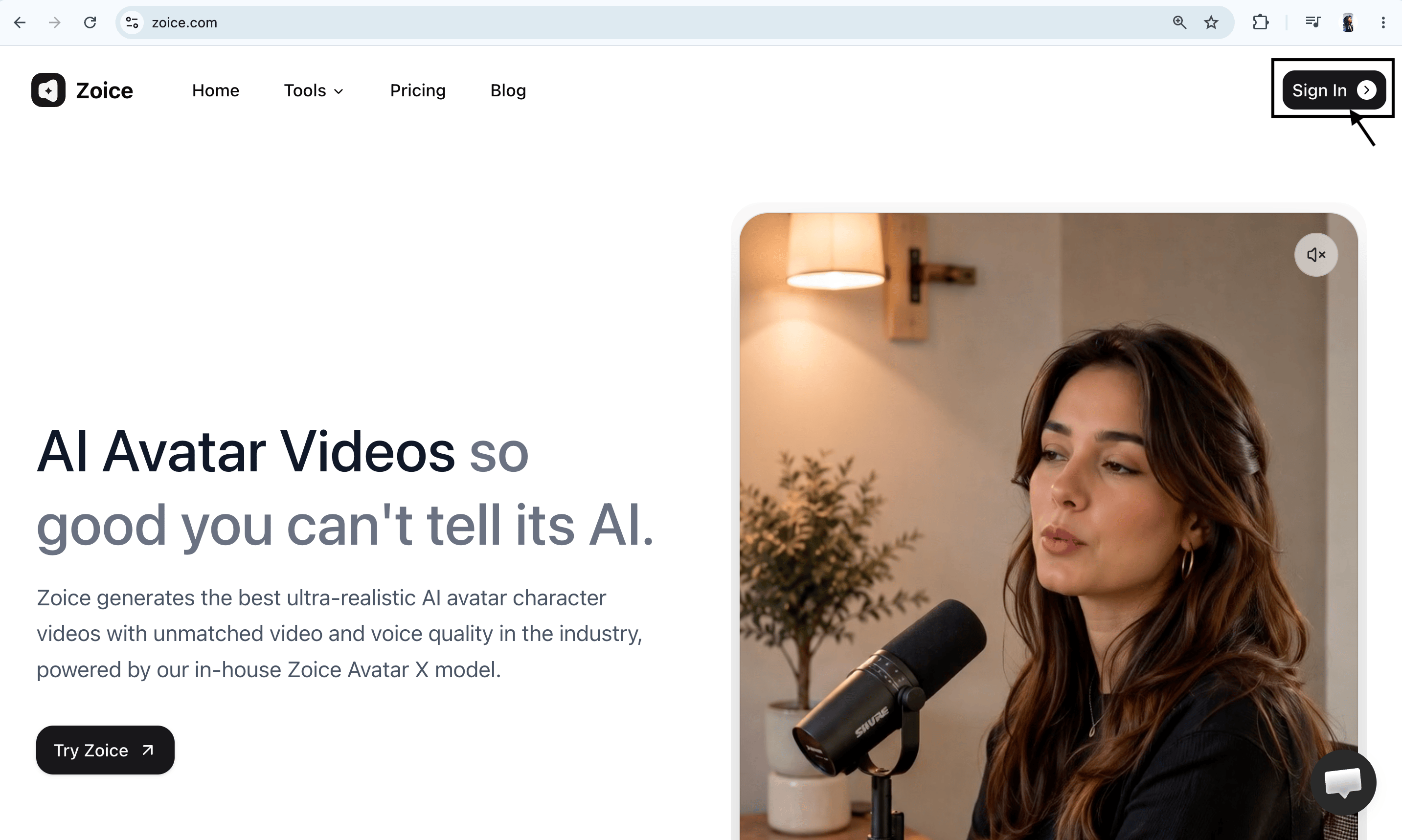
Step 2: Create a New Zoice Account (For New Users)
If you do not have a Zoice account yet, click Sign Up on the login page.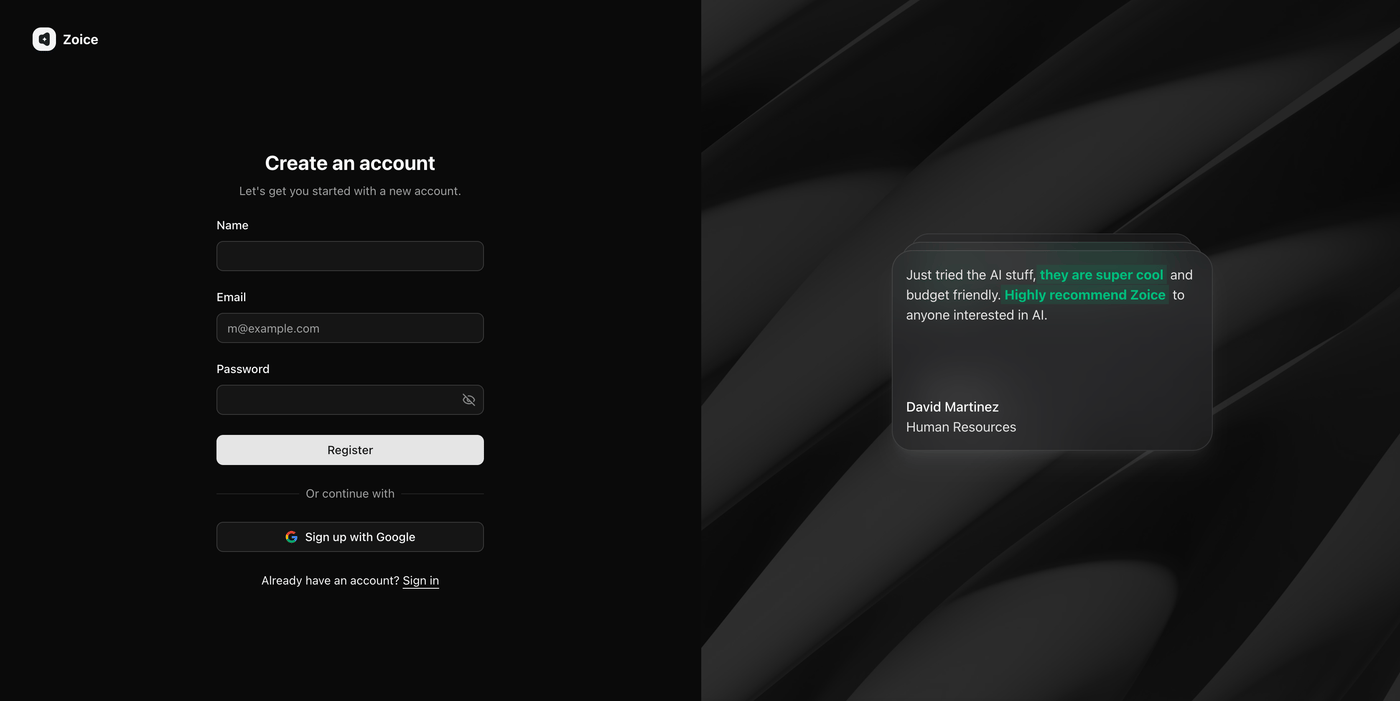
Step 3: Sign In to Your Zoice Account
Log in using your registered credentials or Google account to open the main Zoice creation dashboard.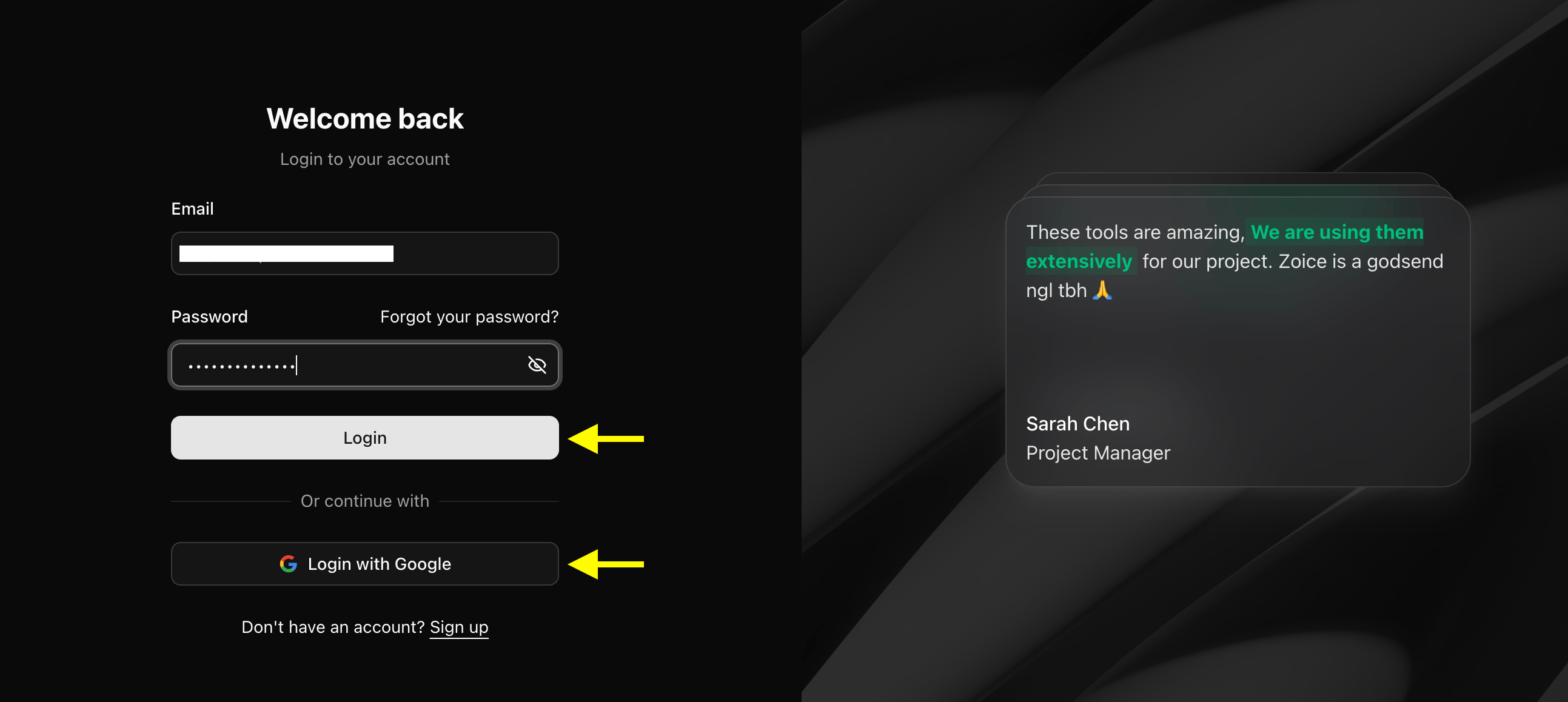
Step 4: Navigate to Avatar Characters
From the left navigation sidebar under the Manage section, click Avatar Characters.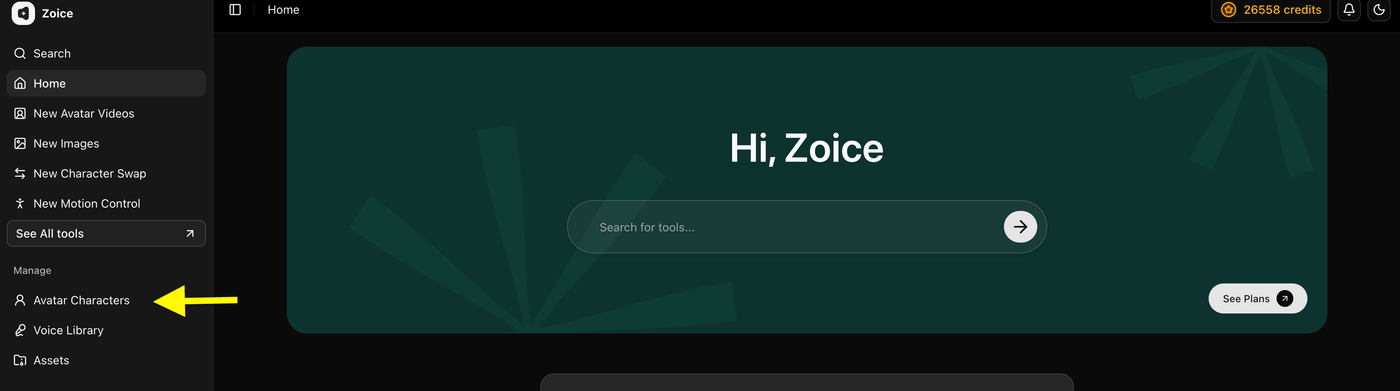
Step 5: Click Create New Avatar
Click the Create New button to open the avatar setup tool.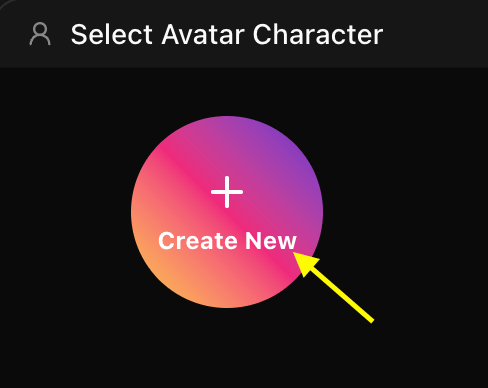
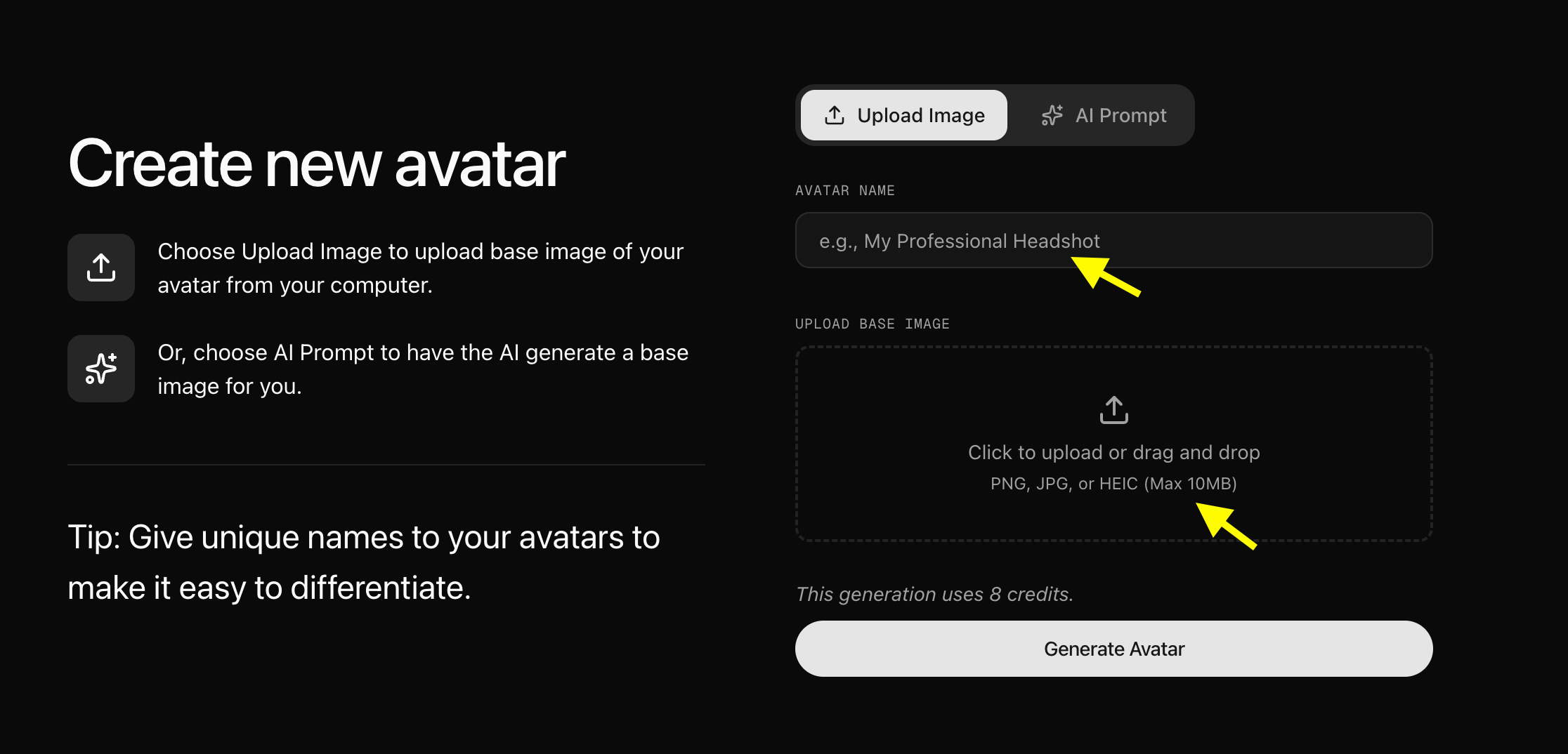
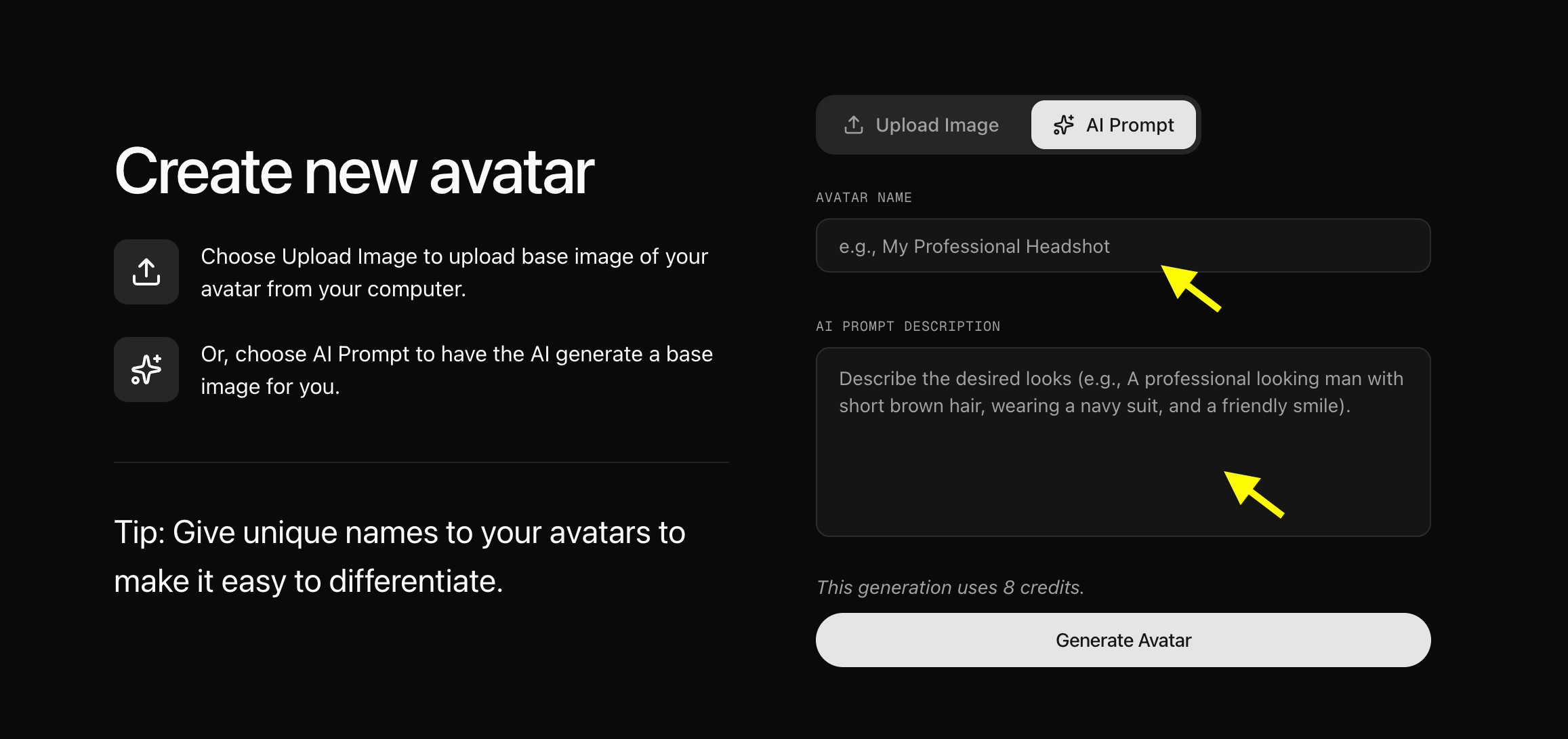
Step 6: Upload or Generate Your Avatar Image
Choose how you want to create your emotional avatar:- Upload Image: Upload a high-resolution, forward-facing photo from your computer.
- AI Prompt: Toggle the AI Prompt tab and enter a text prompt to generate a character (e.g., “A friendly male instructor with a warm expression, modern background”).
- Use clear lighting and a front-facing face angle.
- Select images with neutral or subtle facial expressions so the AI can animate diverse emotions smoothly.
- Avoid low-resolution or heavily shadowed portraits.
Step 7: Configure Avatar Profile Settings
Click Avatar Setting to specify basic details such as Name, Gender, Age, and Ethnicity. Setting accurate profile attributes helps Zoice tailor facial geometry and micro-animations for realistic emotional delivery.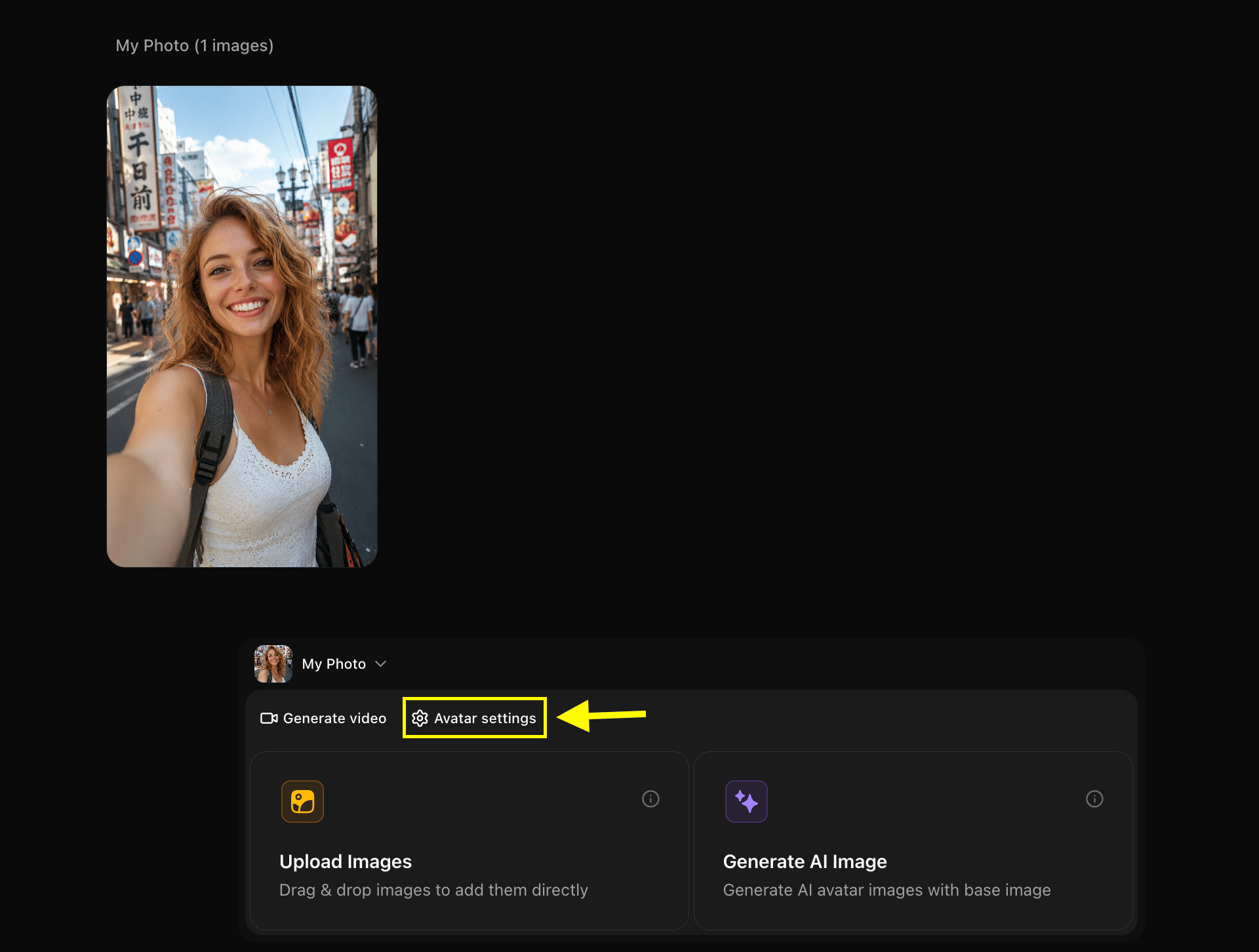
Step 8: Click Generate Video
With your avatar saved in your library, select your character and click Generate Video to open the video editor and prompt customization suite.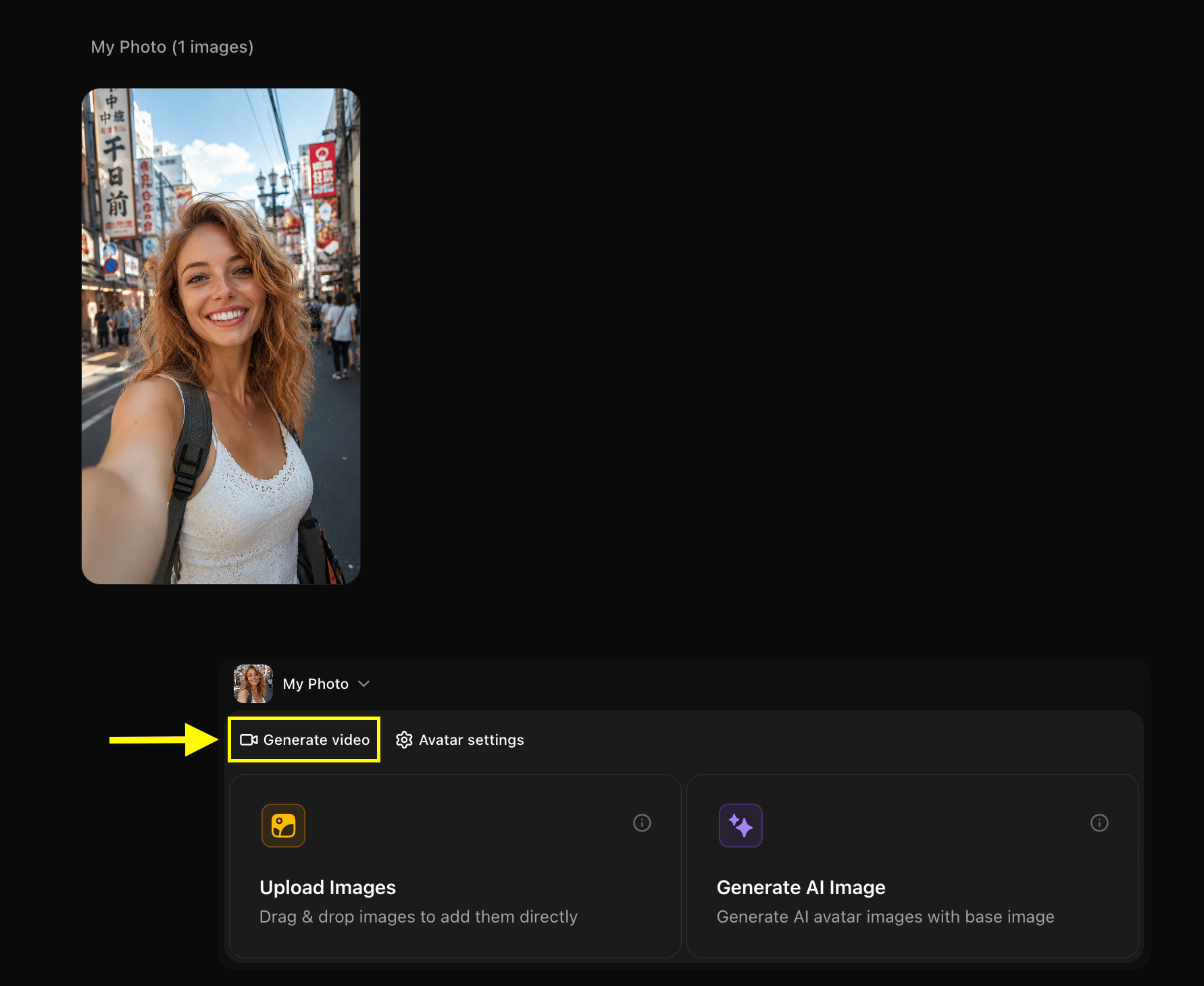
Step 9: Add Script or Audio Content
Enter your script in the script editor box or switch to Generate from Audio if you have a pre-recorded emotional voiceover.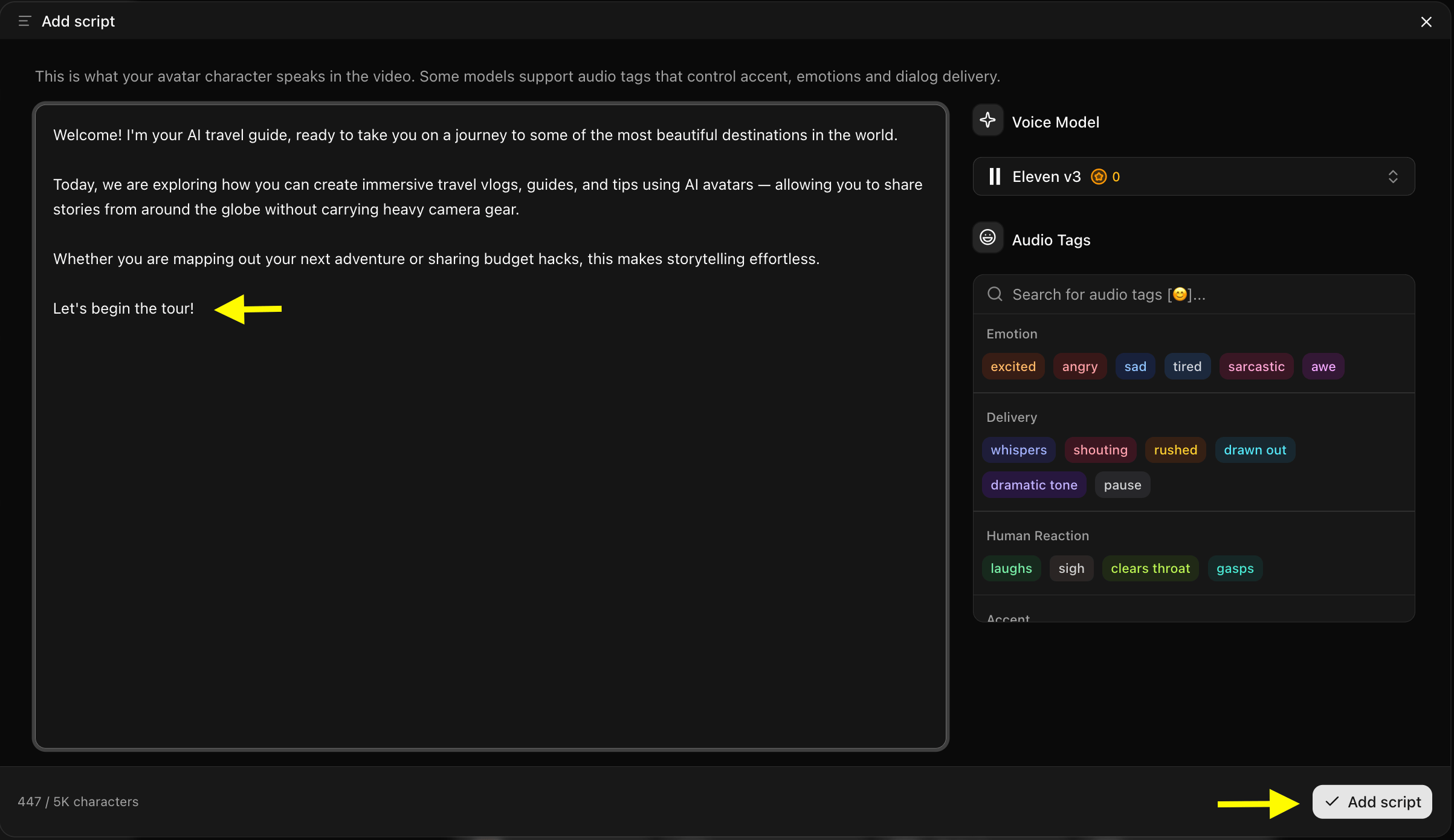
Step 10: Select an Expressive AI Voice
Click Select Voice to choose a voice actor from Zoice’s library. Filter by language, gender, and emotion/style (such as Warm, Energetic, Professional, or Empathetic) to ensure the vocal tone matches your avatar’s desired facial expression.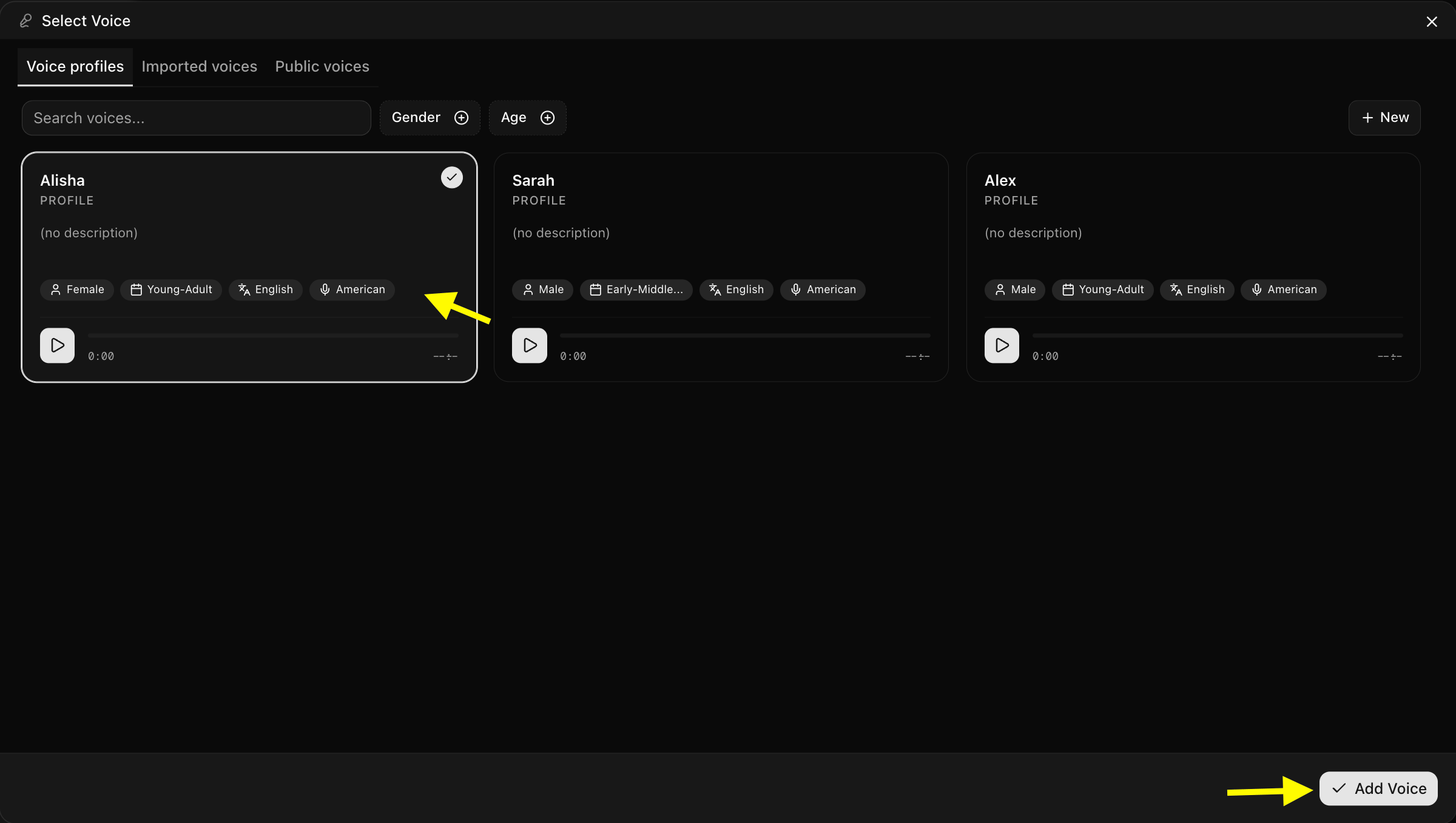
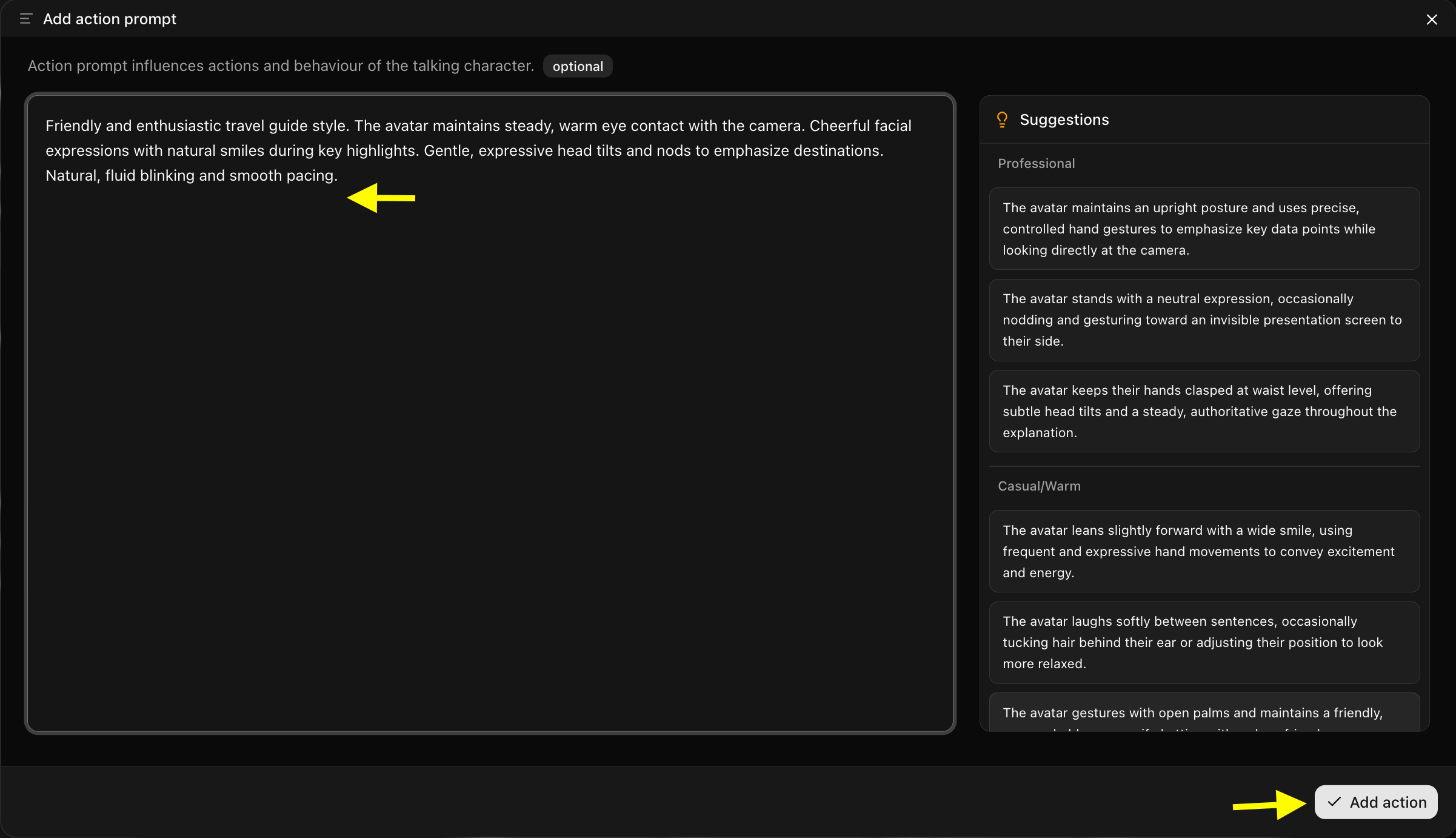
Step 11: Configure Action Prompt for Emotion Control
Click Action Prompt to specify the exact emotional behaviors and facial expressions your avatar should exhibit during performance.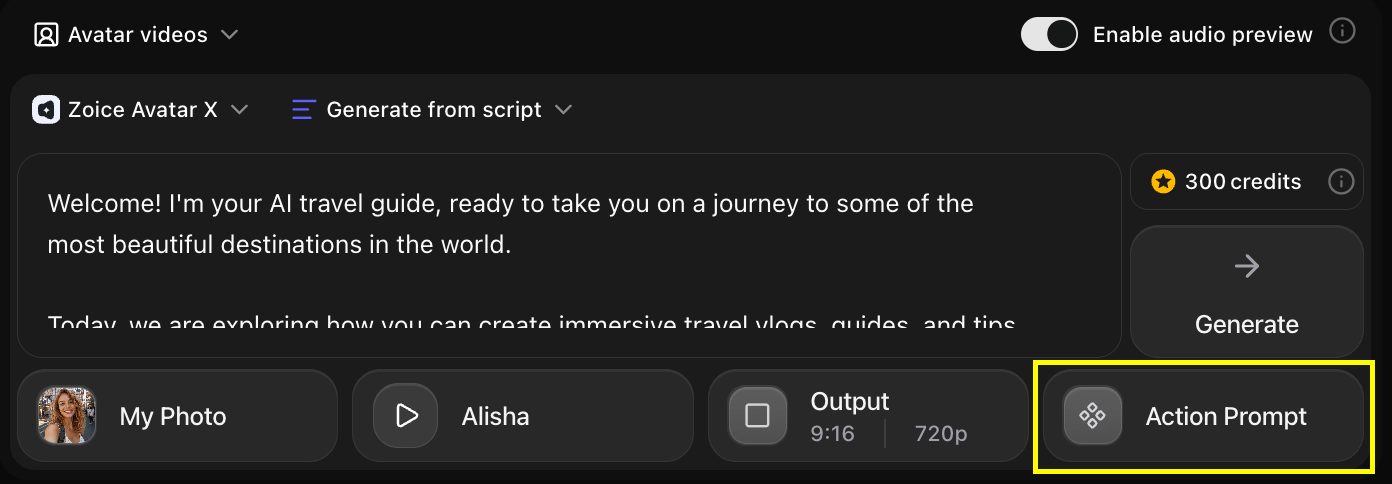
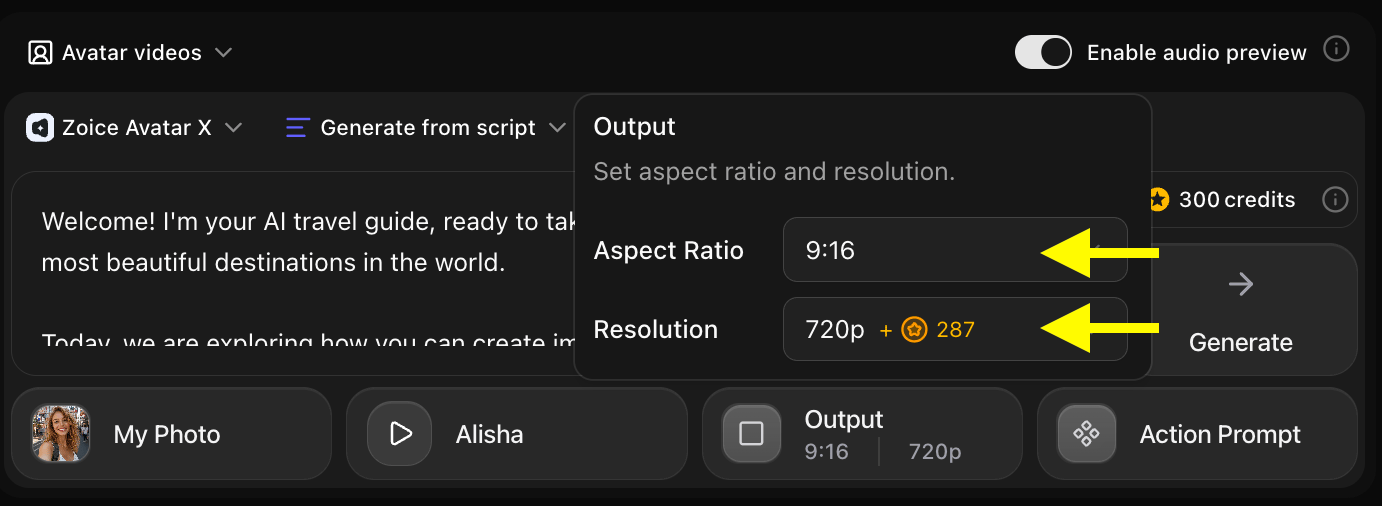
Step 12: Configure Output Settings
Set the target output options according to your destination platform:- Aspect Ratio: Select 9:16 for TikTok, Instagram Reels, and Shorts, or 16:9 for YouTube videos and presentations.
- Resolution: Choose 1080p or 4K for crisp visual fidelity.
Step 13: Preview Generated Audio & Facial Timing
Click Preview to listen to the voice synthesis and verify the emotion, pitch, and pacing before rendering the full video clip.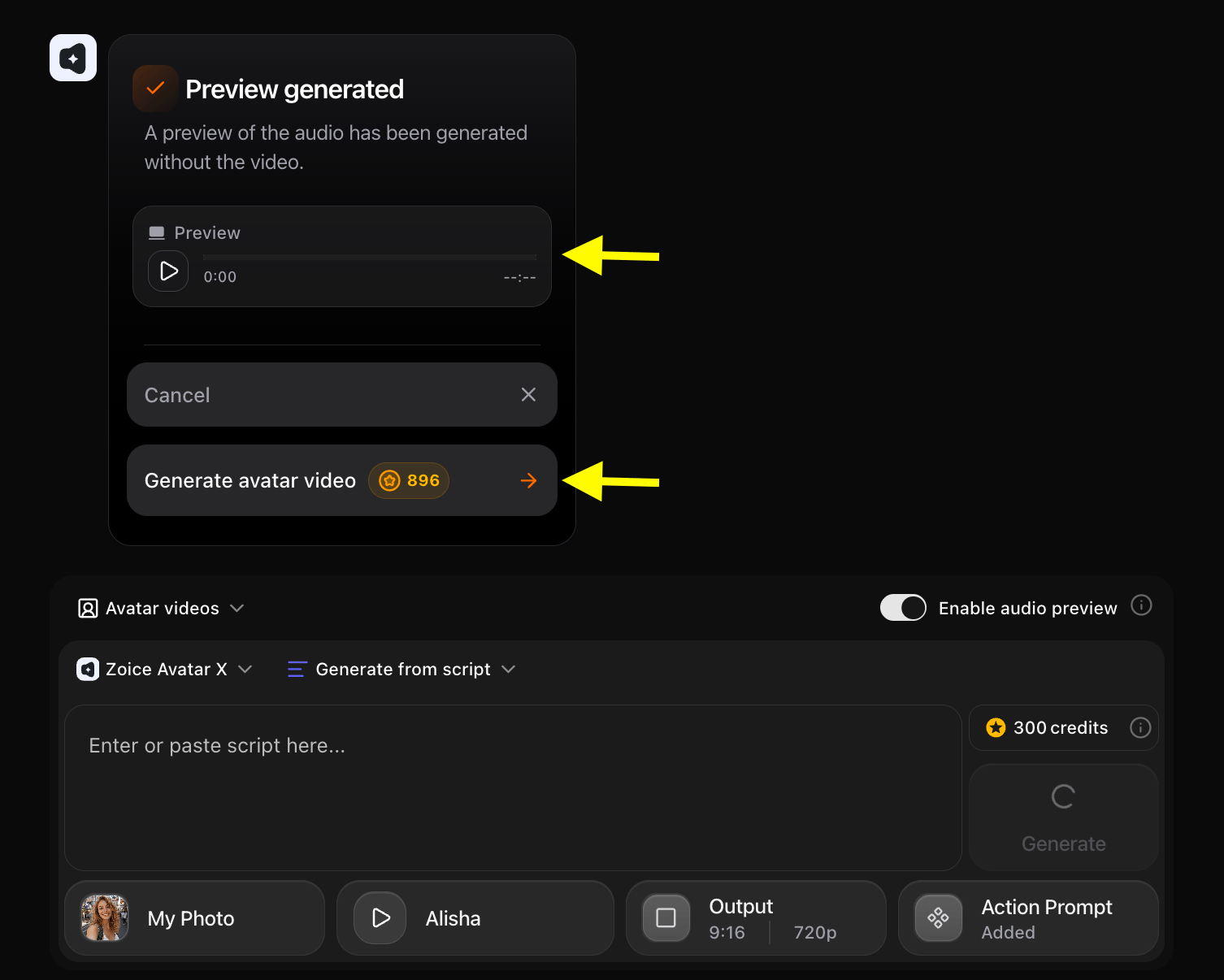
Step 14: Generate Your Emotional AI Avatar Video
Click Generate to begin the video rendering process. Zoice will synthesize the emotional voice track, lip-sync timing, and action-prompt facial expressions into a seamless video.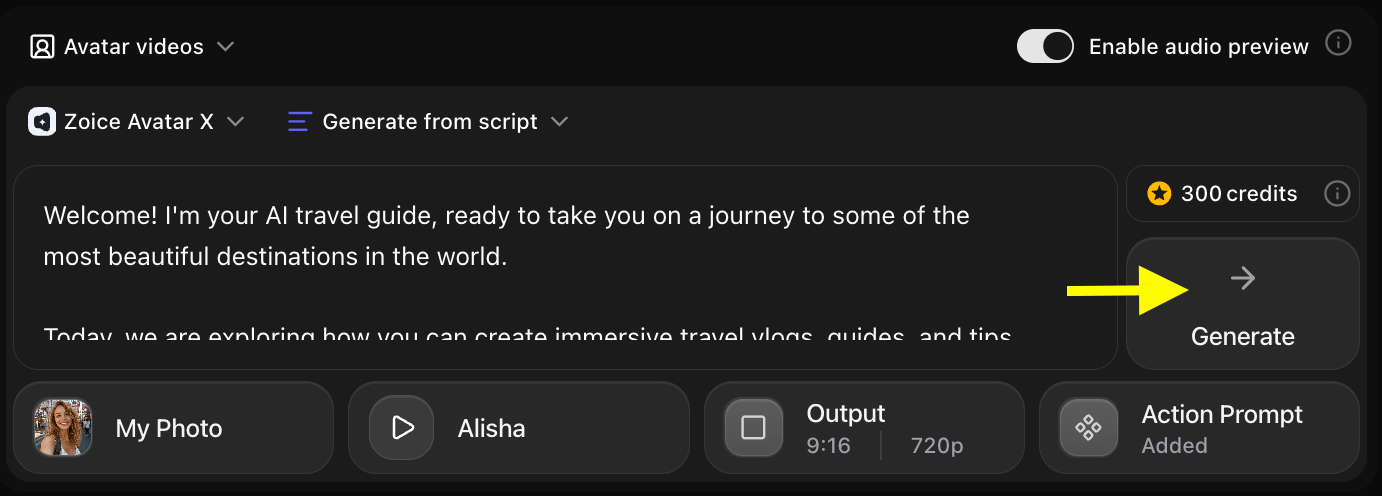
Step 15: Download & Share Your Video
Once generation is complete, preview the final video in the player and click Download to save the file to your computer.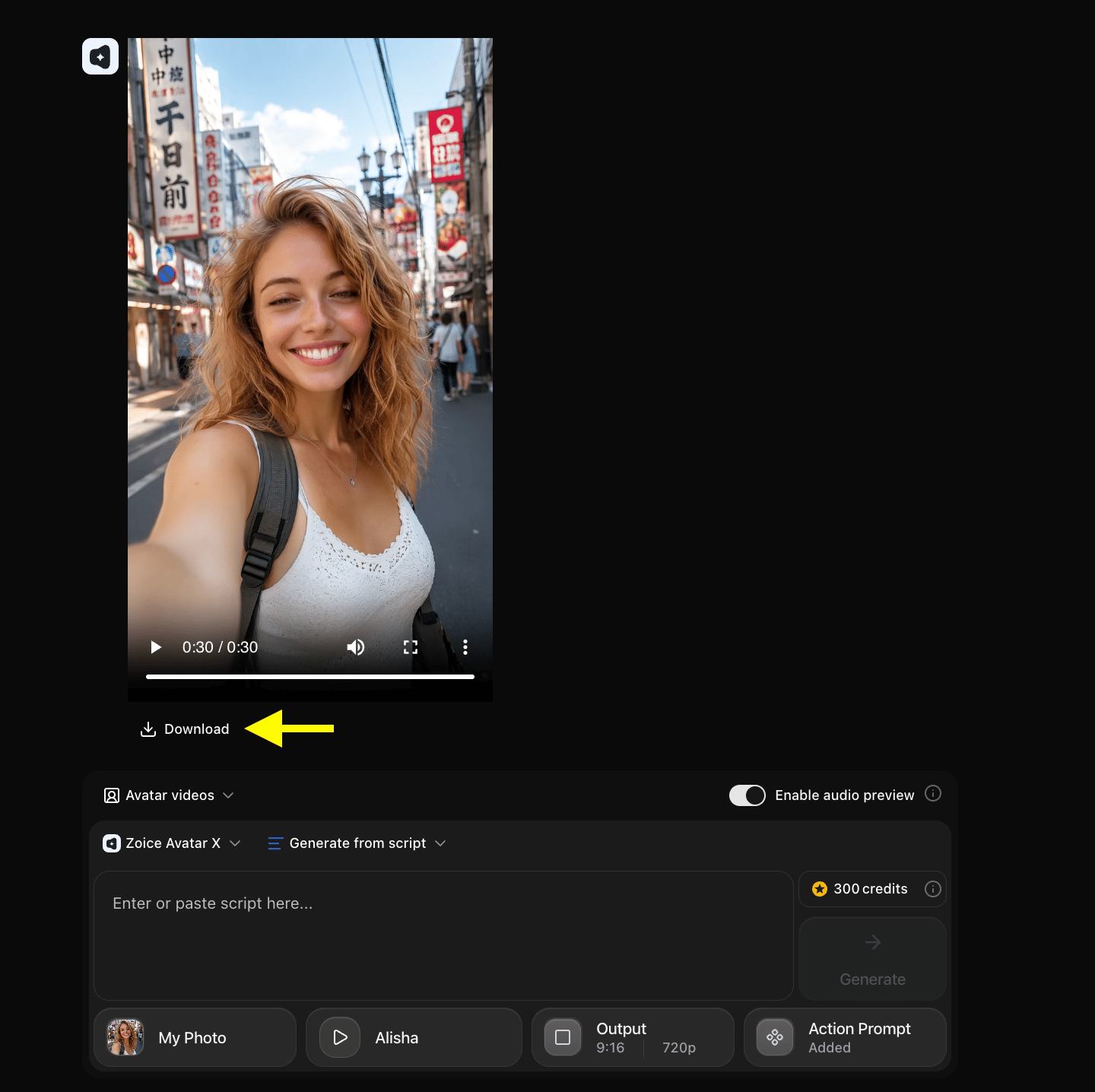
Example Input Image, Script, Action Prompt & Output Video
To help you get started, here is an example of an input image, script, action prompt, and generated emotional AI avatar video.Used Image

Used Script
Used Action Prompt
Output Result Video
Below is the rendered emotional AI avatar video based on the input script and action prompt:Sample Scripts & Action Prompts for Specific Emotions
Pairing the right script wording with a matching Action Prompt creates believable emotional delivery. Below are tested scripts and action prompts for popular emotional styles:1. Warm & Empathetic (Healthcare & Customer Support)
Sample Script:“Presenter speaking with a compassionate expression, gentle supportive smile, soft eye contact, subtle head nods, and calm posture. Natural lip movement and smooth, empathetic delivery.”
2. Energetic & Enthusiastic (Product Launches & Social Media)
Sample Script:“Dynamic host speaking with high energy, wide joyful smile, raised eyebrows, animated head movements, and vibrant facial expressions. Bright studio lighting, 4K quality.”
3. Confident & Authoritative (Corporate & Financial Education)
Sample Script:“Professional speaker maintaining a composed and confident demeanor, steady eye contact, subtle authoritative nods, slight confident smile, and crisp lip-sync accuracy.”
4. Inquisitive & Encouraging (E-Learning & Tutorials)
Sample Script:“Expressive instructor speaking with an inquisitive and friendly demeanor, raised eyebrows, engaged eyes, slight head tilts, and warm smiling facial reactions.”
Where Emotional AI Avatar Videos Are Used
Using emotional AI avatars provides significant value across multiple domains:- E-Learning & Online Courses: Increase learner retention and engagement through warm, encouraging virtual tutors.
- Healthcare & Patient Guidance: Deliver health tips and procedural instructions with a comforting, empathetic demeanor.
- Marketing & Ad Campaigns: Hook social media viewers on TikTok, Instagram, and YouTube with expressive, human-like personalities.
- Customer Support & Onboarding: Build trust with customers using friendly, approachable digital representatives.
- Storytelling & Entertainment: Bring fictional stories, animated characters, and digital avatars to life with nuanced emotions.
Best Practices for Creating Expressive AI Avatars
- Match Voice Tone with Action Prompts: Ensure the selected AI voice’s vocal style matches the emotion described in your Action Prompt.
- Use High-Resolution Portraits: Start with clear, well-lit portrait photos to allow AI facial points to morph naturally.
- Keep Prompts Specific: Detail specific facial cues like “reassuring smile”, “raised eyebrows”, or “gentle head nod” rather than generic terms like “look happy”.
- Review Audio Previews: Verify speech cadence and emotion before generating the final video render.
Final Words
Creating an AI avatar that shows emotion with Zoice transforms static images into dynamic, expressive storytellers. By combining flexible image uploads, emotion-matched AI voices, and fine-grained Action Prompts, you can produce captivating videos that resonate with your audience emotionally. Whether you are building online courses, producing promotional content, or launching an AI presenter, Zoice gives you all the tools needed to bring digital characters to life in minutes.Next Steps
Photo Avatars Guide
Learn how to create realistic photo avatars from any image.
Voice Generator Guide
Explore text-to-voice generation to create natural AI voiceovers.