

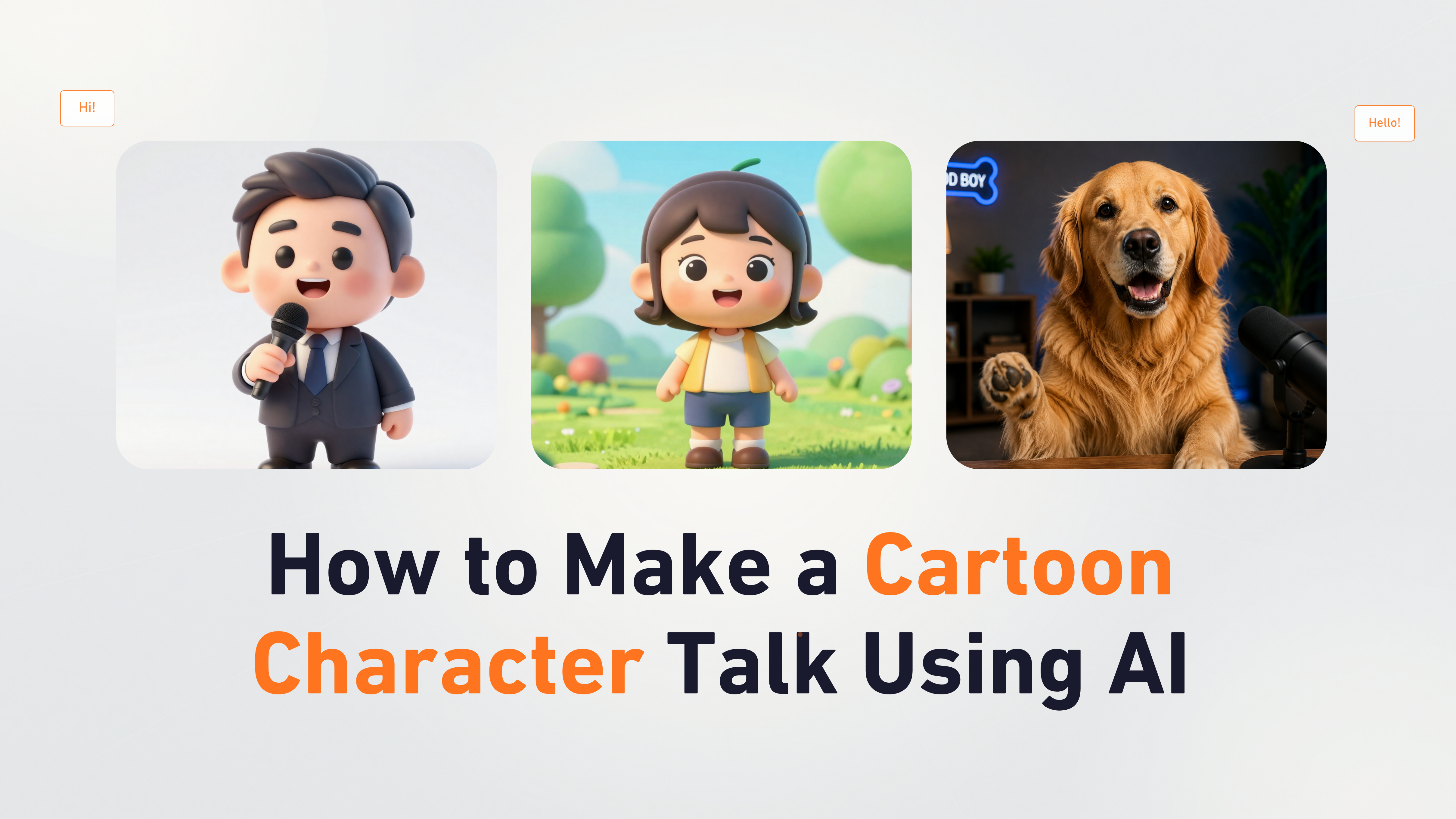
 A talking cartoon character video lets you bring any illustrated or animated character to life using artificial intelligence. You no longer need complex animation software or expensive studios to create engaging cartoon videos.
With Zoice, you can upload a cartoon character image, create an AI avatar, add a script or voice, and generate a realistic talking video with accurate lip synchronization and expressive facial animations.
Whether you are an educator, content creator, marketer, or storyteller, AI cartoon avatars make it easy to produce unique videos for YouTube, social media, educational content, and entertainment.
In this article, you will learn how to make a cartoon character talk using AI with Zoice by following a complete step by step process.
A talking cartoon character video lets you bring any illustrated or animated character to life using artificial intelligence. You no longer need complex animation software or expensive studios to create engaging cartoon videos.
With Zoice, you can upload a cartoon character image, create an AI avatar, add a script or voice, and generate a realistic talking video with accurate lip synchronization and expressive facial animations.
Whether you are an educator, content creator, marketer, or storyteller, AI cartoon avatars make it easy to produce unique videos for YouTube, social media, educational content, and entertainment.
In this article, you will learn how to make a cartoon character talk using AI with Zoice by following a complete step by step process.
What is a Talking Cartoon Character AI Avatar?
A talking cartoon character AI avatar is a digital animated character that speaks and moves using artificial intelligence. Instead of manually animating a character frame by frame, AI analyzes your uploaded cartoon image and generates realistic lip movements, facial expressions, and head motions synchronized with your script or audio. Talking cartoon avatars are widely used for:- YouTube animations and educational content
- Brand mascot videos
- Children’s storytelling
- Social media entertainment
- Marketing campaigns
- Online courses
How to Make Cartoon Character Talk Using AI
Creating a talking cartoon character video with Zoice only takes a few minutes. First, create or choose an AI avatar using your cartoon image, add your script or audio, customize the output settings, and generate your video. Follow the detailed steps below.Step 1: Visit Zoice and Click Sign In
Go to the Zoice website and click the Sign In button at the top-right corner of the homepage. This will open the login page where you can access your Zoice account.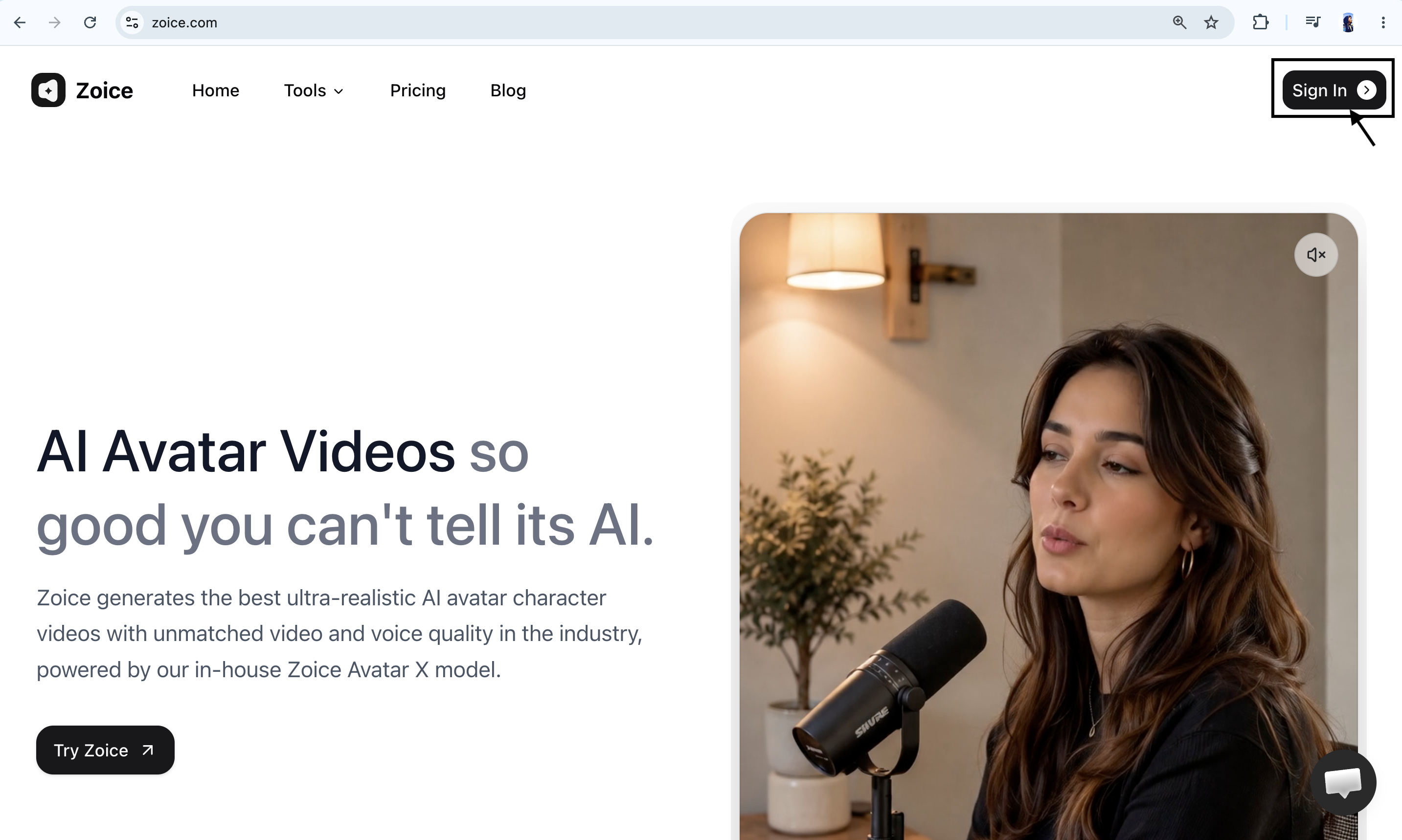
Step 2: Create a New Zoice Account
If you are using Zoice for the first time, click Sign Up to create a new account.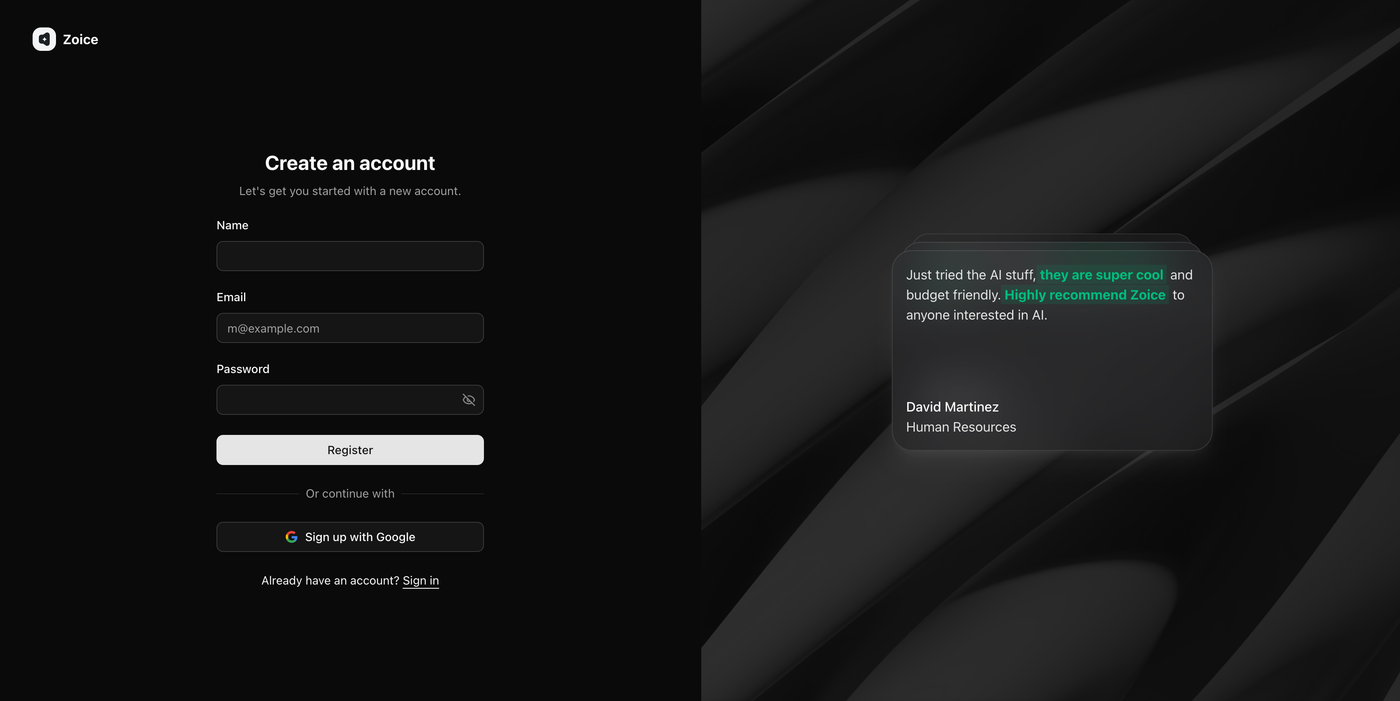 Enter the required details:
- Name
- Email address
- Password
Step 3: Sign In to Your Zoice Account
After creating your account, return to the sign-in page and log in using your registered email and password. You can also choose Sign in with Google if your account is connected with Google. Once signed in, you will be redirected to the Zoice dashboard.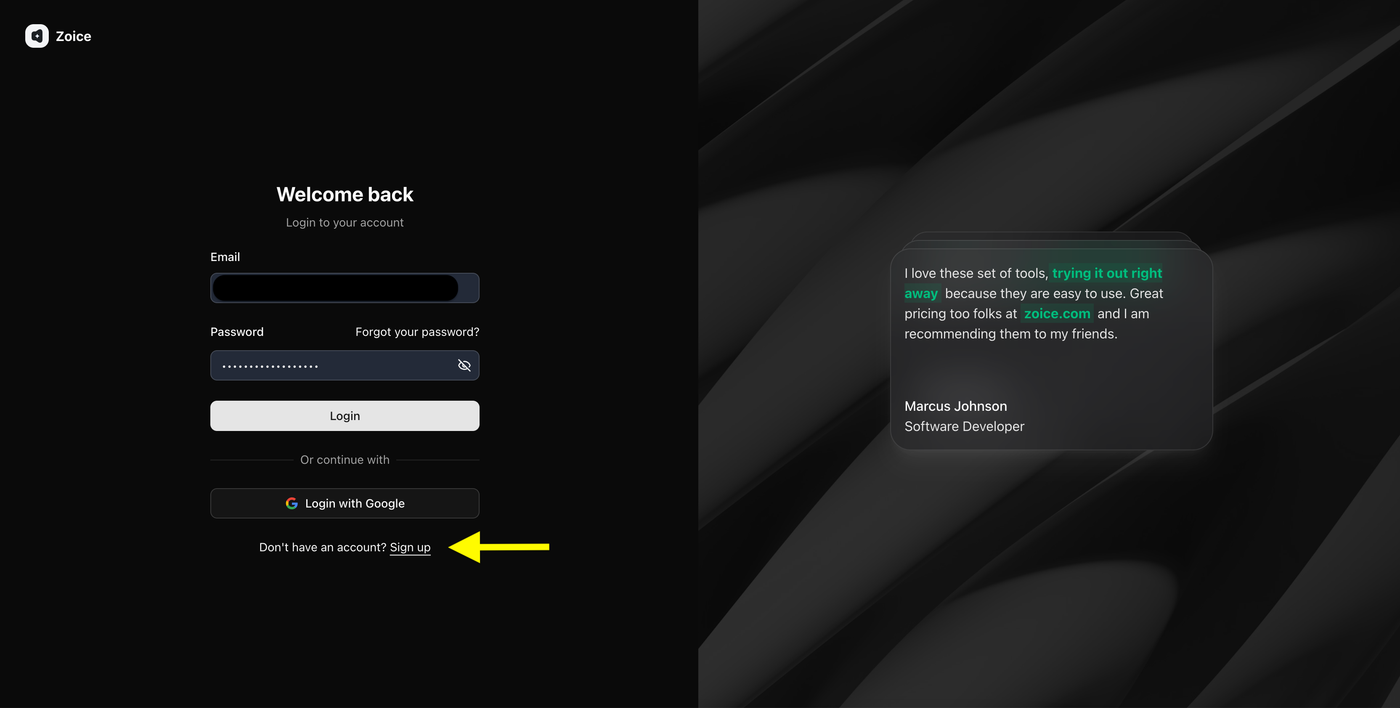
Step 4: Navigate to Avatar Characters
After logging in, you will reach the Zoice dashboard. From the left sidebar, click Avatar Characters under the Manage section.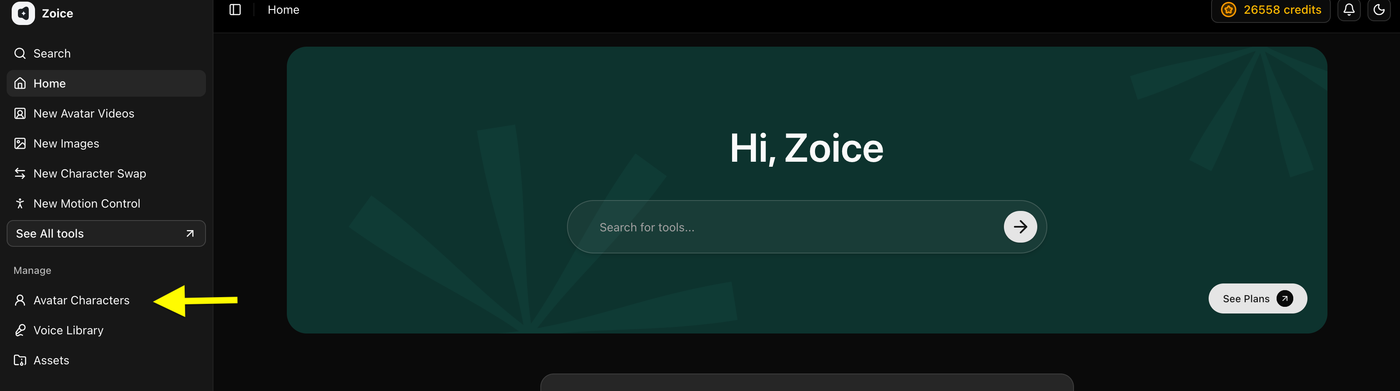 This is where you can create and manage custom AI avatars using your cartoon character image or any other image.
Step 5: Click Create New Avatar
On the Avatar Characters page, click the Create New button to start creating your custom cartoon avatar.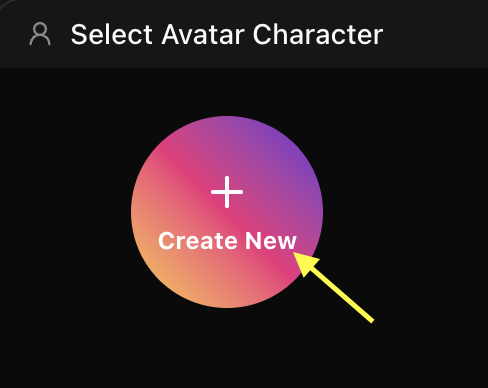 This will open the avatar creation page where you can either upload an existing cartoon image or generate a new avatar image using an AI prompt.
Step 6: Upload Your Cartoon Image and Name Your Avatar
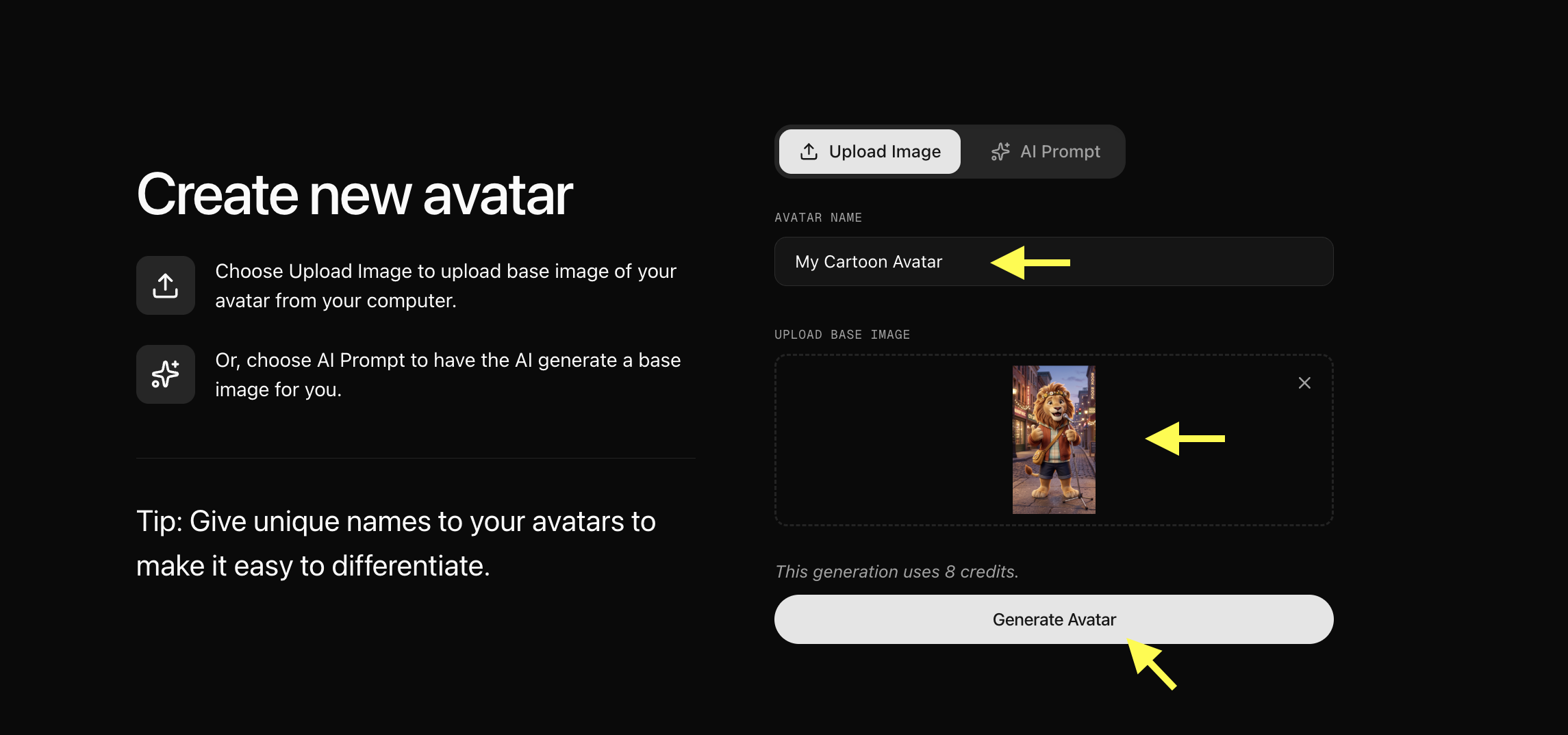
Upload a clear, high-quality cartoon character image that you want to bring to life.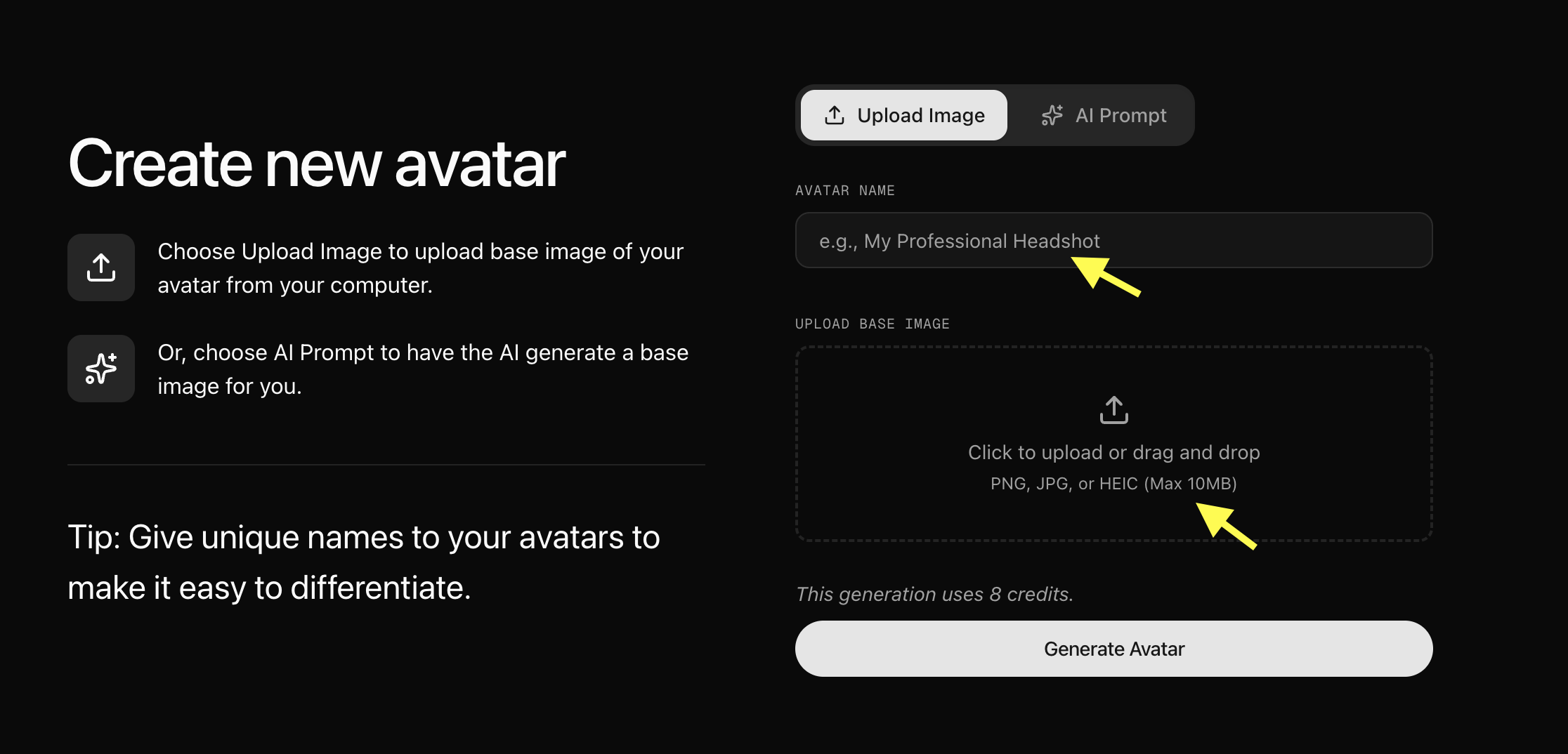 Add an Cartoon Avatar Name to easily identify your avatar later, then click Generate Avatar to create your custom AI cartoon avatar.
For better results, use an image with:
Add an Cartoon Avatar Name to easily identify your avatar later, then click Generate Avatar to create your custom AI cartoon avatar.
For better results, use an image with:
- Clear face visibility and forward-facing angle
- Good contrast between character and background
- Closed or neutral mouth position
-
No blurry or low-quality images
- Upload Your Image or Generate an Avatar Using AI Prompt
- Upload Image: Upload a clear cartoon character image directly from your device.
- AI Prompt: If you don’t have an image, select the AI Prompt option and describe the cartoon character you want to create. Zoice will generate a custom AI image based on your prompt.
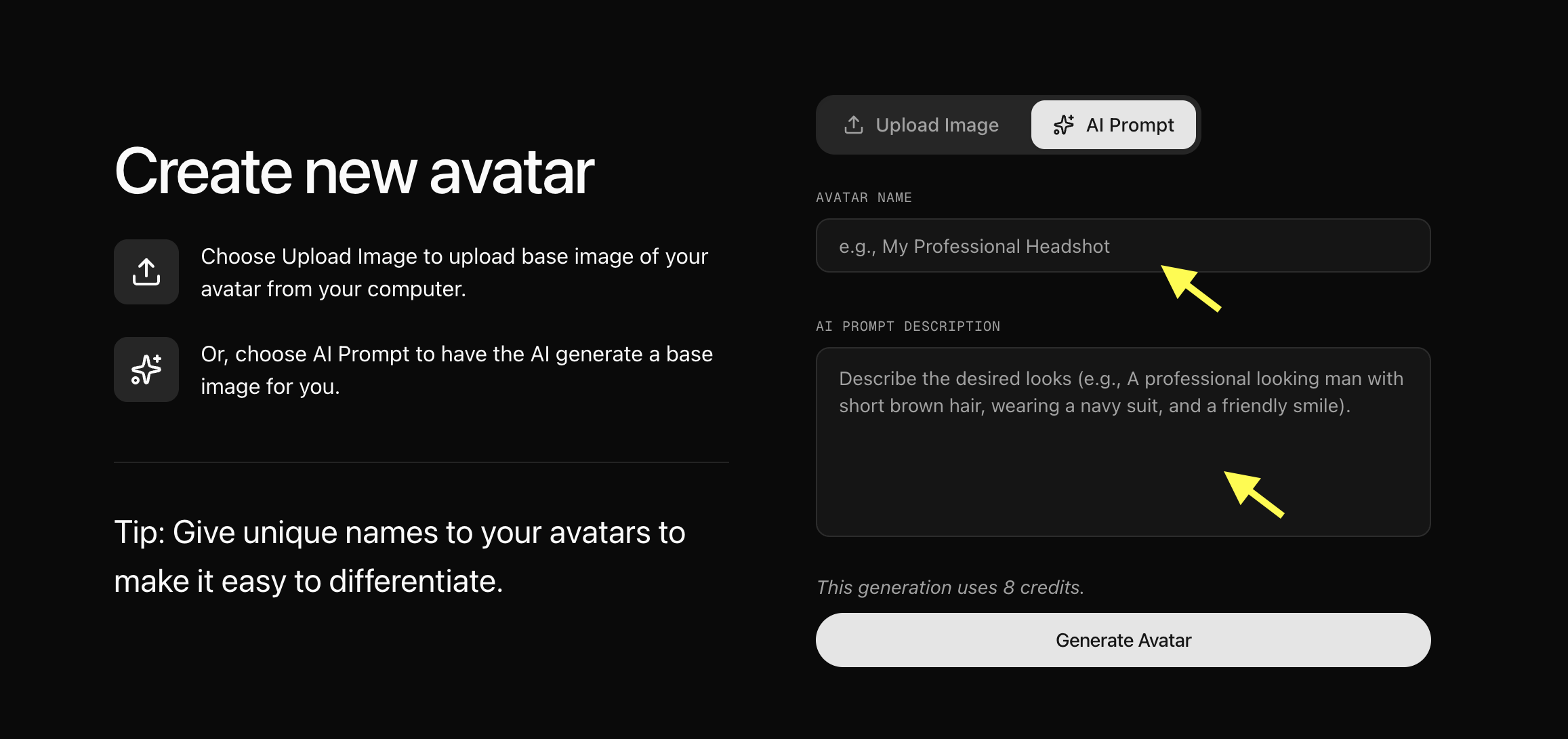
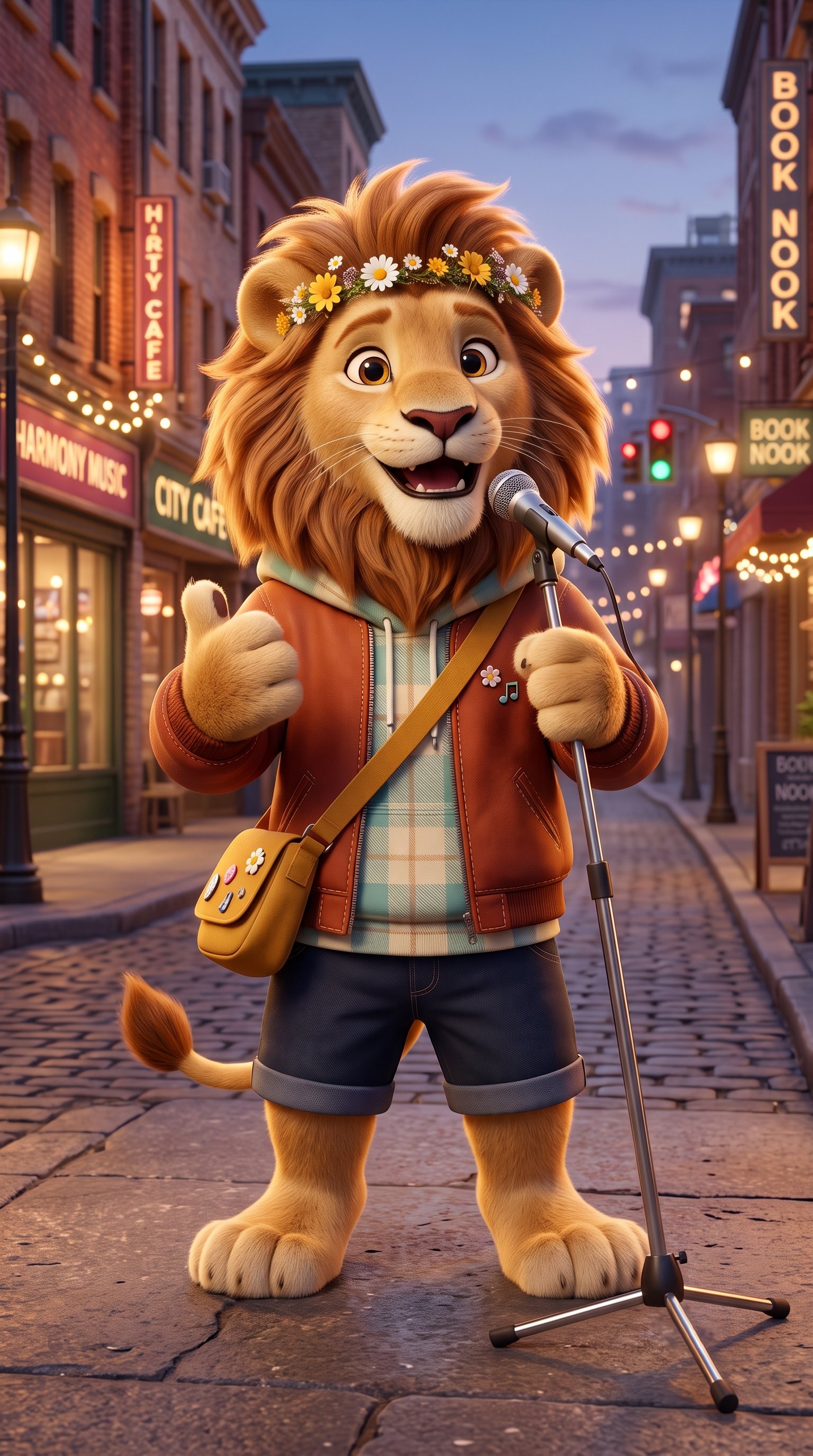
- We use to upload the image of lion.
Step 7: Select Your Created Cartoon Avatar
After the avatar is generated and saved, go back to the Avatar Characters list. Locate your newly created cartoon avatar and select it to use it for your talking video.Step 8: Click Generate Video
Once you sleceted your cartoon avatar, click the Generate Video button to open the video generation settings panel.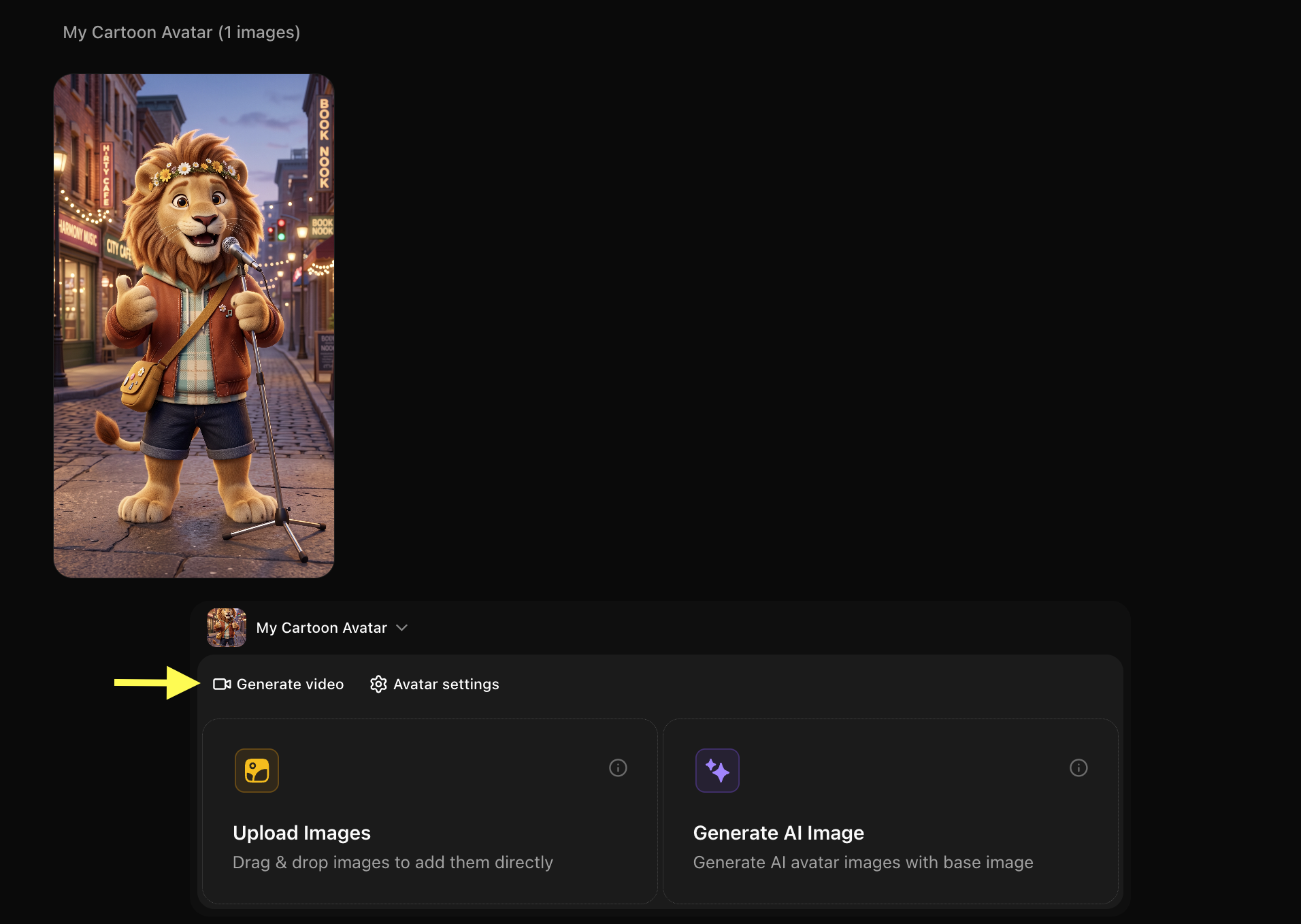
Step 9: Add Your Script
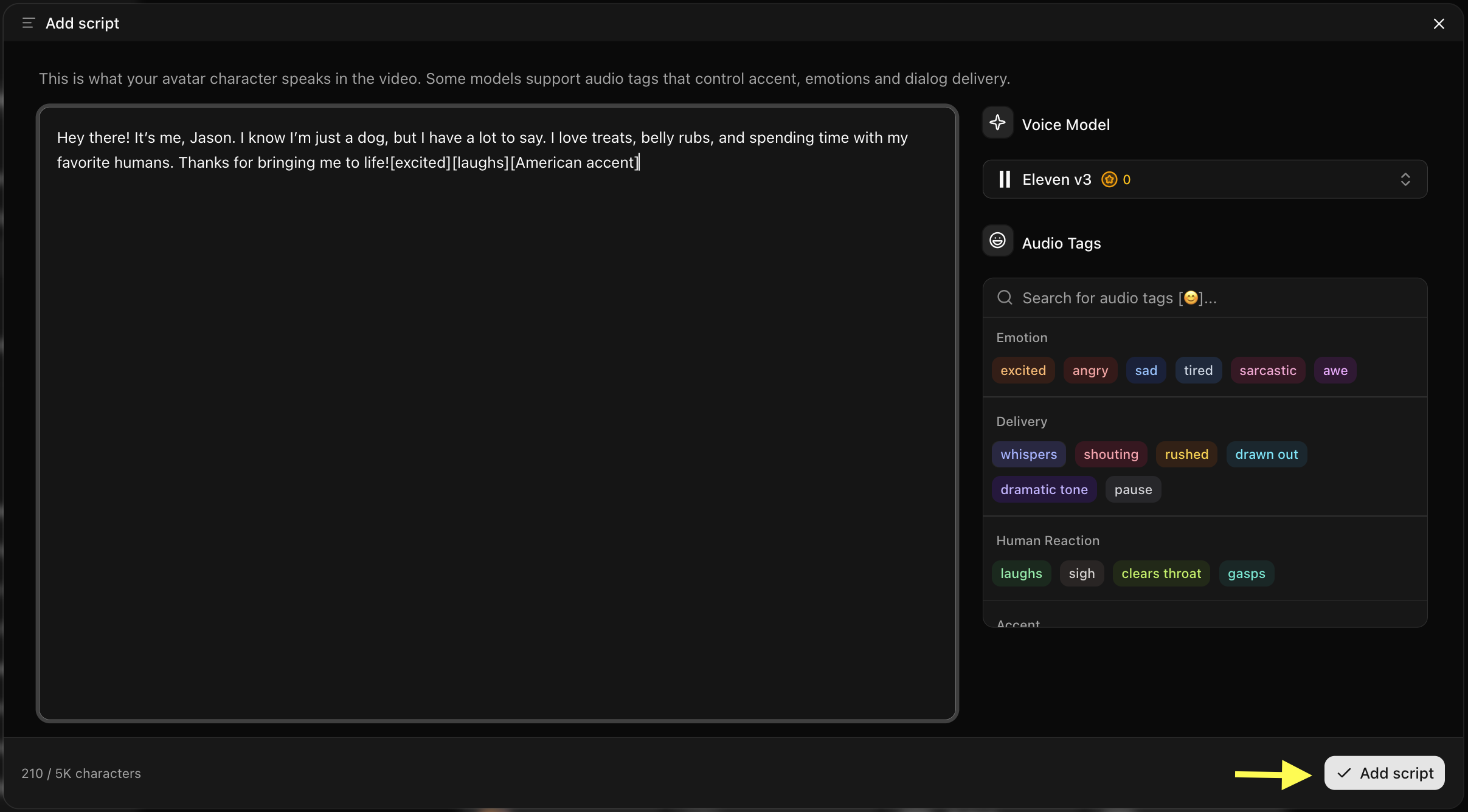
In the video generation panel, Click on script box the popup winodw will apper here we write the detailed script also select the voide model and audio tag like emotion accent, delivry and then click on Add Script.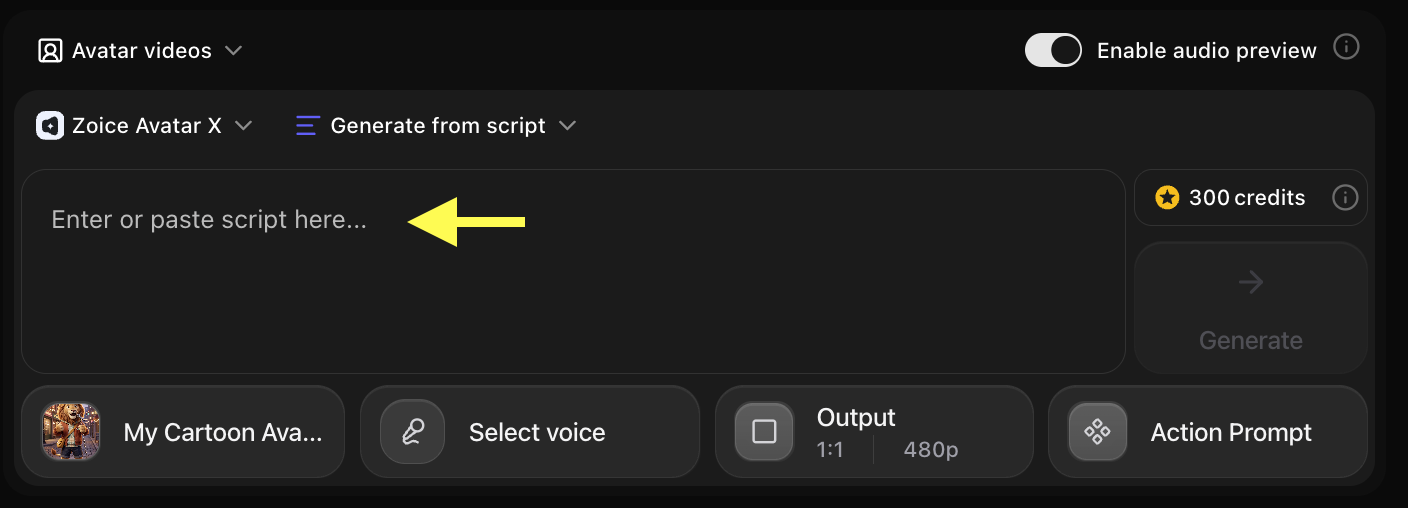
- Once the window pop up then we have to write the script in the script box and also select the voice model and audio tag like emotion accent, delivry and then click on Add Script. We use to upload the script of 1 min 15 seconds
Step 10: Click on Select Voice
After adding the script, Click on Select Voice option, and you will see few public voice and also you can upload your own voice for cartoon avatar.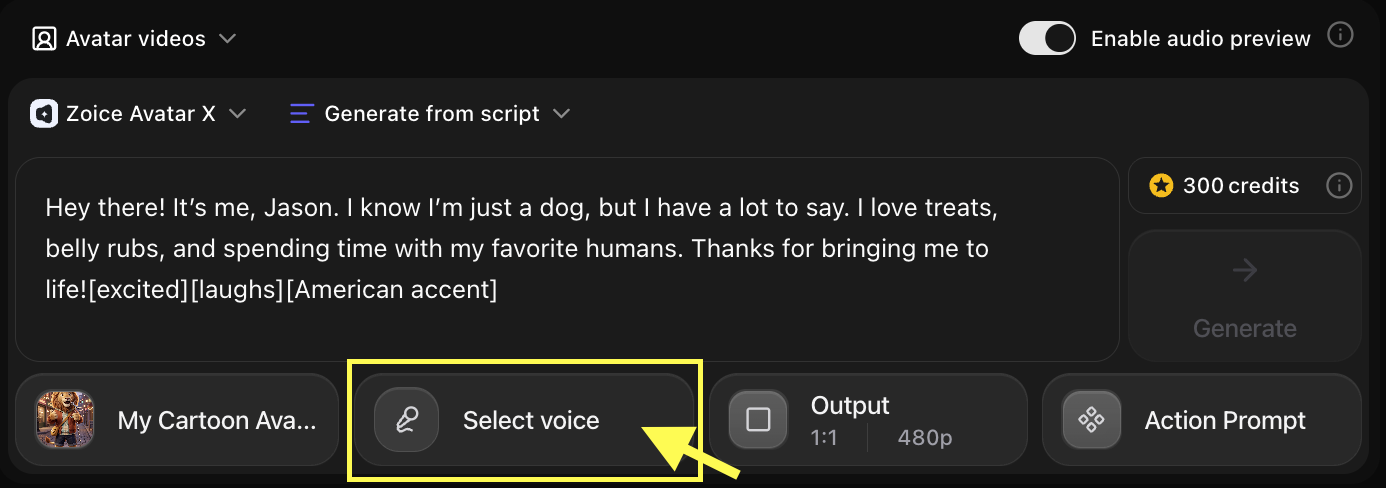
Step 11: Choose a Voice for Your Cartoon Avatar
Browse through the available voices and click on the one that matches your character’s style. You can preview each voice before selecting it to make sure it fits your cartoon character’s personality.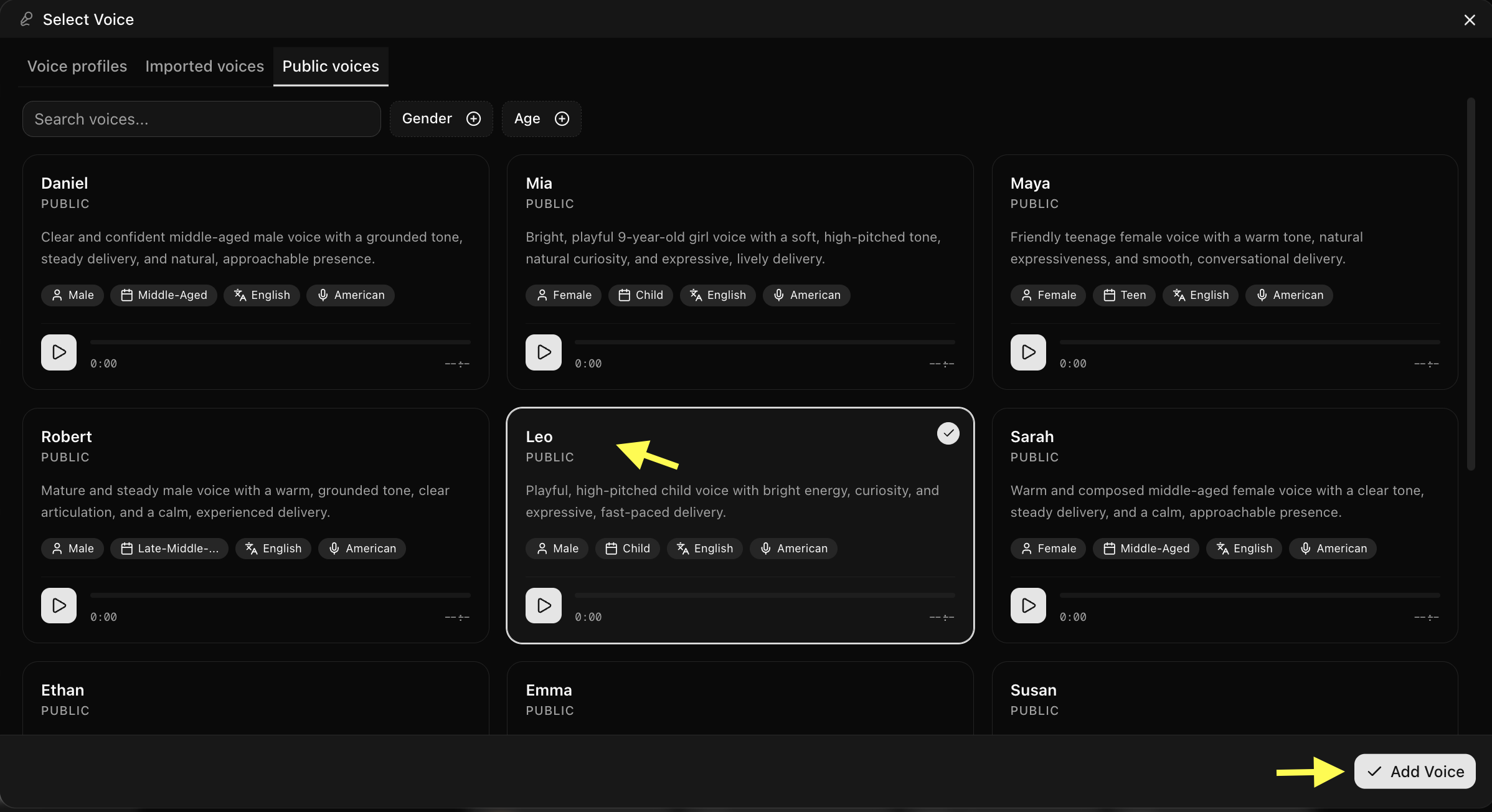
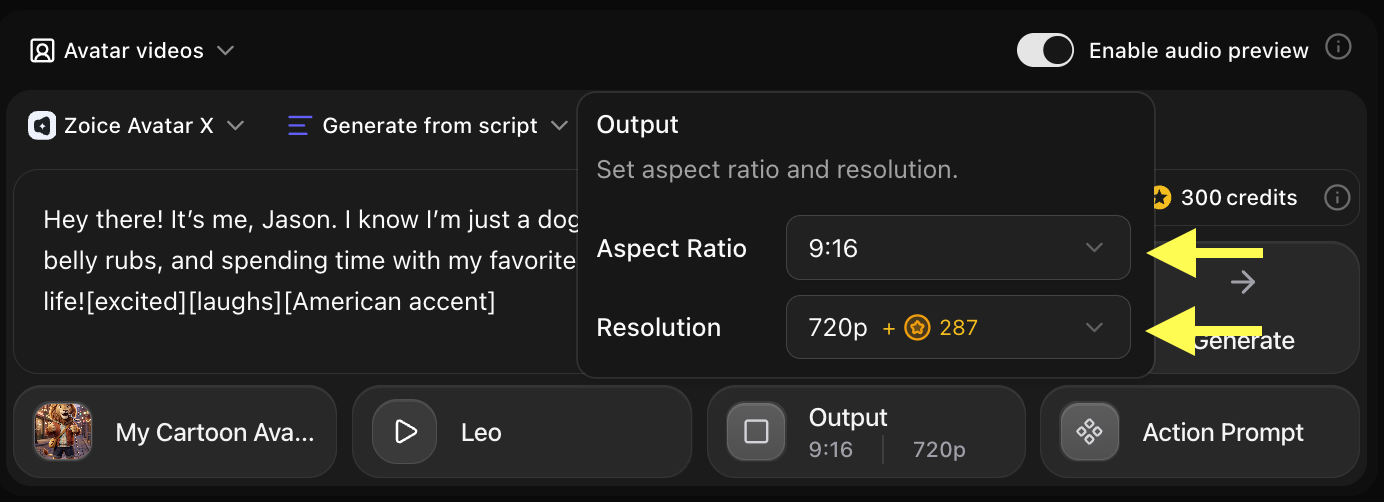
Step 12: Choose Output Settings
After selecting a voice, customize the video output settings based on your platform needs:- Aspect Ratio: 16:9 for YouTube, 9:16 for TikTok or Instagram Reels, 1:1 for social media posts
- Resolution: Up to 4K for high-quality output
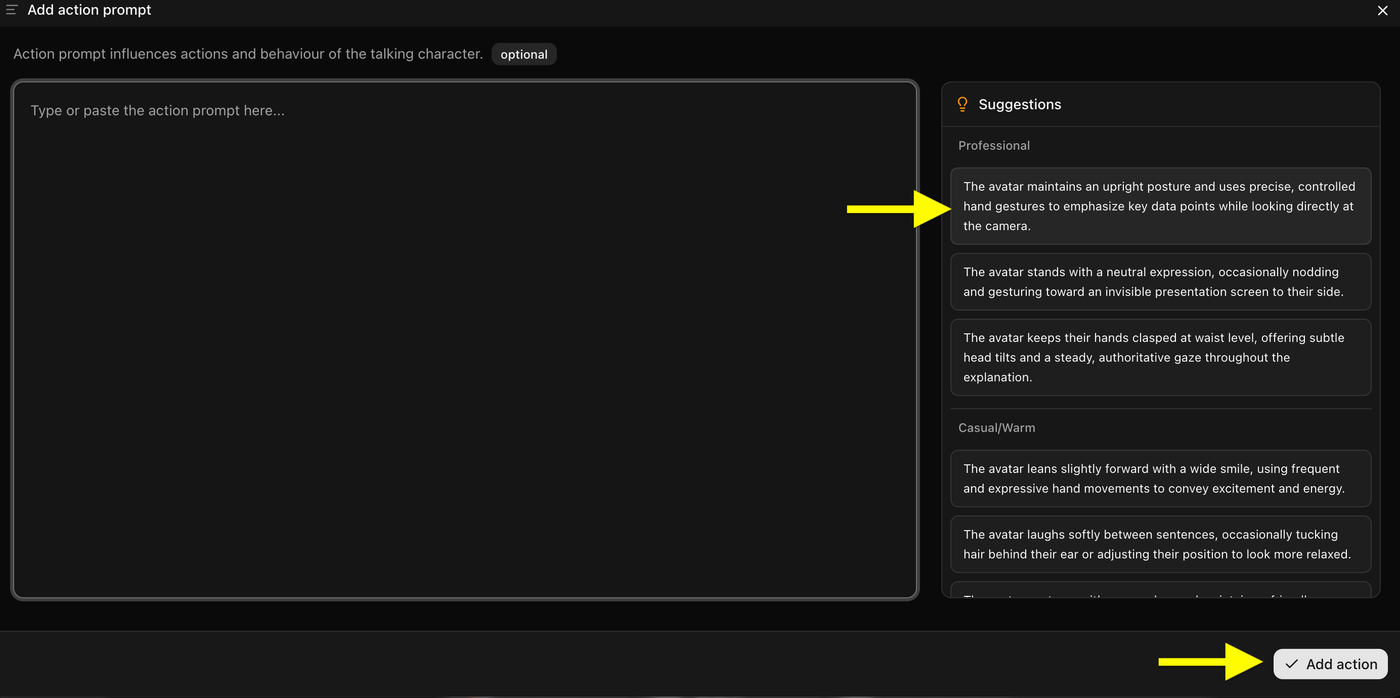
Step 13: Add an Action Prompt
Click on Action Prompt to set the expression and animated actions of your cartoon character. You can choose from options like:- Happy and expressive
- Excited and energetic
- Calm and professional
- Smiling and friendly
Step 14: Generate Your Talking Cartoon Avatar Video
Once all your settings are ready, click the Generate button. Zoice will process your script and cartoon avatar to create the talking video.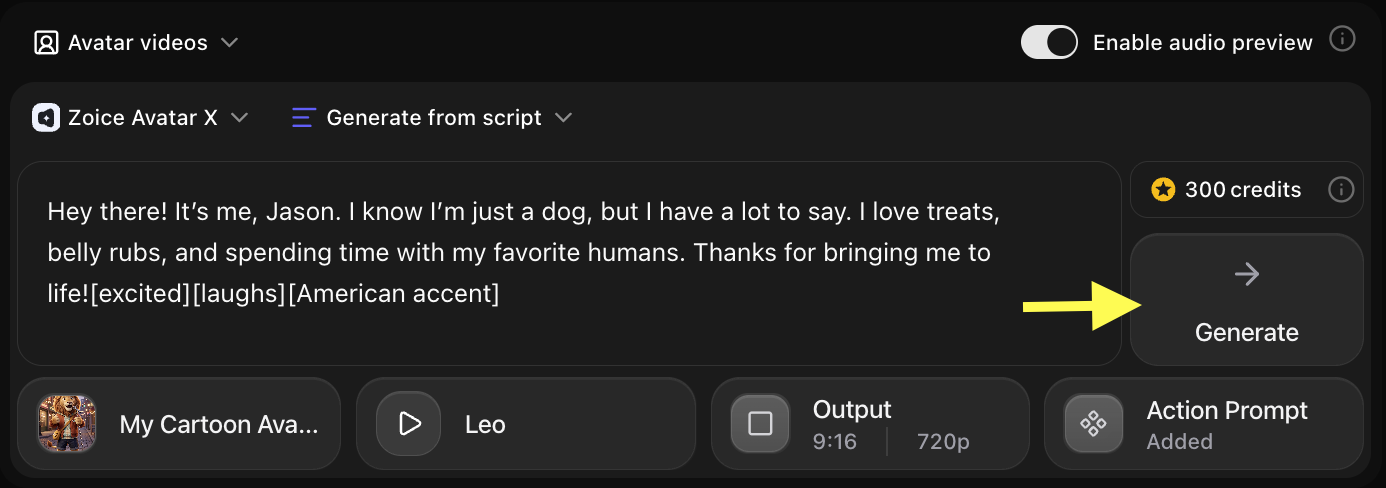
Step 15: Preview the Audio and Generate the Video
Before generating the final video, Zoice creates an audio preview. Listen carefully to check:- Voice quality and clarity
- Timing and pacing of the speech
- Overall tone and expression
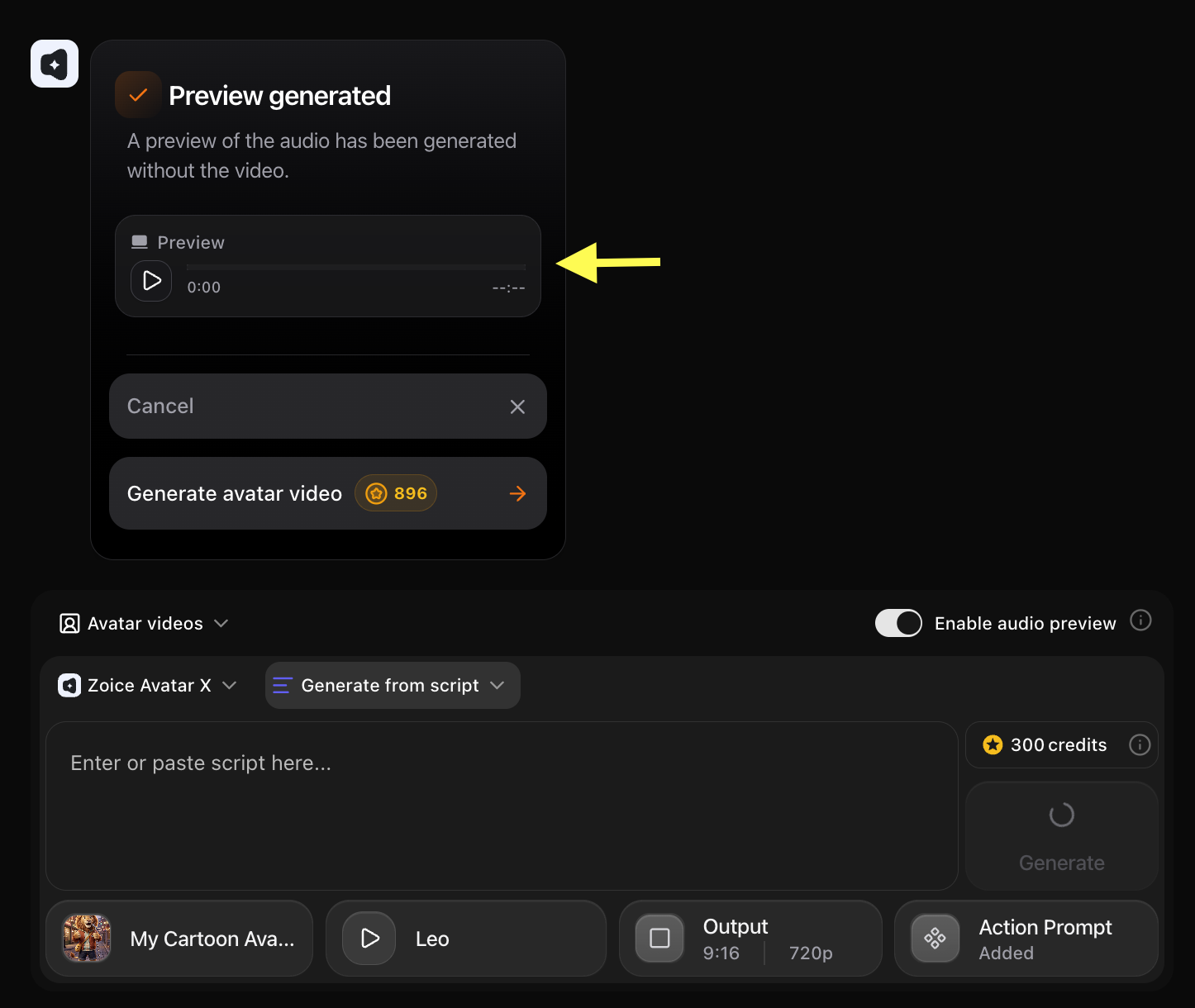 If everything sounds good, click Generate Avatar Video to create your final talking cartoon video.
Step 16: Wait for Your Cartoon Avatar Video to Process
Zoice will now process and render your talking cartoon avatar video. Processing time may vary depending on the length of your script and selected resolution. You can stay on the page or return later to check on the progress.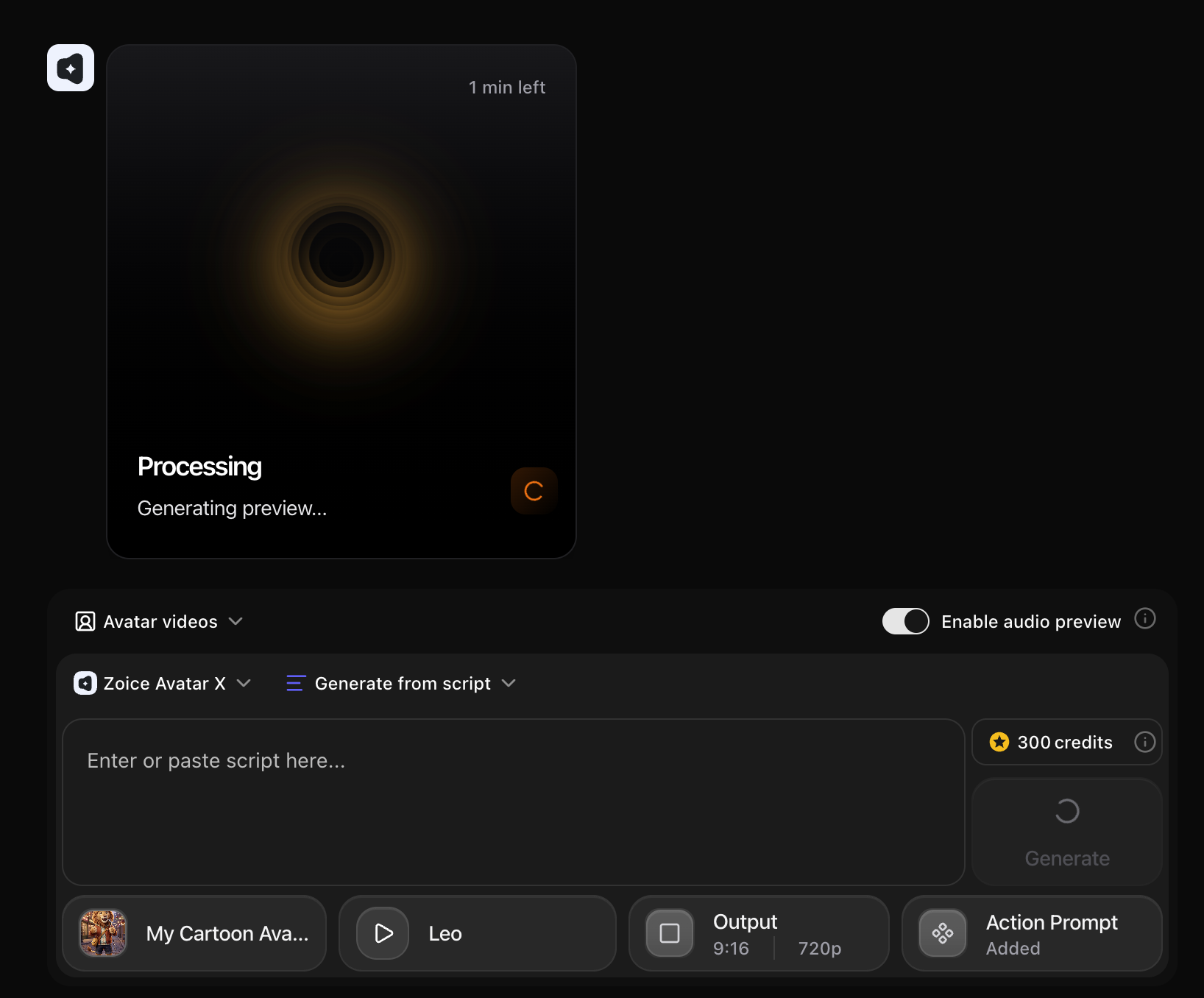
Step 17: Preview and Download Your Talking Cartoon Avatar Video
Once your video is ready, preview it to confirm the lip-sync quality, voice match, and overall output.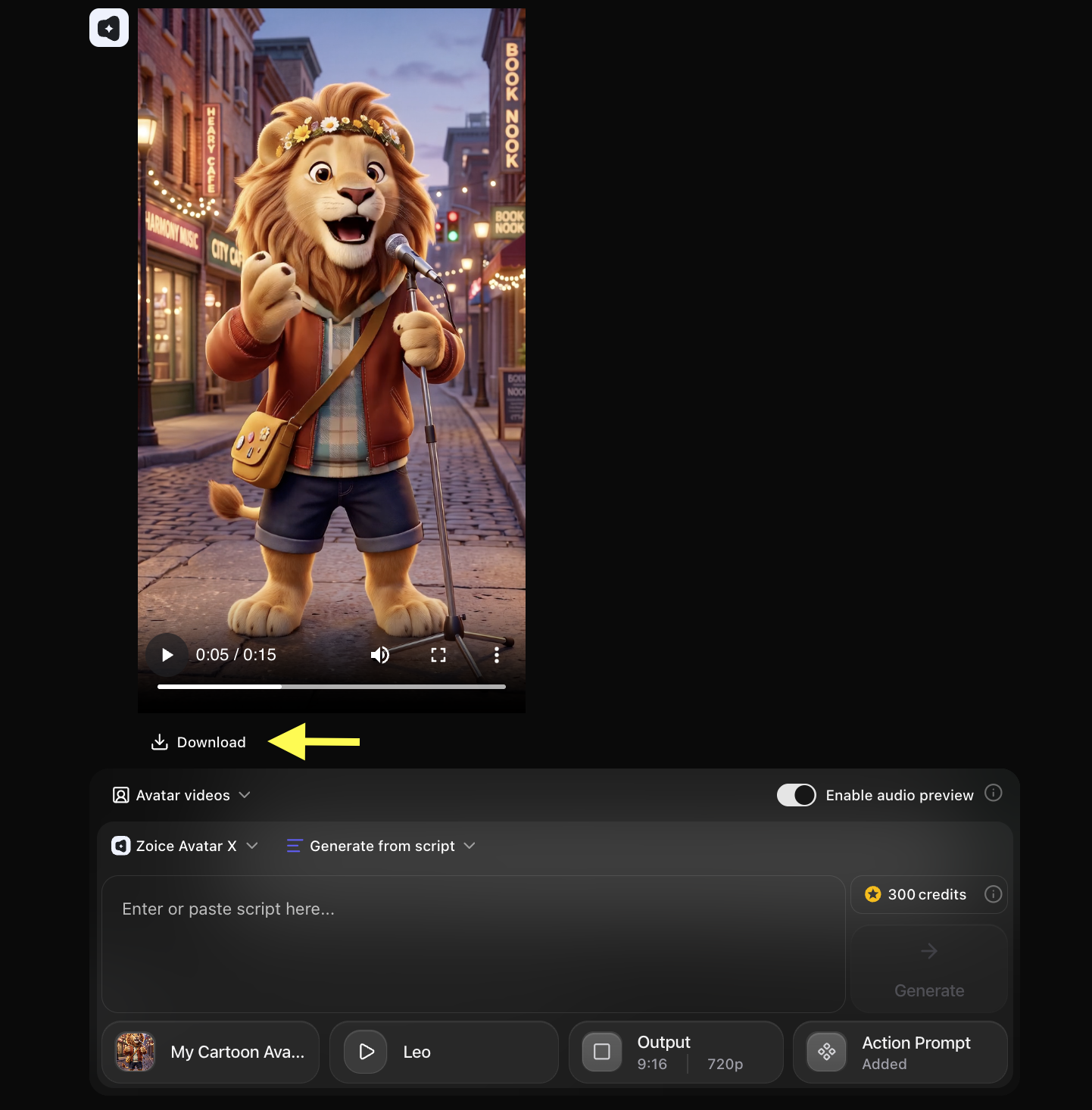
Example Input Image, Action Prompt & Output Video
To help you get started, here is an example of an input voice, action prompt, and generated talking cartoon avatar video.Used Image
Used Script
Used Action Prompt
Output Result Video
Below is the rendered talking cartoon avatar video based on the input script:Cartoon Avatar Videos Can Be Used For
AI talking cartoon character videos are suitable for many creative and professional projects, including:- YouTube animations
- Educational explainer videos
- Children’s storytelling content
- Brand mascot promotions
- Social media entertainment
- Online course content
- Product marketing videos
- Digital storytelling
- Event promotions
- Creative campaigns
Final Words
Creating a talking cartoon character video with Zoice is a fast and simple process. By uploading your cartoon image, adding a script, selecting a matching voice, and generating the final output, you can produce engaging cartoon talking videos in just a few minutes. Whether you want to create educational animations, brand character videos, social media content, or entertainment projects, Zoice helps you generate professional-quality talking cartoon avatar videos with natural lip synchronization, expressive facial animation, and smooth video output.Next Steps
Singing AI Avatar
Make your cartoon character sing with a vocal track.
Custom Avatar Guide
Learn more about creating and managing custom avatars.